


What do you use screen recording software? OBS? Bandicam? There are various screen recording and capture software. In March 2024, IFocuSeeI purchased a screen recording software called.
Even though it was not known in Japan at the time, I was fascinated by it at first sight, saying, "This is the tool I was looking for."
FocuSee is more than just a screen recording software.
It is a new era tool that allows you to "easily" record videos that catch the viewer's eye in a surprisingly easy and stylish way.
FocuSee is enough for screen recording. From YouTube videos to online courses and videos posted on social media, you can freely create all kinds of video content.
In this article, we will introduce the appeal of FocuSee and how to use it in detail.
You can now get a perpetual license of FocuSee with 51% off & one-time purchase! For detailsFrom hereCheck it out now.
What is the screen recording software "FocuSee"?
FocuSee is a screen recording and capture software that can keep your audience engaged.
… Nail? What does it mean?
Please see below.
When you screen record with this software, you can easily create videos with automatic zoom-up and super cool backgrounds.
By recording your computer screen attractively, your videos will look very different from other boring videos.
"This person's video is very easy to watch."
"It's so cool!"
Your audience and even your rivals are sure to stick to your videos.
It can be used on Mac and Windows, and recently also supports Japanese. Because of this, the number of Japan users of FocuSee has been increasing all at once recently.
Useful features of FocuSee
What can you do with this FocuSee?
- You can choose the recording mode
- Auto-zoom function
- Customize cursor and click effects
- Stylish background images
- Automatic subtitle generation (Japanese subtitles are also easy!) )
- Position webcam footage freely
- Video Size Settings for SNS
- Save to Cloud & Embed Pages
I will explain them one by one.
You can choose the recording mode
First, you can specify what size you want to screen record.

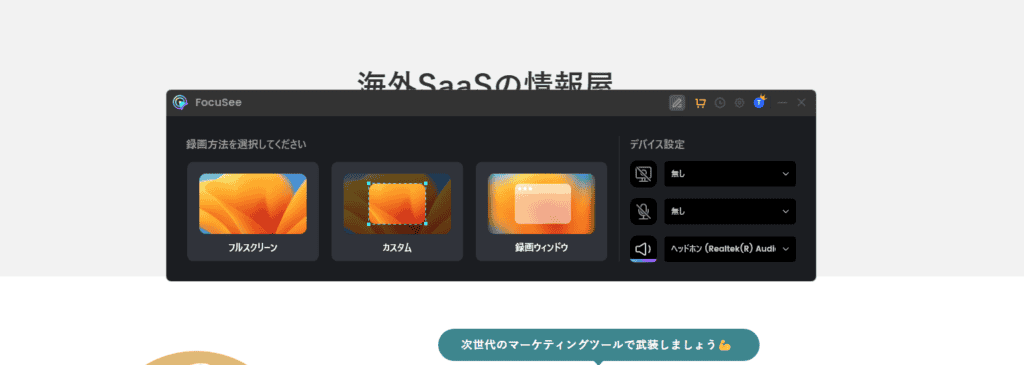
- Full Screen Recording: Ideal for recording the entire screen.
- Custom Recording: You can set the recording range freely.
- Window Recording: You can record only a specific window.
Sometimes you want to show the entire screen, and sometimes you only want to record a specific area of the screen.

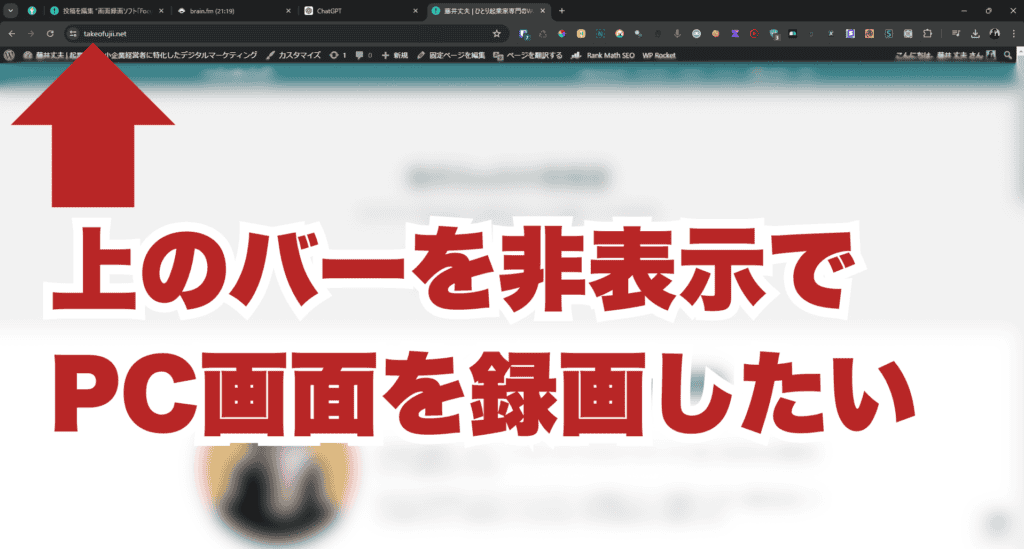
With FocuSee, you can only capture a specific area.

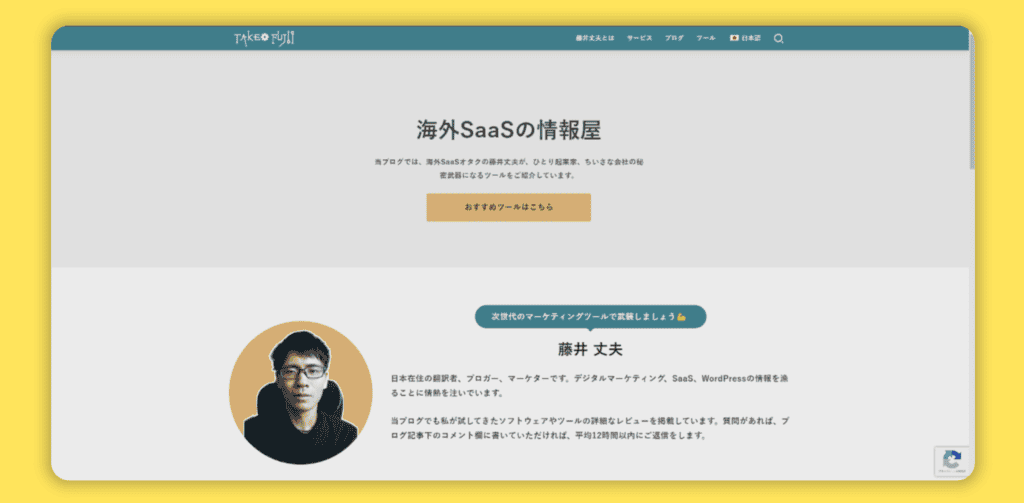
You can specify how far you want to record and the range.
Auto-zoom function
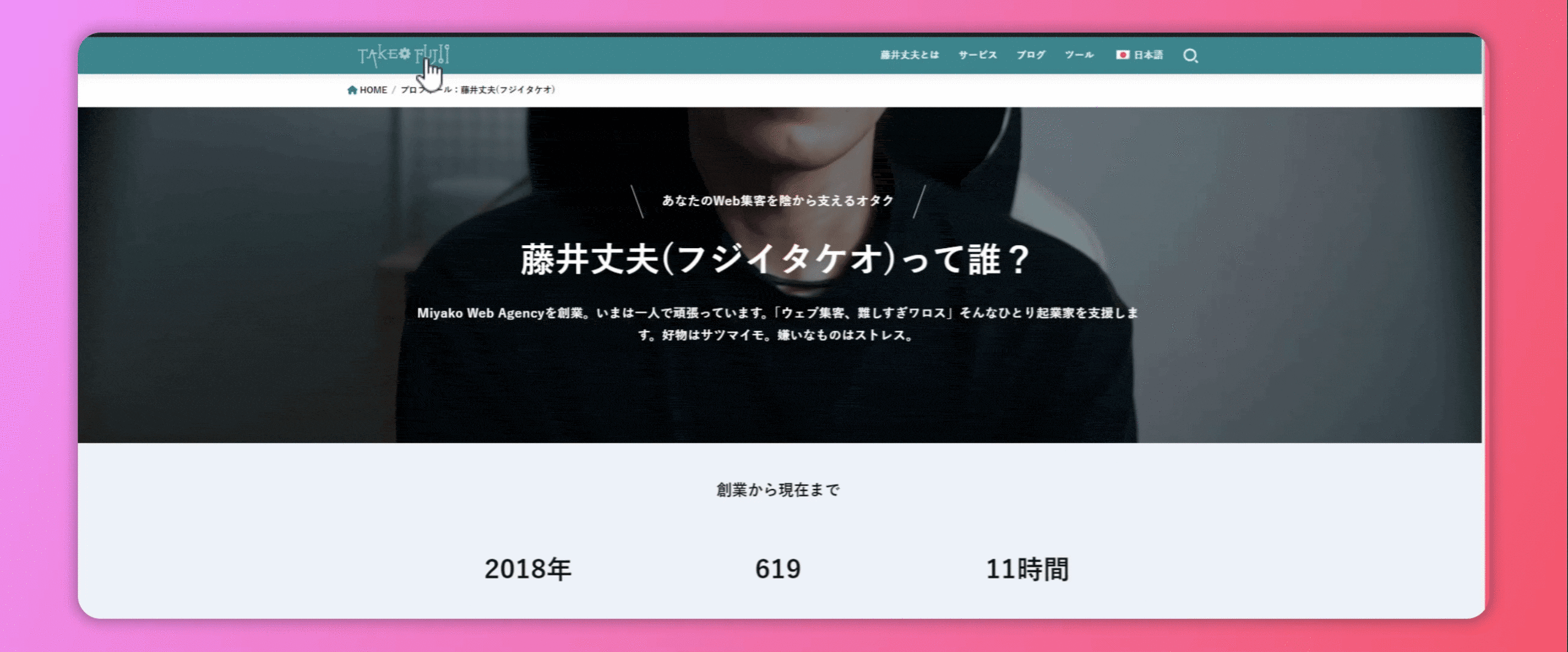
Click where you clickFunction that automatically zooms in (zooms in)is.
As is often the case, even if you explain in a video that you "press this part", it may be difficult for viewers to understand where that part is.
With FocuSee, it automatically enlarges the clicked part.
By using this feature, you can emphasize it in a way that is relevant to your audience.
Customize cursor and click effects

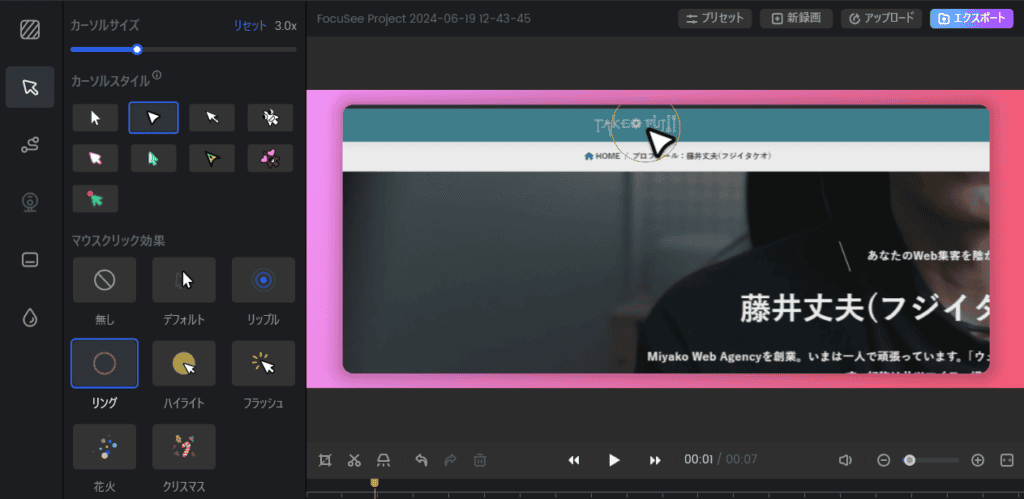
FocuSee gives you the freedom to customize the size and style of your cursor.
You can increase or decrease the size of the cursor and change its appearance.
There are also plenty of clicking effects available. In addition to the default effects,RippleandRings、Highlights、FlashYou can choose an effect such as this.
You can use this effect to create visually appealing videos. It's especially useful for tutorial videos and presentation videos.
Stylish background images
You can freely set images and gradients on the background of the recorded video.
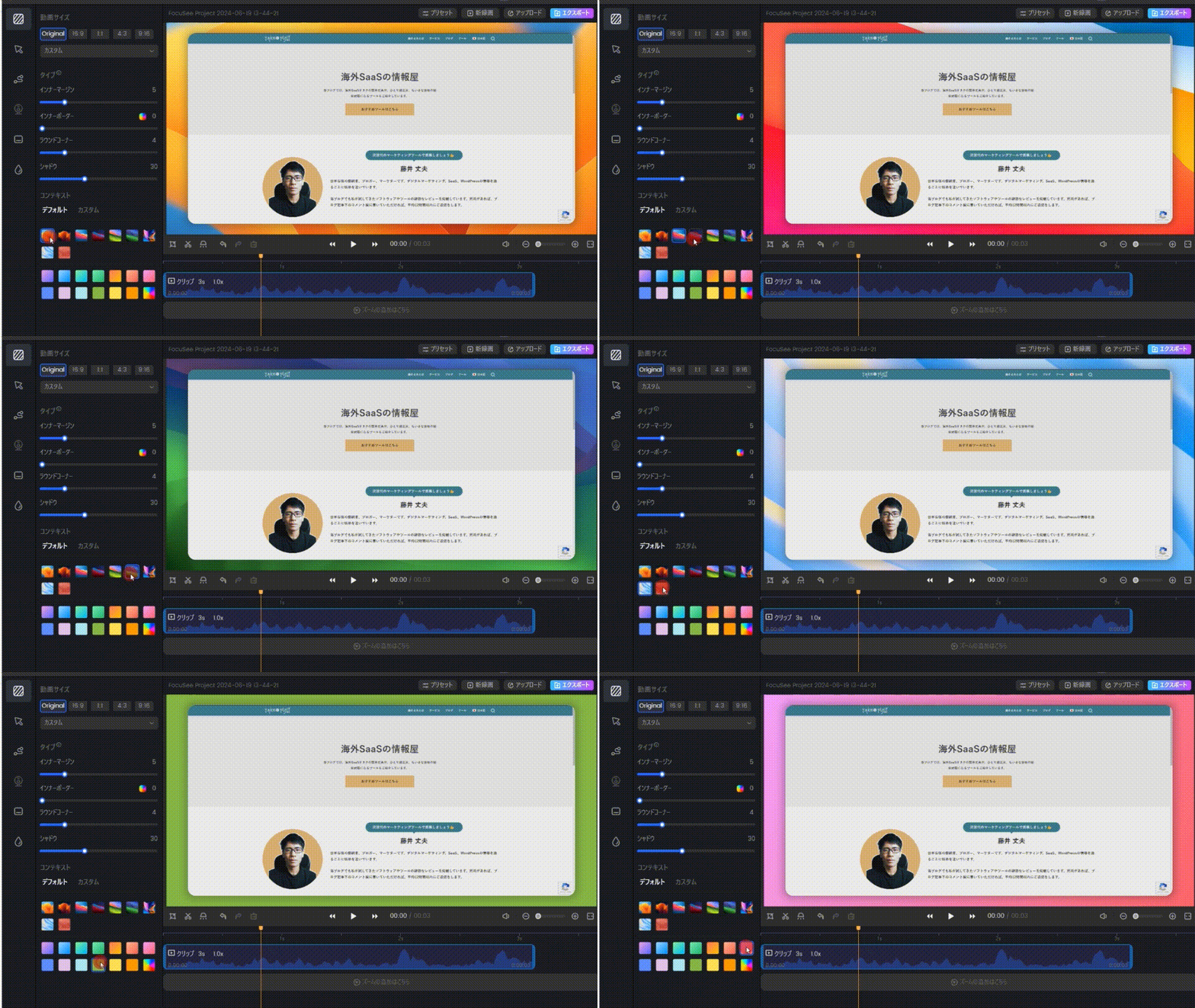
It's not just about screen recording; You can make super cool videos.
- Image background
- Gradient background
- Custom Color
You can also upload an image from your computer and set it as a background. This background change is a feature I particularly like.
It's easy to create visually appealing videos.
Automatic subtitle generation (Japanese subtitles are also easy!) )

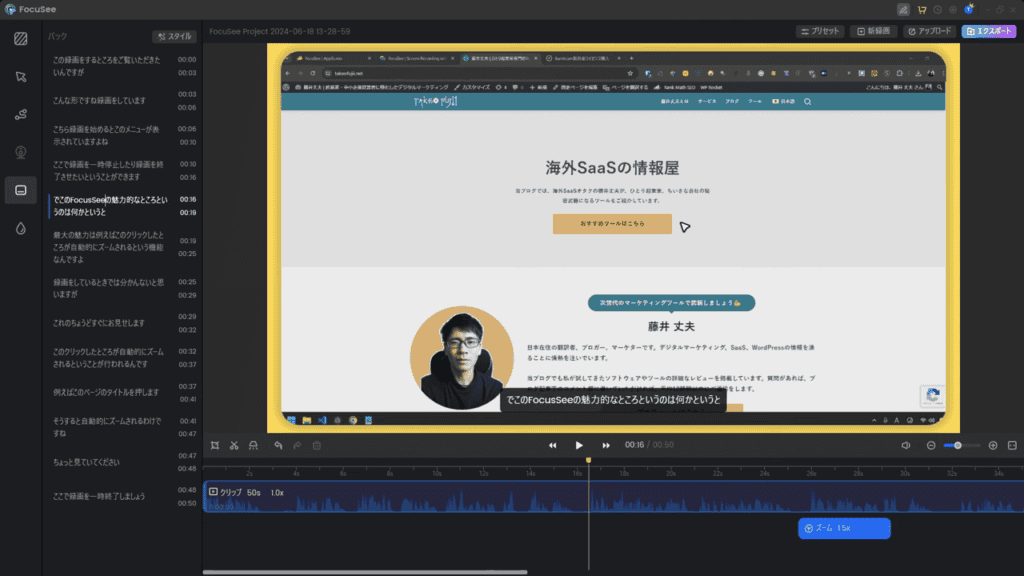
FocuSee hasSubtitle generation capabilitiesIt is also installed. It automatically generates and inserts subtitles for the recorded video. In addition to Japanese, it is available in various languages such as English, French, and German.
You can also change the style of the generated subtitles freely. You can customize font size, position, and color to make subtitles easier to read.
Position webcam footage freely
FocuSee also allows you to incorporate webcam footage into your recordings.
This allows you to record while showing the presenter's face on the screen.

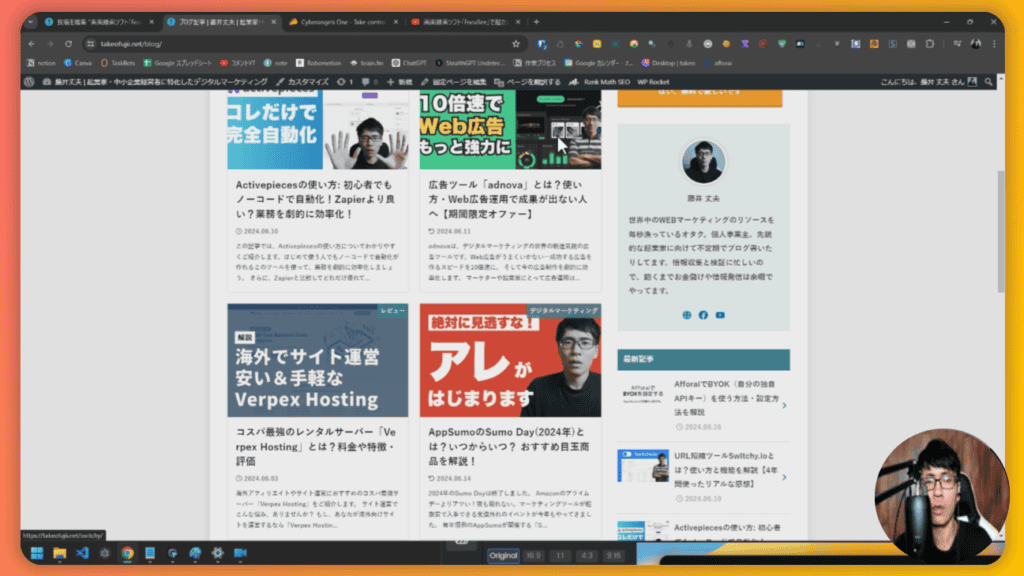
Common screen images + circular display of faces. You can display the webcam footage in a circle in the bottom right or bottom left.
And that's not all.

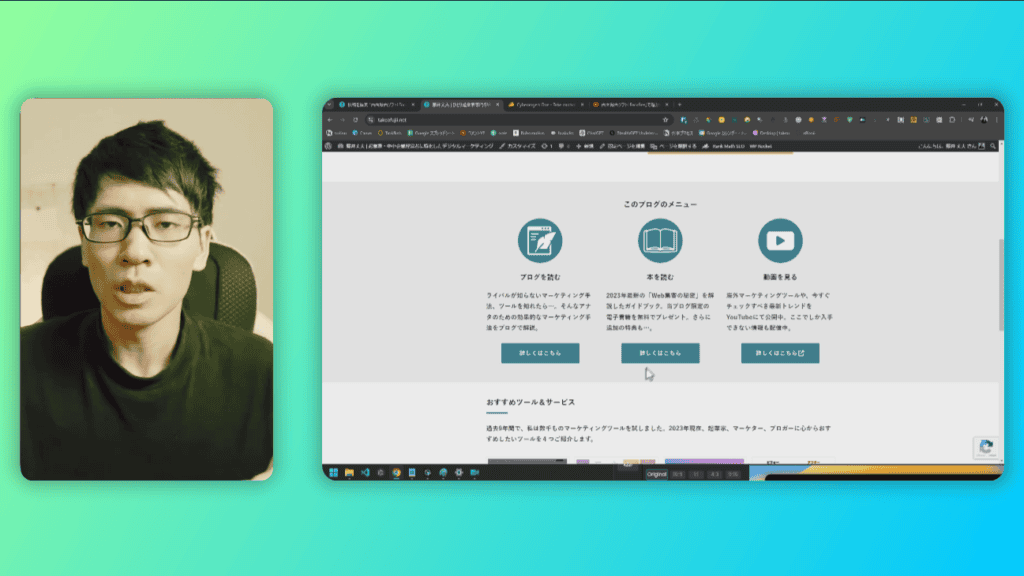
It is also possible to place the webcam video on the left side of the screen recording, as shown above. Do you want to install the camera image on the right side instead of the left?
You can. It is also possible to install the webcam footage on the right side.
Video Size Settings for SNS
FocuSee allows you to change the size and format of your videos freely.Video sizes are available for various social media platforms such as YouTube, Twitter, Instagram, LinkedIn, Facebook, and more.

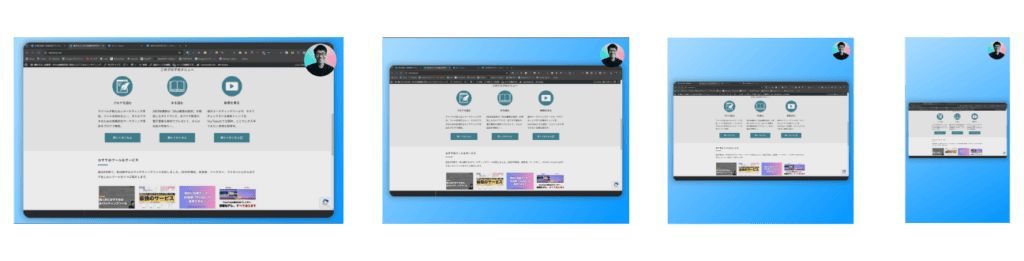
You can choose the best format for YouTube, Instagram, Twitter, TikTok, and more.
- For YouTube: 16:9
- For Instagram: 1:1
- For Twitter: 16:9
- For TikTok: 9:16
This allows you to create videos in the best format for each social network.
Save to Cloud & Embed Pages
You can upload your recorded videos to the cloud and share them with others.


- Easy upload: Upload to the cloud with a single click.
- Total: Easily share videos on the cloud.
You can also embed the recorded video on your blog or homepage▼


FocuSee Use Cases: What Can It Be Used For?
When you get the most out of FocuSee, you can create videos for a variety of purposes. Some use cases include:
- YouTube video
- Promotional Video
- Product Demo
- Online Courses
- Tutorial
- Software development (e.g., bug reproduction)
- Presentation
- Teaching and Learning Materials
- Video guidance to customers
It can be used for a variety of purposes, from recording YouTube videos to creating online courses.
I myself have already used FocuSee toPublish YouTube videoI do.
Videos made with FocuSee
See below for videos I've made with FocuSee in the past.
*The project announced in the video has ended.
Advantages of FocuSee/ This is amazing!
Japanese support

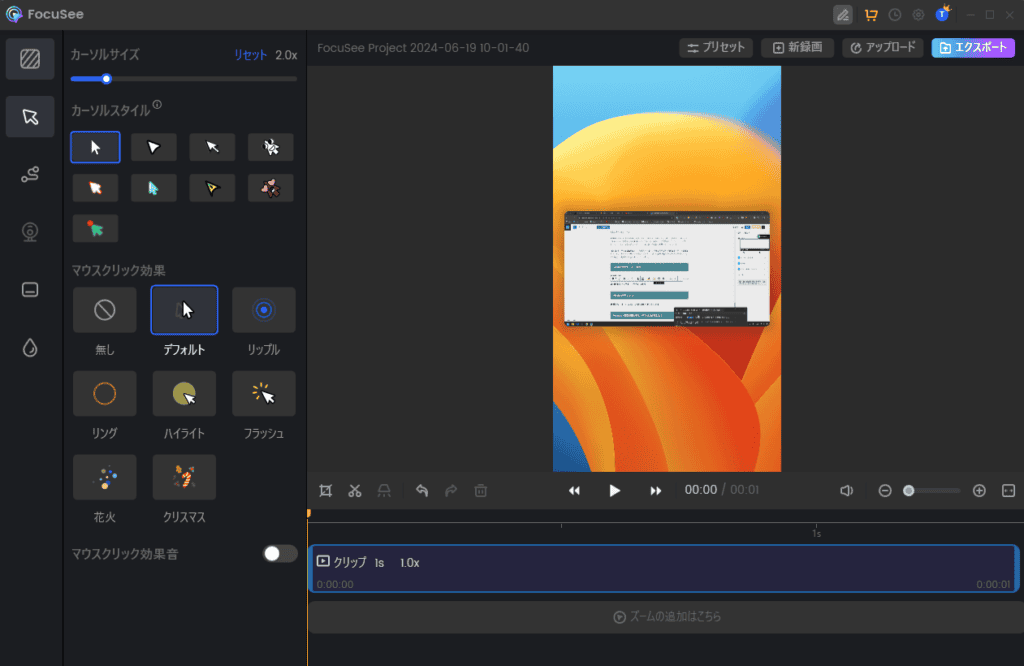
FocuSee is fully Japanese supported.
From recording to editing, you can do everything in Japanese without stress. You can edit the recorded video crisply and intuitively.
Easy video editing
In addition, FocuSee hasVideo editing featuresIt is also provided.

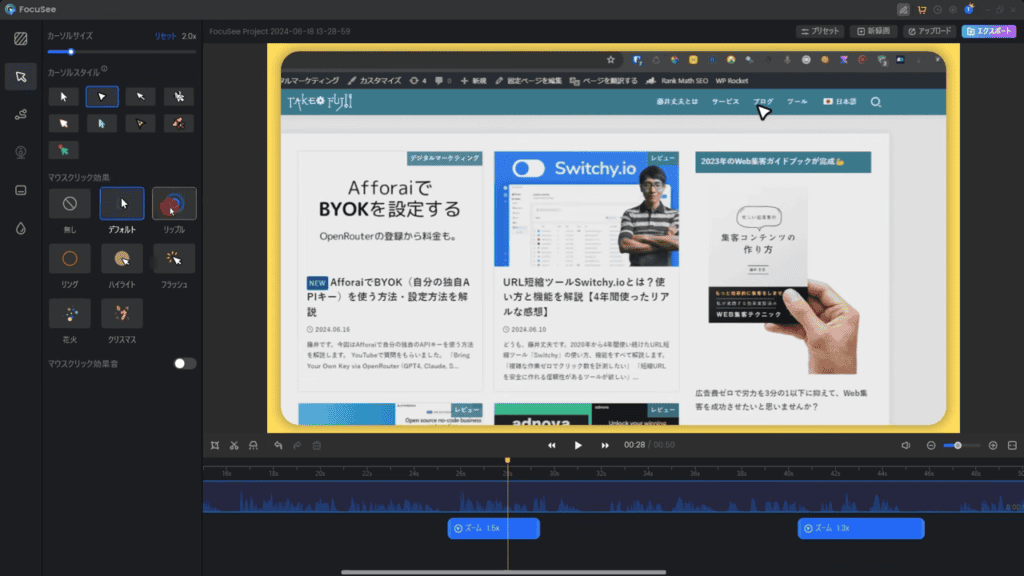
For simple editing, FocuSee is OK.
You don't need to have any video editing software.
It is convenient to be able to perform simple editing tasks within FocuSee. It comes with various editing features, such as cropping videos, trimming and customizing designs, and automatically creating subtitles.
This is another point that I like. You don't need to read instructions on how to use it.You can use it intuitively from the beginning.
A few seconds of video by SNS
In addition, videos created with FocuSeeUse on various SNSYou can.
There are several major SNS. YouTube, Twitter, Instagram, LinkedIn, Facebook, etc., if you make videos one by one tailored to those social networking sites, no matter how much time you have, you won't be enough.
With FocuSee, just press a button.

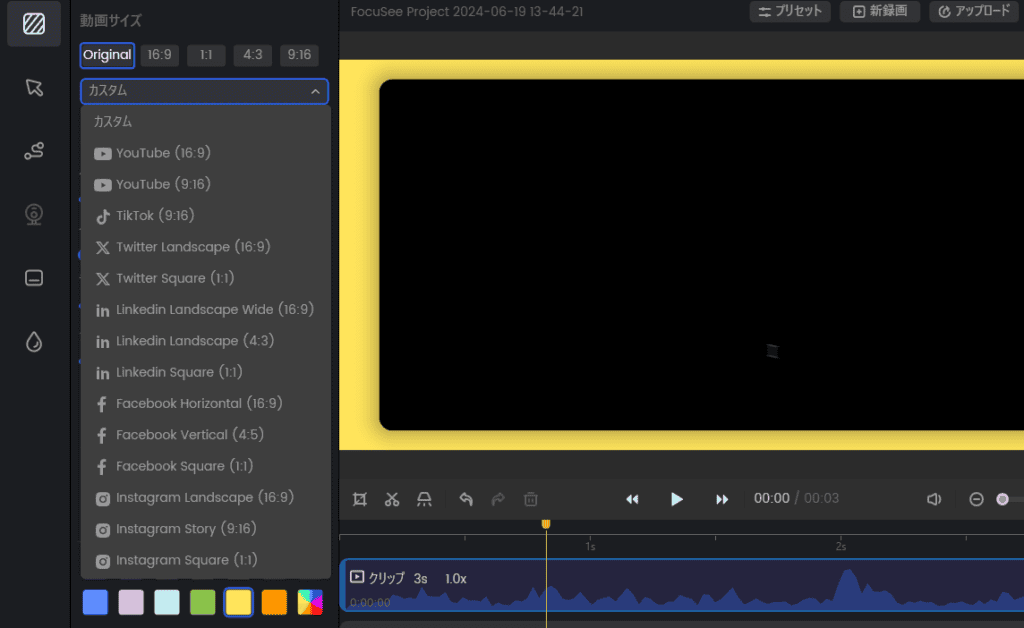
Just press it to create a video that is the size of each SNS in one shot.
You can instantly recreate videos you create for YouTube into a size format that can be posted on TikTok or Instagram.
FocuSee is more than just a screen recording tool; It can be said to be a video production tool with advanced features. Whether it's used in a business setting or a personal hobby, FocuSee can help you create more engaging videos.
FocuSee Disadvantages/Weaknesses
I've been using it since March 2024. There are more new features and easier to use.
As you can see so far, I am also a single user. I use it quite a bit.
However, I also feel the disadvantages of using it.
(1) Heavy when editing
The first isA little slow when editing videosis.
If you have a computer with a certain specification, there should be no problem. A computer that can do general video editing will work without any problems.
However, if you launch another high-load app or use a computer with low performance while using FocuSee, FocuSee will slow down to a level that you can realize.
(2) You can't upload videos directly to social media.
It's not so much a disadvantage of FocuSee, but rather a request for new features that I would like to see added in the future.
Currently, FocuSee does not allow you to upload recorded videos directly to YouTube or other social media (such as Instagram or Facebook).
It would be very convenient to be able to upload directly from FocuSee, so please add it...
FocuSee Pricing Plans

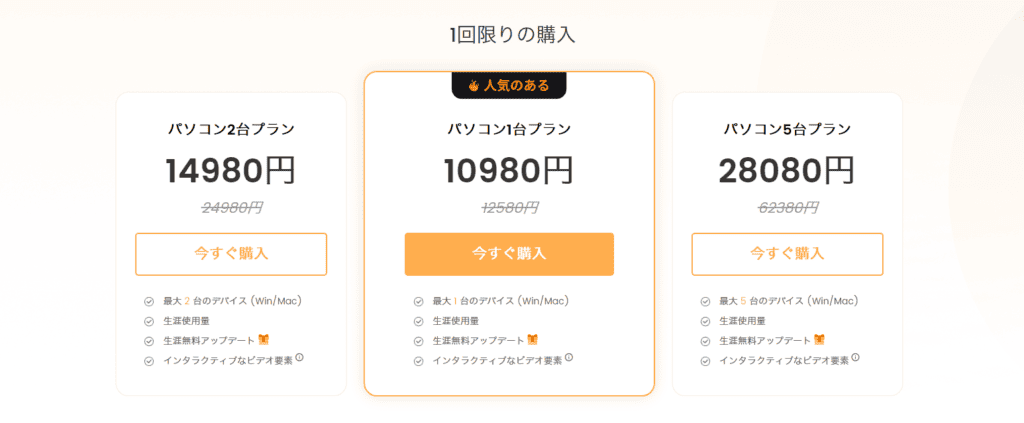
The regular price is 12,580 yen. It's a one-time purchase. You only need to pay once.
Currently, the operator, Gemoo, is running a campaign. Therefore, you can purchase it at an even greater discount for 10,980 yen. It will be until June 30, 2024.
As the number of installs increases, the price will also change. For detailsOfficial websitePlease see.
If you read this article,How to get it even cheaperWe will guide you.
Up to 51% OFF! Get FocuSee at a special price
Currently, you can get up to 51% off FocuSee via the overseas marketplace AppSumo for $39!
It is about 6,400 yen in Japan yen. That is, about half the price. It's a better deal than buying FocuSee from the official website.
The official offers. Don't worry, it's not pirated.
If you are in doubt, buy it now.
The price is not the only good deal.
The official website states:


If you upgrade to the next major version (for example, version 2) for this promotion, an additional upgrade fee will be required.
This means that if you buy it from the official website, you will have to pay extra to upgrade it when version 2 and the like appear.
However, if you purchase it on AppSumo,Upgrading the major version is free.

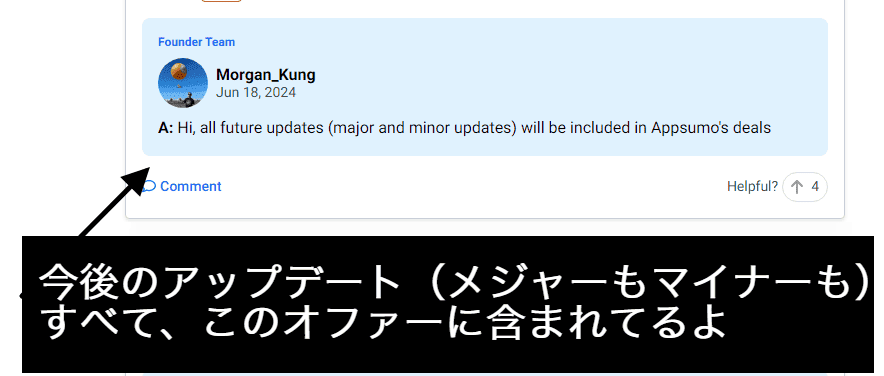
Even if version 2 arrives, buyers from AppSumo will still be upgraded for free.
Make it an easy-to-understand table.
| Official website | AppSumo | |
| Price | JPY 12,580 | Approx. 6,400 yen |
| Regular updates | Free | Free |
| Major Upgrades | Paid | Free |
No matter how you think about it, it's better to buy it via AppSumo.
This special offer is only available for a limited time. We recommend getting it now.
60-day money-back guarantee
If you miss out on a purchase, you will regret it later. In that case, you will have to pay twice the amount from the official website to purchase.
Summary: Is FocuSee the best screen recording software?
"FocuSee?
To be honest, what made me buy FocuSee was that it allows me to automatically zoom in while screen recording.
Rather, I bought it for that reason.
However, now I use it every day to record YouTube videos. In addition, we also use it to answer questions from customers in videos.
To create a memorable video that won't let your audience get bored, FocuSee is a screen recording software that you can't afford to have. Here are the impressions of actual buyers▼

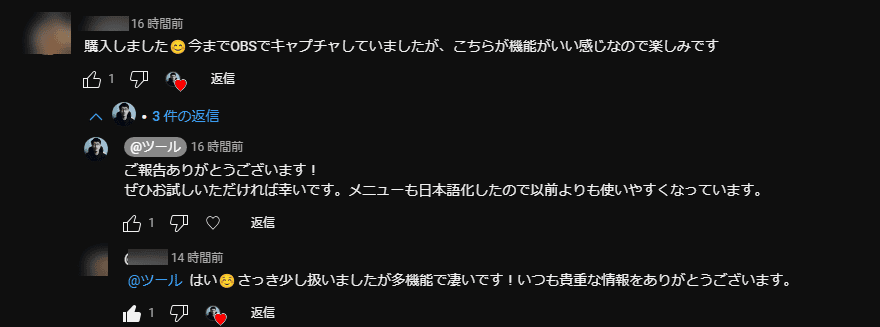
With FocuSee, you can make engaging screen recordings, whether it's a business or a personal hobby.
FocuSee is more than just a screen recording tool;
And one last time. You can get FocuSee at a special price of up to 51% off▼
60-day money-back guarantee
Take this opportunity to try FocuSee.














![[2024] Thorough explanation of the features, reputation, and usability of thin rental servers](https://sp-ao.shortpixel.ai/client/to_webp,q_lossy,ret_img,w_485,h_273/https://takeofujii.net/wp-content/uploads/2021/10/wpxshin-review.png "[2024] Thorough explanation of the features, reputation, and usability of thin rental servers")


Since I started screen recording with this tool, my boring screen recording has changed drastically.