


Hello, Fujii, I'm strong. This time, we will introduce a document creation tool that instantly realizes time-saving and effective document creation.Stepsy」。
Have you spent hours creating explanatory materials? Then pay attention to Stepsy today.
This groundbreaking tool delivers impressive efficiency gains"Innovative app that allows you to create training materials"is.
In this review, we'll provide an illustrated explanation of how Stepsy can revolutionize your work.
This article isAt the request of my blog readers, I am reviewing Stepsy。 Please note. We are also still waiting for requests such as "What about this app?" or "I want to know about this tool". Feel free to contact us in the comment section.
[letsreview]
What is Stepsy?
First, watch the video below.
No more struggling to create materials to explain the procedure and how to use it.
With Stepsy's Chrome extension, you can easily capture screenshots, add annotations to images, and create easy-to-follow step-by-step guides.
Applications of Stepsy
- Create a how-to article
- Instructors create materials that explain the procedure to students
- Creating materials that show how to use procedures and tools in new employee training
- Create a customer how-to guide
- Sharing work processes within the team
- Creating tutorials for software and web services
- Develop standard operating procedures (SOPs)
- Build internal and external knowledge bases
- Sharing Troubleshooting Steps in Customer Support
- Document your app's workflow
- Instructions and progress tracking of tasks in a remote work environment
It is useful for these applications.
With Stepsy, it's easier than ever to create step-by-step, how-to-use and training materials.
I actually tried using Stepsy
Just click the record button and it will generate screenshots and text descriptions for each mouse click.
After that, you can edit the screenshot and export it as a Google Docs tutorial.

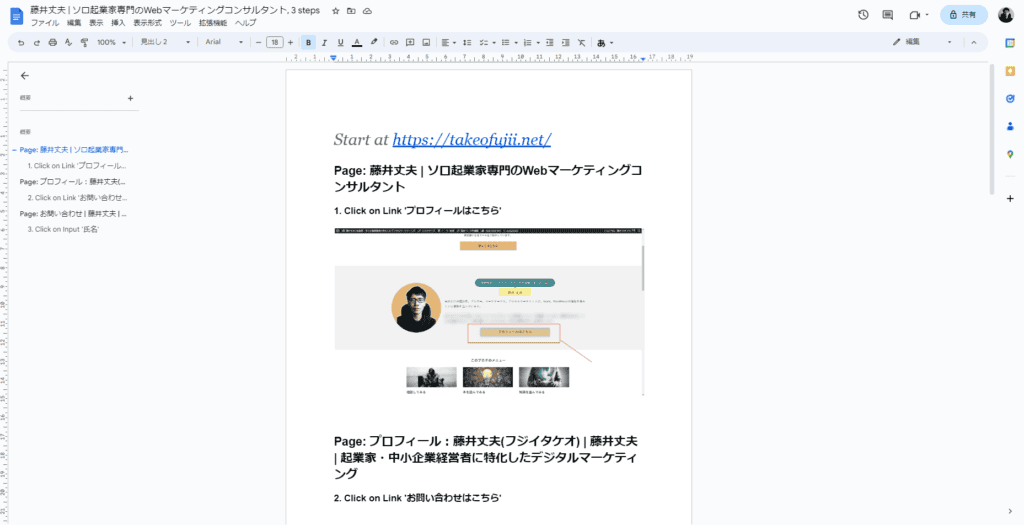
It has all the useful functions for creating materials

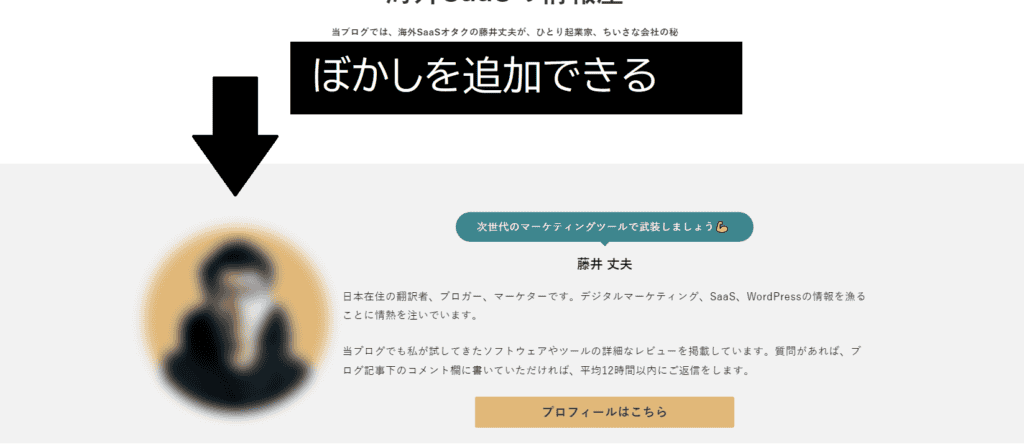
Stepsy also said,Add blur to the personal information you want to hide,It also comes with useful features, such as automatically removing duplicate work, so you can focus on creating quality content.
Each screenshot you record in Stepsy can be exported to Google Docs to complete the document and export it as a PDF or share it on the web.
With the traditional method, you had to take a screenshot every page. I had to edit using Canva and Paint.
However,With Stepsy, you don't have to take screenshots every time.
You can record a screenshot of the page with every mouse click to create a step-by-step guide, including image editing.
Disadvantages of Stepsy
The disadvantage of Stepsy is "English".
As a function, there are no complaints. However, the exported materials are in English.

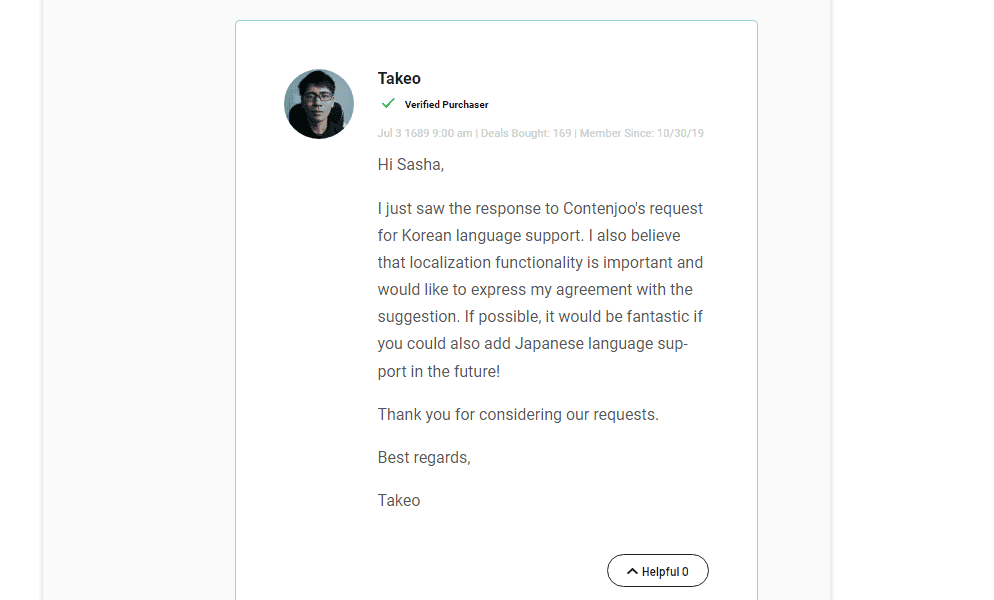
I would be happy if they could support Japanese. It is said that they are also considering a localization function in the future.
[Postscript] Stepsy is now available in Japanese! This is a buy!
Stepsy is now available in Japanese. Watch the video below.
Stepsy is good. It now supports Japanese.
Step 1, Step 2, Step 3, and each time you press the "Print Screen button" on the keyboard, it's troublesome.
No need to spend time on tedious screenshots, editing, and documentation. Try Stepsy and see how your daily routine changes.
How to use Stepsy
Installation
Install the extension from the Chrome Web Store.

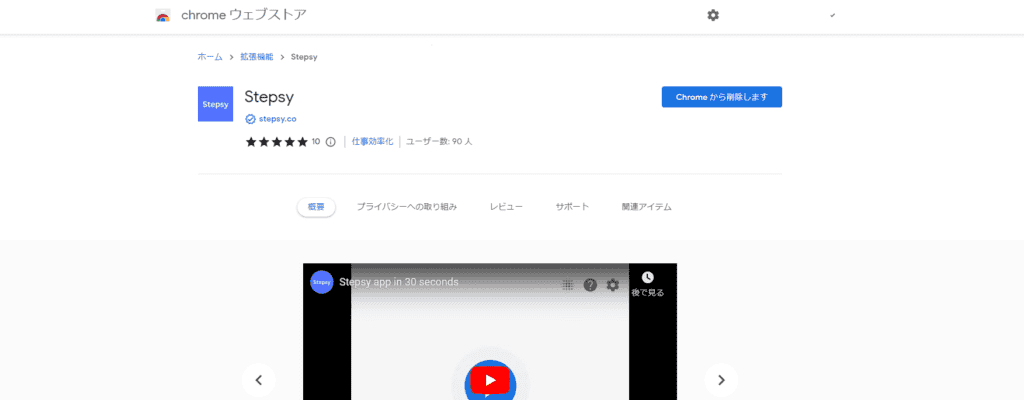
This Chrome extension works with all browsers that support the Chrome Web Store (Edge, Vivaldi, etc.).
How to set it up

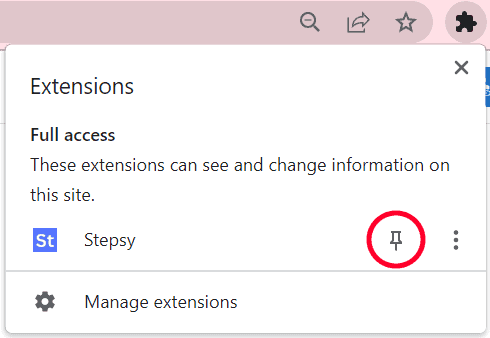
Pin the extension to the browser bar to always see it in the browser toolbar. That way, you can use Stepsy at any time from the toolbar.
Actually record the page step by step
With Stepsy, you can instantly capture in-page work and steps with the click of a mouse. Please see below.
Click on the icon and click on the "Record a guide" icon.
A screenshot is generated every time you click the mouse.The Stepsy icon in the toolbar shows the number of steps you captured.
The screenshot will also include the location of the mouse click.
Preview the screenshot
You can see a preview of the last captured screenshot by accessing the Stepsy icon.
How do I pause a capture?
At any time, you can pause and resume the capture within the same dialog.
Blur personal information
If you need to hide the data in your browser before starting the recording, use the blur icon in the pop-up.
When you finish blurring, click on the same icon.
You can use the same icon while recording to turn blur on or off over all previously marked areas.
Editing Screenshots
From the history of the captured screenshot, you can edit any screenshot by clicking the edit icon at the top of the screenshot preview panel.
In the pop-up window, you can add elements such as lines, rectangles, or highlights on top of the captured image.
Publish
Stepsyallows you to publish the steps you record as Google Docs on Google Drive.
Once you have captured the steps, select "Finish & Share" in the Stepsy dialog.

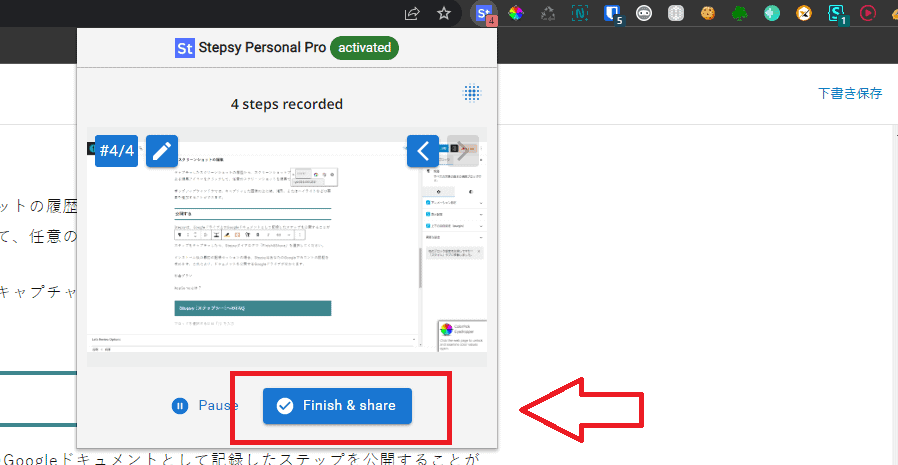
If you install it and record it first, you will need to authenticate your Google account. By authenticating, you can specify which Google Drive publishes the document to.
Other Stepsy settings
Stepsy's "Option" can be accessed by right-clicking on the icon and selecting the options menu item.
60-day money-back guarantee
Stepsy Pricing Plans
Stepsy offers two pricing plans: monthly and yearly.
Free Plan
- Capture steps with mouse clicks
- Edit captured images
- Export to GDocs
- Save locally as HTML
Personal Pro Plan
- $9 per month ($8 per month for annual payments)
- In addition to the features of the free plan:
- Mask sensitive data
- Automatically remove duplicates
- Remove Stepsy branding from image
Workspace Plans
- $19 per month ($8 per month for annual payments)
- In addition to the features of the Pro plan:
- Team workspace (includes 3 users)
- Additional Users: $9 per month
- Embed the guide in your online system
Enterprise Plan
- Quote
- Unlimited users
- SSO (Single Sign-On)
- Integration with your knowledge system
For annual plans, discounts are applied compared to monthly plans.
There are even more amazing deals.
Now at AppSumo you can get Stepsy with a single payment for 72% off the regular price! No monthly payments required!
You only pay $29 once.
It is about 3,900 yen in Japan yen.
The illustration is as follows.
This is your chance to get this amazing tool at a cheap price that will dramatically change your document creation. Click to buy now and make creating training materials and how-to guides super fast and easy.
60-day money-back guarantee
This deal is only available for a limited time.
What is AppSumo? If you want to see it, please see below. It can be used safely even from Japan.







![How to use Genesis Framework and discount sale information [2024]](https://sp-ao.shortpixel.ai/client/to_webp,q_lossy,ret_img,w_485,h_273/https://takeofujii.net/wp-content/uploads/2022/11/genesis-framework-485x273.png "How to use Genesis Framework and discount sale information [2024]")


![Explanation of how to use Scalenut and how to automatically create articles with AI [User reviews]](https://sp-ao.shortpixel.ai/client/to_webp,q_lossy,ret_img,w_485,h_273/https://takeofujii.net/wp-content/uploads/2021/10/scalenut.jpg "Explanation of how to use Scalenut and how to automatically create articles with AI [User reviews]")








Recording only works within a browser window. So it doesn't record your work outside the browser. Also, it doesn't capture clicks on Chrome settings screens or browser system pages like the Chrome Web Store.