


This is Fujii. We're excited to announce what's new to TaskMagic.
So far, we have introduced the automation app TaskMagic. If you are wondering "What is TaskMagic?", please take a look at this article first.


It has been announced that this TaskMagic will come with new features. Its name is "TaskMagic AI"
With this feature, you'll be able to streamline your business and daily life more easily than ever before. Introducing this groundbreaking feature.
What is TaskMagic?
TaskMagic AIWhat is the function?
Before we talk about this feature, let's talk about TaskMagic so far.

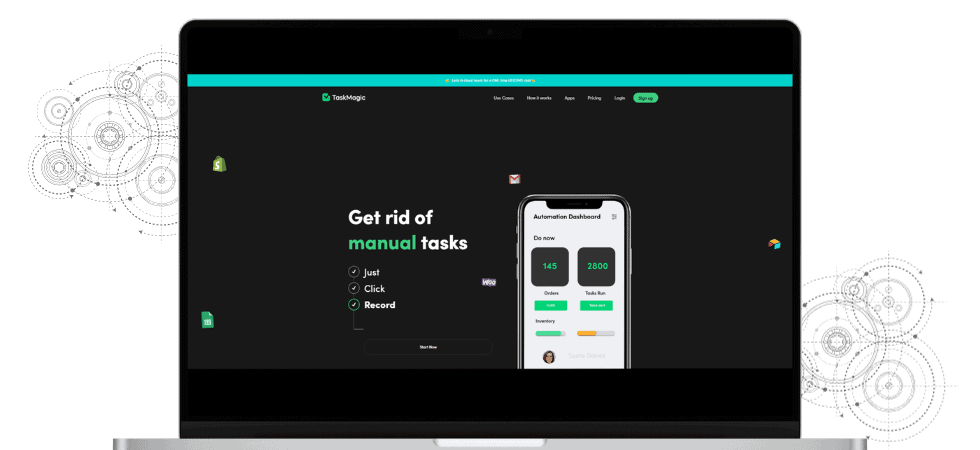
TaskMagic is a tool that makes it easy for people with no programming knowledge to automate their work on the web.
What are the features?
- Click on an element in the page
- Scraping information on a page
- Download the file
- Uploading Files
- Typing sentences (keyboard typing)
You can automate various tasks.
Specific examples include automating the creation of blog posts with ChatGPT or automatically downloading thumbnail images within your YouTube channel.
For entrepreneurs and marketers, it can automate all the tedious tasks.
What is the new feature "TaskMagic AI"?
Next up is the new TaskMagic AI.
To describe this function in one word,Automate what you want to do more intuitively。
TaskMagic makes it even easier to automate everyday tasks than previous TaskMagic.
I also explained it in the video. Please see below if you like.
Suggest automation ideas
TaskMagic AI is equipped with a "function that automatically gives automation advice".
First, set up the tasks you want to automate in TaskMagic as usual.
Then you will receive an email like the one in the image below in your inbox.
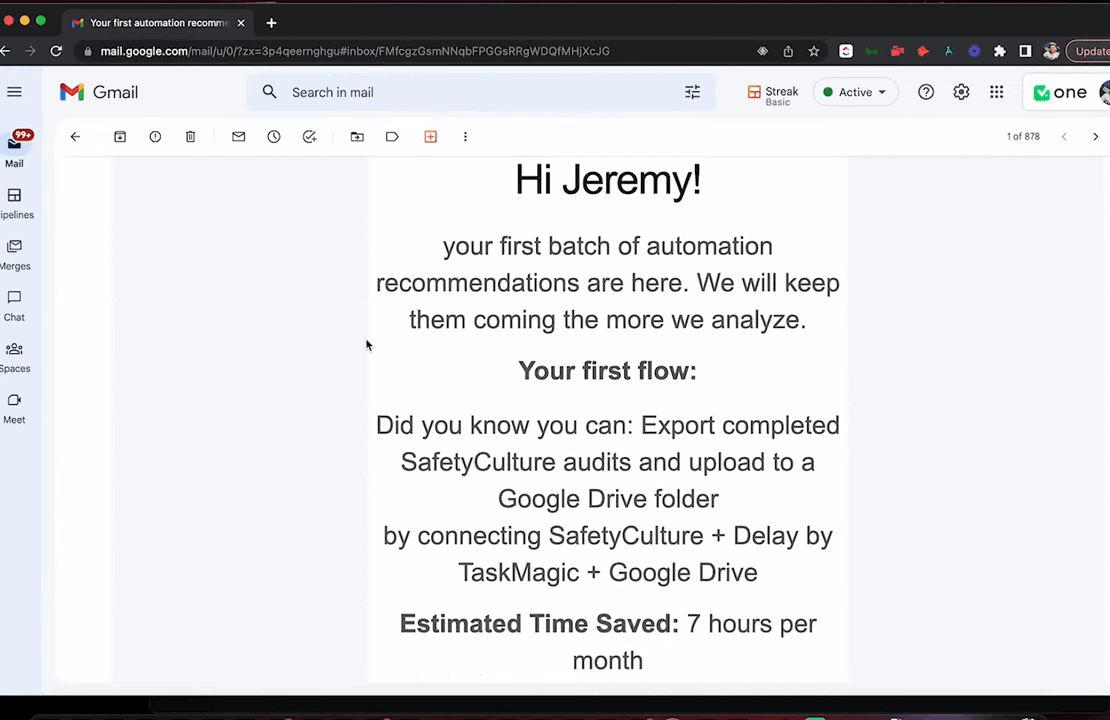
This AI suggestion feature analyzes your daily work and tells you which tasks you can save the most time by automating.
What is this good for?
When you tell TaskMagic what you do,The AI will analyze it and suggest ways to do it smarter and faster.
It's like having a secretary save you time on your work.
For example, AI can quickly provide solutions to the tedious task of organizing survey results reports and storing them in Google Drive.
Benefits of this feature
What is so great about this feature?
- It tells you how to save time that you can actually save
- Suggest automation
You may have as much as 7 hours of free time a day. By automating each of your daily tasks in this way, you can use that time to read, enjoy your hobbies, or spend time with your family.
Significant improvements in usability
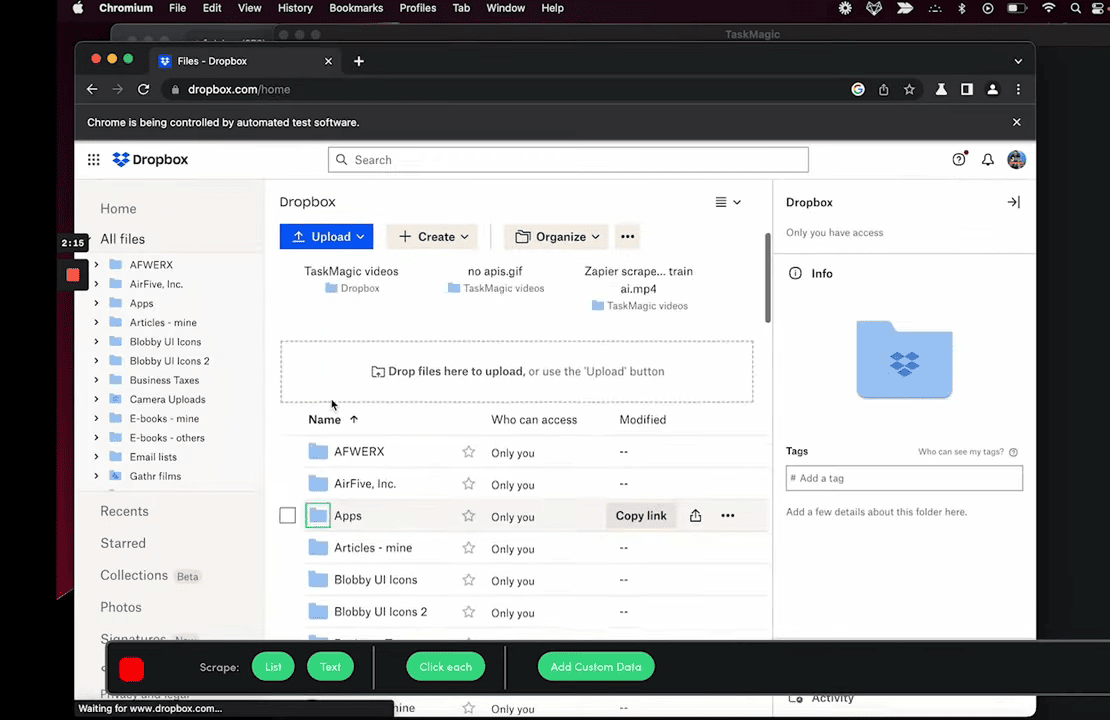
The user-friendly interface makes it more intuitive. Even beginners can easily set up automations.
How is the new TaskMagic AI different?
With TaskMagicHow to create automationwill change.
What's particularly noteworthy is that TaskMagicAI allows you to create personalized automation flows and receive their advice via email.
Is TaskMagic AI sold separately?

I bought it because you insisted on introducing it on YouTube! Sold separately?
Some of you may be worried.
Please rest assured for now. The price plan is currently announced as follows.
About usage fees
- Existing TaskMagic users: Available as a free update.
- New customers: will be available in the future for an additional fee.
I actually checked TaskMagic with the founder, Jeremy.
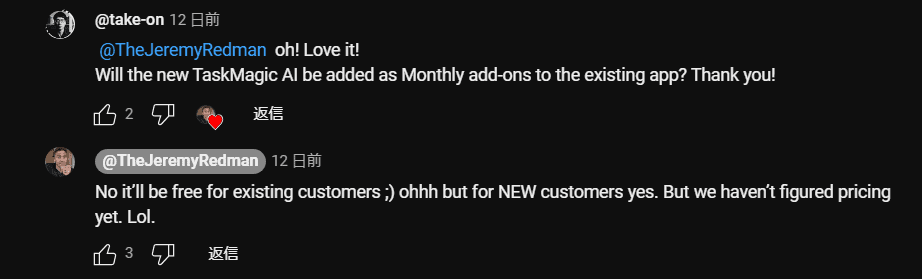
Me: "Is TaskMagic AI sold separately?"
Jeremy: "It's free for existing customers, but it's paid for new customers. However, the price is still undecided lol."
If you've already purchased TaskMagic, rest assured that it's not sold separately. There are no additional charges.
Existing users will be able to access it at no additional cost.
If you want to sell it as an additional add-on to future customers, it seems that the specific pricing plan for TaskMagic AI is currently being considered.

"Everyone who purchased TaskMagic AI before it was released is eligible for free updates."
In other words, it is a good deal to buy it now.
With this new feature, TaskMagic overcomes previous glitches and evolves into a more user-friendly and efficient tool.
In the future, we can expect more AI capabilities to be added, so the possibilities for automation are expanding even more.
TaskMagic Pricing Plans
This year, it will incorporate a new feature, TaskMagic AI. As early as January.
We recommend purchasing it now.
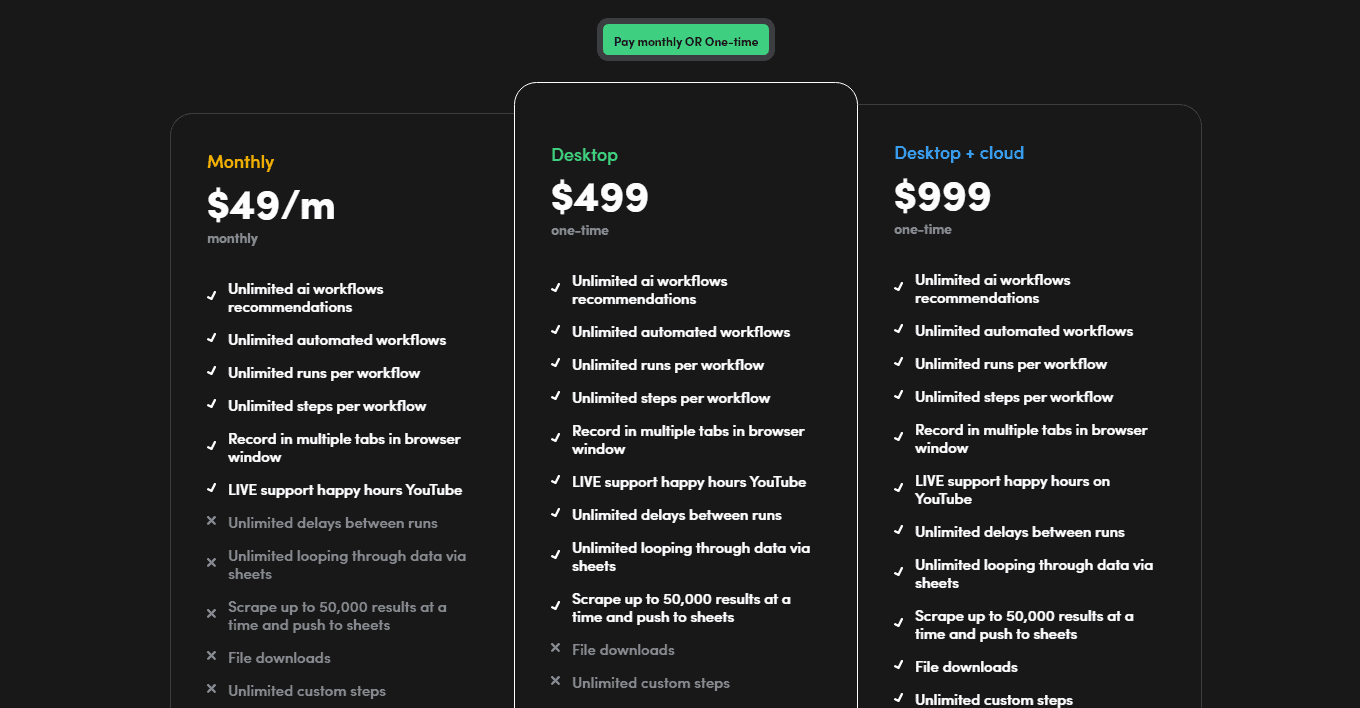
- Monthly: $49/month
- Desktop: $499/buy
- Desktop + cloud: $999/one-time purchase
My recommendation is the Desktop plan. It's better to buy it all than to keep paying $49 per month on the Monthly plan. I also have this Desktop plan.
If you want to be able to automate even if you turn off your computer, please use the Desktop + cloud plan.
Should I buy TaskMagic? But there is a problem...
You will be lost. It is an automation tool that still has little information in Japan.
I recommend buying.
If you are considering it,Before the introduction of TaskMagic AI featuresPlease make a purchase to.
This is my personal opinion.
You may be confused about the price. I understand that feeling.
What I want you to think about when you are in doubt.
It's not about buying a tool called TaskMagic.Buy timeThink about it.
Everyone has only 24 hours a day, or 1440 minutes
We are 24 hours a day. Everyone has 24 hours, or only 1440 minutes in minutes.
That's why I always ask myself
"Do I need to do that work myself?"
Work that you don't have to do
- Leave it to your staff and employees
- Outsource
That alone increases the free time of the day.
However, hiring someone costs a decent amount of money.
Robots can be used to automate routine tasks without hiring staff or employees. Data input work, data organization, blog post creation, etc.
The robot for that is TaskMagic.
You can automate tasks without having to do it yourself or hire people. There are no mistakes that humans make. It can be automated with precision.
This will allow you to immerse yourself in the work you need to do.
It's just my opinion,Save time, don't you think it's unbeatable?
TaskMagic solves bugs and glitches at a blast
Existing RPA and automation tools took time to design automation.
"I don't know how to use it" "It takes time to create automation"
But TaskMagic is different.
Even beginners can intuitively automate it.
While it is convenient, there were many bugs until last year.
However, those bugs and glitches have been resolved by the TaskMagic team.
In addition, there are frequent updates.
TaskMagic support is not good
Come to think of it, two weeks ago. "Automation doesn't work with TaskMagic," I posted a video.
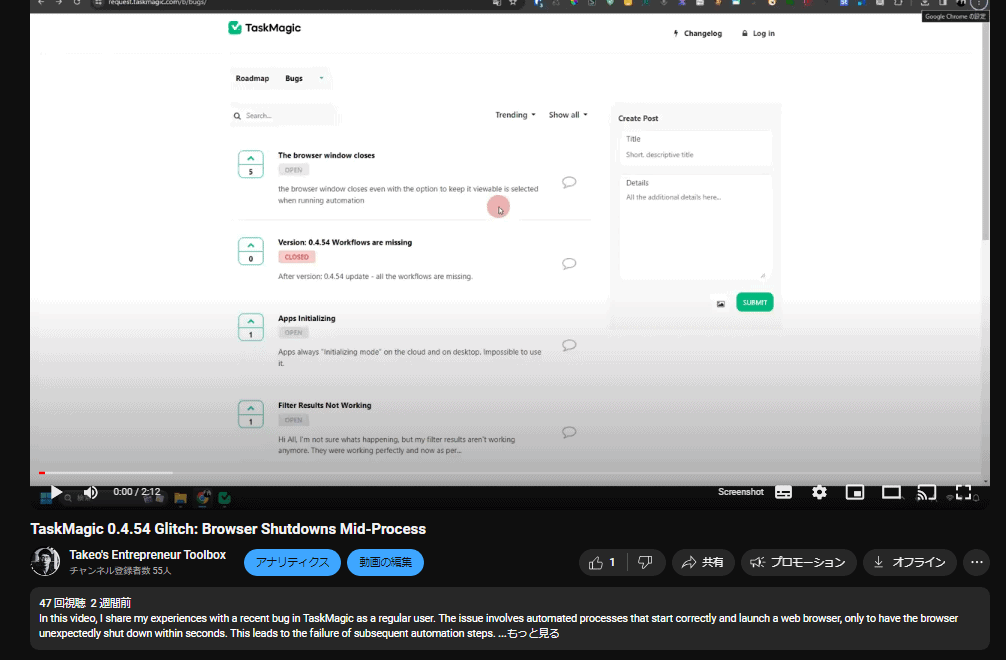
Then we got a comment from Kyle Wilson, CTO of TaskMagic.
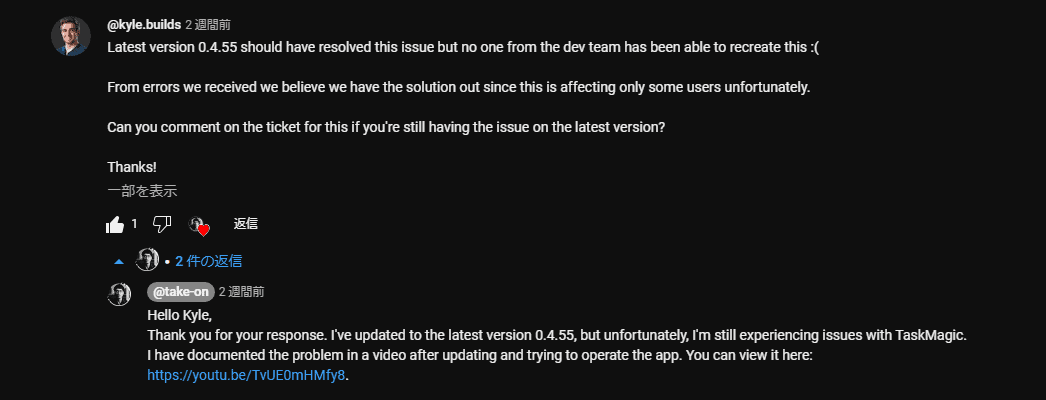
The latest version 0.4.55 was supposed to fix this issue, but no one on the dev team has been able to reproduce it. :(
From the error we received, we believe that we have released a solution because this issue only affects certain users.
If the issue is still not resolved with the latest version, can I ask for a comment on the ticket?
So I took a video and sent it to share the problems that are happening with TaskMagic AI.
And then

He immediately worked on a solution.
As a result, this glitch has been completely resolved.
We also continue to enthusiastically answer questions and requests from other TaskMagic users.
Check out the comments section of TaskMagic founder Jeremy Redman on his YouTube channel.
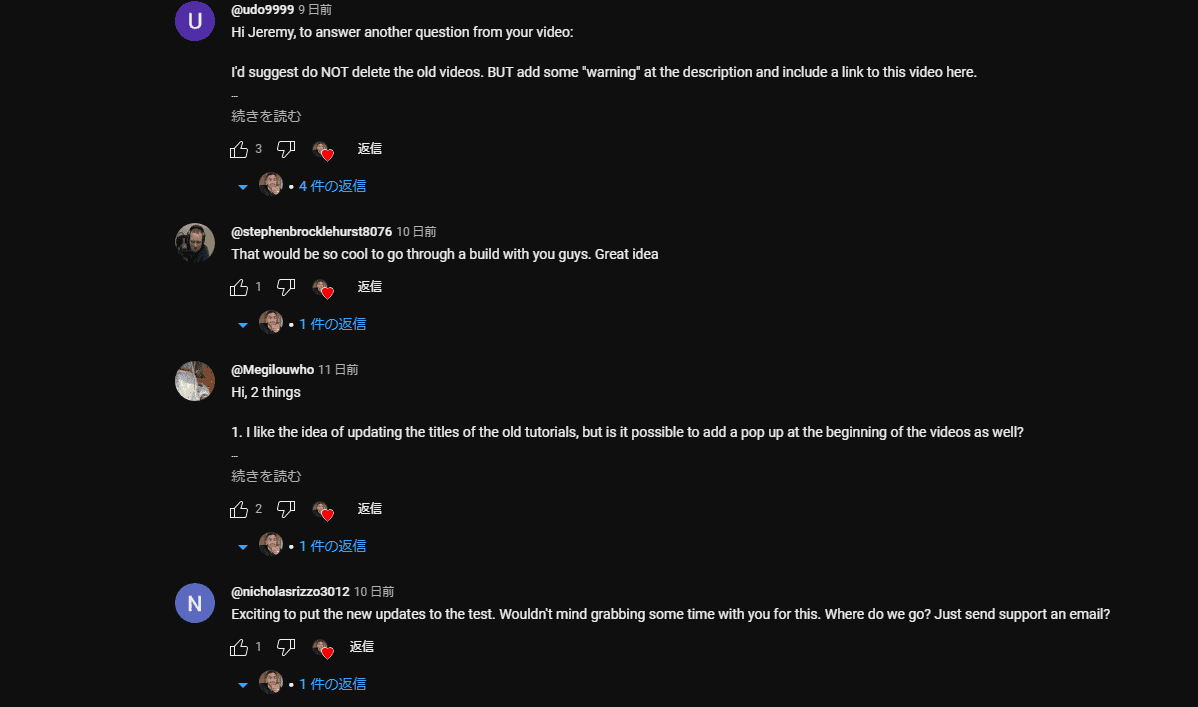
I continue to reply to all the comments I receive, not only to encouragement and question comments, but also to negative comments.
This alone shows how much he cares about his TaskMagic users.
Summary: Expect and Buy TaskMagic AI
Please purchase "TaskMagic AI" before it is sold separately.
ThisFree for TaskMagic users who purchase before the AI feature is installedis. 2024-01-02This feature is not currently installed, so you can still make it in time.
Once the AI function is installed, it will be sold separately to new customers after that.
I don't know when it will be installed.
We will keep you informed as we learn more about TaskMagicAI's innovative features.
2024 is getting more fun. Let's use 💪 TaskMagic again this year










Hello Jeremy!
This is the first step in the recommended automation process. We will continue to analyze and provide further recommendations.
The automation flow that we suggest to you first:
Did you know? : You can automate the process of exporting completed survey results in "SafetyCulture" and uploading them to a Google Drive folder by integrating SafetyCulture, TaskMagic's delay function, and Google Drive.
Estimated time saved by this automation: 7 hours per month