


This is Fujii. Powerful AI Writing Tools with ChatGPT「Voilà」has been updated with the latest update in January 2024.
This update includes many innovative features.
For bloggers and content marketers, the new features added are very useful and can greatly improve the efficiency of their daily writing work.
In this article, we will explain in detail the new features and their benefits.
If you are wondering, "What is Voilà?", please take a look at the article below.


If you use it, your daily productivity will increase amazingly.
- 1 (1) Improvement of Custom Actions
- 2 (2) Address bar operation function
- 3 (3) Chat history export and import function
- 4 (4) Follow-up actions function
- 5 (5) Email reply proposal function
- 6 Is it more convenient than ChatGPT? What are the benefits of using Voilà?
- 7 Summary: Why Voilà is the best ChatGPT Google extension
(1) Improvement of Custom Actions

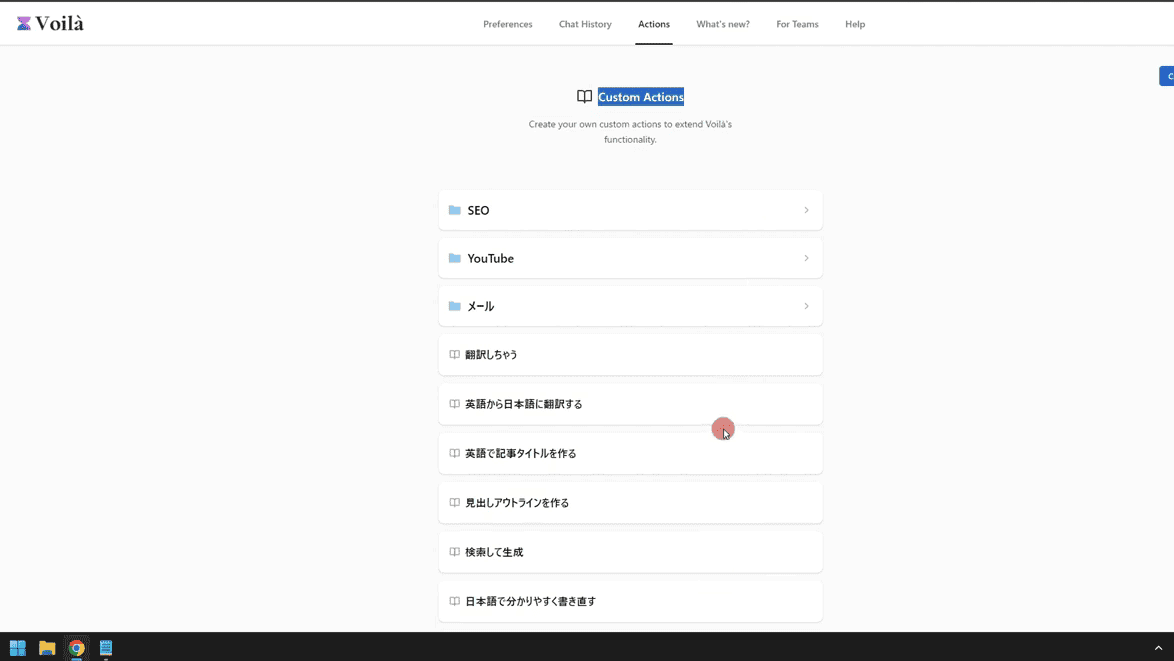
Features on Voilà「Custom Actions」is a useful feature that allows you to save frequently used prompts and quickly recall prompts. This feature has been improved.
With the update, you can now set and save individual language settings, conversion styles, and AI models for each prompt.

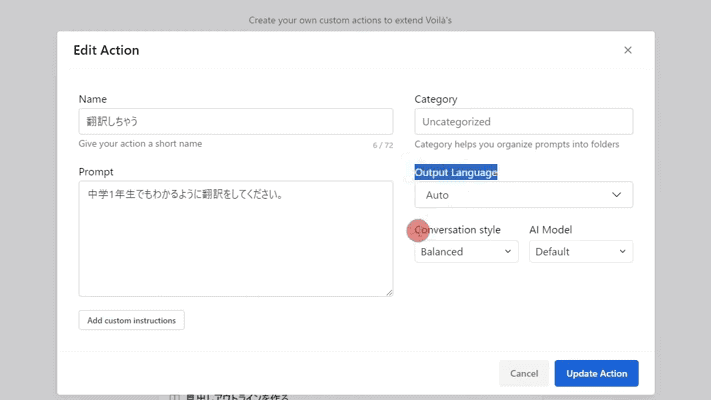
It can be flexibly customized to suit your daily needs.
Output Language
Do you want to generate sentences in Japanese, English, or another language?
Conversion Style
Also, do you want the generated sentences to be full of creativity or create well-balanced sentences?
AI Model
GPT3.5 or GPT4, etc. These can also be set individually
This feature saves a lot of time and allows for efficient sentence generation.
(2) Address bar operation function

To tax a sentence in Voilà, it was necessary to call it within the web page.
When you press Ctrl + M, a popup will appear on the page and generate a sentence within this popup. That's how it was used.
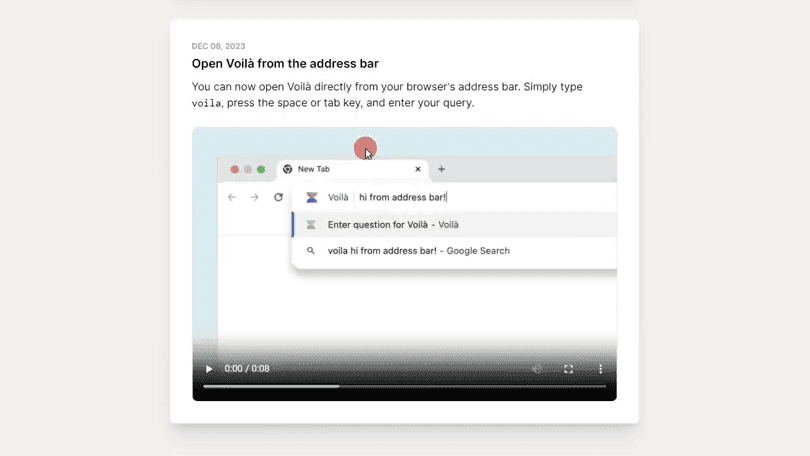
However, with the new update the browser'sYou can call Voilà directly from the address barIt has become.
Click on the address bar of the page that is currently open.
Type "Voila" and press the space key or Tab.

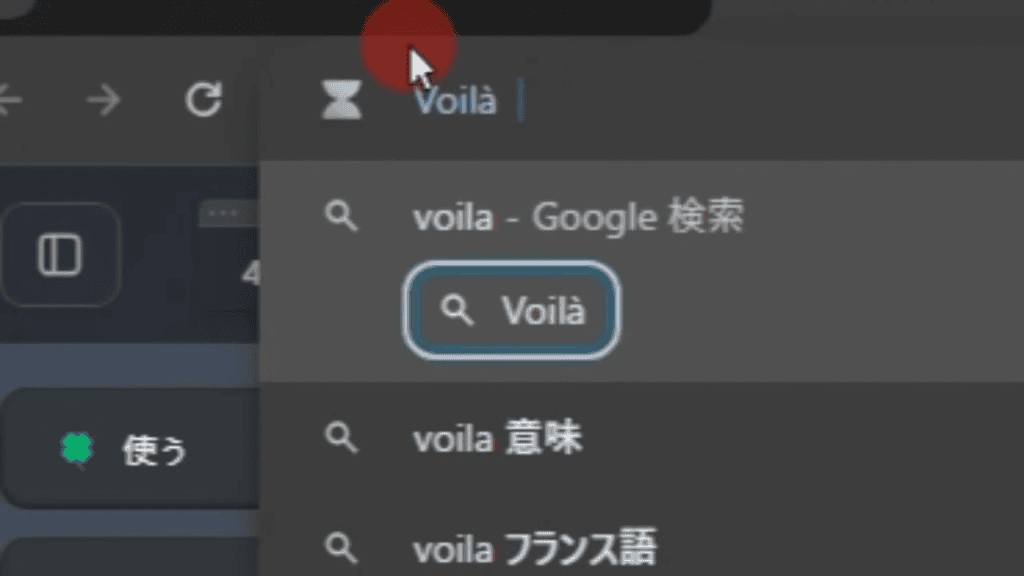
And thenThe address bar switches to Voilà mode.
Here enter the prompt and press the Enter button.
This will take place in a separate tab for Voila text generation.

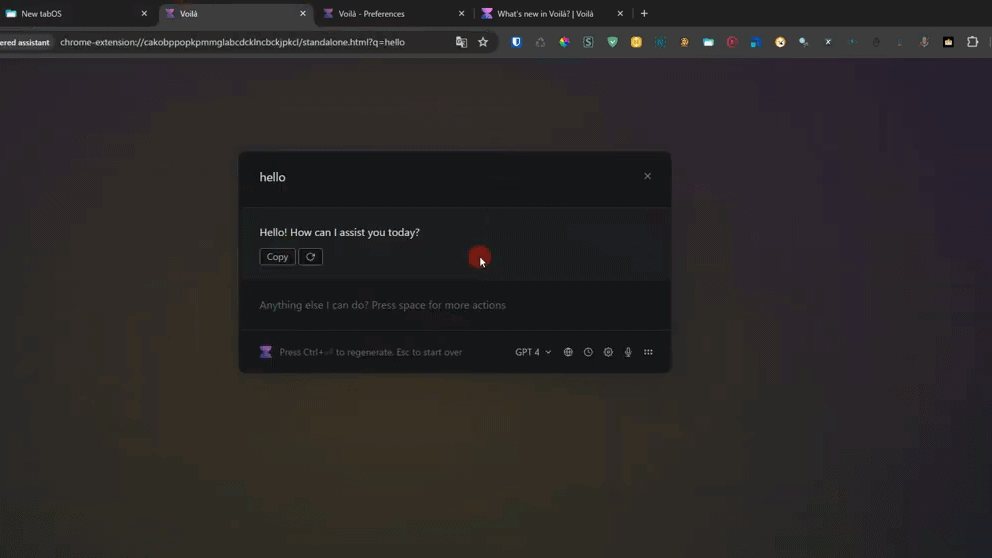
This feature allows you to focus on what you need to do in another tab without having to launch Voilà within the page.
This feature is especially useful in busy work environments.
(3) Chat history export and import function
Also, the history of your chats on Voilà is only stored on your device and is automatically deleted after 30 days.
If you want to save the text you've generated so far, you need to bookmark it.
However, it is troublesome to find past interactions and bookmark them every time.
In Voilà's new features,Users can freely export their chat history and, you can now import them to another device.
It's easy to use.
How to export chat history in Voilà
Start Voilà
I'm setting Voilà to start with Ctrl+M

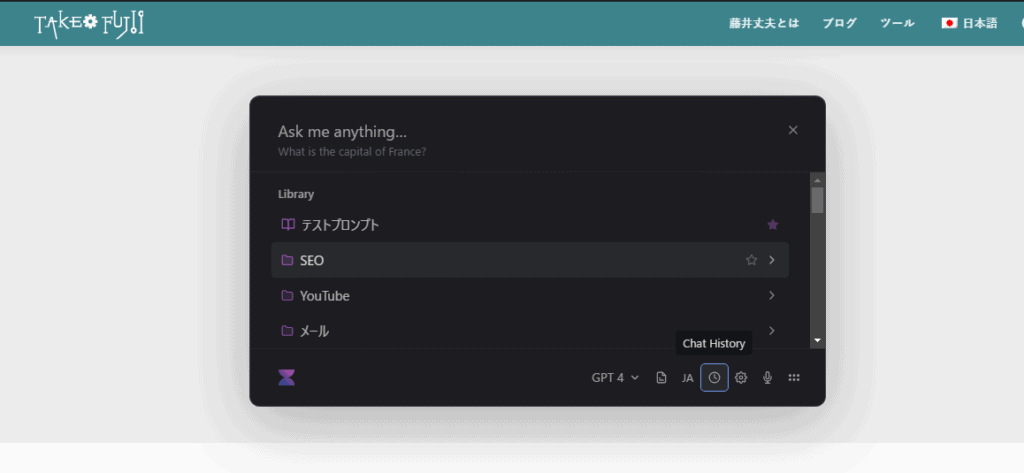
Press Chat History.
You can export in JSON format by clicking "Export history" from the Import/Export section.

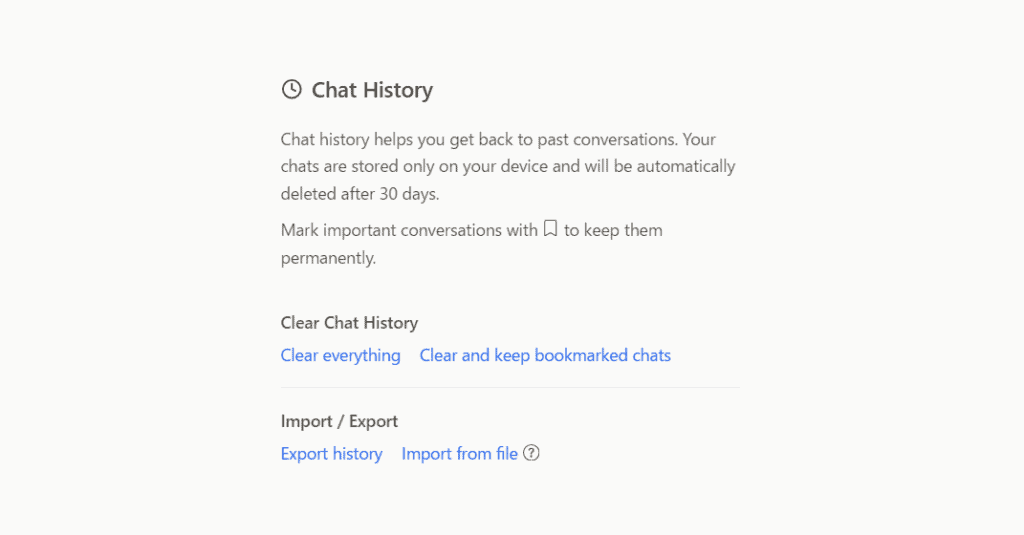
If you want to import, click "Import from file" to import it.
This allows you to keep your important information safe and export and import it whenever needed.
Of course, you can also import export data to another device. It's easier to manage important information.
(4) Follow-up actions function
After generating sentences in Voilà, you can further use theYou can continue to generate sentences as they are.
Easy to use. Just press the space bar.

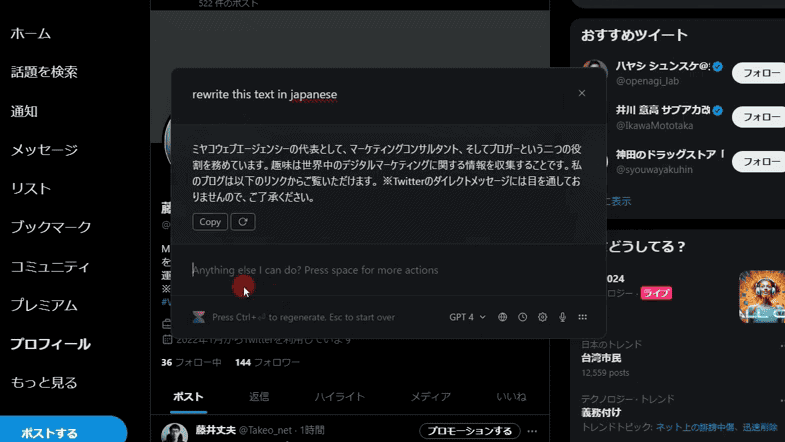
This will display the prompts you have saved in Custom Actions.

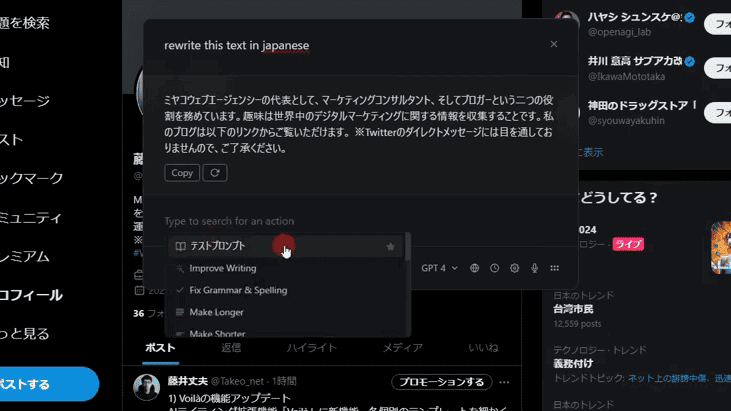
Choose a prompt from here.

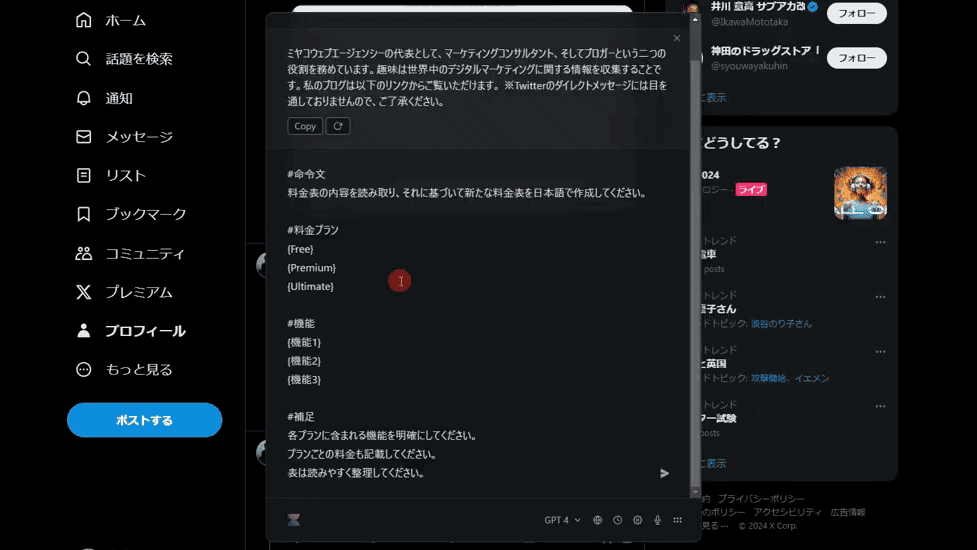
This will automatically prompt you instantly. Long prompts like the image above can also be called up at the touch of a button, which is very easy.
It is possible to generate additional sentences in this way.
From long blog posts to detailed material creation. You can easily and quickly create the sentence you want.
(5) Email reply proposal function
My previous problem was writing a reply email.
Although ChatGPT made it easier to create email replies, I often wondered in what direction to reply.
In other words, the text of the email itself can be easily written with ChatGPT, but I had to think about the direction of the reply email myself.
In the email I received
- Do you give thanks?
- Are you refusing?
- Want more information?
- Do you want to make an appointment?
Depending on the email you receive, the direction in which you should write the email will change.
So the Voilà installed this time"Automatic Reply Suggestion" functionwas exactly what I was looking for.


Based on the received email,Voilà will automatically suggest reply sentences.
You just have to choose from them. This will automatically generate a text for your reply email.


By the way, they will suggest a reply email in Japanese. Please see the image below.


In this way, he suggests three reply emails in Japanese.
- Confirmed
- Got it
- Thank you
*Don't forget to set the output language setting to "Japanese".


With this feature, you won't stress or have a headache in writing email replies.
Especially in business, the speed and quality of your replies are crucial. It supports not only English reply emails but also Japanese and other languages, making it useful for international email exchanges.
Is it more convenient than ChatGPT? What are the benefits of using Voilà?
There are many other Google extensions that ChatGPT can use.
Among other things, Voilà is constantly introducing new features and updating them.
As of January 2024, it is used by more than 50,000 experts worldwide, including Dropbox, well-known companies like KPMG and Amazon.


The average rating from over 250 people is 4.9.


It will be updated one after another.
The number of entrepreneurs and marketers using ChatGPT in their businesses is increasing significantly.
However, there are still few people using Voilà, an AI tool that can call ChatGPT on any page.
Whether to use ChatGPT or not.
More than that, "whether to use Voilà or not" is just thisIt makes a difference in work efficiency and productivity.
… Isn't that an exaggeration?
You may feel that honestly. But this is a fact,
For daily tasks, Voilà is more user-friendly than ChatGPT.
- Custom Actions
- Address bar operation function
- Chat history migration function
- Follow-up actions function
- Email reply suggestion function
More and more powerful new features have been added to make you more productive.
It is a very powerful support tool for bloggers, marketers, and entrepreneurs. More updates will be made in the future.
Please give it a try.
Summary: Why Voilà is the best ChatGPT Google extension
"There are many Google extensions with ChatGPT that are similar to Voilà"
That is also true.
Still, why I like Voilà. That's because Voilà is versatile and useful.
- GPT4 can automatically generate various sentences
- Create YouTube summaries automatically
- Create text based on information in the currently open page
- Web browsing function to create sentences based on information on the Internet
- You can use the prompts you use in ChatGPT as they are
- Save prompts & recall them anytime
And so on...
It's quite versatile. It can be used in a variety of cases.
This update is not the only one. Voilà will continue to evolve with more new features in the future.
If you haven't used Voilà yet, you should definitely take this opportunity to check it out.

"No, ChatGPT is enough."
I would like such people to try it at least once.















Latest Comments