



Hello, this is Fujii. In this article, you can shoot a video while reading the script on your smartphoneTeleprompter app "BIGVU"I will introduce you.
Talking to the camera while shooting a video can be nerve-wracking. My eyes go down, and my mind goes blank while I am talking... I can't speak to the camera with confidence.
If you are not good at looking at the camera and want to speak smoothly to the camera with confidence, I would like to introduce "BIGVU".
With BIGVU, anyone can shoot videos with confidence. It's okay if what you say skips while filming. Because you can talk while reading the campe manuscript.
In this article, we will explain the functions and usability of BIGVU.
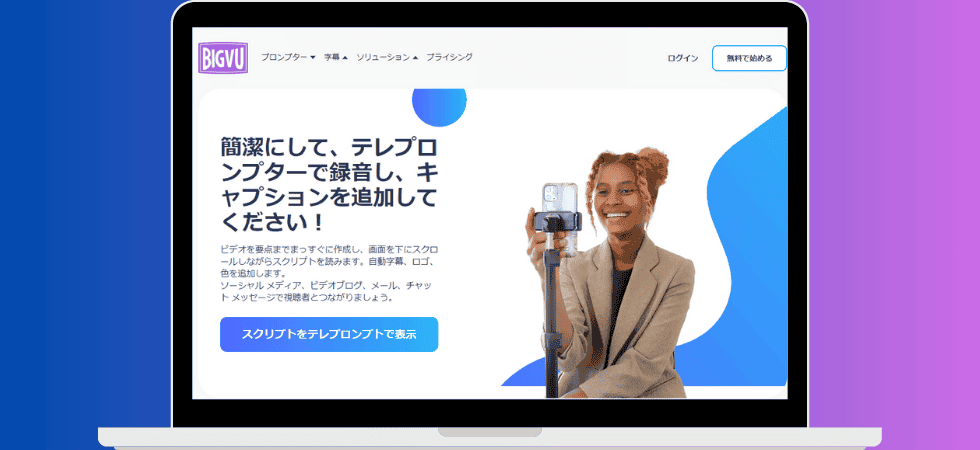
BIGVU is on sale at a special price. A plan worth about 140,000 yen* is available for a limited time at 93% off and one-time purchase. You don't have to pay a monthly subscription fee. Pay only once.>> special offer here
*Japan Yen Conversion: $948 = 148,695 yen
What is the teleprompter app "BIGVU"?

Limited time only! Until June 15
To explain BIGVU in one word, it is an app that allows you to take pictures while reading Campe.
While reading the script (campe), you can shoot and create videos smoothly.
First, we will explain the functions of BIGVU one by one.
(1) [New feature] Create video scripts with AI!
New features added. That's what an "AI script generator" is. You can automatically create video scripts with AI.

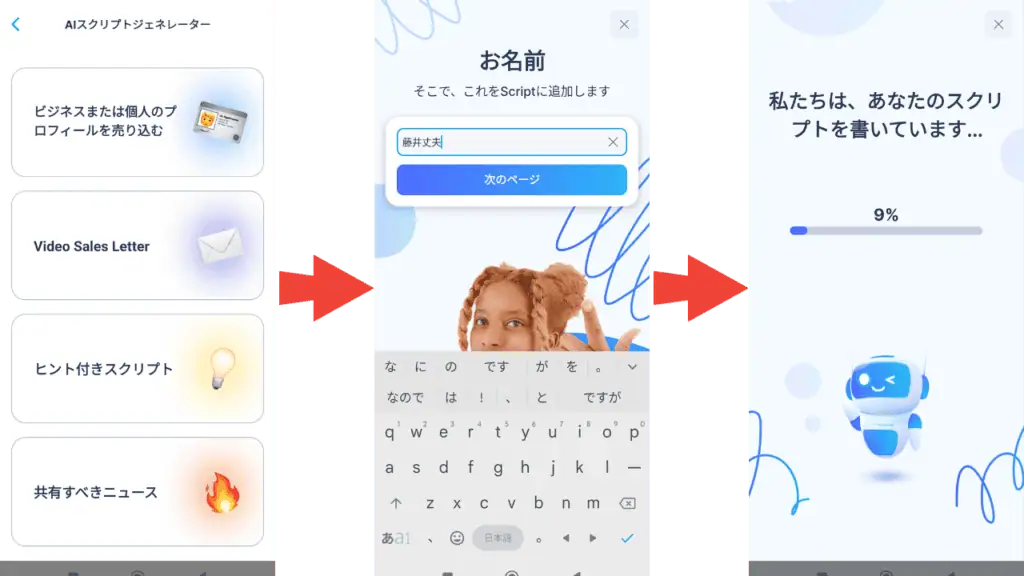
Until now, I had to create my own video scripts. However, with BIGVU's built-in AI features, you don't even need to create a video script.

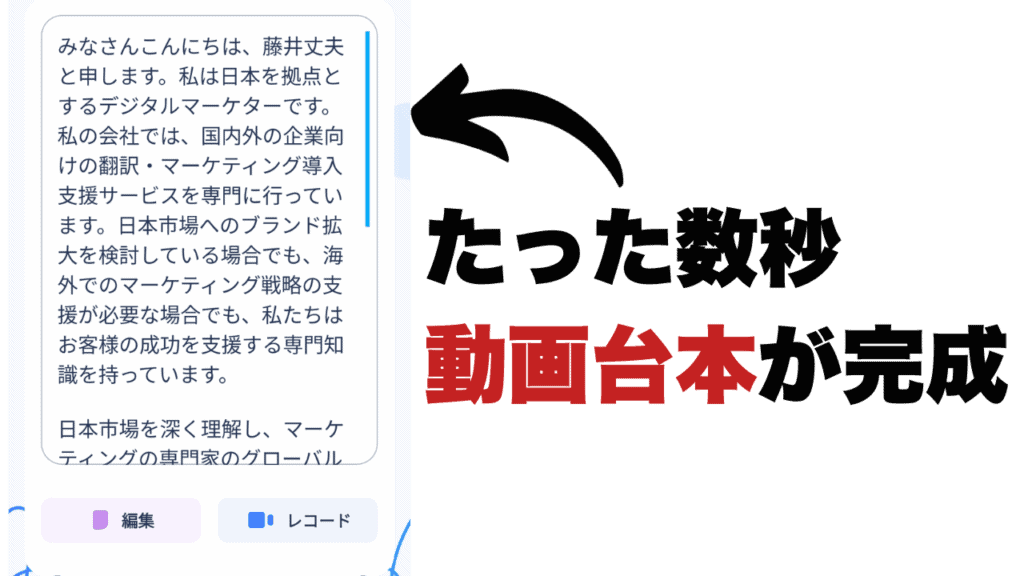
In this way, it is fully compatible with Japanese. I made a script for my self-introduction video.
Generate video spoken videos in just a few seconds.
(2) Shoot a video while watching the camp
Once the video script is set, shoot it with a camera.

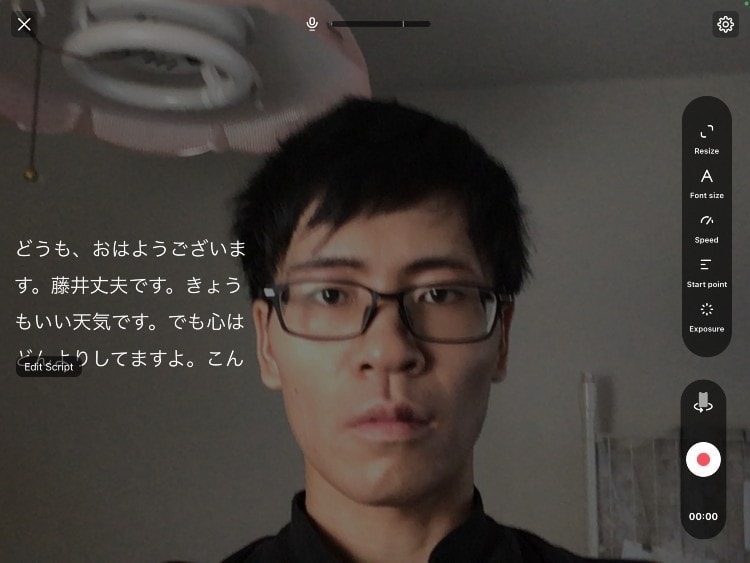
In this way, by using BIGVU, the script will be displayed on the screen.
Even if you are not good at speaking from the camera's point of view, you can shoot videos while reading the script on your smartphone.
By the way, I was able to take a picture as shown below.
I took a picture in a dark place, so the screen is dark (sorry lol). But it doesn't look like you're reading the manuscript aloud.
(3) Quick video editing with BIGVU! Automatically create subtitles
Recorded videos can be edited within the BIGVU app.
First, you can change the video size.

![What is BIGVU? Explanation of how to use BIGVU [2024 latest version]](https://sp-ao.shortpixel.ai/client/to_webp,q_lossy,ret_img,w_1024,h_576/https://takeofujii.net/wp-content/uploads/2024/01/bigvu-video-size-change-1024x576.png "What is BIGVU? Explanation of how to use BIGVU [2024 latest version]")
- Vertical size
- Horizontal size
- Square Size
It can be adjusted freely.
Editing doesn't stop there.

![What is BIGVU? Explanation of how to use BIGVU [2024 latest version]](https://sp-ao.shortpixel.ai/client/to_webp,q_lossy,ret_img,w_1024,h_576/https://takeofujii.net/wp-content/uploads/2024/01/bigvu-edit-video-1024x576.png "What is BIGVU? Explanation of how to use BIGVU [2024 latest version]")
- Crop the length of the video
- Set background music
- Automatically create subtitles
These edits can also be easily made in the app. You don't need any video editing software.
You can edit videos with just your smartphone. … But that's not all.
(4) Upload directly to SNS
You can upload videos made with BIGVU directly to SNS with your smartphone.

![What is BIGVU? Explanation of how to use BIGVU [2024 latest version]](https://sp-ao.shortpixel.ai/client/to_webp,q_lossy,ret_img,w_1024,h_576/https://takeofujii.net/wp-content/uploads/2024/01/bigvu-to-social-media-1024x576.png "What is BIGVU? Explanation of how to use BIGVU [2024 latest version]")
You can press "Post to social media" to immediately publish the video you shot on your social media.
Supported SNS:
- X (Twitter)
- YouTube
- TikTok
You can upload directly to most major social media.
Script creation, shooting, editing, and publishing with just one smartphone!
In the past, it was common to go out of your way to shoot videos using prompter equipment, spend hours editing videos on a computer, and finally publish them online.
However,By using BIGVU, everything is completed with just one smartphone.The prompter is installed on the BIGVU. You don't need to buy them separately.
It also does not require editing. BIGVU is equipped with all the editing features for video production, such as cutting (trimming), adding music, and green background functions.
You can take your smartphone with you, record videos in your spare time, and edit and trim them freely within the app.
BIGVU is the teleprompter app that allows anyone to create professional videos in just a few minutes.
Pros/Cons of BIGVU
In July 2020, when I had just started making videos, I was making videos while watching a campaign on BIGVU.
Here are the advantages and disadvantages of BIGVU that I felt after using it for about half a year.
Pros of BIGVU
First of all, the advantages of BIGVU are:
- You can create videos with just your smartphone
- You can freely change the size and speed of the text
- You can use it in Japanese without any problems.
- You can do simple video editing with just your smartphone
- You can upload the video you shoot to SNS as it is.
- Free plan exists
- The price is reasonable even if you pay
In 2020, I hadn't bought a camera yet, so I had to shoot videos with just my smartphone.
In such a situation, BIGVU was very useful because it could shoot videos, edit them, and upload them to social media with just one smartphone.
Disadvantages (Cons) of BIGVU
On the other hand, the disadvantages of BIGVU are:
- There are parts that are not supported in Japanese.
- All instruction manuals are in English
- Not suitable for full-fledged photography
BIGVU is based in the United States. The app is also in Japanese, but some of it is still in English. It is not completely Japanese.
BIGVU Pricing & Pricing Plans

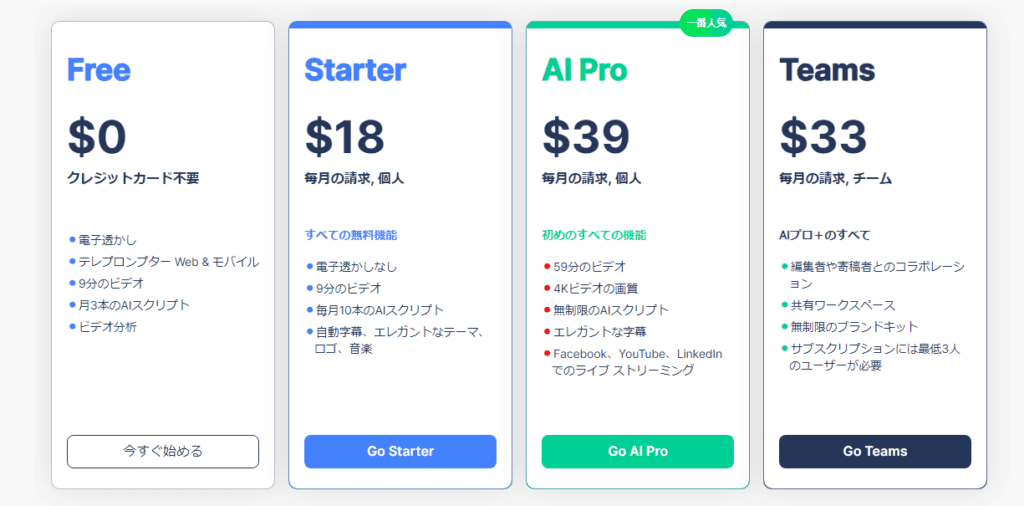
BIGVU offers four plans:
| Plan Name | USD (Monthly) | Japan Yen (Monthly) |
|---|---|---|
| Free Plan | $0 | 0 yen |
| Starter Plan | $18 | ¥2,660 |
| AI Pro Plan | $39 | ¥5,762 |
| Teams plans | $33 | ¥4,876 |
Let's take a look at the features of each.
First of all, even with the free Free plan
- Logo Watermark
- Teleprompter Web & Mobile
- 9 minute video
- 3 AI scripts per month
- Video analysis
You can experience BIGVU to the fullest. The logo is watermarked, but it's still good to be able to use so many functions for free.
If you go to the Starter plan, the Bigvu logo will be removed and music, backgrounds, and title features will be added. For most video creators, Youtubers, and creators, this plan is sufficient.
We recommend paying for one year! Discount of up to 50%!

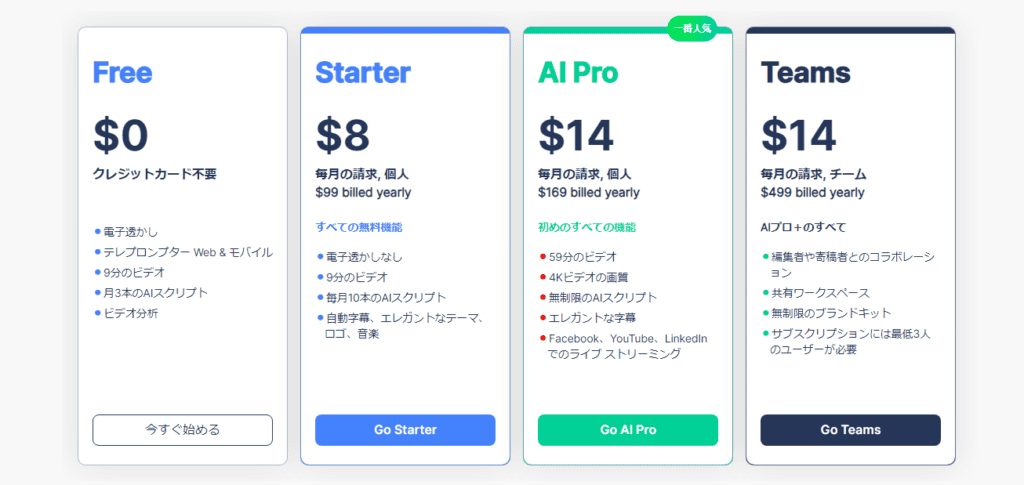
If you pay in bulk for one year, you will get a huge discount of up to 50% as shown in the image above.
In the case of annual payment, the lump sum payment for one year is as follows.
| Plan Name | USD (annual) | Japan Yen (annual) |
|---|---|---|
| Free Plan | $0 | 0 yen |
| Starter Plan | $96 | ¥14,184 |
| AI Pro Plan | $168 | ¥24,822 |
| Teams plans | $168 | ¥24,822 |
If you want to use it for one year, we recommend paying annually.
Use BIGVU's free plan
By the way, BIGVU offers a free plan. We recommend that you try the free plan before actually upgrading and then upgrade. Please try it out.
By the way, you can use the free plan as much as you want. However, if you have a free plan, you will get the BIGVU logo watermark on the videos you shoot.
If you want to remove the watermark on this logo, please upgrade.
[Free] How to register for BIGVU
We will explain how to register for BIGVU.
Start by installing the app for free and trying it out. You can easily install the app on your iOS or Android device.
Since I use an iPad, I will explain how to install apps from the App Store.
Install it from the App Store for iOS or Google Play for Android.
First, look for and install the BIGVU free app.

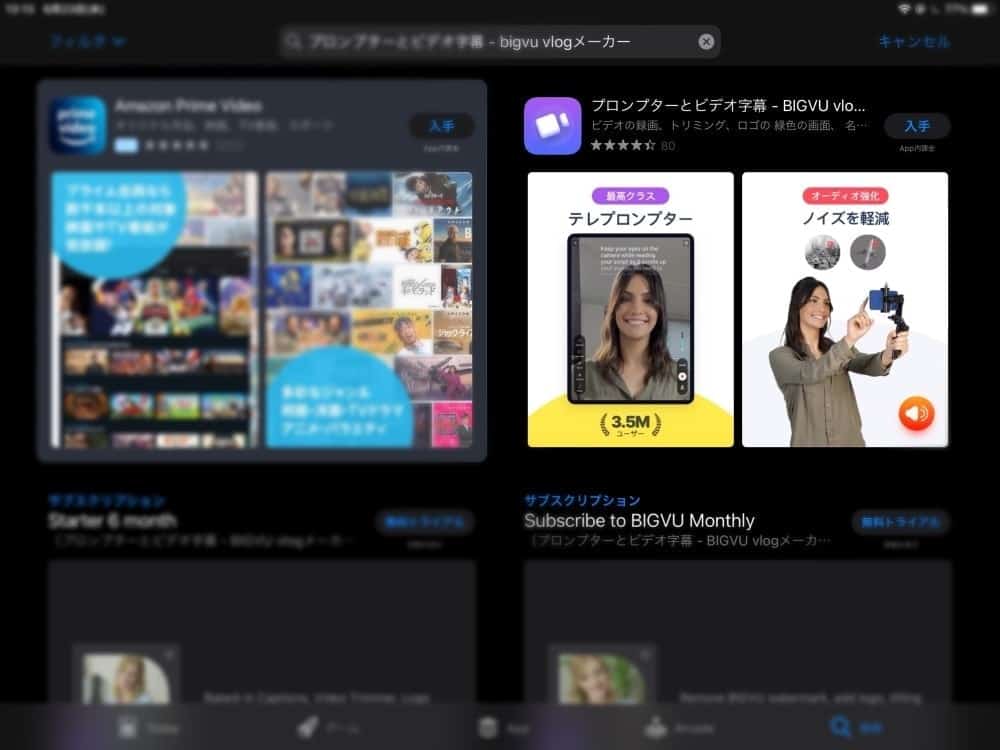
You can find it by searching for "BIGVU".

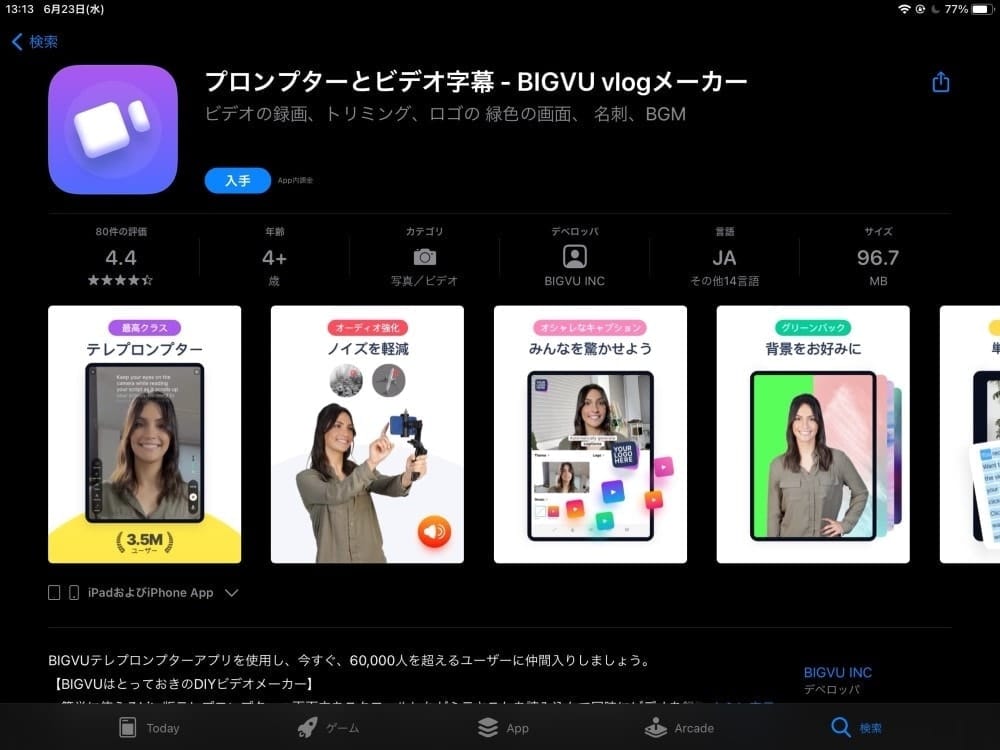
Once you find this app, it's time to install it. *It is free. Please rest assured that you will not be charged immediately.

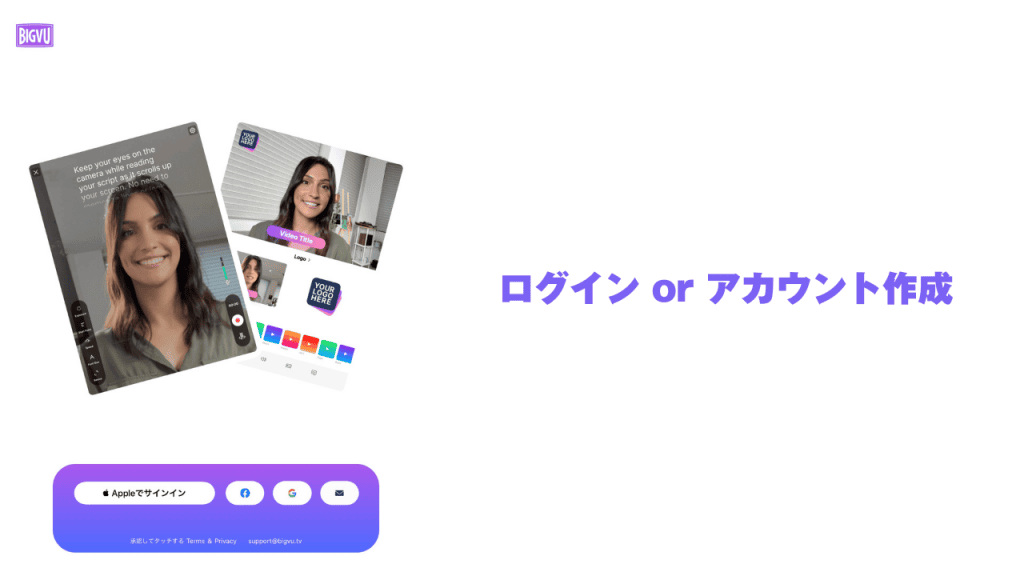
Once you have installed the app, it's time to create an account. If you already have a BIGVU account, just log in.

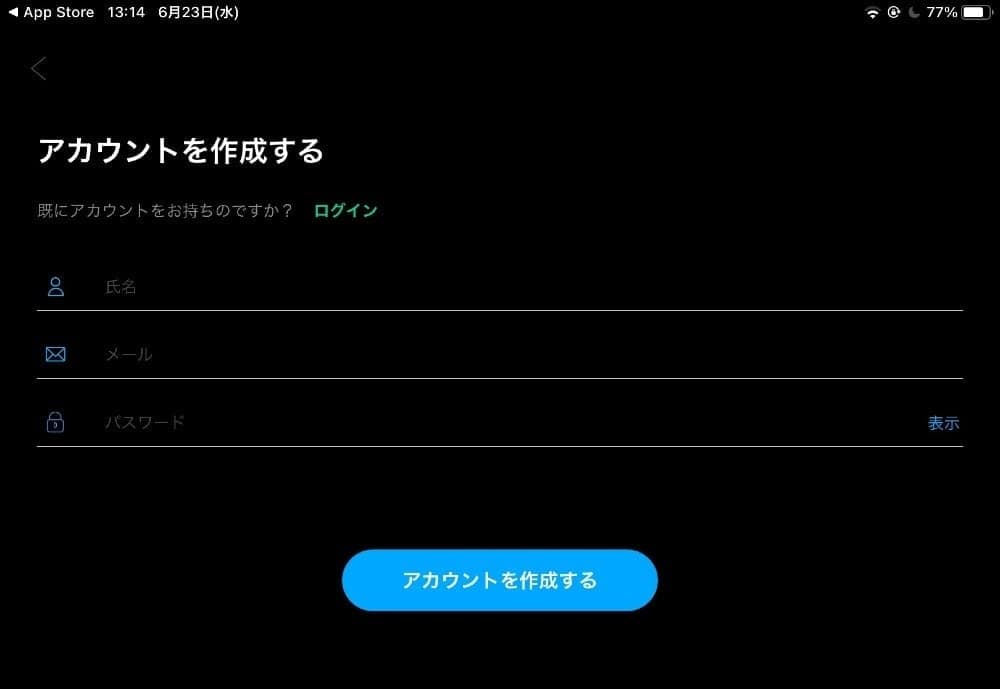
- Name
- Email address
- Password
Set these three. Please choose your password freely. Once you have entered everything, click "Create Account".

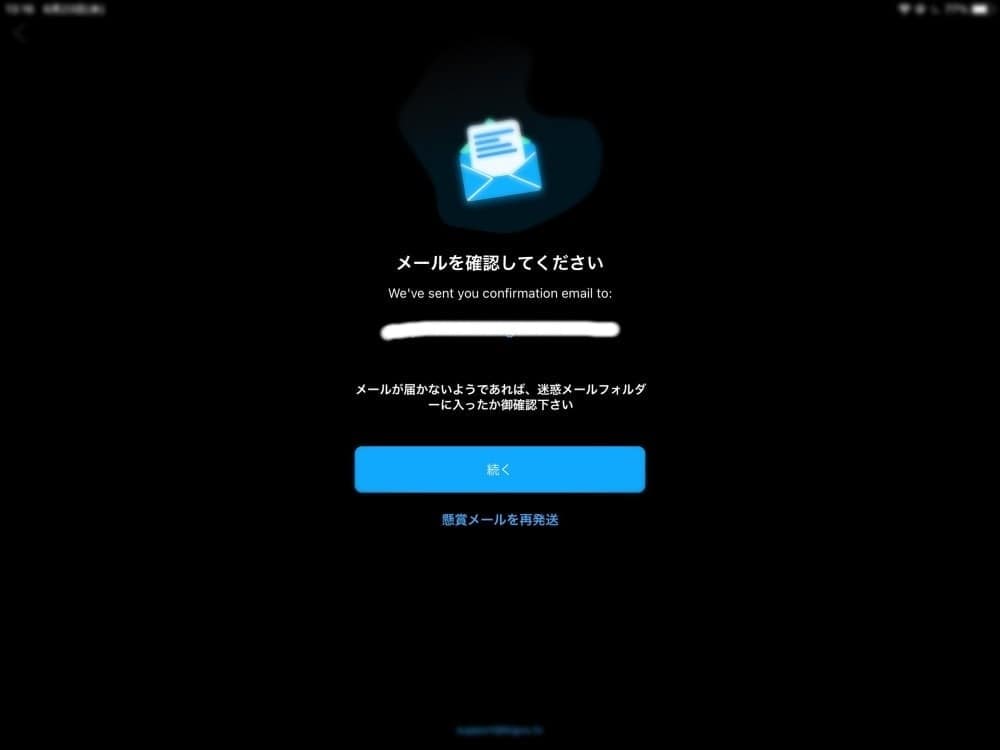
You will receive a confirmation in the email address you entered.

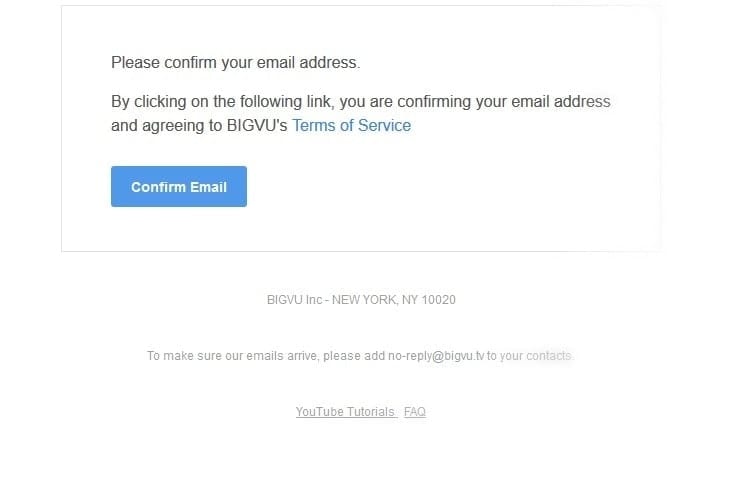
Click "Confirm Email" to complete your new BIGVU registration.
The reason why the confirmation email is in English is that BIGVU is originally operated in New York. Please rest assured that it is a prompter app that has many users overseas.
How to use BIGVU in Japanese
BIGVU should be Japanese during the installation phase, but if it is not Japanese, you can change the language to Japanese from the menu.

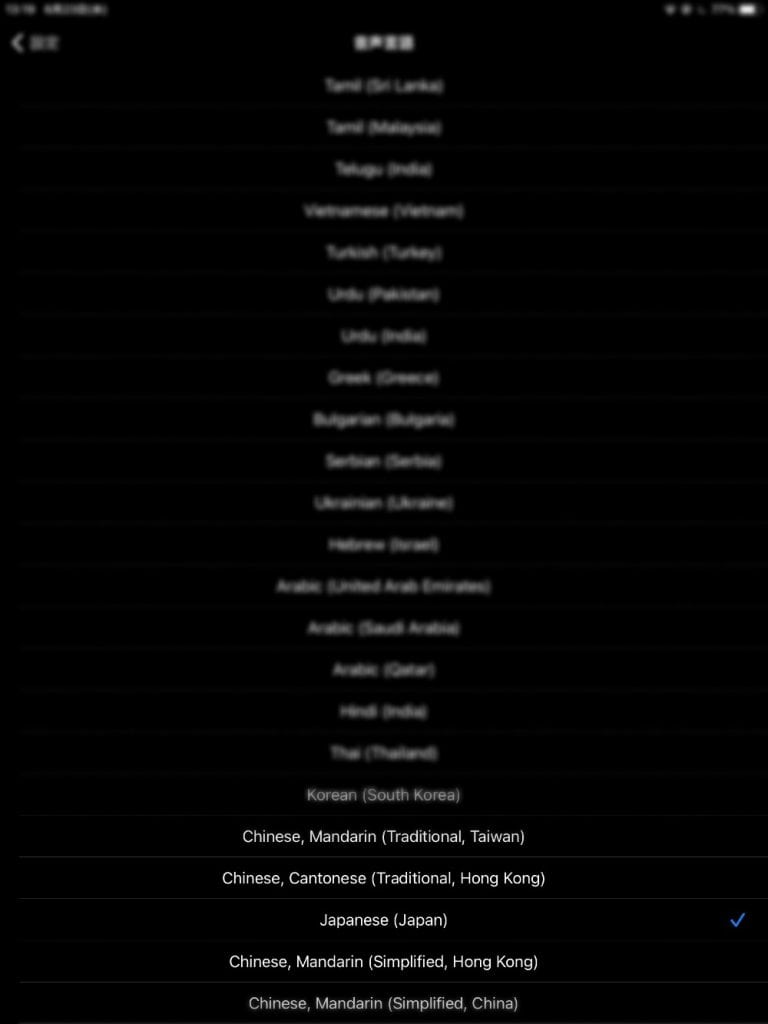
Select "Japanese" to become Japanese.
Conclusion: My BIGVU Review Summary
BIGVU is an easy-to-use and affordable teleprompter app for beginner video creators.
Without expensive camera equipment, you can easily read campes with just your smartphone and shoot videos without stress.
BIGVU only supports some parts of Japanese, and not all parts are Japanese yet, but it is intuitive to operate and should be easy to understand without a manual.
To subscribe to BIGVU's paid plans, check the link below.
Limited time only! Until June 15





![[2024] Thorough explanation of the features, reputation, and usability of thin rental servers](https://sp-ao.shortpixel.ai/client/to_webp,q_lossy,ret_img,w_485,h_273/https://takeofujii.net/wp-content/uploads/2021/10/wpxshin-review.png "[2024] Thorough explanation of the features, reputation, and usability of thin rental servers")











Latest Comments