


This article explains how to use Deadline Funnel in Japanese in an easy-to-understand manner.
Deadline Funnel is a very powerful marketing tool.
You can use the unavoidable countdown timer to help increase sales for your sales promotions.
That being said, it's an overseas tool. You may be worried about whether you can use it well or whether it will be effective for your business.
We will explain how to use and set up Deadline Funnel with photos.
You can try Deadline Funnel for free for 14 days. Check out the ease of use without risk today⇒ 14-day free trial here
- 1 What is Deadline Funnel?
- 2 Features and Functionality of Deadline Funnel
- 3 How to register for Deadline Funnel [Free Trial]
- 4 How to set up a Deadline Funnel campaign
- 5 How to embed Deadline Funnel into WordPress
- 6 How to change the appearance of a floating bar
- 7 Deadline Funnel Pricing Plans
- 8 Benefits of Deadline Funnel
- 9 Cons of Deadline Funnel
- 10 Is Deadline Funnel expensive? Why is it actually quite cheap?
- 11 How to unsubscribe or cancel Deadline Funnel
- 12 [To be honest...] What makes it different from other countdown timer tools?
- 13 Who is Deadline Funnel recommended for?
- 14 [Summary] Try Deadline Funnel for free for 14 days
What is Deadline Funnel?

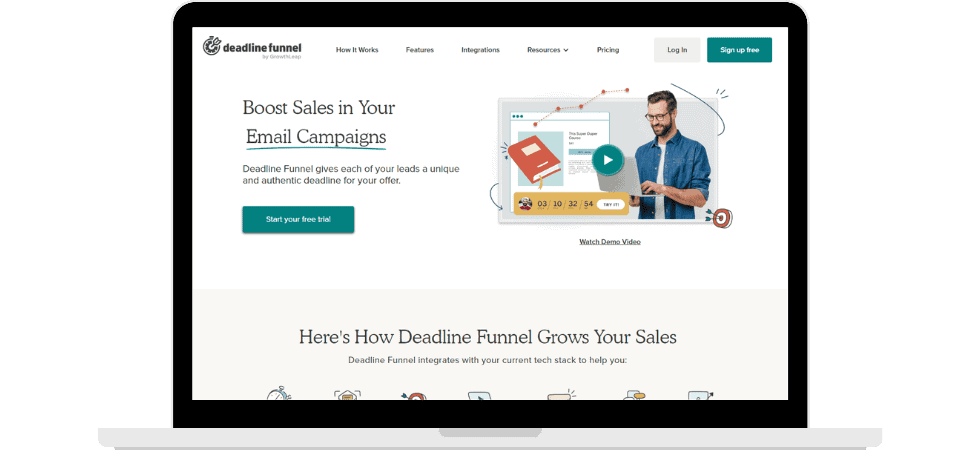
Deadline Funnel is a powerful tool that increases your close rate by automatically creating sales windows.
With this tool, you can set deadlines and time limits to create promotions that make your prospects and customers feel "scarce."
"This product is only available for a limited time."
"We are offering a special price until October XX."
These are limited-time offers. You see it often.
For example, when you access a product sales page,

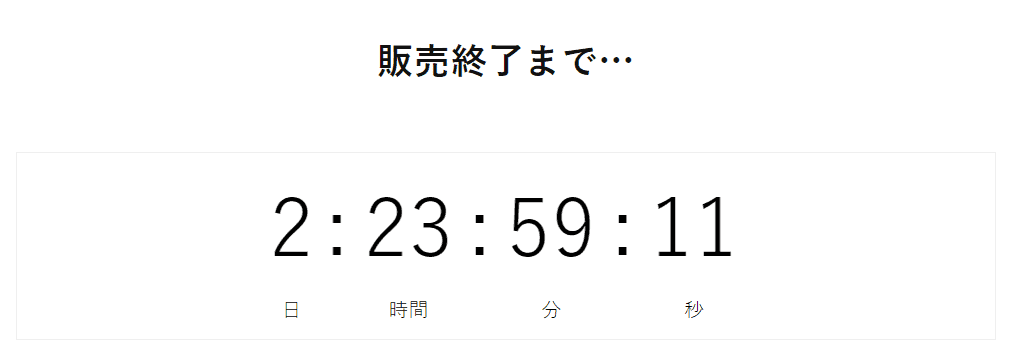
What will visitors think when they see such a display?
… At first you should be suspicious. People are not stupid.
"Ah, you see it often. I don't like it. If you update the page one more time anyway, the countdown will be back to normal."
I doubt so.
ButWhat if you actually refresh the page and the countdown doesn't go back?
"Is this page really open for a limited time..."
"If you can only buy now, you have no choice but to buy now."
You will feel that way. This is the rarity that can be created with Deadline Funnel.
Features and Functionality of Deadline Funnel
Deadline Funnel offers features to help you manage your marketing campaigns effectively. Its features and functions are summarized below.
Countdown Timer
The most distinctive feature of Deadline Funnel is its countdown timer.
Just copy the simple code and paste it into the page.


It's very simple, isn't it?
This alone the timer accurately tracks the time and displays a countdown in real time.

By setting a deadline for potential customers, it is an effective way to motivate them to take action and encourage them to make a purchase decision.
Timers don't just update in real-time;
- Refresh Page ( F5)
- Delete cookies
- Access on another device
This kind of evasion and slippage is not possible. Prospects feel the real deadline.
Deadline Funnel's countdown timer is a powerful tool for stimulating prospect behavior and creating effective sales campaigns.
Evergreen Campaign
Second. If the main function is "Evergreen Campaign" is. I like it the most.
This feature allows you to launch individual automated campaigns from the moment a visitor visits them.
In this way, evergreen campaigns can start individual automation for each prospect as each new prospect comes in.
This feature is effective to increase sales in a fully automatic manner.
Yes, it can be "fully automated".
Each lead has a separate countdown timer.
Embed in sync anywhere
The feature of Deadline Funnel is that it can be embedded synchronously anywhere. This feature allows you to add Deadline Funnel timers to your sales pages and email bodies.
Deadline Funnel also offers integrations with major page builders and online course platforms. So, it's easy to use on platforms like Wordpress, ClickFunnels, Leadpages, Kajabi, and more.
To add a timer, simply copy the embed code in the deadline funnel and paste it into the HTML of your web page.
Of course, you can also embed it in your email.

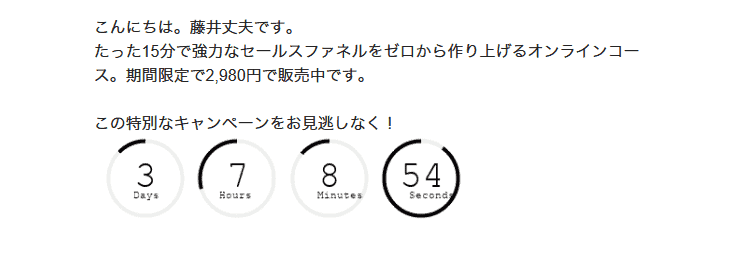
Whether it's on your sales page or email, this timer is all synced.
Now you can easily view the timer for Deadline Funnel.
This "sync and embed anywhere" feature makes Deadline Funnel a useful tool for effectively deploying marketing campaigns.
Works with various apps
It also allows you to integrate with Deadline Funnel and various applications

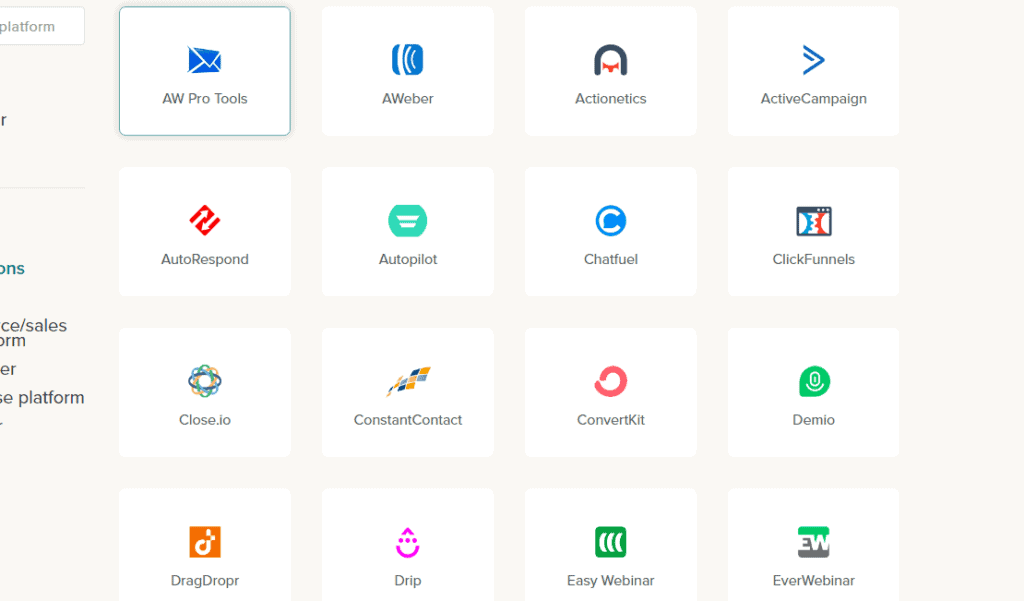
Here are some well-known apps that integrate with Deadline Funnel:
- AWeber
- ActiveCampaign
- ClickFunnels
- ConvertKit
- EverWebinar
- GetResponse
- HubSpot
- Instapage
- Kajabi
- LeadPages
- MailChimp
- OptimizePress
- OptinMonster
- Teachable
- WooCommerce
- WordPress
- Zapier
In this way, Deadline Funnel works with various tools to create even more marketing effects.
Each function will work together to enable effective campaign development.
Prospect and sales analysis
Deadline Funnel also offers a detailed analysis of your prospects' behavior and sales.

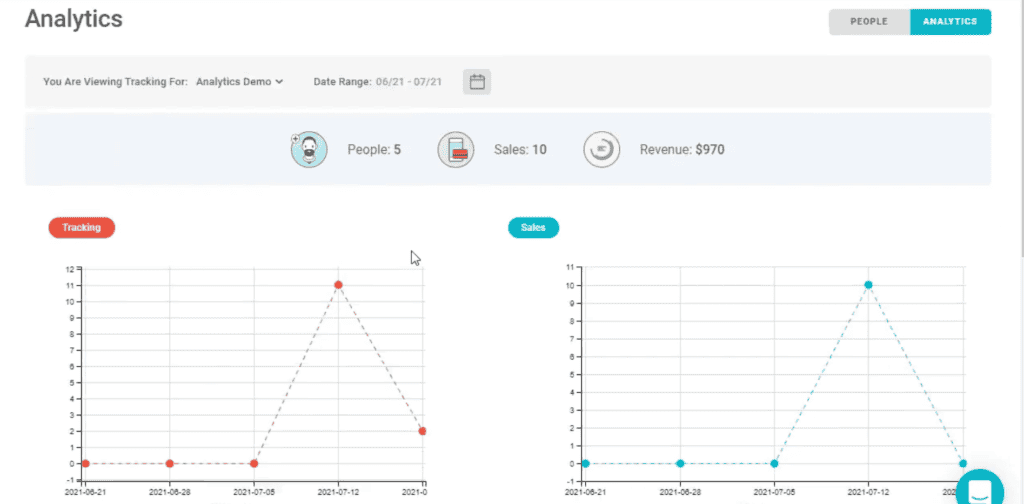
With this tool, you can clearly measure the performance of your marketing campaigns and identify areas for improvement.
You can also analyze sales data in detail. For example, you can see how much a particular sales page contributes to sales or how effective a particular offer is.
With this information, you can optimize your campaign content and develop more effective sales strategies.
In this way, you can use "Deadline Funnel" to specifically analyze the effectiveness of your marketing campaigns and develop strategies to get better results.
How to register for Deadline Funnel [Free Trial]
FirstThis linkGo to Deadline Funnel from here.

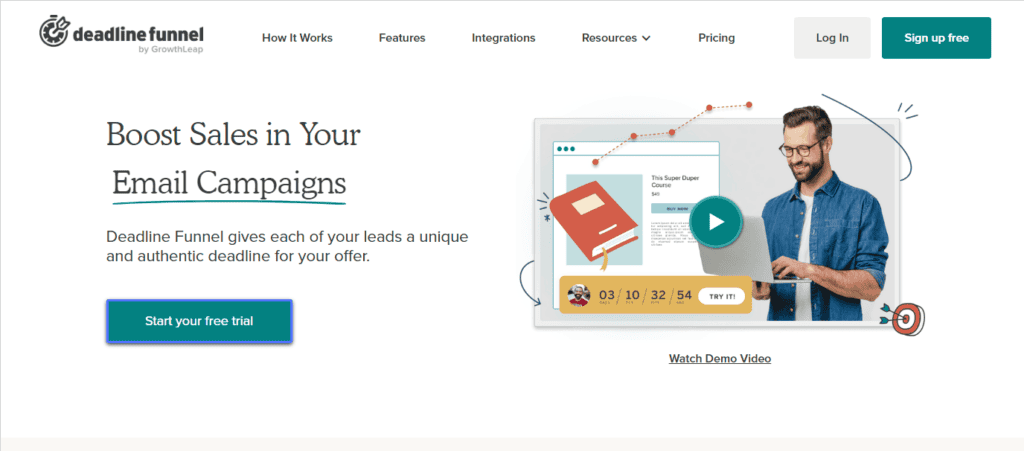
Click on the button that says "Start your free trial".
You can try it for free for 14 days. I will go to the page below, so

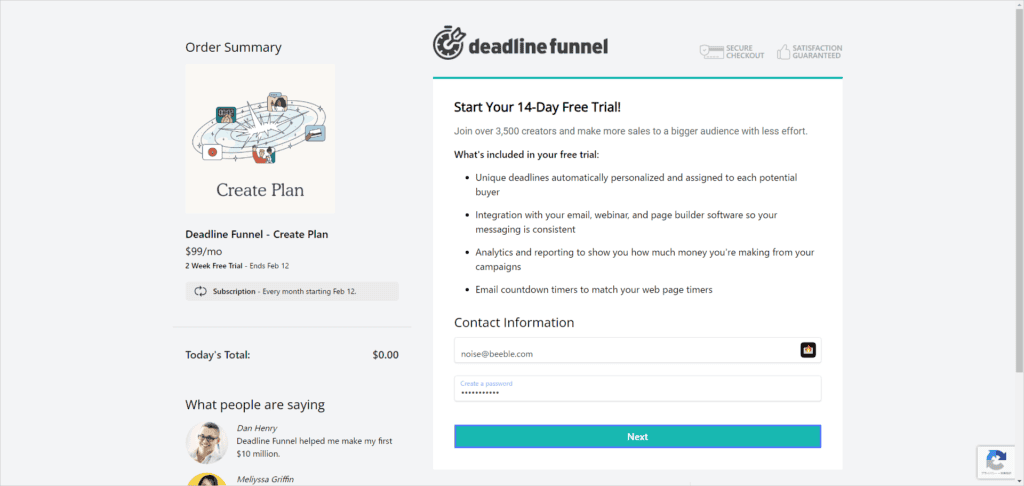
- Email address
- Password (choose freely)
Enter these two. Then click the "Next" button.
Go to the next page.

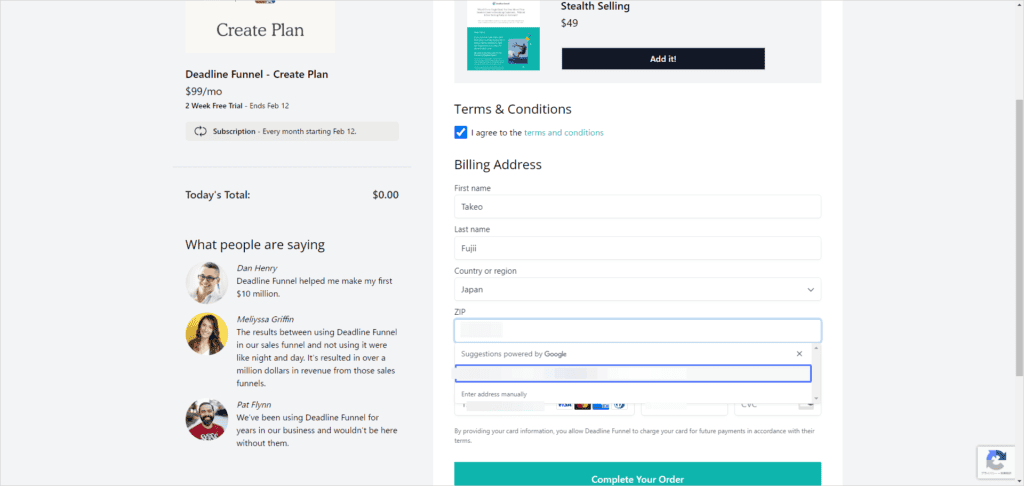
Check Terms & Conditions.
- First name (e.g. Takeo)
- Last name (e.g. Fujii)
- Country of region
- ZIP (zip code)
Enter each item accordingly. Then, enter your credit card information and click the button labeled "Complete Your Order".
Entering your credit card number does not actually complete the payment at this stage. Don't worry.
The free trial registration completion page opens. It says to check your email inbox.

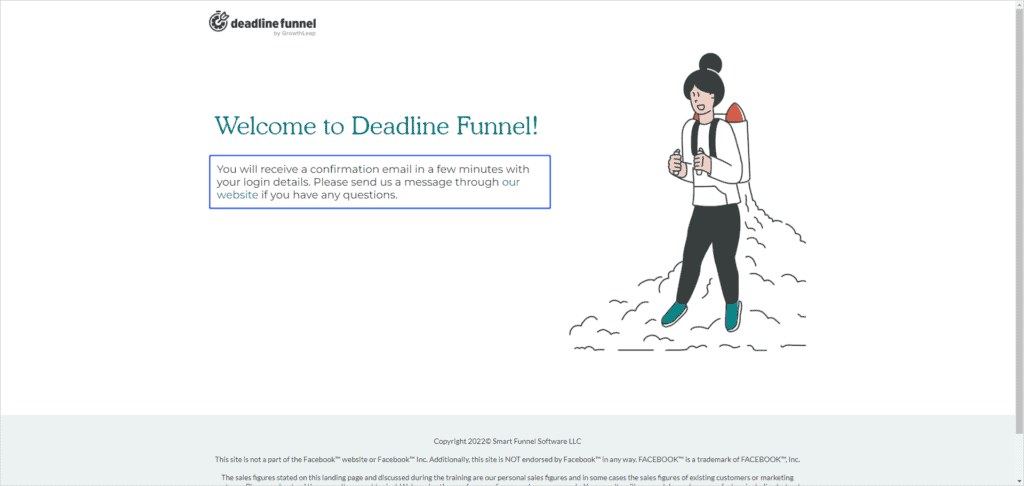
Open the inbox of the email address you just entered.
When I opened my email inbox, I received 3 emails.

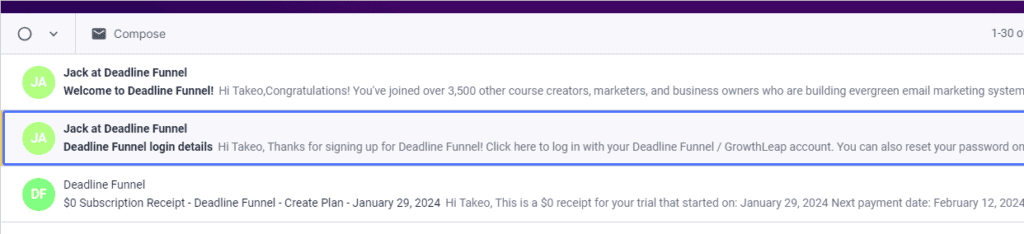
Click on the email with the subject line "Deadline Funnel login details".
Click on the link in the body of the email that says "Click here to log in".


The welcome page will open. There is a "Next" button in the bottom right corner. Click here.

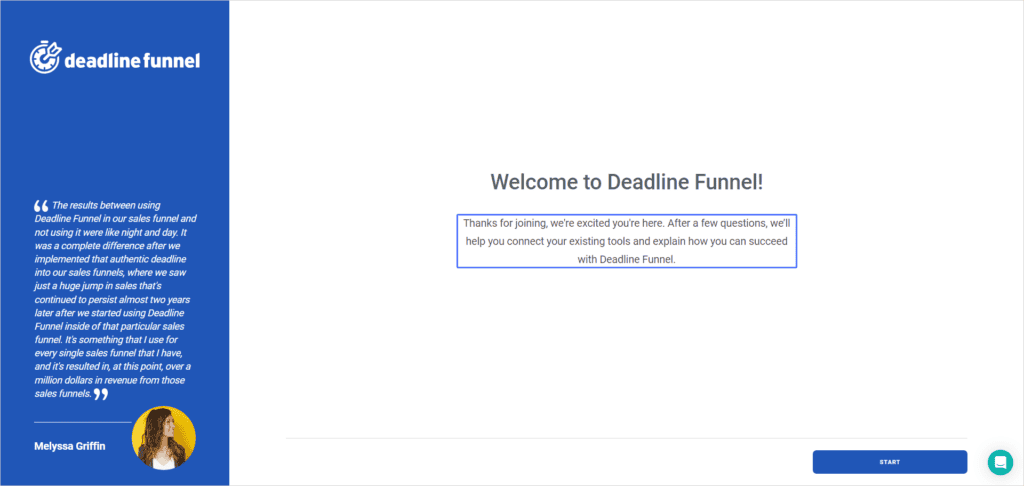
This will take you to the next page.
You will be asked questions like, "What goals do you want to achieve with Deadline Funnel?", but this area is not particularly important, so please click on it somehow.

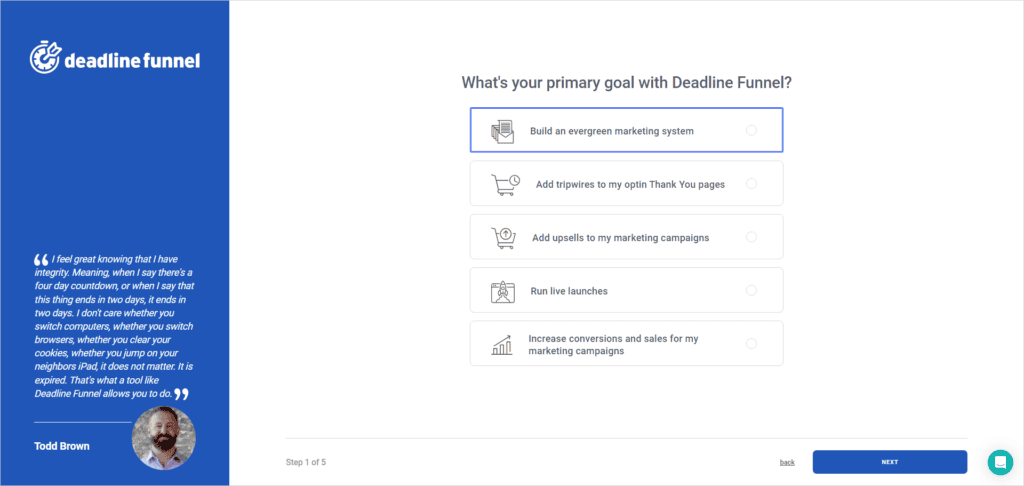
Once selected, continue to click the "Next" button.
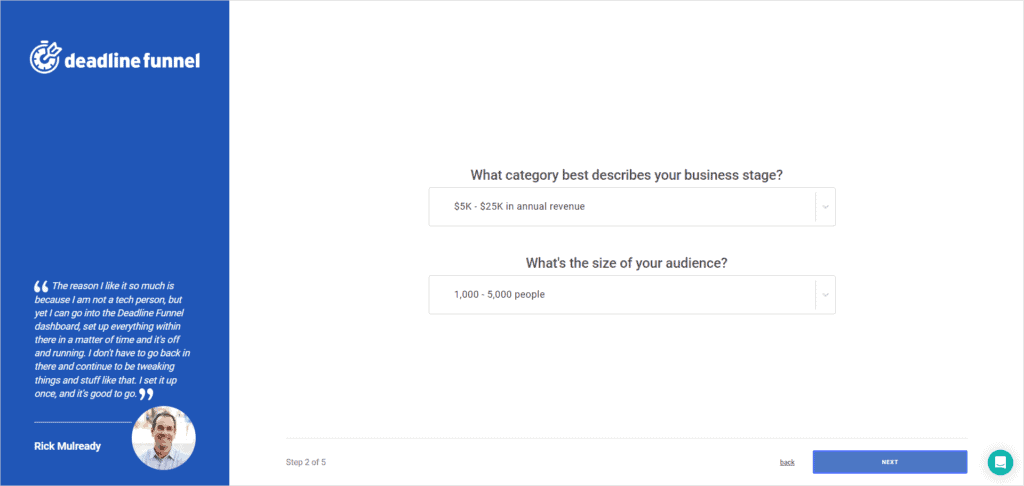
You will then be prompted to enter a sense of scale for your business. You can choose the one that suits your business.
If you are not sure, you can set it appropriately.

Next, you can integrate Deadline Funnel with your usual app.
- Email Delivery Service
- Landing Page Builder
You can choose your usual app here.

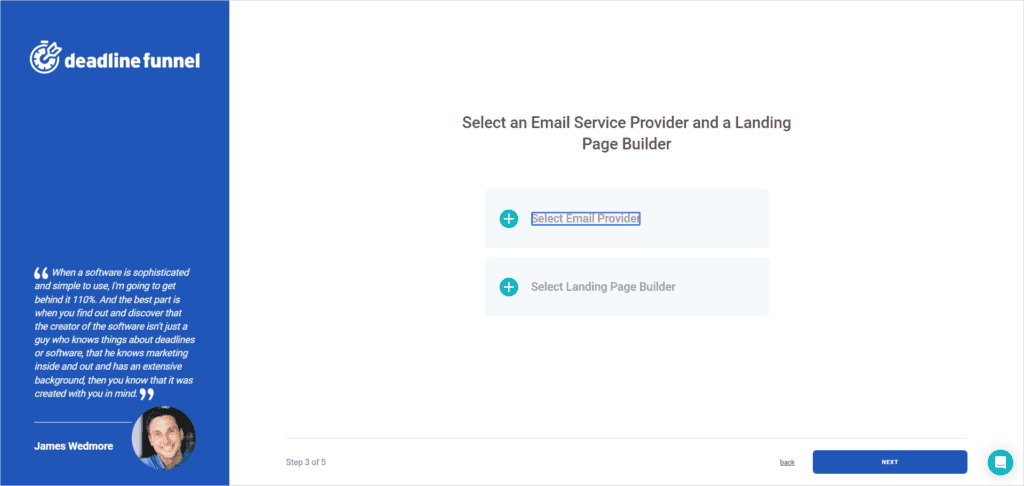
When you press "Select Email Provider", various email delivery services will be displayed. If you currently use an email delivery service, choose from these.

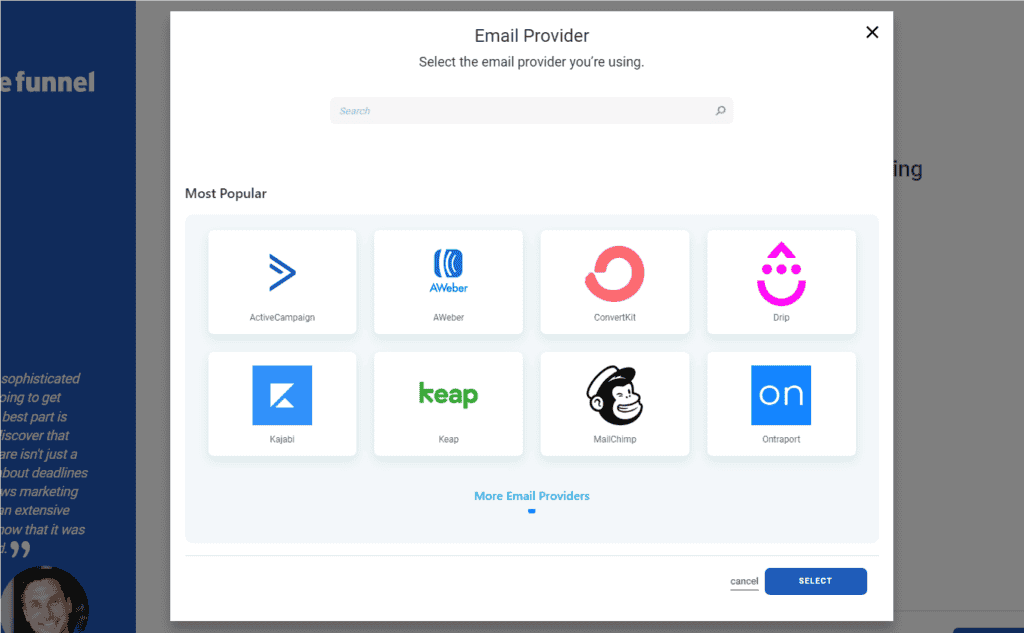
If you don't set it here, you can change or add it later. Don't worry.
Next, click on the "Select Landing Page Builder" item to select a landing page builder.

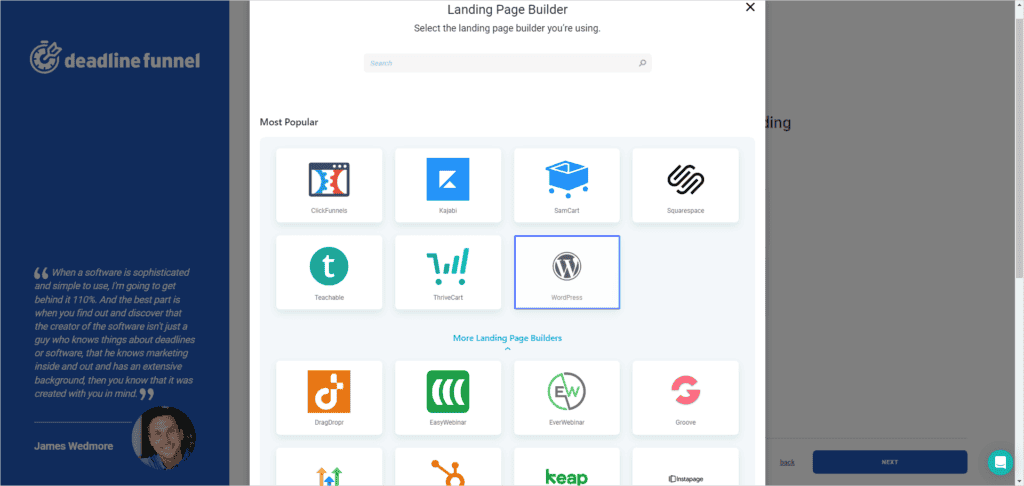
If you have a landing page builder that you currently use, choose from these.


Select the app you want to integrate, then click the "Next" button.
How to set up a Deadline Funnel campaign
You'll be taken to a page where you can set up your campaign.

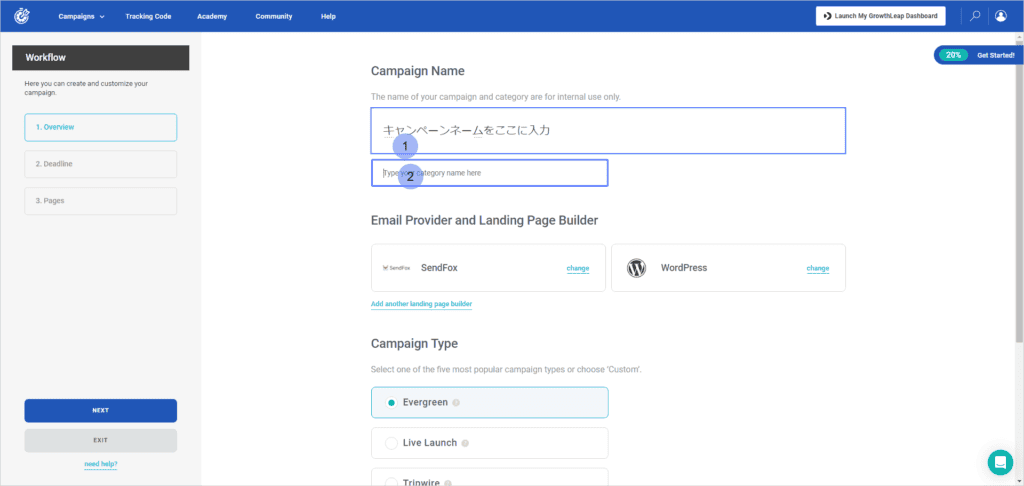
Start by setting up a Campaign Name. Give it a name of your choice so that you can recognize it.
Email Provider and Landing Page Builder (choose the email delivery system and landing page builder you want to use).

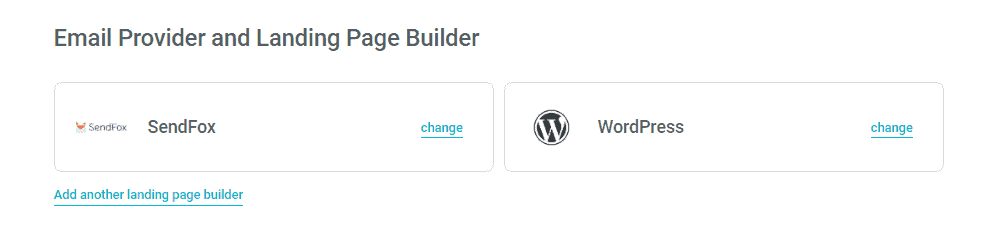
In my case
- Email Delivery System: SendFox
- Landing Page Builder: WordPress
I am selecting.
Next, select your campaign type.

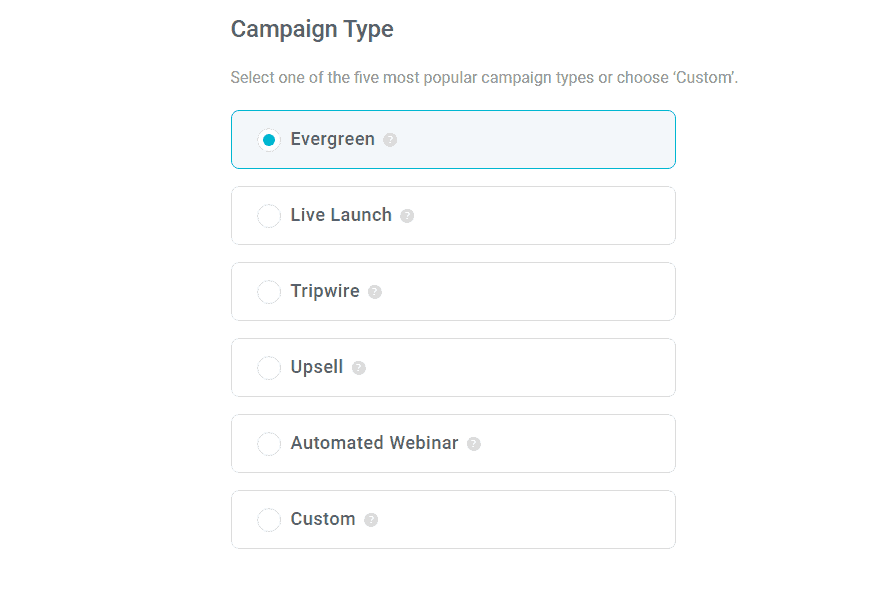
Deadline Funnel automatically sets a custom purchase deadline for each subscriber, regardless of when they sign up for your email list.
Example: A customer who lists on Monday has a deadline of 5 days (until Saturday) after that. Another customer who registers on Tuesday has a deadline until Sunday.
The "Live Launch" campaign is a great choice if you want to set the same sales deadline for all your prospects.
They are effective for promotions focused on specific days, such as new product launches or events.
Example: Saturday is the end of sales. In that case, you can make an offer that both the prospect who signed up for your email list on Monday and the prospect who joined on Friday can buy it until the same Saturday.
A "Tripwire" campaign allows you to present a special offer that can only be purchased for a short time (a few minutes) after a prospect signs up for an email on your landing page.
For example, you can sell the front-end with a short-term offer such as "Special price 980 yen for 15 minutes from now!"
For example: After signing up for your email list, customers have a deadline to purchase a special offer within 15 minutes.
With an "upsell" campaign, you present another special offer for a short period of time (a few minutes) immediately after a customer purchases a product. This can additionally encourage purchases and increase profits.
Example: You can sell an additional product to customers who have purchased a product and encourage them to purchase it with a 15-minute expiration date.
"Custom" campaigns are a flexible option for addressing special needs that don't fit into the above categories. You can customize it freely and create your own campaigns.
It may be a little difficult to understand, but many people
- Evergreen
- Live Launch
I often use one or the other.
Once configured, click the "NEXT" button

Then set the expiration date. Set how many days your offer is valid.

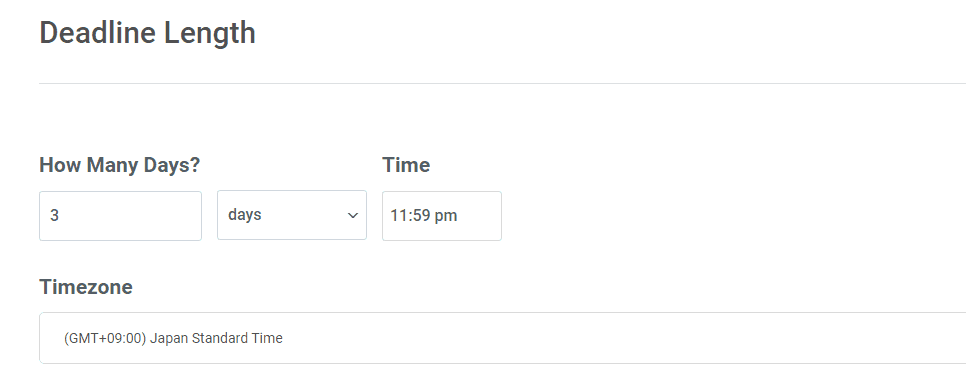
How Many Days?; You can set how many days your sales offer is valid.
Timezone
For example, if you set it to "3 Days", the prospect will only be able to view your page for 3 days. At the end of the three days, the prospect will not be able to view the page and will not be able to purchase the product.
Then, click the "NEXT" button. Next, configure the page where you want to embed Deadline Funnel.

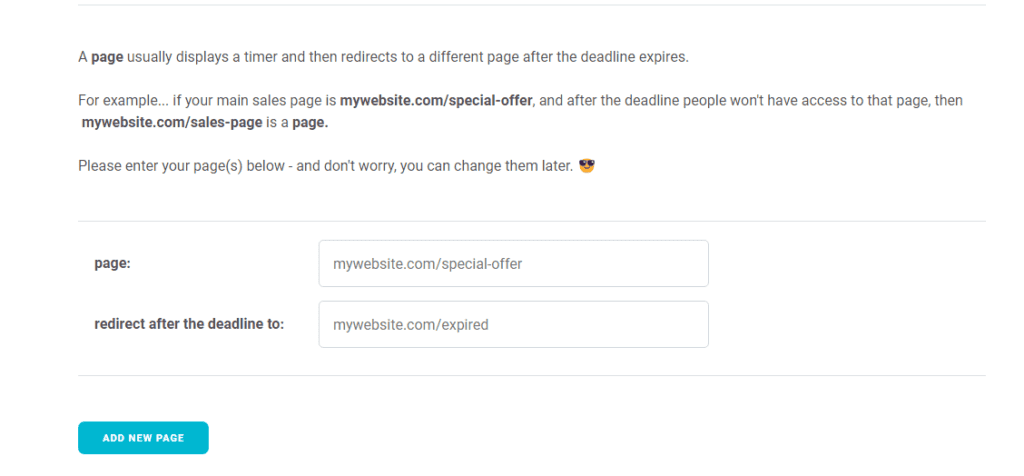
- page: Pages to display countdown timers
- redirect after the deadline to: After the expiration date, it will redirect to another page set here
For example, if your main sales page is "mywebsite.com/special-offer" and you will no longer be able to access that page after the deadline, set "mywebsite.com/sales-page" as the page you want to redirect to.
You can also change the page you set here later.
That's it!
How to embed Deadline Funnel into WordPress
Embedding Deadline Funnel in WordPress is very easy. Let's do it together.
First, go to your account page. You can navigate directly from the menu.
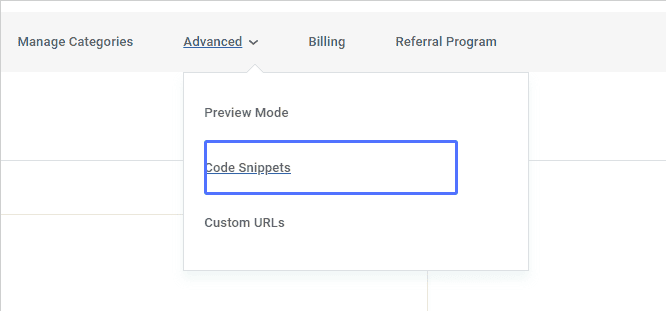
When you open your account page, you will find the "Advanced" tab in it. Click on "Code Snippets" in these.

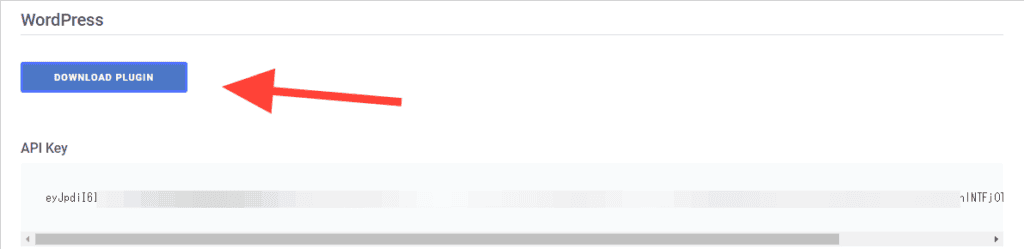
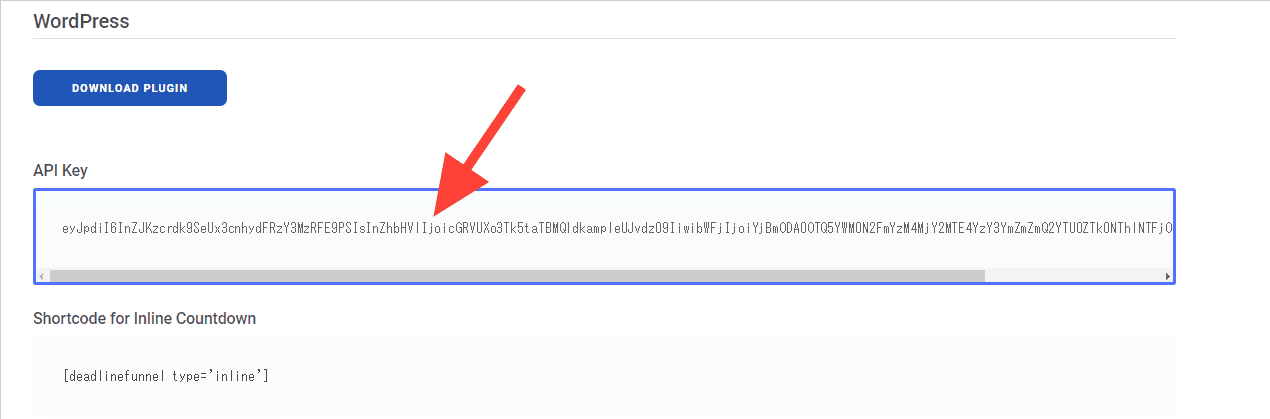
Within this page, download the dedicated WordPress plugin.
There is a button that says "Download Plugin" in the item that says WordPress. Click this button to automatically download the WordPress plugin.

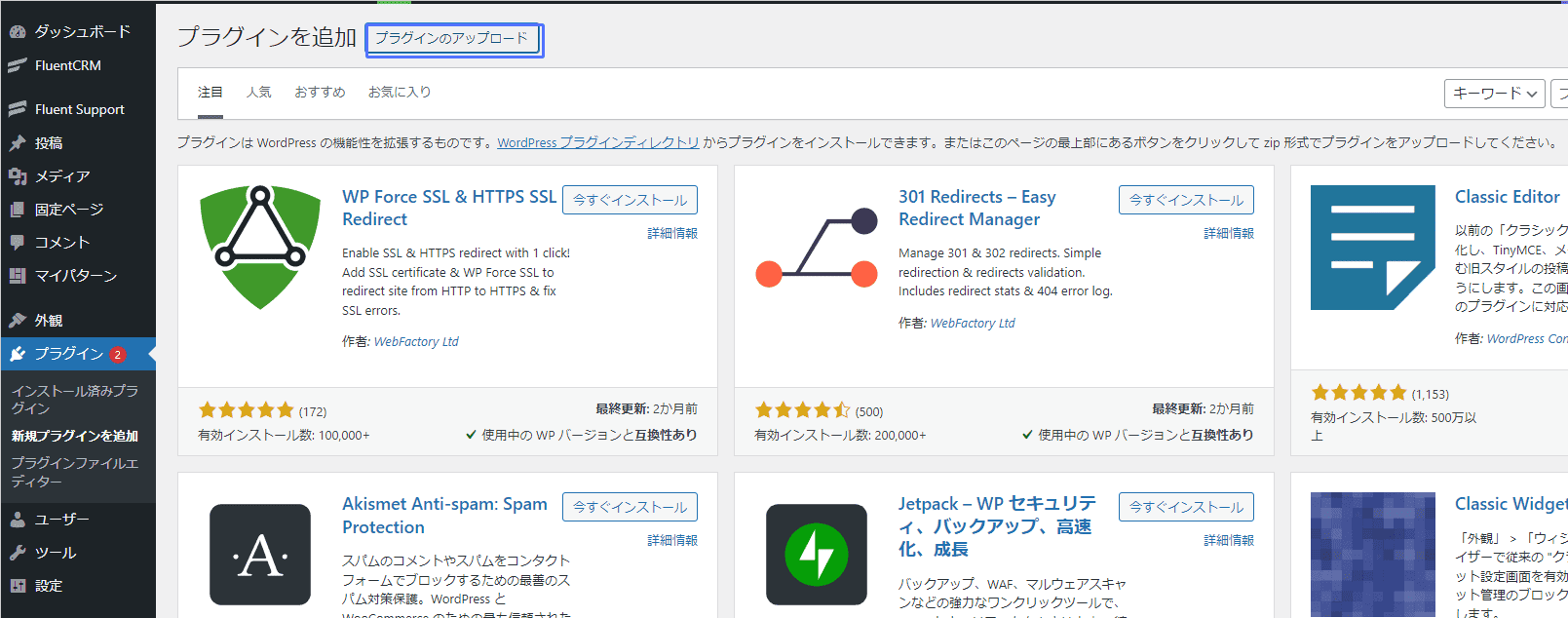
Then, upload the downloaded plugin from your WordPress dashboard.

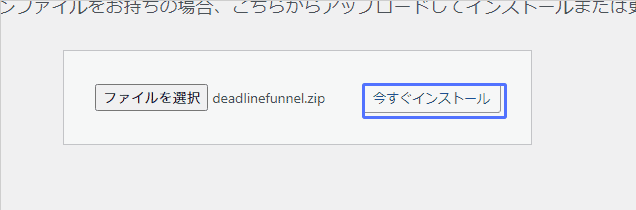
After uploading, install and activate it.


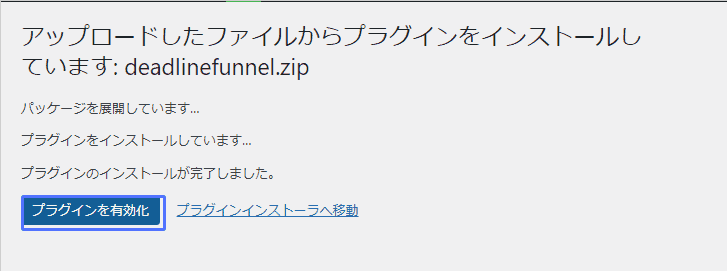
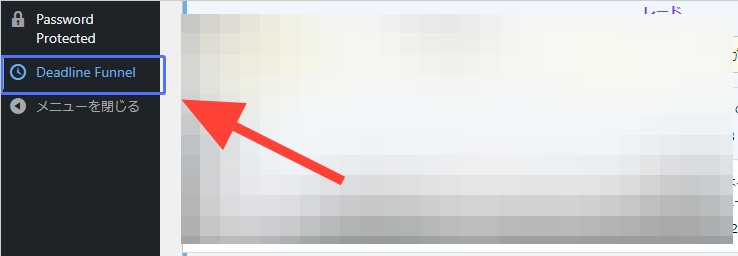
Once you've completed the installation and activation, you'll see "Deadline Funnel" in the bottom left sidebar of your WordPress admin.
Click on this item.

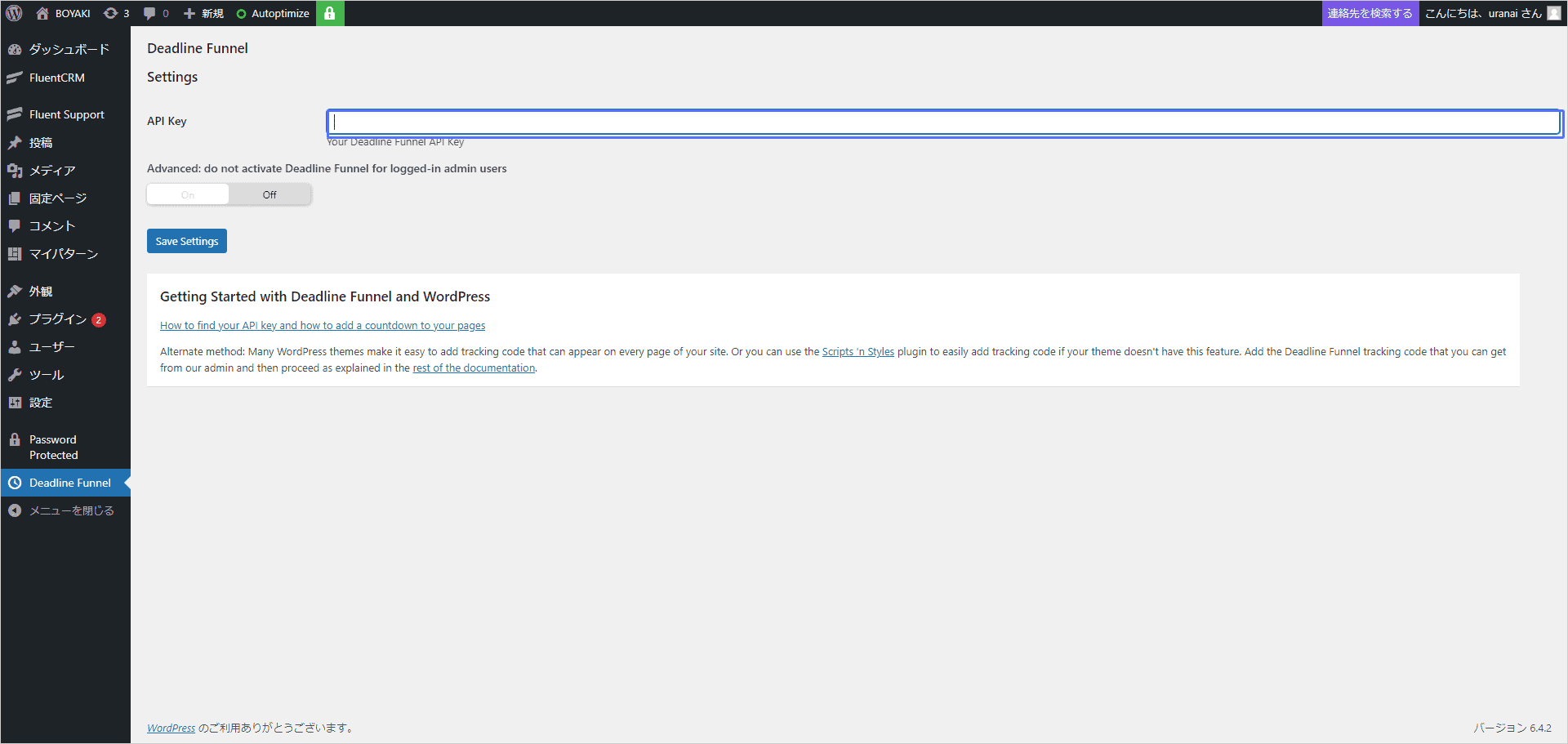
Here, you'll first be taken to enter your API key.

This API key is located inside the page where you just downloaded the WordPress plugin on Deadline Funnel. Click on this API key and it will be copied automatically.

Paste the copied API key into the WordPress input area. Then click the "Save Settings" button to save it.

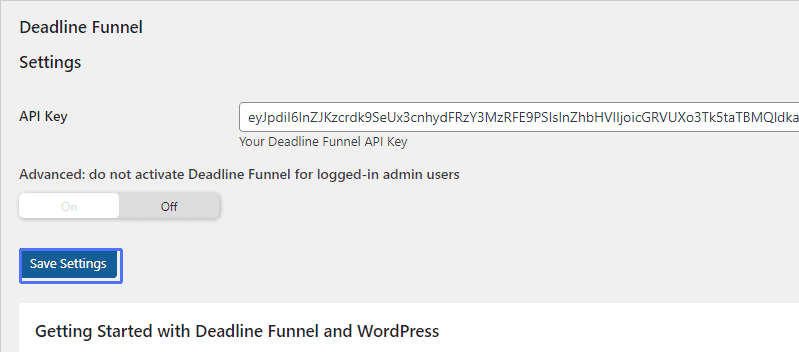
Now most of the settings are complete.
Change the display style of the countdown timer
Select a campaign from the Deadline Funnel dashboard.
After that, click on "Pages" from the left site bar.

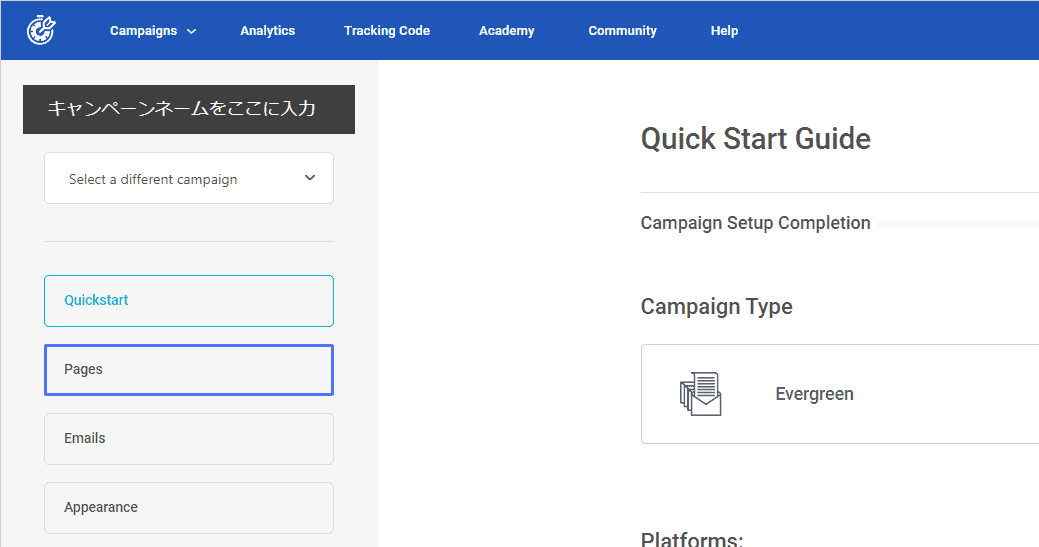
Here you can select the page where you want to set the countdown timer.
Click Edit Settings.

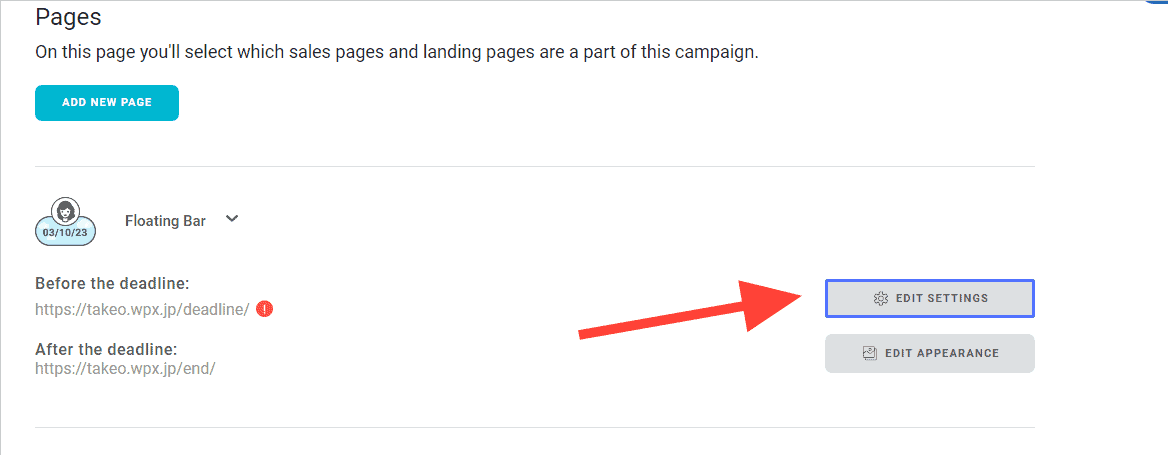
Click here to change the display style.
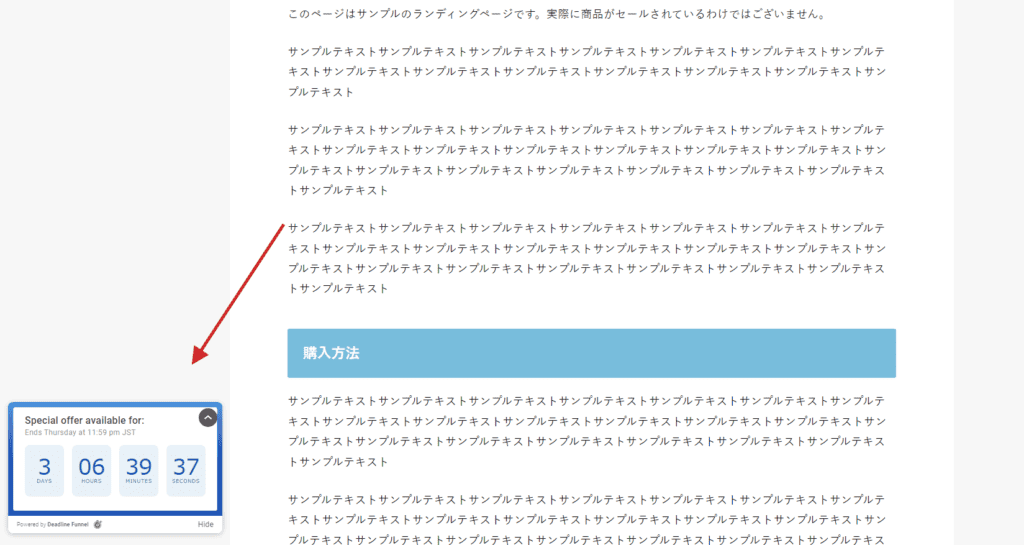
The current setting is the Display Floating Bar setting.


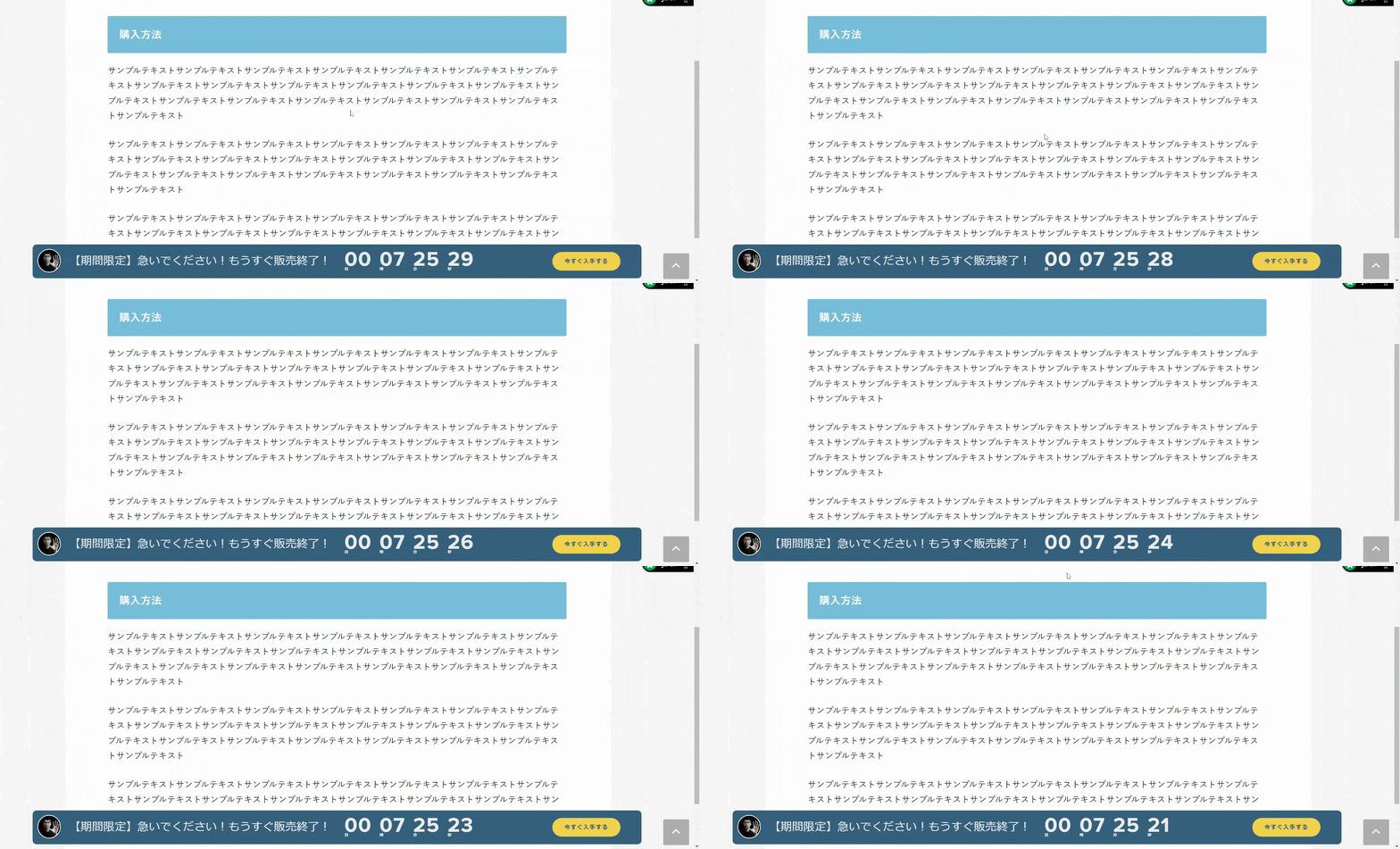
In this setting, a floating bar will appear on the page, as shown in the image below.

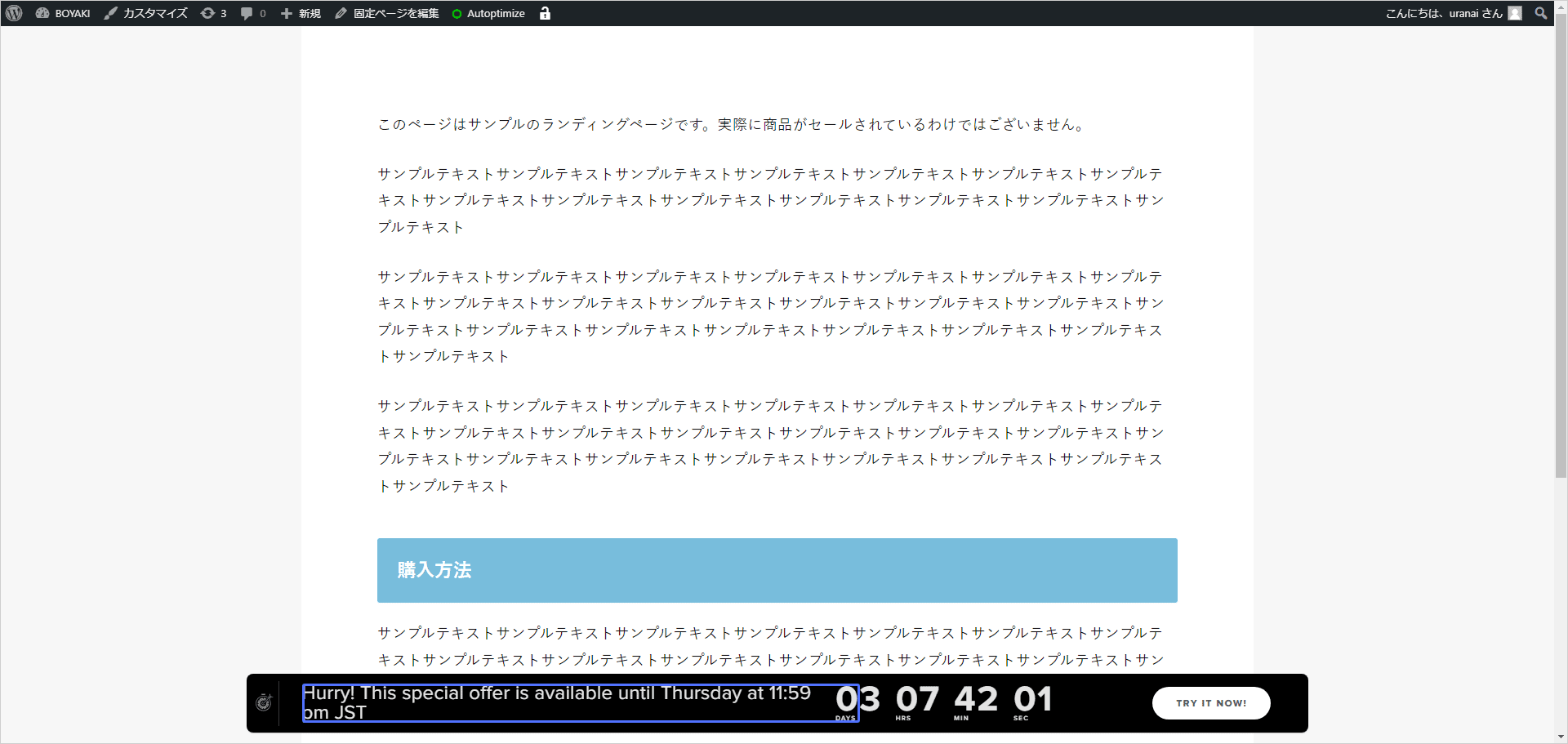
I'm curious that the floating bar is in English here▼

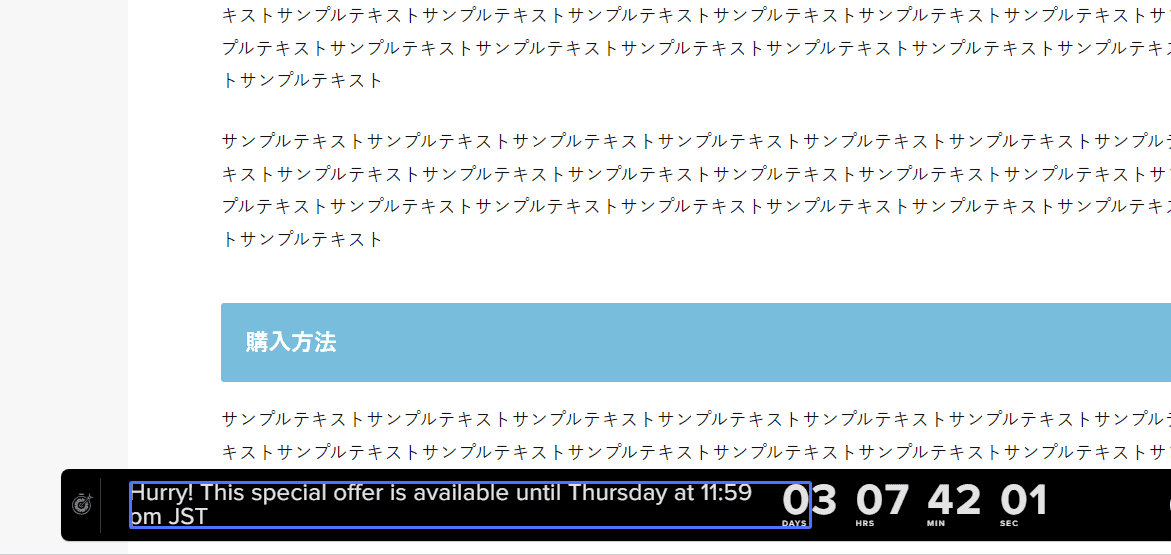
You can also change this notation. Please see here for instructions on how to change it.
How to Embed a Countdown Timer Inside a WordPress Page
We'll also explain how to embed a countdown timer inside a WordPress page instead of a floating bar.
To get started, select your campaign and click on "Pages" from the sidebar.

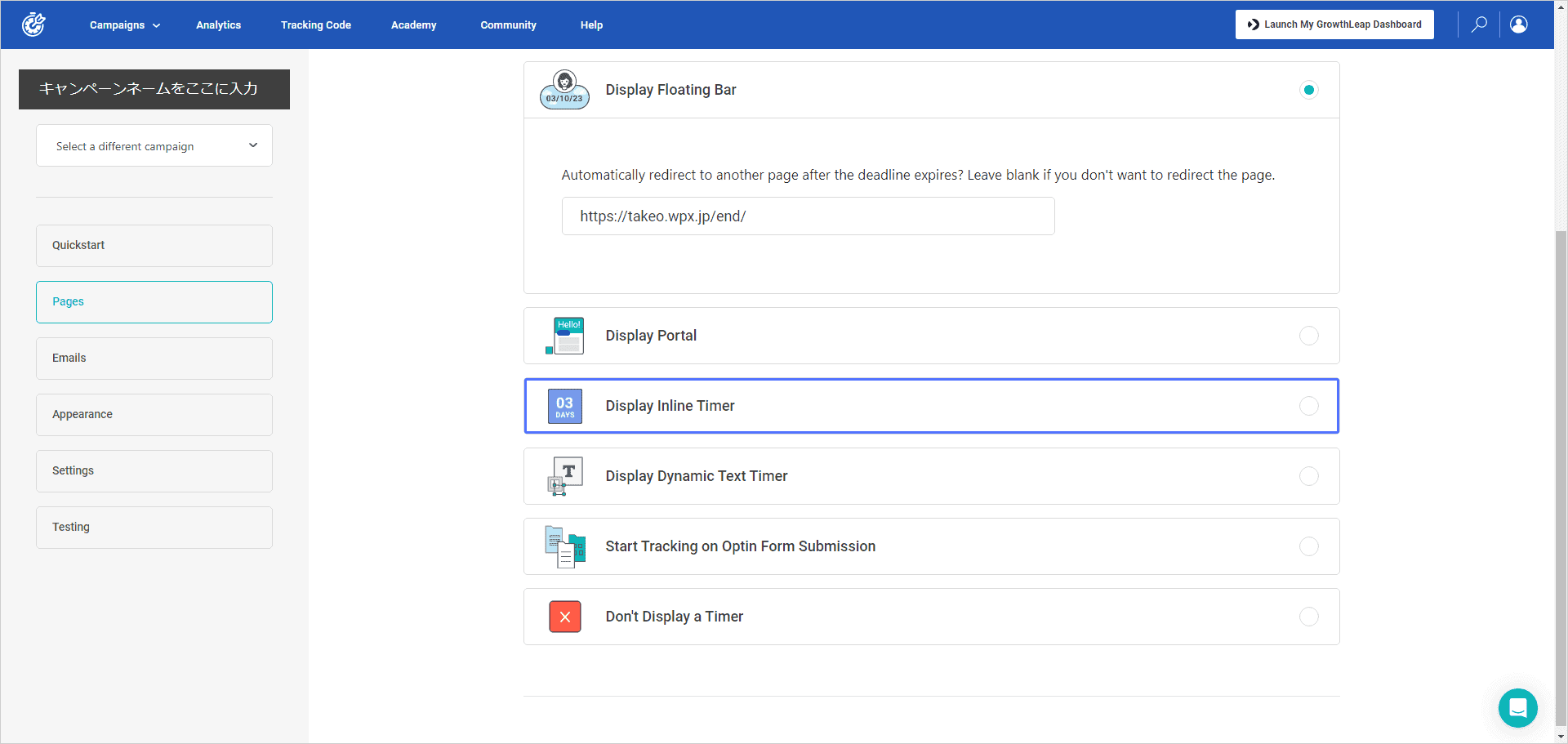
Then click "Edit Setting".

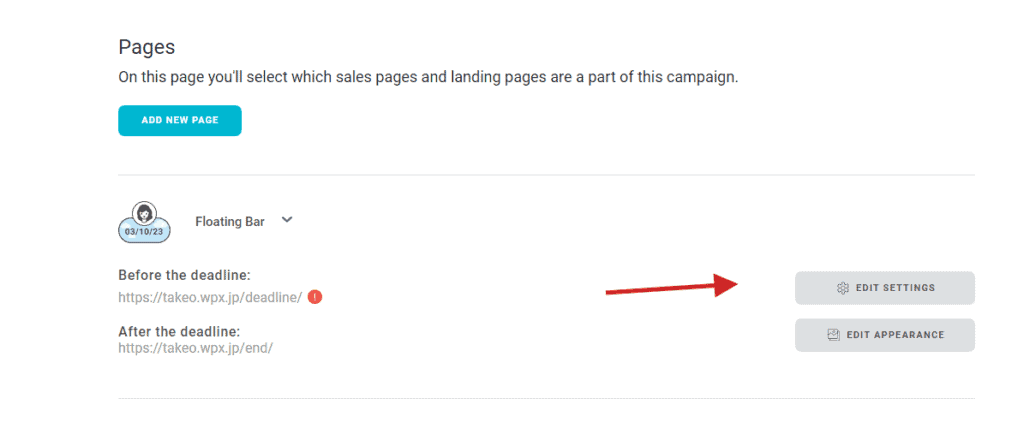
Select "Display Inline Timer" here.
This will display the HTML code. Copy this code.

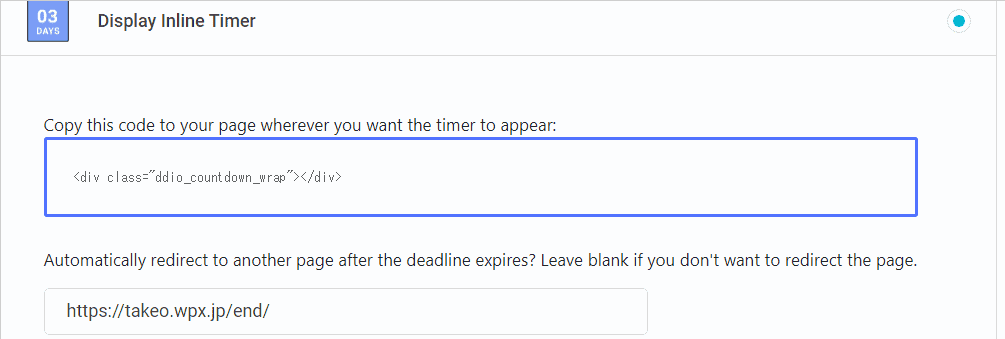
Next, open the editing screen for the WordPress page you want to embed. Add in custom HTML.


Paste the code you copied earlier into the custom HTML.

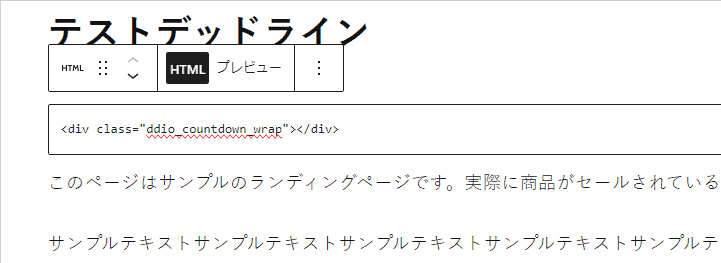
And save. You can then embed a countdown timer inside the page.

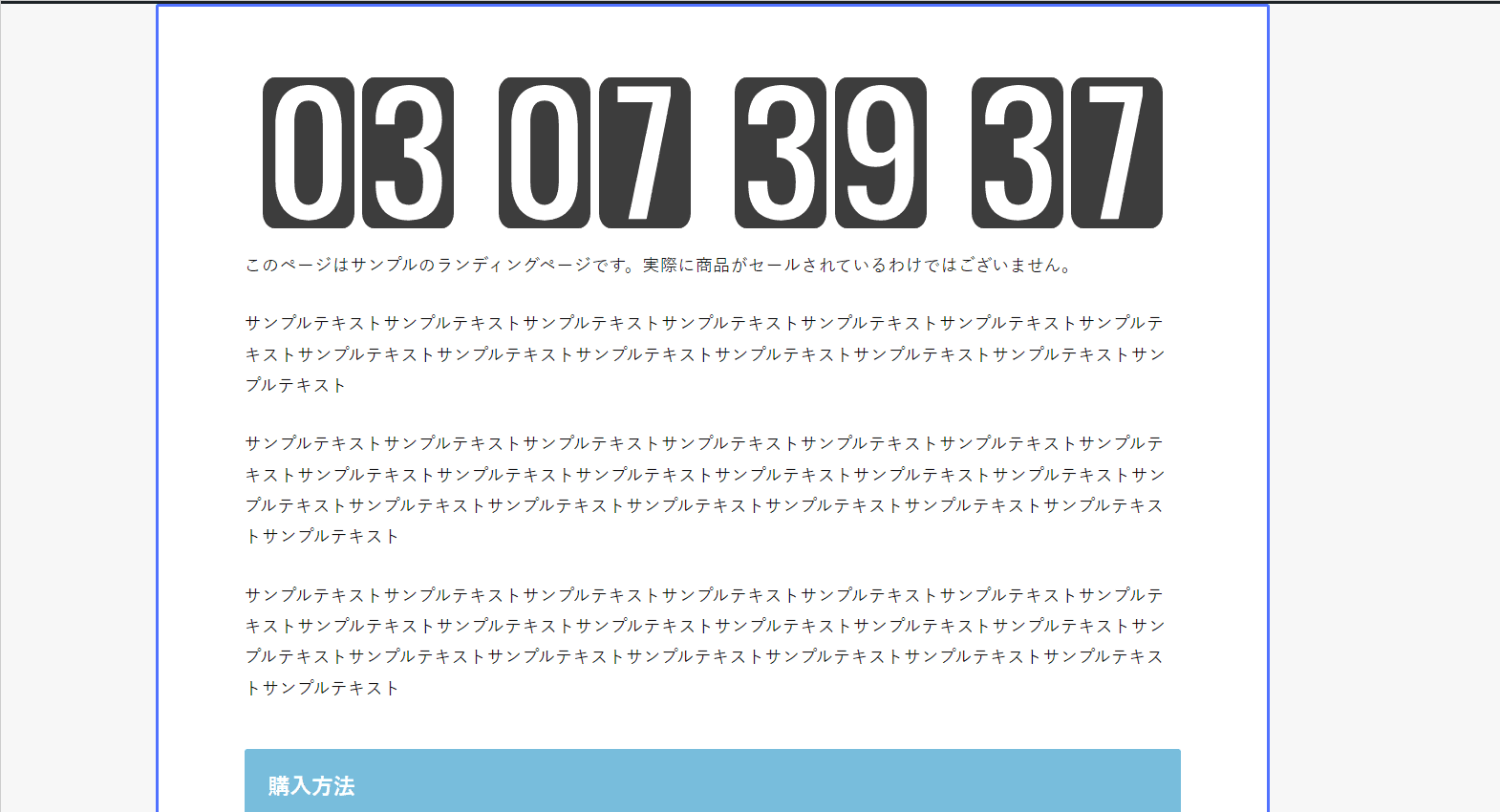
By the way, if you embed it in Portal, it will look like this.

How to change the appearance of a floating bar
By the way, you can also change the appearance of the floating bar in Deadline Funnel. You can also change the color, text, etc. freely.
By default, it is in English as shown in the image below.

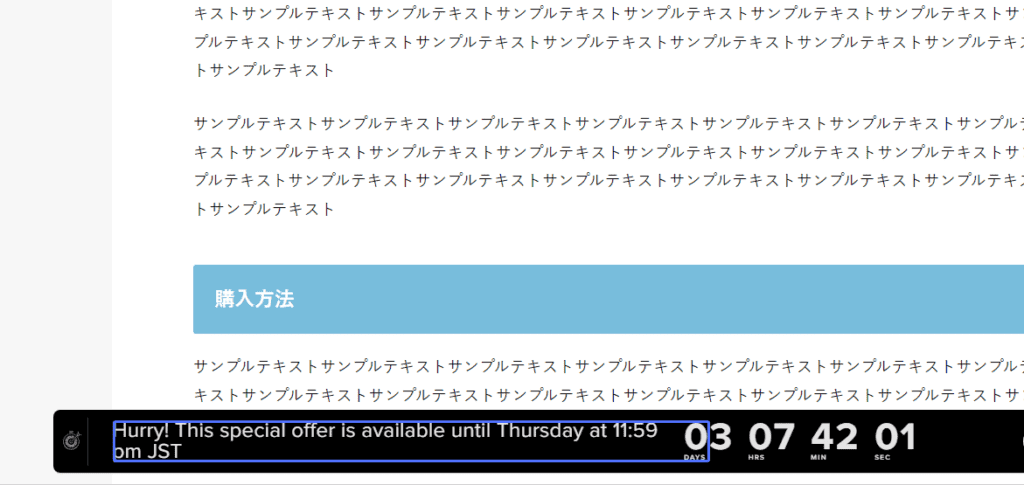
Change this display to a look that is more familiar to Japan people.
Start by opening your campaign and clicking on "Appearance" from the sidebar.

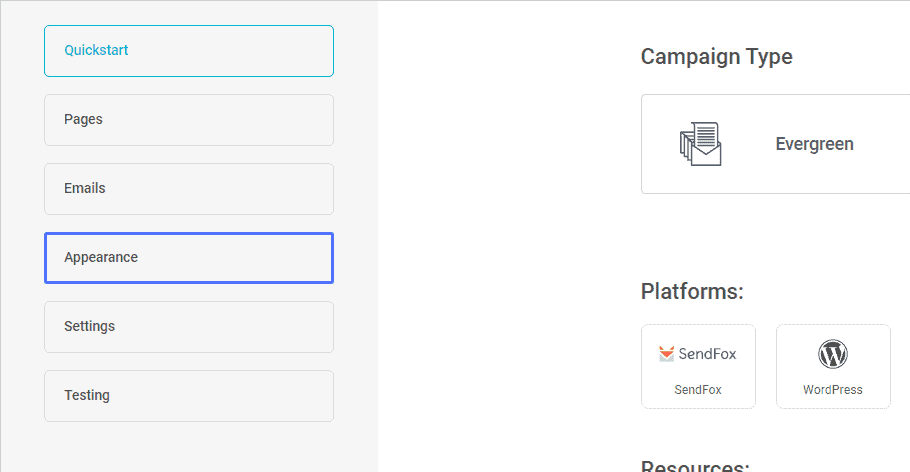
Then you can freely edit the design of the floating bar.

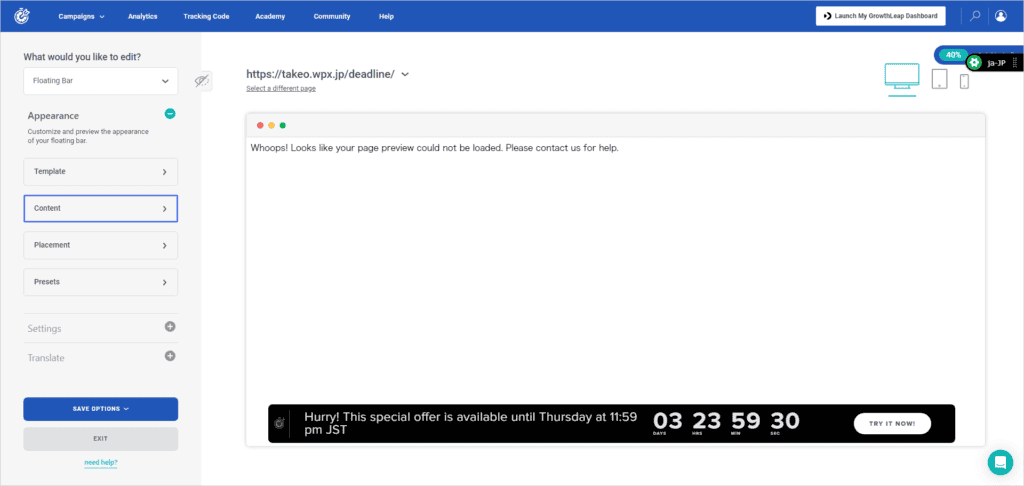
First, press "Template" to change the color scheme freely.

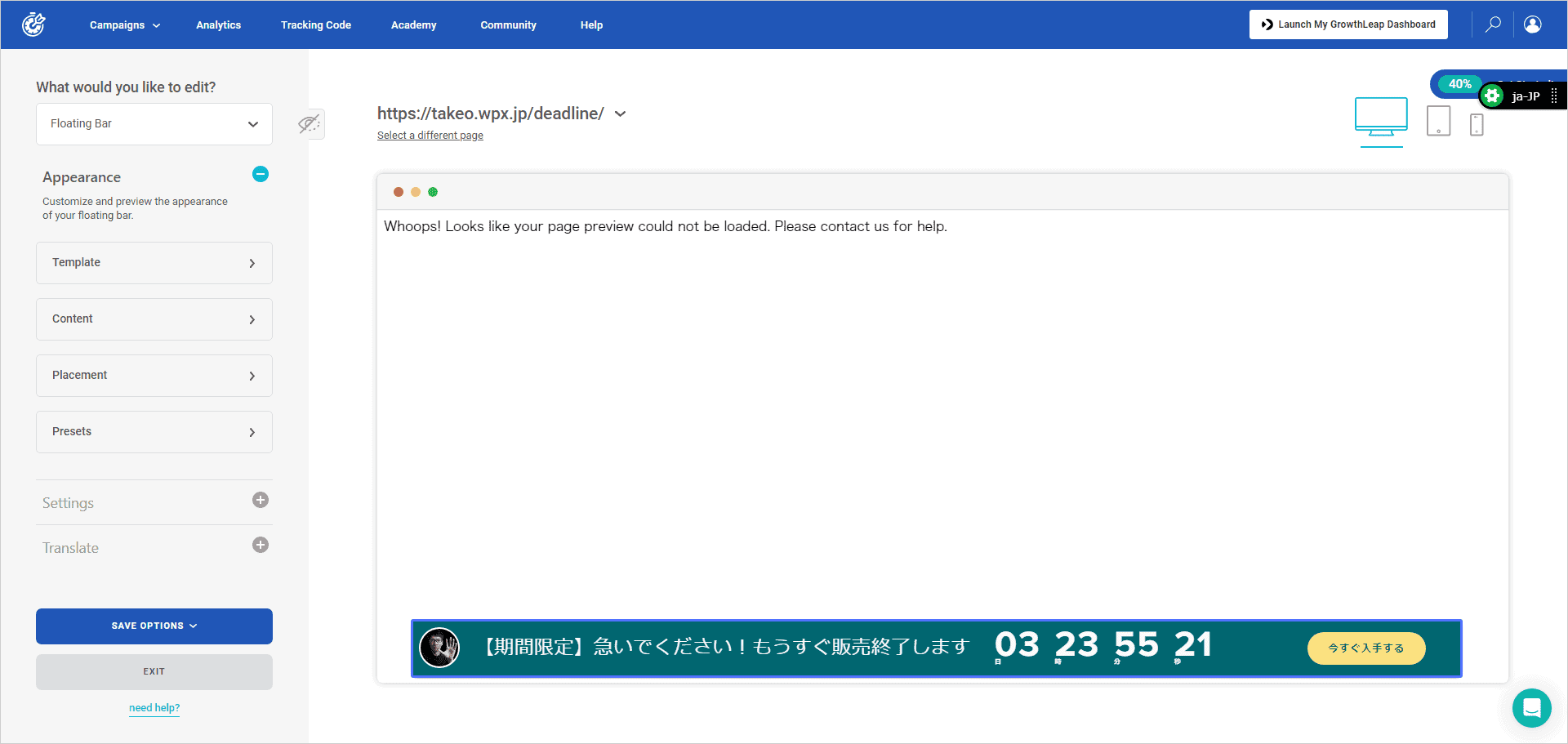
You can also click "Content" to change the characters displayed in the floating bar.

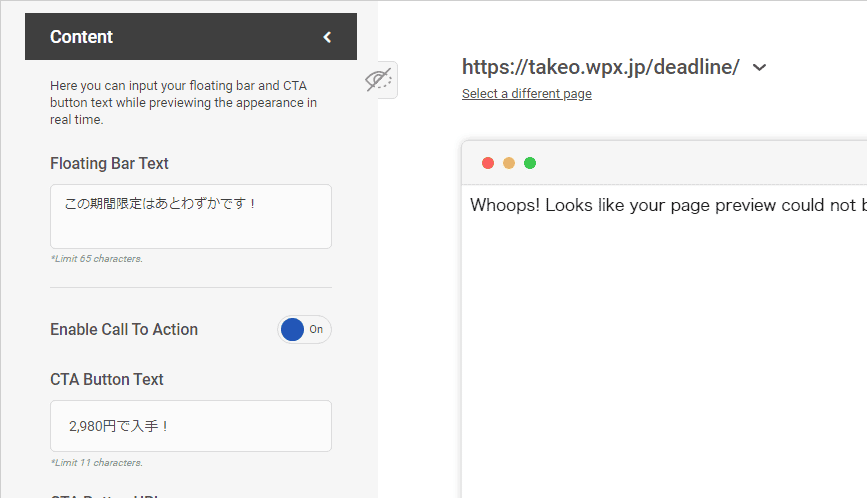
If you actually check after changing it, the color and text of the floating bar will change as shown in the image below.

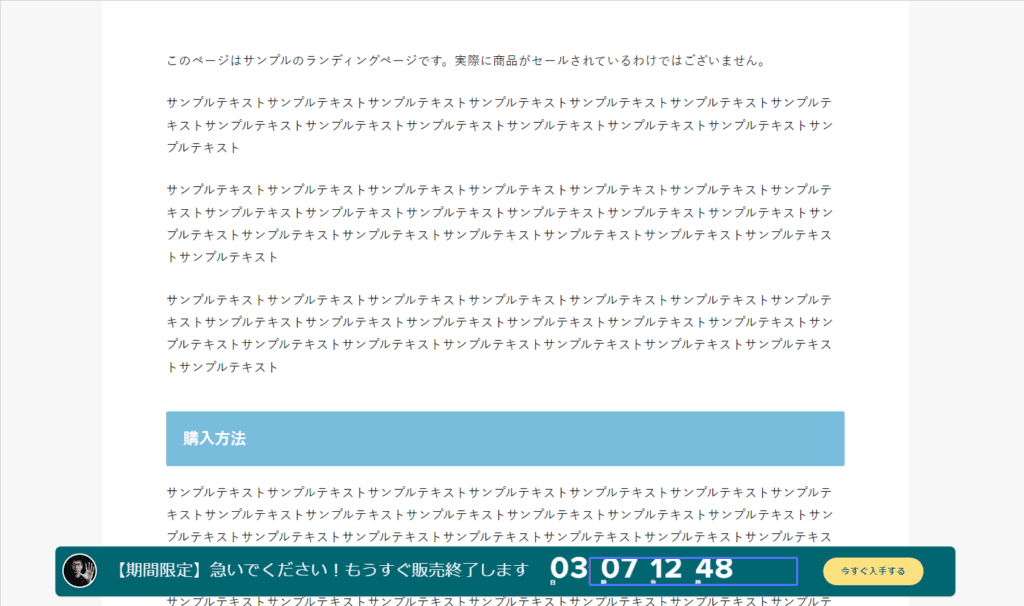
You can set a countdown timer in Japanese this way. You can also customize the colors as much as you want.
Deadline Funnel Pricing Plans


Deadline Funnel offers two payment methods: monthly and annual.
First, if you pay monthly, there are three plans:
| Plan | Monthly Fee | Annual Fee (Monthly Equivalent) | Number of campaigns | Monthly Prospects | Main features |
|---|---|---|---|---|---|
| Start | $49/month | $39/month | 3 campaigns | 1,000 people | Email and chat support |
| Create | $99/month | $79/month | Unlimited | 10,000 people | Portal functionality, flexible customization, automated analytics reports, branding logo removal, priority email and chat support |
| Scale | $199/month | $159/month | Unlimited | 100,000 people | All Create plans + 5 client accounts |
- Start Plan: $49 per month and includes 3 campaigns, 1,000 leads per month, and email and chat support.
- Create Plan: $99 per month and includes unlimited campaigns, 10,000 leads per month, portal functionality, flexible customization, automated analytics reports, branding logo removal, and priority email and chat support.
- Scale Plan: The top-tier plan costs $199 per month. It comes with everything in the Create plan, plus 100,000 leads per month and 5 client accounts.
And if you pay annually, you'll save 20% on all plans:
- Start Plan: $39 per month when paid annually.
- Create Plan: $79 per month when paid annually.
- Scale Plan: $159 per month when paid annually.
However, if you choose to pay annually, you will need to subscribe for one year.
Does Deadline Funnel offer a free trial?
Deadline Funnel offers a 14-day free trial. Anyone can actually use Deadline Funnel's features for free to create campaigns and see how they work.
Free trial period is 14 days. During this period, you can use all the features, so please try to understand the actual usage experience.
You can take advantage of Deadline Funnel's free trial to determine if it suits your needs.
What is the best plan for Deadline Funnel?
Deadline Funnel offers a variety of plans.
My recommended plan is"Create Plan".
The Create plan is available for $99 per month and gives you access to all the deadline management features that make Deadline Funnel so appealing.
This plan allows you to create unlimited campaigns, with the flexibility to change colors and settings.
The Start plan is cheaper, but I don't recommend it.The functionality is quite limited.
There is no benefit to using the Start plan. We recommend the Create plan.
Benefits of Deadline Funnel
The benefits of incorporating Deadline Funnel into your marketing are enormous.
Advantage 1: Timer tracks time accurately
The biggest benefit of using Deadline Funnel is thatTimer Tracks Time Accuratelyis.
The expiration date you set is accurate. When you install a countdown timer, it will be displayed as shown in the image below.
Prospects realize that their purchase is about to expire and act as if they are in a hurry to make a purchase.
For example, you can put deadline pressure on prospects by setting up a countdown timer that shows how long it takes for your promotion to end.
The timer also updates in real-time, so even if a customer refreshes the page, it always shows the exact time. The timer is not reset.
Deadline Funnel's timer can accurately track the time and indicate the expiration date. This maximizes the impact on a prospect's buying behavior.
This feature is very powerful in marketing campaigns and is a great benefit of using Deadline Funnel.
Advantage 2: Easy to use! Easy to install!
Deadline Funnel is an English-speaking tool, but it's very easy to use. Not only intermediate and advanced people who are proficient in marketing, but also beginners.
Easy to use for entrepreneurs and marketers of all levels
You don't need any special technical knowledge or programming skills to use Deadline Funnel.
Just copy the short code and place it on your own sales page.
You can also easily customize the appearance and style of the countdown timer. You can set up a Japanese countdown timer.
Cons of Deadline Funnel
Deadline Funnel is a one-of-a-kind tool.
You can do something similar with WordPress. However, it is not as powerful as Deadline Funnel.
However, there are also disadvantages.
The Start plan costs $49 per month but has limited features
At firstThe price is not for beginners.
The cheapest plan is the Start plan. It costs $49 per month. At the current dollar-yen rate, it is about 7,200 yen per month.

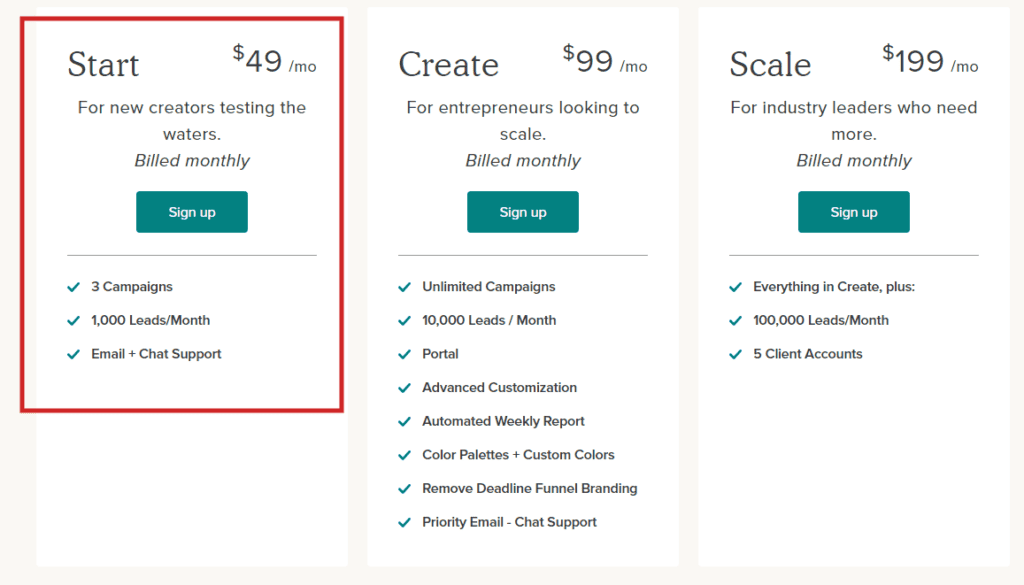
"Wouldn't it be cheaper if it was about 7,200 yen per month?"
You may feel that way. However, this plan allows you to create up to three campaigns and includes up to 1000 new sign-ups.
However, the features of this plan are quite limited.
Design customization and some features are not available on the Start plan.
As we have actually explained in this article, how to customize and embed it on your sales pageYou must subscribe to the Create plan, which costs at least $99 per month.
Is Deadline Funnel expensive? Why is it actually quite cheap?
How do you really feel after reading this far?
"It's Deadline Funnel... It seems that famous marketers are also using it. But the price is expensive..."
Because the yen is weak. Even the cheapest plan costs about 7,200 yen per month. I can understand how it feels a little expensive.
The more people like that,We encourage you to try Deadline Funnel for free.
If you're selling an online course for 10,000 yen, Deadline Funnel is enough to pay for yourself if you sell one of them.
It's expensive if you think of it as just a tool. But Deadline Funnel is the only company that can generate such strong sales.
If you already have the goods,This is an amount that can be recovered on the same day.
Start by trying our free trial.
How to unsubscribe or cancel Deadline Funnel
I tried using a 14-day free trial, but it doesn't suit my business. There may be such a thing.
Deadline Funnel easilyWithdrawal/CancellationYou can.
First of all, click on "Billing" from the menu in the top right corner of Deadline Funnel.

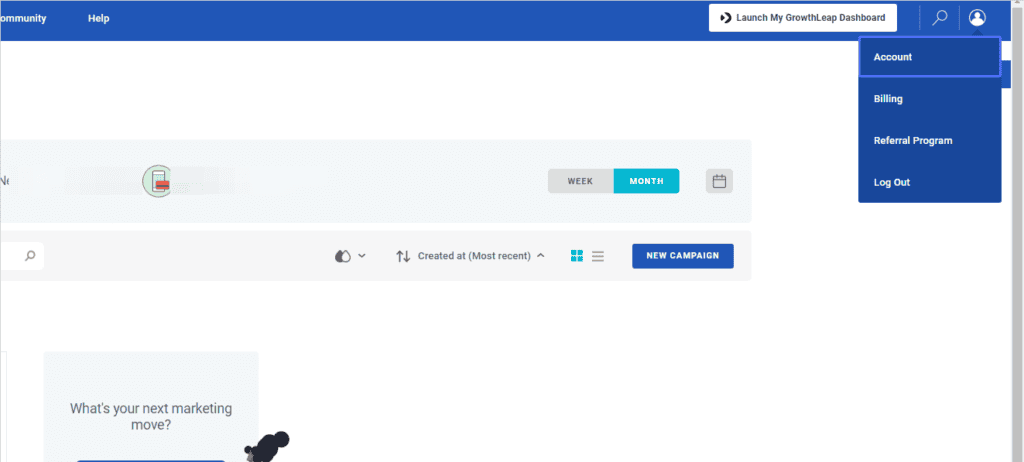
The image above is a little small, so it's hard to see. The enlarged image is below.

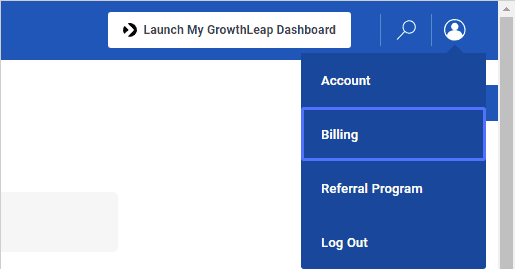
Go to your account page. Among them, there is an item called "Plan Details".
Deadline Funnel should now be Active.

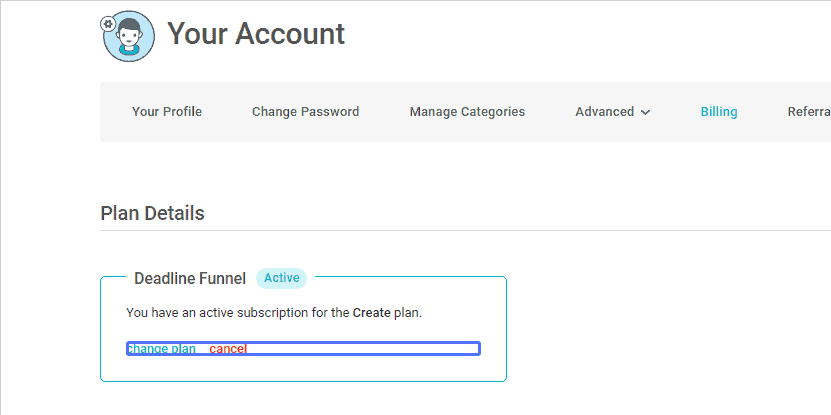
Press the "cancel" link. You can cancel your Deadline Funnel subscription here.
A questionnaire will appear asking "Why do you cancel?" Even in that case, please answer and cancel.
And when the cancellation is completed, it will be displayed as follows in Plan Details.
「Your account was canceled (Your account has been canceled)"

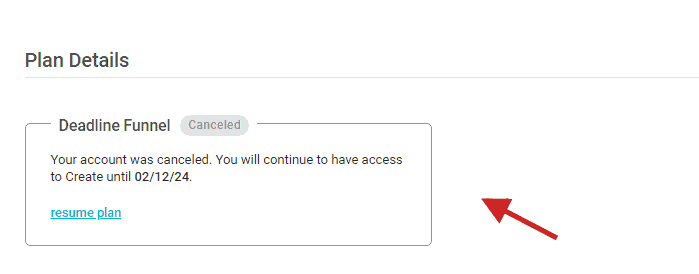
If it looks like this, you've successfully canceled your account.
[To be honest...] What makes it different from other countdown timer tools?
Deadline Funnel is well-known. However, if you want to keep costs a bit lower... such people will look for alternatives to Deadline Funnel.
However, cheesy countdown timers are counterproductive.
Discerning website visitors will suspect that this countdown timer is a lie anyway, even when they see such a limited-time countdown timer.
Many countdown timers reset the timer when you refresh the page. Every visitor knows.
People are suspicious of the mention that "it is limited time".
If you're a bit tech-savvy, you know that if you turn off cookies on a page, the countdown timer will be back to normal.
Many countdown timer tools do.
To be clear, you can get around the countdown timer tool as much as you want with a few changes. There are many loopholes.
However, one of the features of Deadline Funnel is its powerful countdown feature.
- Even if you refresh the page
- Even if you delete cookies,
- Even if you open the page from another smartphone,
The timer on Deadline Funnel will not go back to normal.
In other words, there is no complete alternative to this Deadline Funnel.
Who is Deadline Funnel recommended for?
Deadline Funnel is an effective marketing tool for entrepreneurs and marketers. It will be especially useful for the following people:
Online Entrepreneur
If you are an entrepreneur selling products or services on the internet, we recommend using Deadline Funnel.
With this tool, you can set an expiration date that you can buy from your sales to motivate your prospects to buy and increase sales.
For example, setting up limited-time deals or offers can motivate customers to rush to make purchases.
Email Marketers
"E-mail magazine is Owakon"
As of 2024, there are many businesses that continue to use email marketing to generate hundreds of millions of dollars in sales.
However, it is also true that the reaction is getting worse.
- Sending an email does not open
- Not purchased even if it is opened
- Sales are not growing
For those people, Deadline Funnel can be of great help. You can also place a Deadline Funnel countdown timer in the emails you send.
This means that there is a tracked countdown in the email. You can expect to significantly improve your conversion rate.
Online course instructors, content sellers
Deadline Funnel is especially recommended for those who sell online courses on the web and use digital content.
By offering special prices and bonuses for a limited time, you can attract new students and increase sales of your online courses.
Without a doubt, Deadline Funnel is worth a try for web marketers and entrepreneurs.
[Summary] Try Deadline Funnel for free for 14 days
In this article, we have explained how to use the latest version of Deadline Funnel in 2024. Read more about our review here.
It is an English marketing tool. But it is very easy to use. At first, you may feel that it is difficult to master it.
However, once you get used to it, you will be surprised that you can make your sales page so powerful. Considering the power of this tool, it's surprising how easy it is to set it up.
"It seems difficult..."
It's a waste to avoid it. It may lead to increased sales for your business.
Currently, Deadline Funnel is offering a 14-day free trial.
You don't have to charge and use it all of a sudden. Try it for free for 14 days and get a feel for what Deadline Funnel can do.
Even if you are trying it, you can use Deadline Funnel as well as the full version. One way to do this is to use this free trial period to actually increase sales.



![How to Use the AI Voice Memo Tool "AudioPen" [2024 Latest Review]](https://sp-ao.shortpixel.ai/client/to_webp,q_lossy,ret_img,w_250,h_140/https://takeofujii.net/wp-content/uploads/2024/02/audiopen-review-250x140.png "How to Use the AI Voice Memo Tool \"AudioPen\" [2024 Latest Review]")












![[2024] Thorough explanation of the features, reputation, and usability of thin rental servers](https://sp-ao.shortpixel.ai/client/to_webp,q_lossy,ret_img,w_485,h_273/https://takeofujii.net/wp-content/uploads/2021/10/wpxshin-review.png "[2024] Thorough explanation of the features, reputation, and usability of thin rental servers")



Latest Comments