


For those who use AppSumo for the first time, it should be one of the concerns that "payment methods on overseas sites are scary...".
I remember that in 2016, when I first used AppSumo, I was very worried about whether I could buy from Japan or whether it was a bad site.
Let me tell you first.You can also purchase safely from Japan on AppSumo.Please rest assured that there are also payment methods available from Japan.
Therefore, in this article, we will explain AppSumo's payment method with illustrations.
- 1 Can I buy AppSumo from Japan?
- 2 Procedure for purchasing products on AppSumo [Illustration]
- 3 Payment methods accepted on AppSumo
- 4 Is it safe to pay by credit card with AppSumo?
- 5 Benefits of using PayPal on AppSumo
- 6 How to get a refund on AppSumo
- 7 How long does it take to complete a refund?
- 8 Can I get a refund with AppSumo Credit?
Can I buy AppSumo from Japan?
As explained at the beginning,AppSumo is available for purchase from Japan.
The currency on the site is written in US dollars, so it seems that you cannot pay in Japan yen. However, it is possible to pay in Japan yen without any problems.
Please see the image below.


Like thisYou can purchase it from Japan without any problems at all.
I myself have purchased a large number of products on AppSumo. If you include the old account, it will be more than 300 times.

Procedure for purchasing products on AppSumo [Illustration]
The first thing you need to do is open the product page.

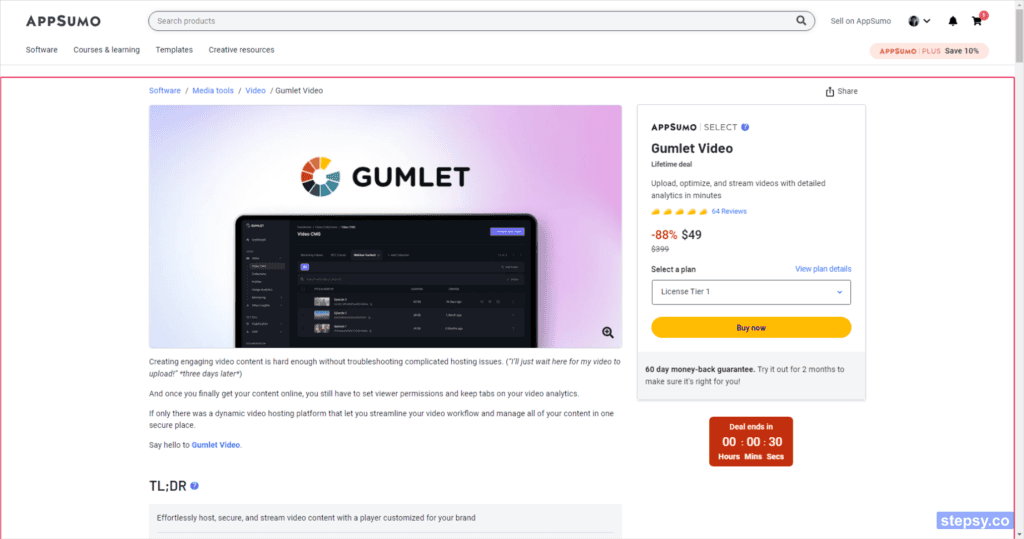
There is an explanation on the product page, so be sure to read it carefully.
If you scroll down, you will find a price plan for the product.

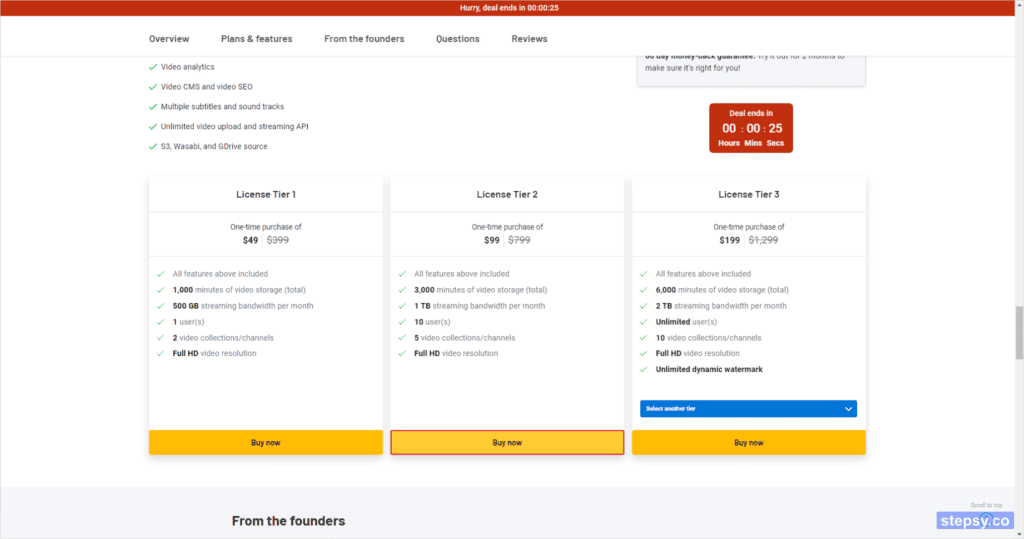
The features and restrictions included vary depending on each plan, so be sure to check them out.
Once you have decided which plan you want to buy, click on the button "Buy now".
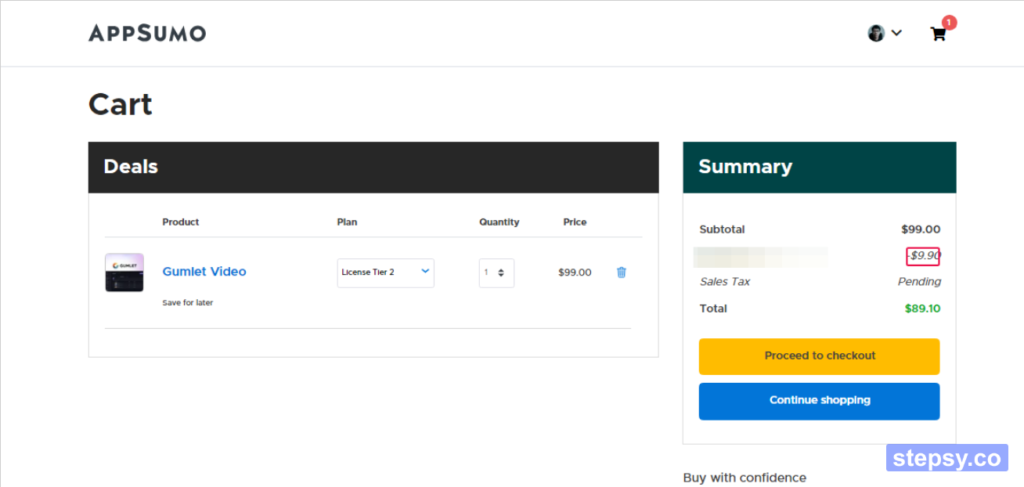
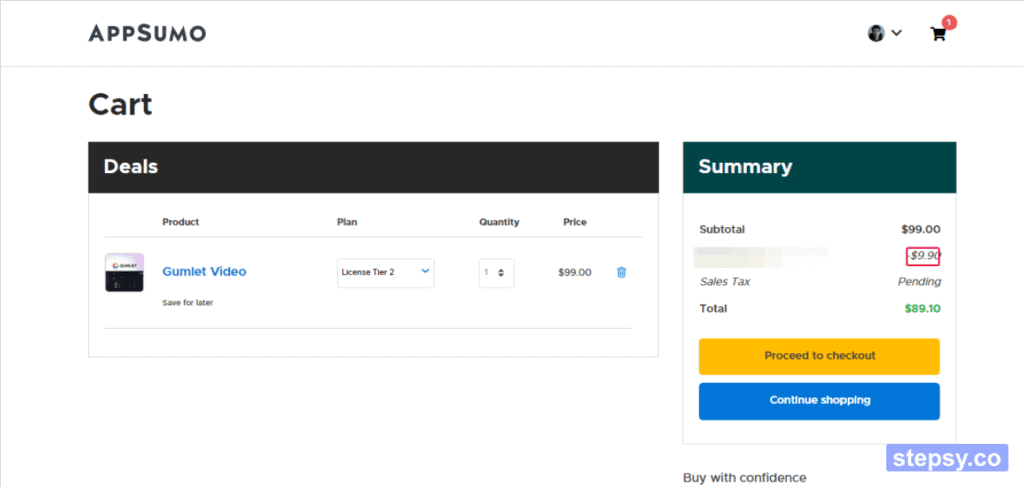
This will automatically take you to the shopping card page where the product was added. For your first purchase, the 10% discount coupon will be automatically applied.
If the coupon doesn't work, you probably haven't registered an account with AppSumo. Register an account before purchasing. You should receive a discount coupon for your first purchase in your email address after registration. If you haven't received it, please contact me once.
If you're sure about the items in your shopping cart, go straight to the checkout page. Click on the button that says "Proceed to checkout".
At that time, you will be advised to upgrade your plan. If you don't need it, click on the link that says "No thanks, take me to checkout".

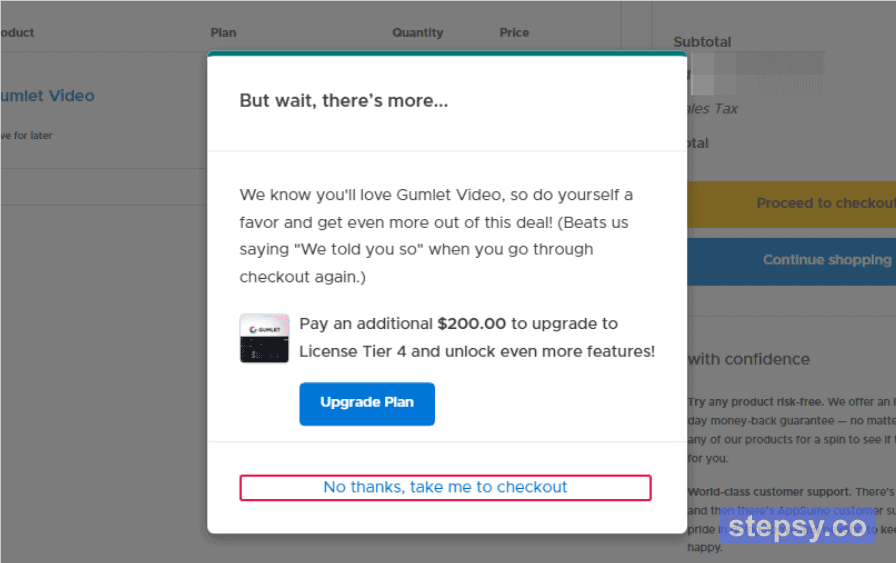
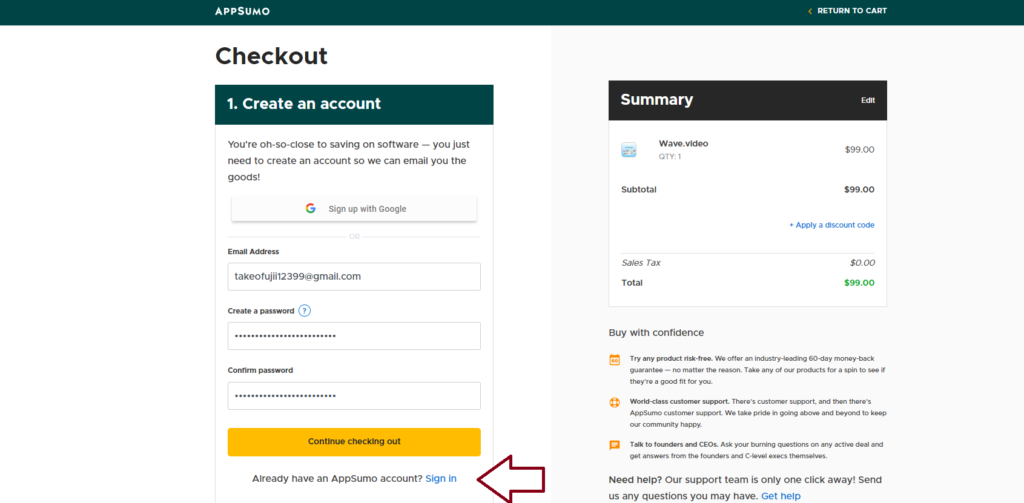
This will automatically take you to the order page. If you are not registered with AppSumo, you can use the
- Email Address
- Create a password
- Confirm password
Enter the above to create an account.
If you have already created an account, press "Sign in" to log in as a member.
- Email Address
- Enter password
Enter these two.
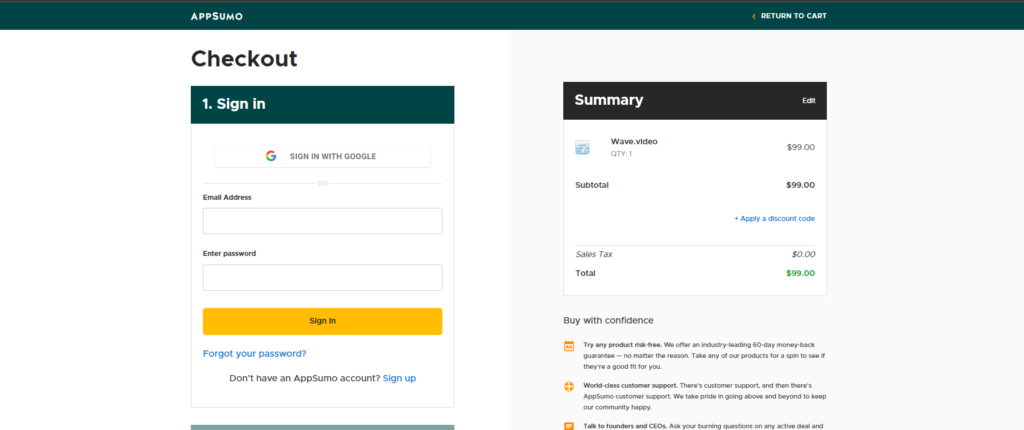
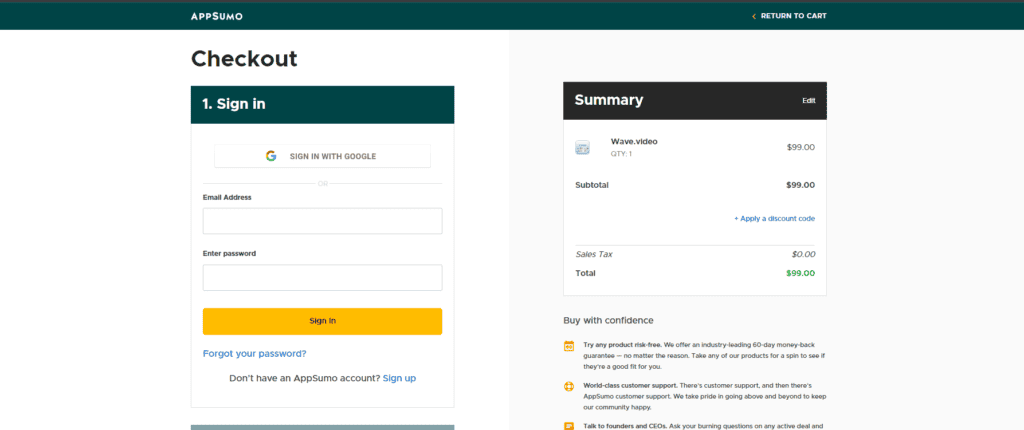
Next, "2. Under "Billing information," select your country of residence.
If you are currently living in Japan, you would choose "Japan(Japan)".

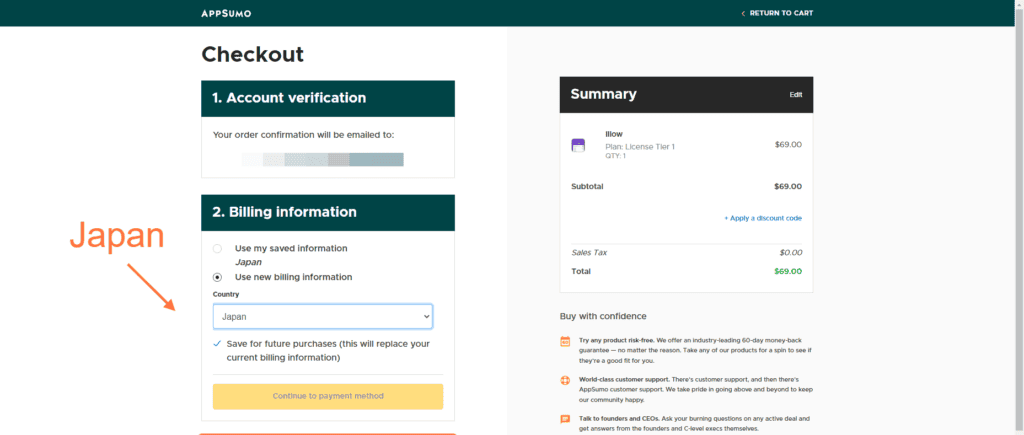
Then click on the "Continue to payment method" button.

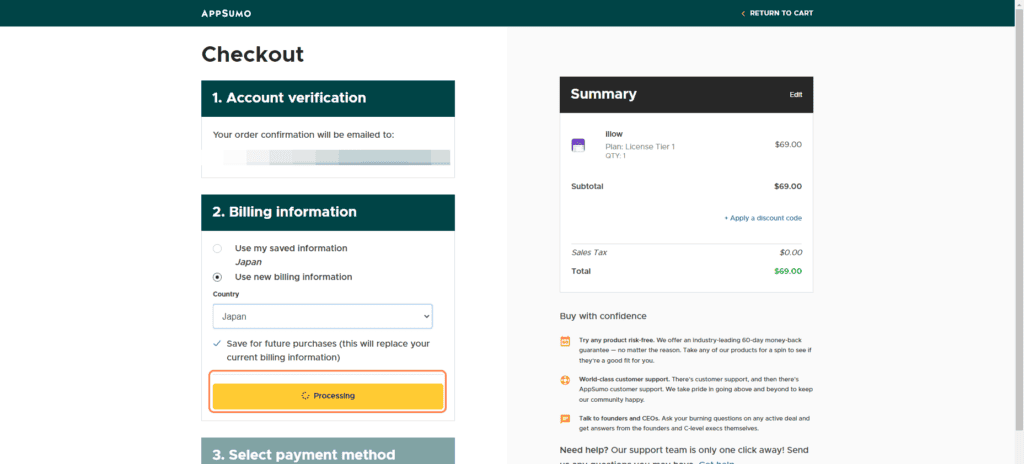
Then select a payment method in "3.Select payment method".
Here you can choose your payment method. First, let's explain the two payment methods available on AppSumo.
Payment methods accepted on AppSumo

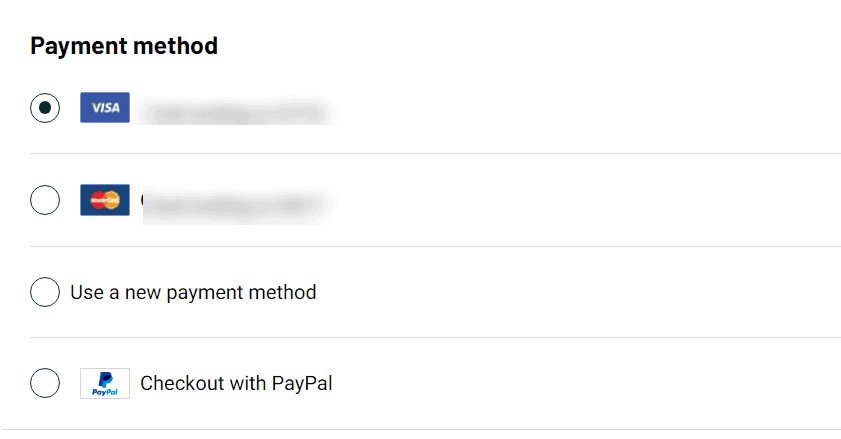
First of all, we will show you the two possible payment methods on AppSumo.
- Credit Card
- PayPal
Pay by credit card
First of all, credit and debit cards are accepted.
You can pay by entering your card information in AppSumo. By the way, you can also use Japan credit and debit cards.
The image below is a screenshot image of when I actually made a purchase with a credit card.


Above is my PayPay card. In this way, you can pay without any problems.
As you can see, when it is withdrawn,It will automatically be converted from US dollars to Japan yen and debited.It's easy when filing a tax return.
Pay with PayPal
AppSumo also accepts payments with PayPal.

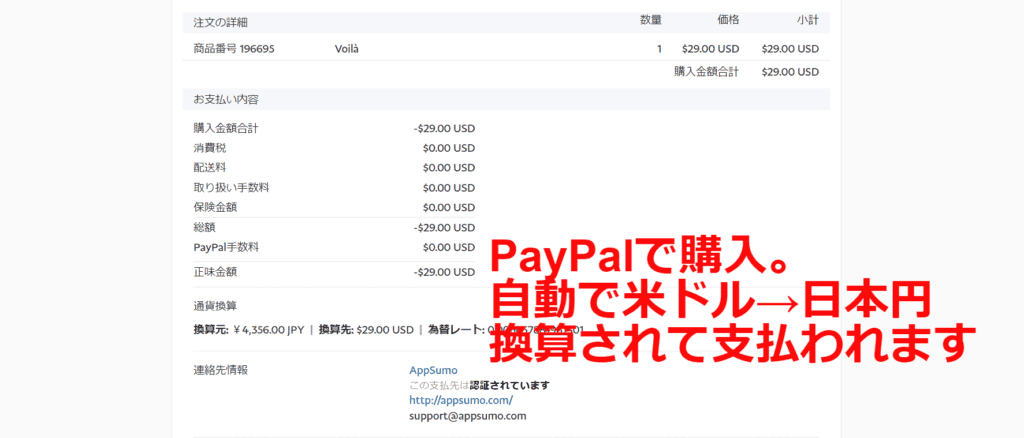
PayPal is used all over the world and is extremely reliable and secure for payments.
And best of all, the PayPal payment screen is displayed in Japanese.
Even if you can pay on the Japanese page, PayPal payment is reassuring.
In this step, I will try to purchase with PayPal.

![AppSumo payment methods and recommended payment methods? [Is PayPal safe?] 】](https://sp-ao.shortpixel.ai/client/to_webp,q_lossy,ret_img,w_1024,h_444/https://takeofujii.net/wp-content/uploads/2023/07/Appcumo-buy-products-1-1024x444.png "AppSumo payment methods and recommended payment methods? [Is PayPal safe?] 】")
And if there is no doubt about the product content,Button that says "Pay with PayPal"Click. After that, please proceed with the purchase process with PayPal.
Your purchase is complete.
Is it safe to pay by credit card with AppSumo?
Well, I use both credit cards and PayPal for payment at AppSumo.
However, I think it is uneasy for those who are using AppSumo for the first time. When it comes to paying by credit card"Is safety okay?"I think you will be worried.
Payments are fairly secure
Payments on AppSumo are secure, and your credit card information is always encrypted and transmitted.
Therefore, the risk of leakage and unauthorized use of card numbers and personal information is minimized.There is no need to worry about security.
However, you may also wonder, "Is AppSumo safe?"
In other words, it is natural for those who purchase from overseas sites for the first time to be worried. You should also be concerned about the safety of AppSumo itself.
AppSumo Company Information


AppSumo has been in operation since 2010 and has been supported by Sumo-lings (AppSumo enthusiasts) around the world.
TrustPilot (a website that lists company ratings) has 754 ratings posted about AppSumo as of this writing. The average rating is 4.4 out of 5.


This rating shows that AppSumo has received high ratings from many people.


No worries because there is a money-back guarantee
Above all, AppSumo allows you to60-day money-back guaranteeWe offer. Therefore, if the product you purchased is different from what you expected, you can easily get a refund even if you are not satisfied.

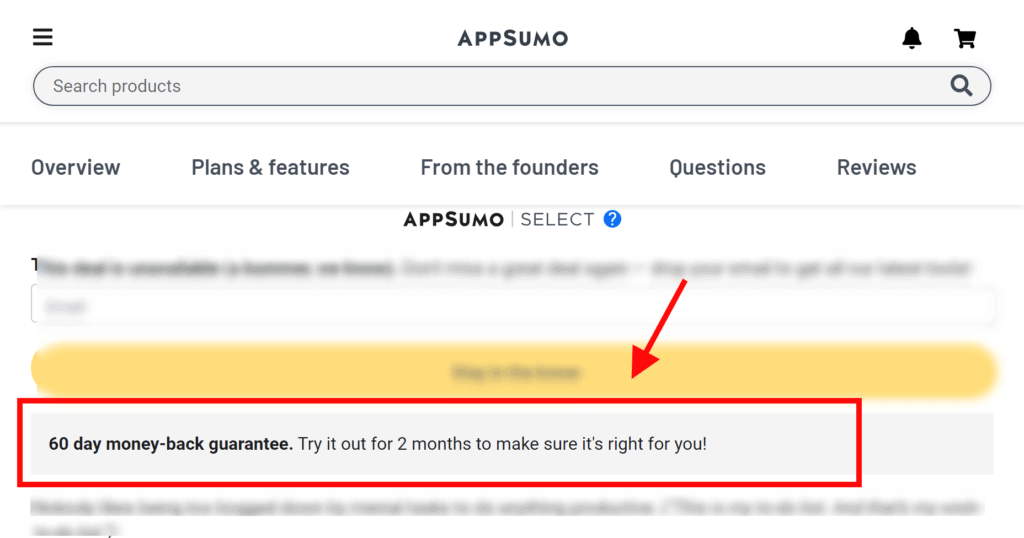
As you can see, AppSumo has been in operation for over 13 years and is an extremely secure marketplace used all over the world. You don't have to worry about using it.
Benefits of using PayPal on AppSumo
For those who use AppSumo for the first time,We recommend PayPal.With PayPal, you can pay without giving out your credit number or information directly. PayPal will take care of all payments, so you can pay with confidence.
AppSumo also comes with a 60-day money-back guarantee. However, for those who are still worried, I think PayPal's buyer protection policy is reassuring.
It's impossible, but if AppSumo refuses to refund you in the unlikely event that PayPal Buyer Protection eliminates the risk of payment anxiety or worry.
In addition, the actual payment page will be automatically displayed in Japanese by PayPal. The price is automatically converted to Japan yen.

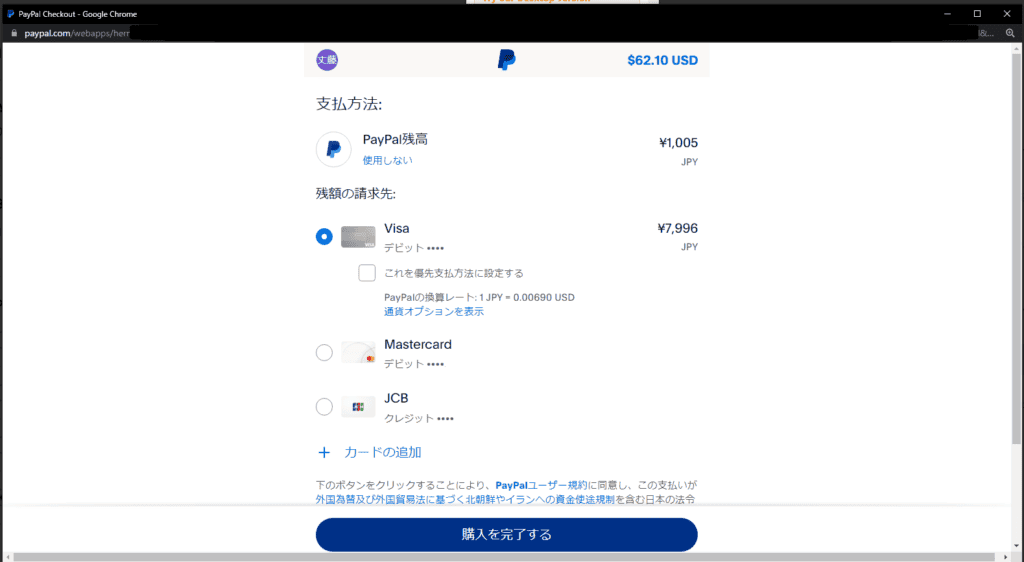
It is a very secure payment method. If you're new to AppSumo, you can use PayPal.
How to get a refund on AppSumo
As we've discussed above, AppSumo offers a 60-day money-back guarantee on most of its products. With some exceptions, many items are covered by a 60-day money-back guarantee.
If you want to request a refund, you can easily do so from the "Product" page on the AppSumo website.
The specific steps are as follows:
- Go to the Products page of your AppSumo account
- Select "Refund" from the "Action" menu that appears next to the item you want to refund.
- Click the "Initiate refund" button.
- Select the reason for the refund and click the 'Continue' button.
- Select the refund method (if applicable) and click the "Confirm and initiate refund" button to complete the refund process.
It's not particularly difficult. You can easily get a refund by providing some feedback.
As for the refund method,
- Original payment method (credit card, PayPal)
- AppSumo Credits
It is possible to receive it in one of the
How long does it take to complete a refund?
We will explain how many days it takes to get a refund on AppSumo and actually receive the refund amount. First of all, the number of days it takes to complete the refund depends on the refund method.
If you want to refund on the same day of purchase, the purchase of the product itself will be treated as a cancellation and you will receive a refund promptly. However, if you want to refund a few days to weeks after purchase,On average, it takes up to 3 days (excluding Saturdays and Sundays).
However, no matter what refund method you use, you can rest assured that you will be refunded.
You can also get a refund without any problems with your credit card.


Once the 60-day money-back guarantee period ends, no refunds will be issued under any circumstances.
If you want to know more about refunds, check out the article below. We have compiled frequently asked questions and answers about AppSumo.


Can I get a refund with AppSumo Credit?
The fastest way to get a refund is AppSumo credits.

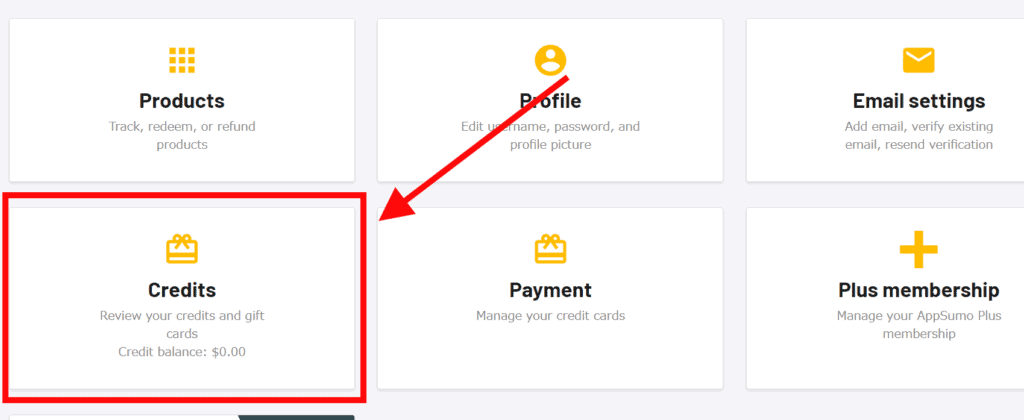
You can think of these AppSumo credits as points that can be used to make purchases on AppSumo. 1 credit = 1 dollar.
This means that if you have 100 credits, you can buy a $100 product.

Therefore, if you plan to buy another product on AppSumo in the future, one way to get a refund is to use AppSumo credits.
If you want to receive a refund with AppSumo Credits,After requesting a refund, your account will be credited with that amount immediately。 You can check the AppSumo credits you have received from the page in your account.
This is an explanation of AppSumo's payment methods and recommended methods.
The payment method is secure in any way. Refunds are also available, so please feel free to purchase them.
If you have any more questions about AppSumo, feel free to ask them in the comments below this article. I will answer directly.

















If you still don't trust it, I'm using it myself, who is writing this article, so try it with the theory that "it's not scary if everyone crosses the red light".