


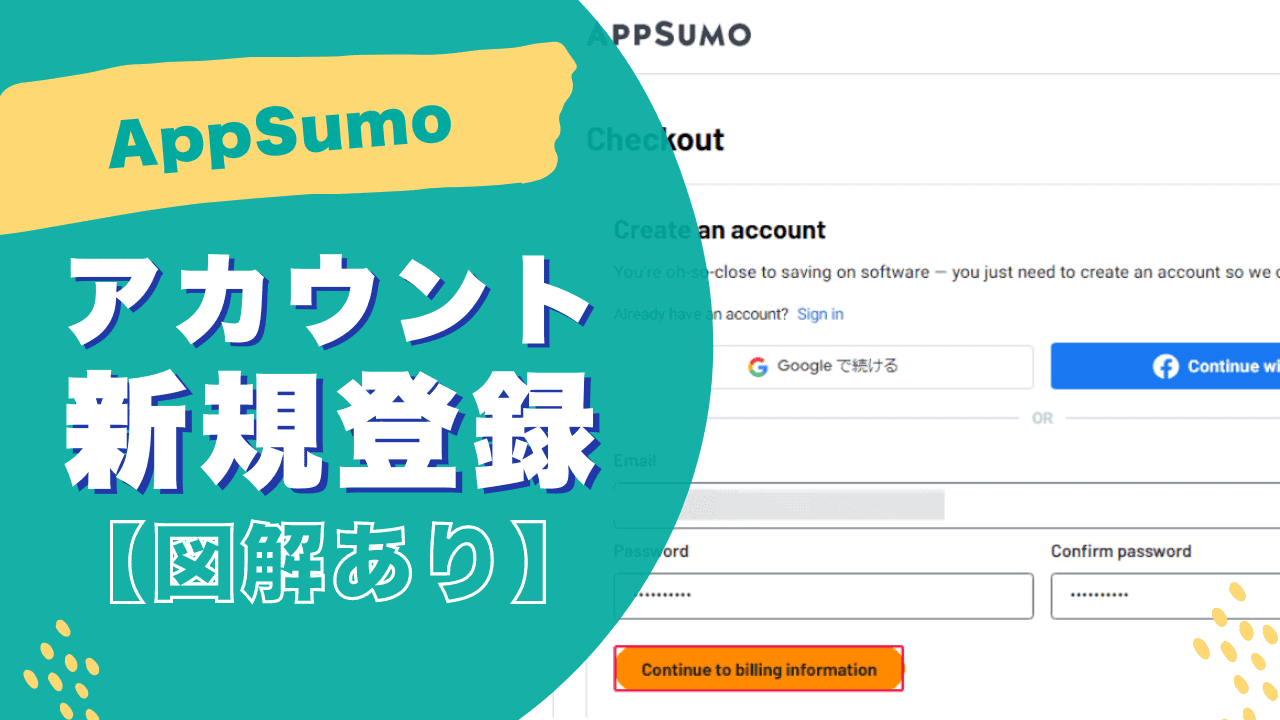
"I want you to tell me how to register for AppSumo..." This is one of the frequently asked requests on this blog. In this article, we will explain how to create a new AppSumo account.
Where and how to register, andDiscount coupon for your first purchaseI will also explain about.
Let's create an AppSumo account together in this article. All right. It is not difficult to use at all.
Make it easy from new registration to first purchase.
What is AppSumo?


AppSumo is a great way to bring overseas business tools and software to yourOverseas marketplaces where you can get it at a huge discount of up to 98% offis.
The biggest feature of this site is that products are sold under a special discount plan called "Lifetime Deal".
To put it simply, you can pay the fee once and use it forever at no additional cost in the future. Please see the image below.
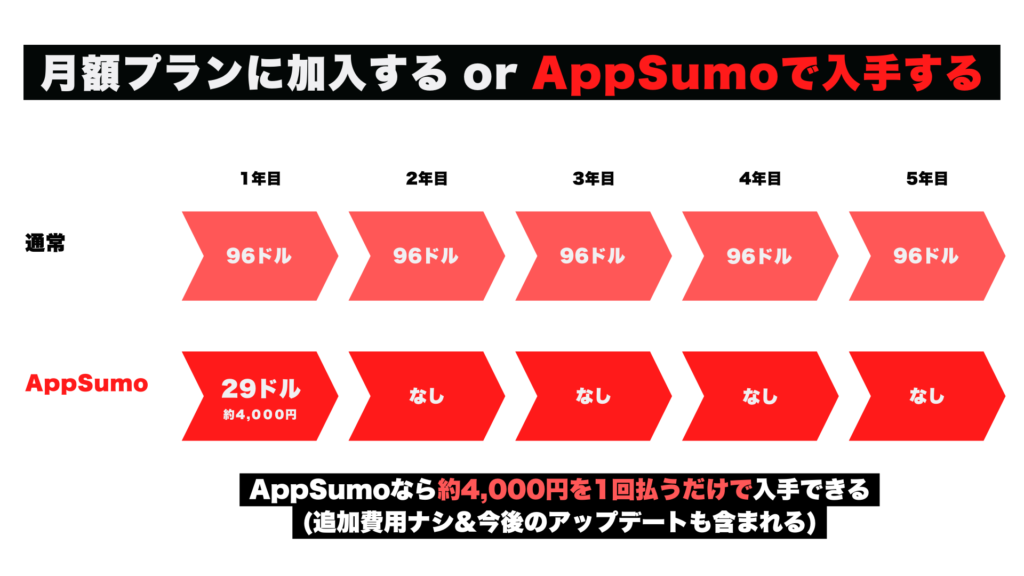
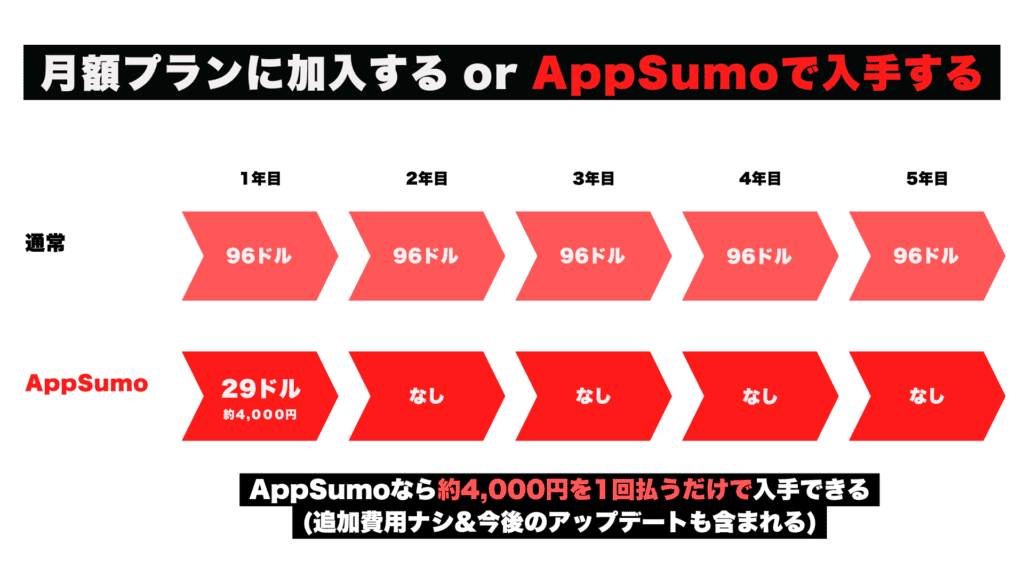
A tool that usually costs you a month. ButWhen you purchase from AppSumo, you only need to pay a single fee to get the tool.
There are no additional costs. You also don't have to pay a monthly fee. It's a very good deal, isn't it?
For more detailed explanations, see the article below. I used AppSumo almost every day, and I explained it in detail.

Steps to register and purchase AppSumo
So, let's get to itHow to create an AppSumo accountI will explain.
It is illustrated, but if you have any parts that are difficult to understand, feel free to ask in the comments section below this article.
By the way, the method of creating an account is not difficult, but there are some supplements regarding discount coupons that can be used for the first purchase. Please read this article to the end.
It's not difficult in English, so let's make it together.
FirstAppSumoaccess.


You can see that there are many products lined up on the site. Once you find a product you're interested in, open the product page.
Click the buy button from the product page
Explanations and videos about the product are posted. If you scroll down again, you will see the pricing plans and included features.
The features included vary depending on the pricing plan. Please note.

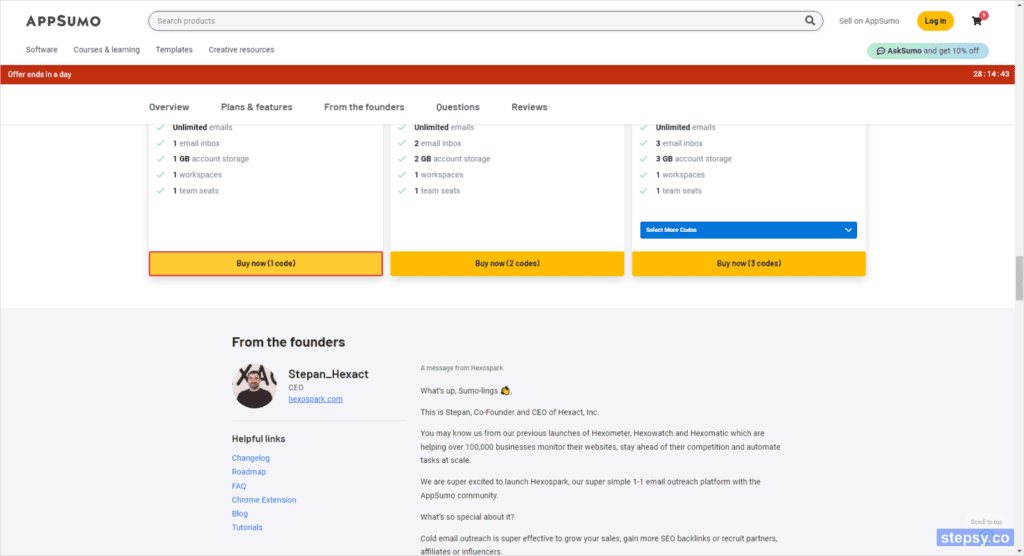
Choose a plan and click the button "Buy now".
This will automatically take you to the shopping card page.
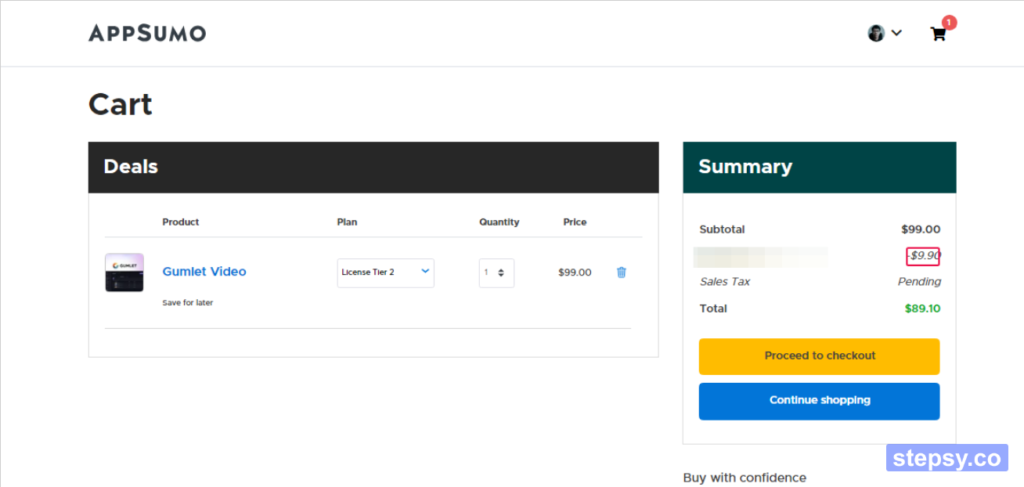
Click the yellow button "Proceed to checkout". And then

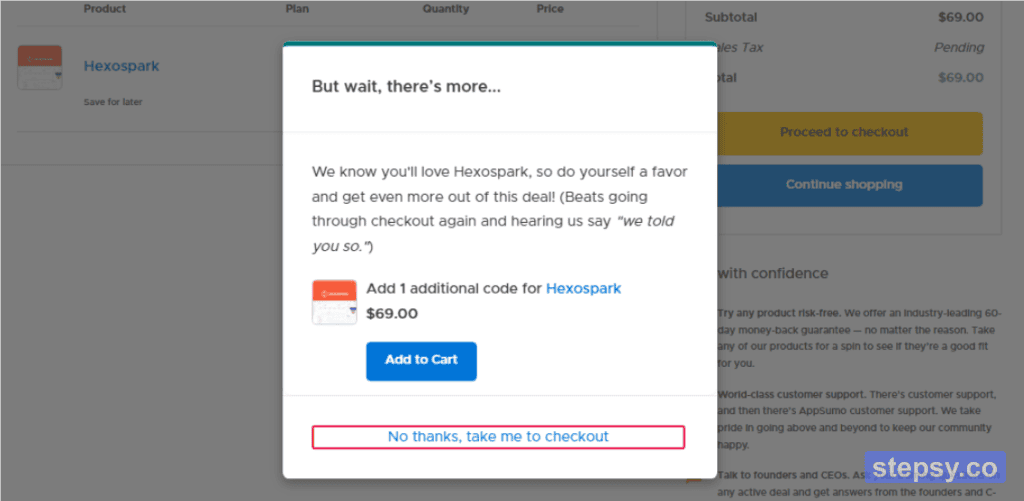
If you don't need it, click "No thanks, take me to checkout".
Sign up for a new account
Once you do so, you will automatically be taken to the order page. In the "Sign in to your account" section, there is a link to "Sign up".

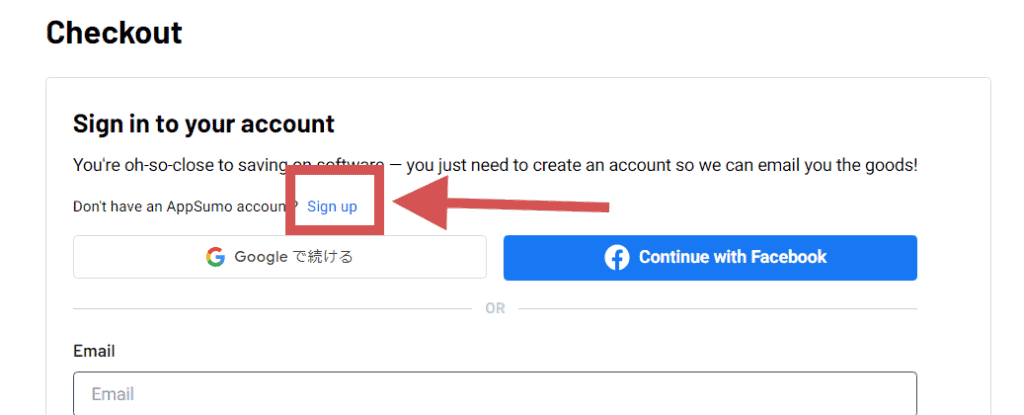
Click here. You can create a new account from here.

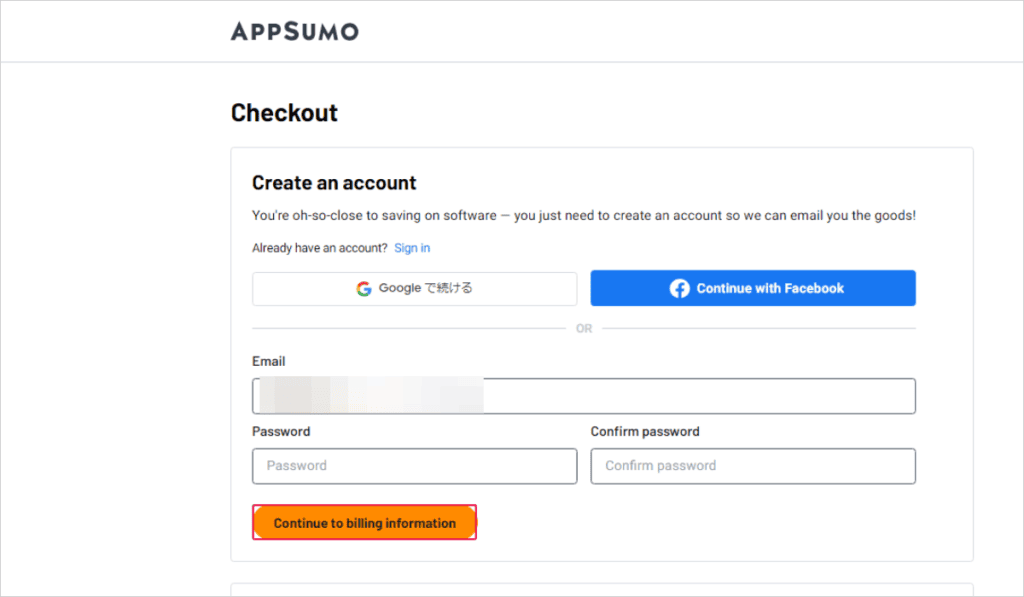
- Password
- Confirm password
Enter these and click on the button "Continue to billing information".
How to receive a first-time exclusive 10% discount coupon
Then, you will immediately receive a registration confirmation email in your email inbox.

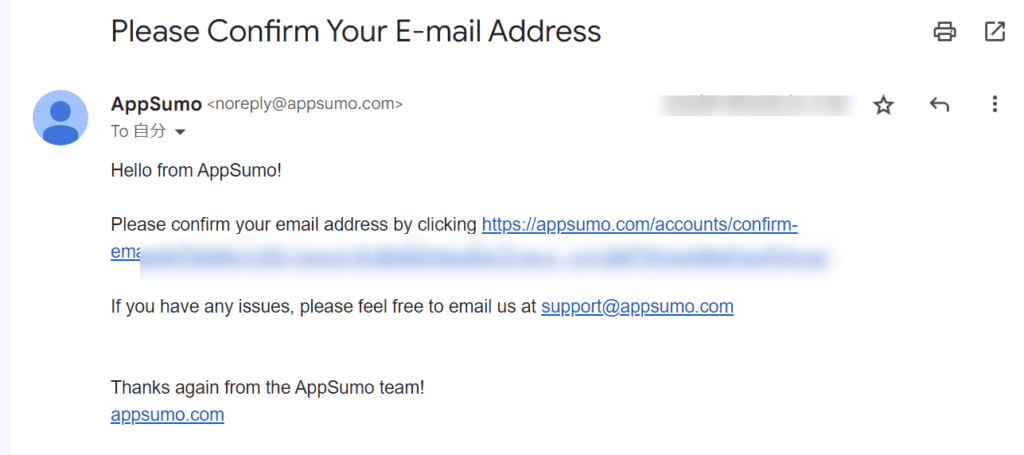
Click on the link in the email followed by "Please confirm your email address by clicking ~". Click the link to complete your account registration.
As soon as you complete your registration, you will receive an automatic reply email from AppSumo. Be sure to check it out,

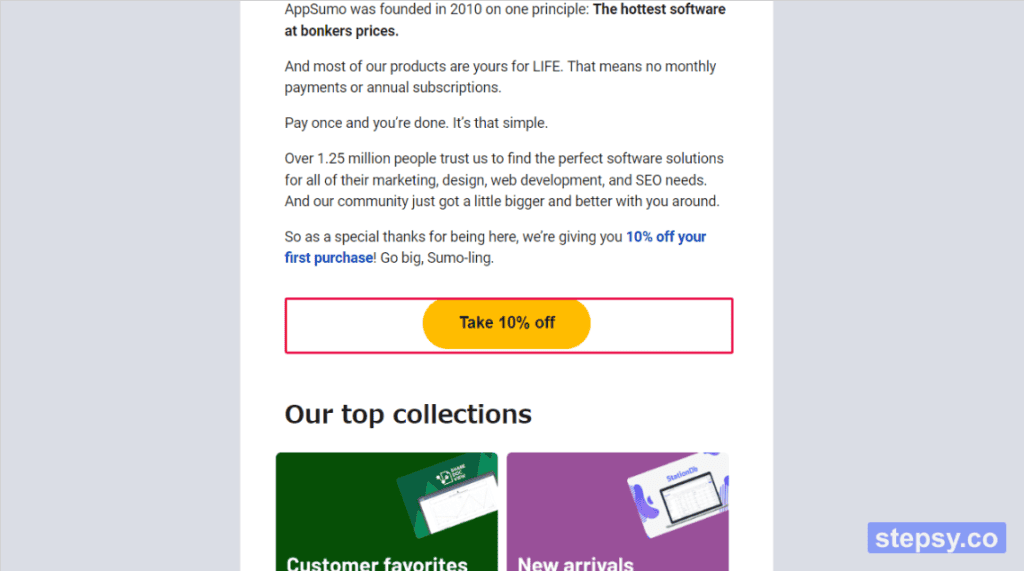
When I opened the email and scrolled down,10% discount coupon for your first purchaseYou can receive it.
To receive it, click "Take 10% off" in the email. This should apply the first 10% discount coupon.
Now we will continue to go back to the procedure of purchasing the product.
Select a country
In the "Billing Information" section, there is an item called Country, so select the country you currently live in.

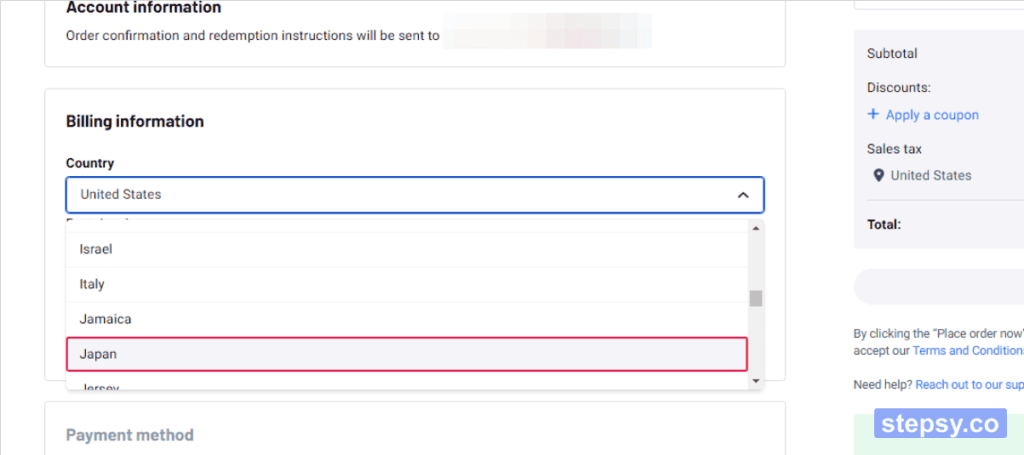
If you live in Japan, wash "Japan".

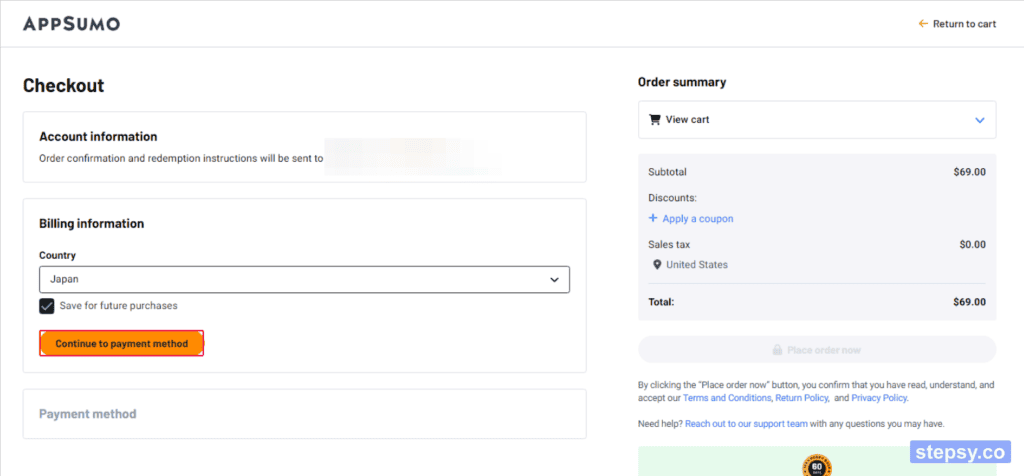
Once you've selected your country of residence, click on the button "Continue to payment method" below it.

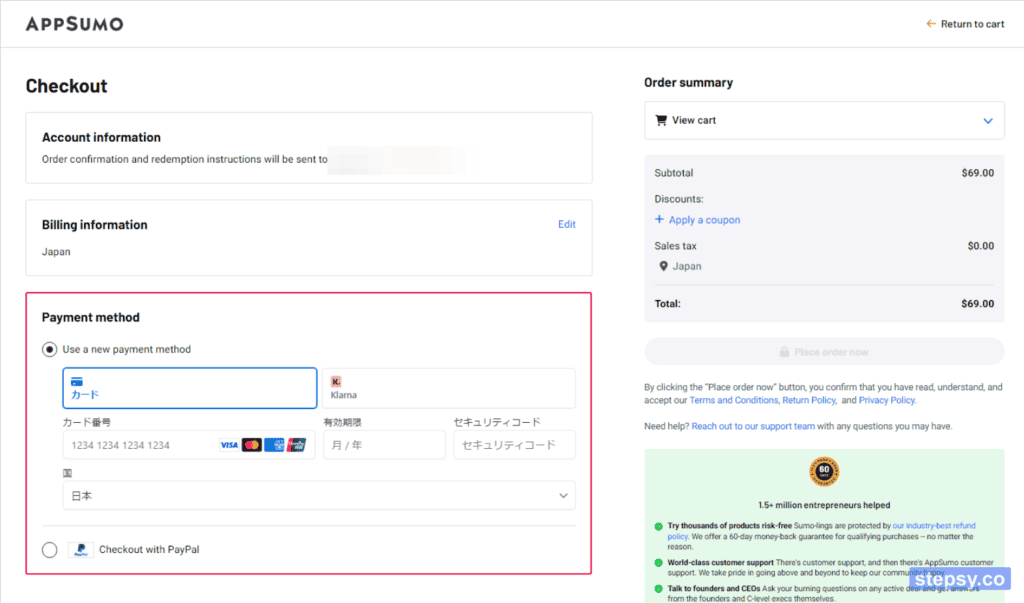
You can choose your payment method from here.
- Credit/Debit Cards
- Kalma
- PayPal
You can choose from these three payment methods.
If you are unsure about using it for the first time, we recommend paying with PayPal.

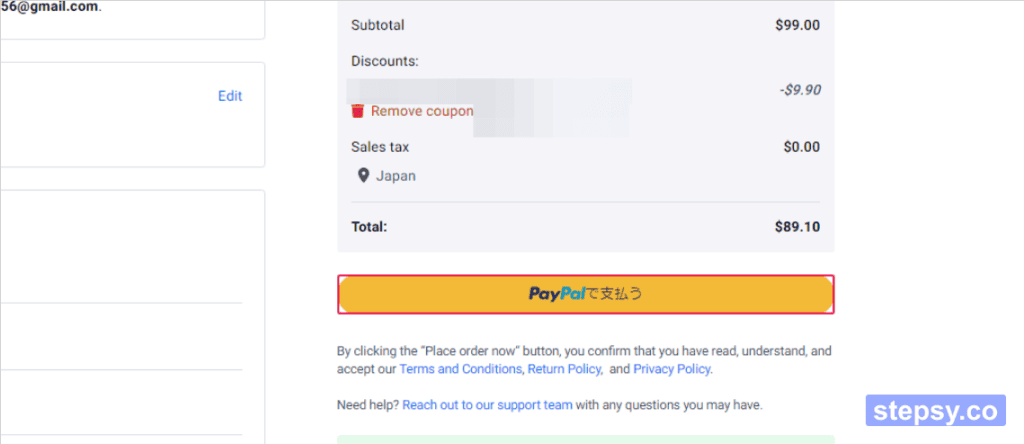
By the way, if you pay with PayPal, the payment page is in Japanese. The fee you pay is also automatically converted to Japan yen, which is very convenient.

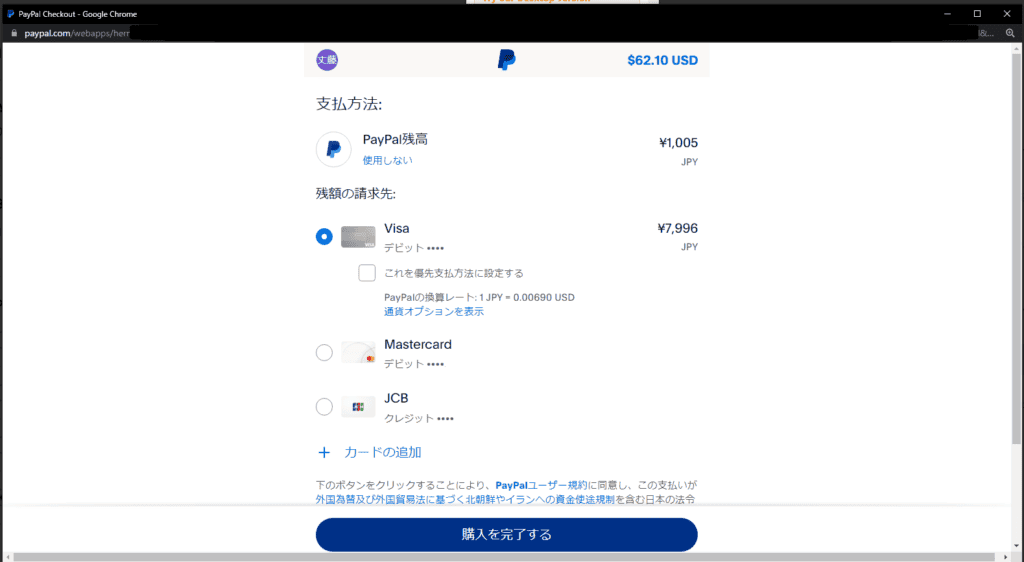
Your registration and purchase are now complete.
AppSumo has a lot of attractive tools and software for sale. Let's check it out from all sides.
And again, be sure to receive a 10% discount coupon for the first discount. It's a pretty good deal.
Once you find the product you want to buy, buy it right away. We will explain how to purchase on AppSumo.
Redeem an item
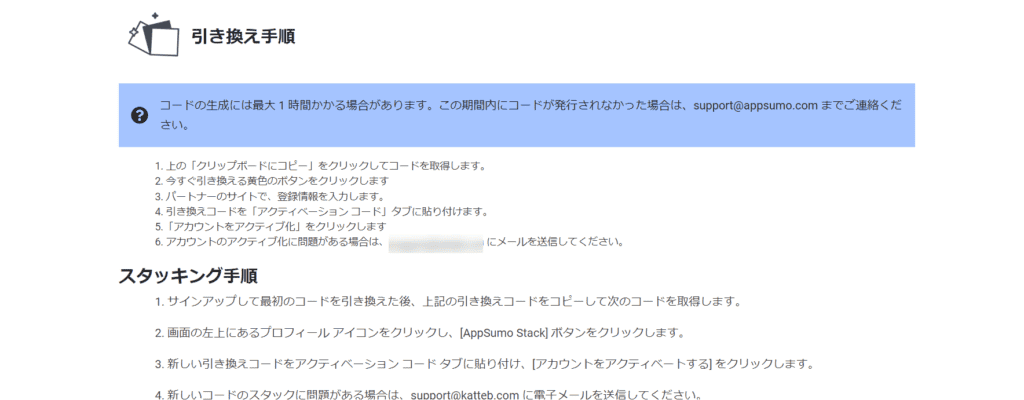
After making a purchase on AppSumo, you need to redeem the item. You can redeem it quickly, so don't forget to redeem it after purchasing.
First, click on "Products" from the menu on the page.

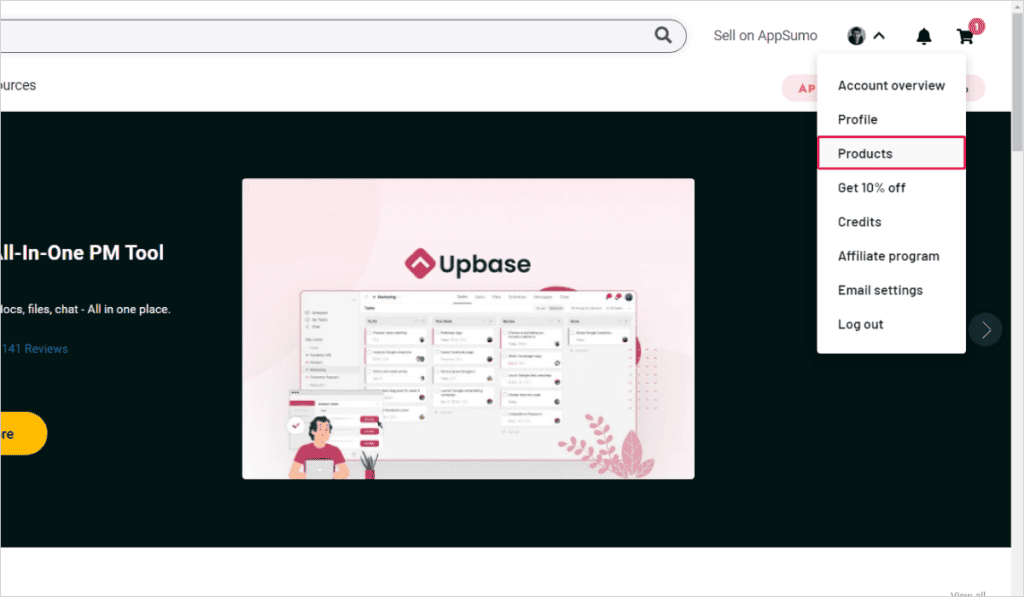
Click "Select" from Actions.

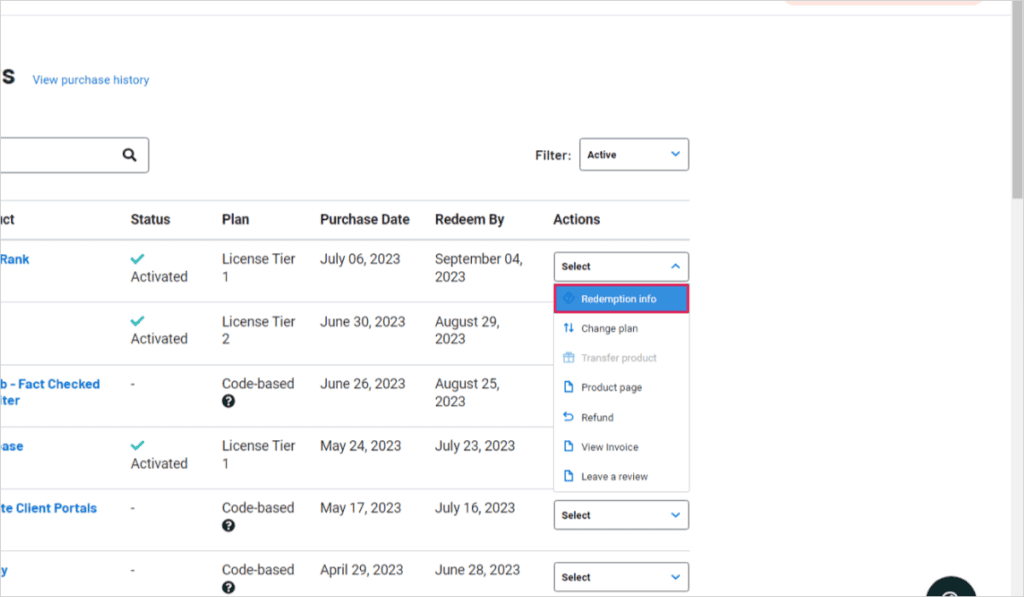
After that, click on "Redemption info".
Follow the Redemption instructions to redeem your item.

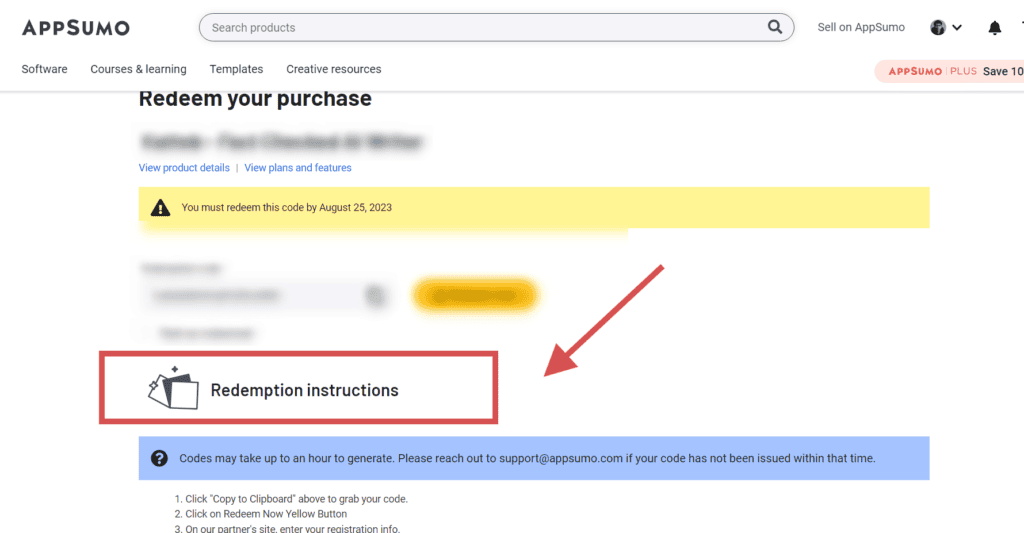
The instructions are in English, but in the case of Google Chrome, you can read the entire page in Japanese if you translate it into Japanese.

If you have any questions about the redemption procedure, please feel free to ask. In some cases, we will explain it in a video.
My hope is that as many people as possible who are reading this will feel comfortable using AppSumo.

It is a very useful and attractive site, so please take advantage of this opportunity.
You will receive a 10% discount coupon for your first purchase.Click the button below to complete your registration today.
[Summary] Create a new AppSumo account
AppSumo makes it easy to register from your computer or smartphone. At first glance, it may seem that the hurdles are high to use only English.
I understand that feeling very well. However, when I use it,It's actually very simple.Let's use AppSumo to the fullest.
How to use up your first 10% discount
If you are using AppSumo for the first time, we also have special discount offers. A 10% discount is applied to the first purchase. This discount is only available for the first time.
Therefore, if you have several tools you want from the beginning,We recommend buying them in bulk.No matter how many products you buy, you will always get a 10% discount.
If you buy it back later, the 10% discount will not be applied. Therefore, we recommend that you purchase the tools you want in bulk.
By the way, most products have a 60-day money-back guarantee. Rest assured that you can get a refund even in case of emergency.
If you have more questions about AppSumo, "I want to know here" or "What is this?", please take a look at the article below.


How to use AppSumoFrequently Asked Questions and AnswersI summarized it.





















In this way, AppSumo is the best site for entrepreneurs, managers, and freelancers who want to keep costs down.