


![WP Rocket Pricing Plans Explained! How to get it cheaply? [Latest in 2024]](https://sp-ao.shortpixel.ai/client/to_webp,q_lossy,ret_img,w_1280,h_720/https://takeofujii.net/wp-content/uploads/2024/02/How-to-buy-wprocket.png "WP Rocket Pricing Plans Explained! How to get it cheaply? [Latest in 2024]")
One of the best WordPress plugins that can speed up your website's page display speed and speed up loading times is WP Rocket.
However, "I don't want to regret buying the paid version all of a sudden."
It's hard to make a decision out of the blue. To clear up your doubts, this article will show you the latest in 2024WP Rocket Pricing Plans and How to ChooseI will explain.
Let me tell you first. I'm also a WP Rocket user.
As a single user, this article will help you choose the best plan for WP Rocket.
What is WP Rocket?

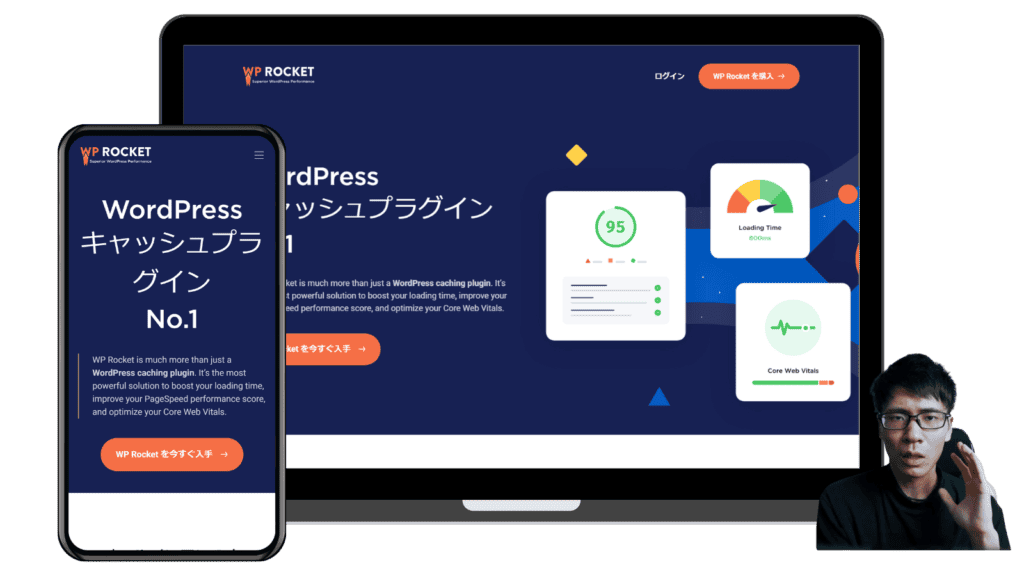
WP Rocketis a plugin that helps speed up the display speed of your WordPress website.
You can optimize how you set up caching and load CSS and JavaScript to improve page display speed.
… yes, I kind of understand, but come on.
Such a voice can be heard from the other side of the screen.
In fact, explaining what WP Rocket speeds up is a very difficult explanation.
In a word,"It has all the features you need to speed up your WordPress site."。 That's WP Rocket.
I didn't skip the explanation.
In fact, it has all the necessary features to speed up your WordPress site.
You don't need to install another plugin, such as file compression, cache management, etc. WP Rocket is enough.
What's Included in WP Rocket
We'll explore the features and capabilities of WP Rocket.
Easy Setup
With WP Rocket, you do the work of speeding up your website automatically.
It automatically enforces 80% of the commonly recommended methods to improve website speed and performance.
It's easy to set up. All you need to do is install and activate this plugin.

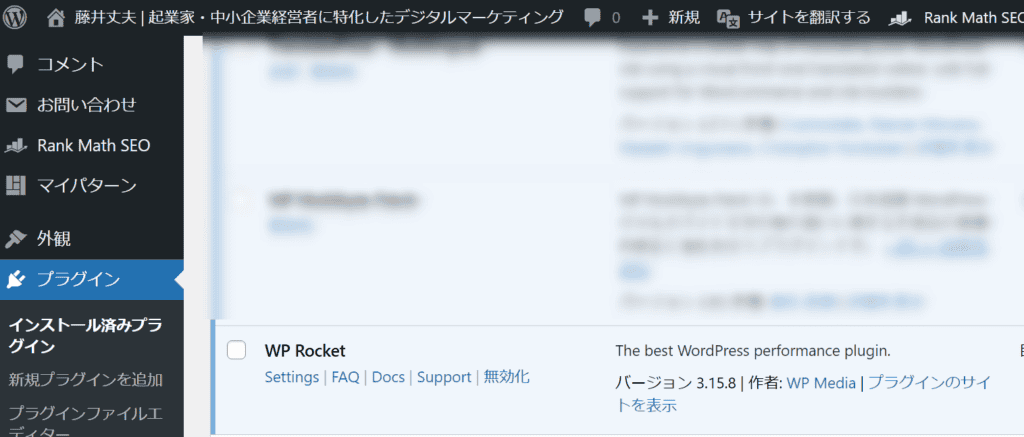
All you have to do is make a simple setup. It only takes 3 minutes to set up.
No specialized knowledge is required. You don't need to touch any code, just the initial setup will speed up your site.
Powerful page acceleration
It is equipped with essential features to speed up the display speed. No additional plugin installation is required.

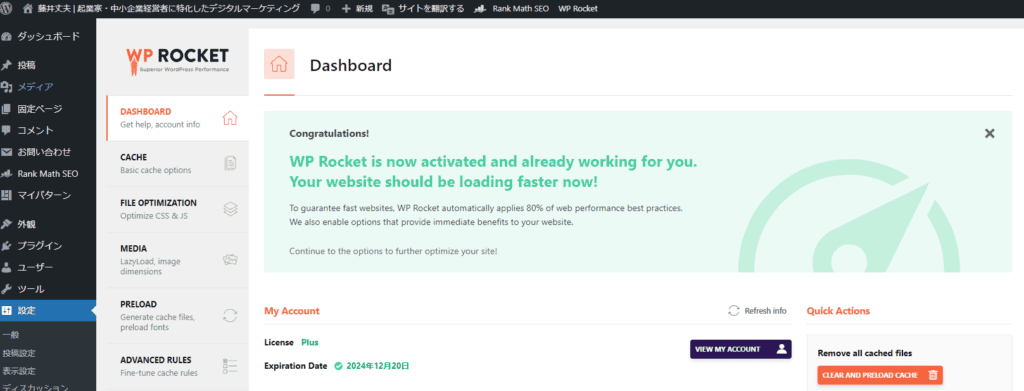
The features included are summarized below. You can check the detailed explanation by pressing the function you are interested in.
Normally, the site loads all the data every time, which slows down the speed of the page to open.
That's why WP Rocket temporarily stores content that doesn't change frequently and automatically loads it fast. Improve site speed.
If you have a lot of CSS and JavaScript files, your site will take longer to load. WP Rocket optimizes CSS and JavaScript to reduce file sizes and load faster.
When images and videos load on a page at once, the page looks heavy. WP Rocket includes a LazyLoad feature that ensures that your content only loads when you need it.
When unnecessary data accumulates in the database, it slows down the performance of the site. WP Rocket regularly cleans up unused data (old post revisions, drafts, comments, etc.) to keep your database slim.
If your visitors are in an area far from your server, your website may load slowly. WP Rocket easily integrates with CDNs and allows you to load your site from anywhere in the world at high speeds. Improve access speed by distributing content from servers located around the world.
The WordPress Heartbeat API periodically sends requests to your server, such as in your admin, which can cause a load on your server.
WP Rocket allows you to adjust the frequency of the Heartbeat API, which can help reduce server load. Control how APIs work and don't overload your server as much as you need.
Smartphone users access on different devices, so they need a different caching strategy than a computer. WP Rocket has a mobile caching feature that also improves loading speed on your phone. By generating a cache dedicated to smartphones and tablets, it optimizes delivery to smartphone users.
After the cache is cleared or on the first visit, the page may appear slow. WP Rocket preloads your site's links and generates a cache to provide a fast experience for your visitors. (Sitemap-based preloading and DNS prefetching)
These features are included:
24/365 support
"I encountered a glitch using WP Rocket!"
All right. A reliable team has you covered.


Happiness score of "92%"
It's an unfamiliar word, isn't it? That's an average of 2,311 reviews from customers. In other words, more than 90% of our customers are satisfied.
Compatibility with other themes and plugins
I'm worried about whether it can be used with my WordPress theme. There is such anxiety. You can't try it because it doesn't have a free version.
It is actually compatible with many hosting providers, themes, and plugins. So, you can use WP Rocket without any problems.

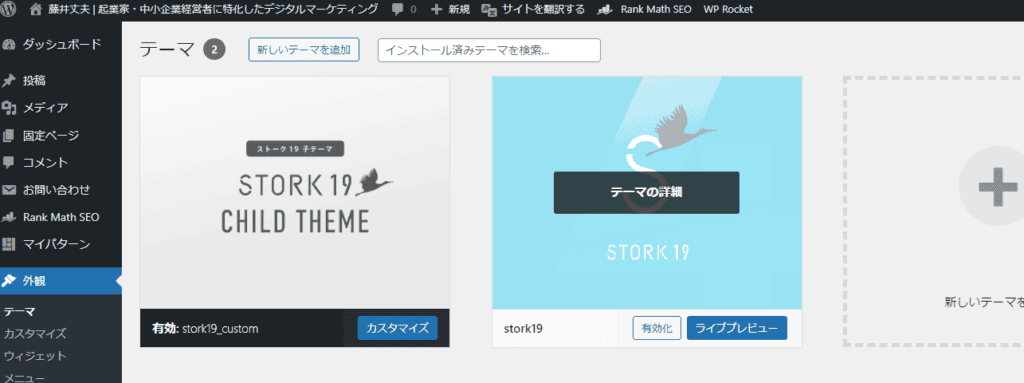
You can also use domestic WordPress themes like Swell and Affinger without any problems. (Depending on the balance with other plugins, some features may need to be turned off.)
I myself use a Japan rental server. All server speed-up features are turned off. WP Rocket alone is speeding up.
EC plug-in support

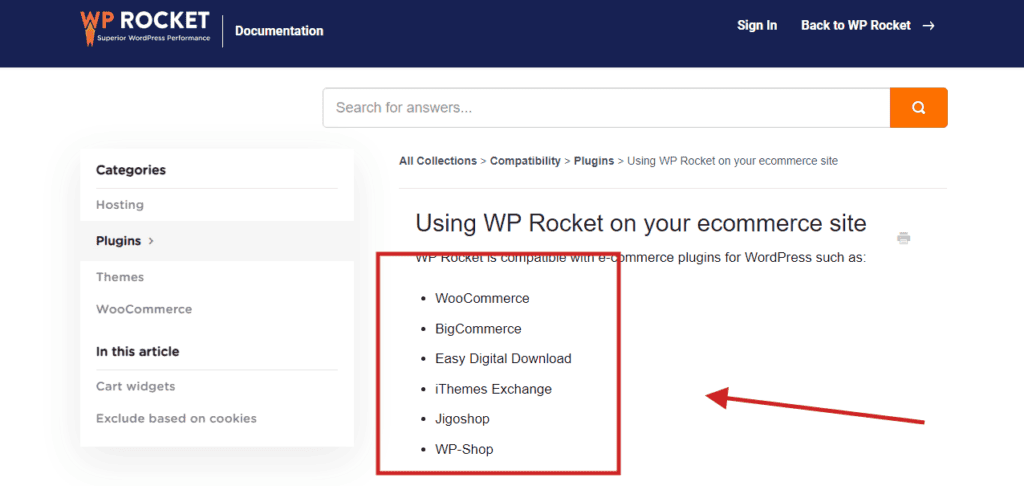
It is compatible with any WordPress eCommerce plugin.
- WooCommerce
- BigCommerce
- Easy Digital Download
- iThemes Exchange
- Jigoshop
- WP-Shop
It's also compatible with these popular eCommerce WordPress plugins.
WP Rocket Pricing
WP Rocket doesn't have a free version. And different plans have different prices.
WP Rocket has three pricing plans:

![WP Rocket Pricing Plans Explained! How to get it cheaply? [Latest in 2024]](https://sp-ao.shortpixel.ai/client/to_webp,q_lossy,ret_img,w_1024,h_414/https://takeofujii.net/wp-content/uploads/2024/02/WP-Rocket-pricing-1024x414.png "WP Rocket Pricing Plans Explained! How to get it cheaply? [Latest in 2024]")
WP Rocket's pricing plans are summarized in the table below.
| Plan | Annual Fee (USD) | Annual Fee (JPY) | Installable | Contents |
|---|---|---|---|---|
| Single | 59 | 8,809 | 1 site | Product Updates and Support |
| Plus | 119 | 17,766 | 3 Sites | Product Updates and Support |
| Infinite | 299 | 44,675 | Unlimited sites | Product Updates and Support |
Single Plan:
$59 per year (about 8,809 yen)
You can install it on a single website.
Plus Plan:
$119 per year (about 17,766 yen)
You can install it on three websites.
Infinite Plans:
$299 per year (about 44,675 yen)
You can install it on unlimited websites.
*The Japan Yen is the USDJPY rate as of 2024-02-09. It may vary.
You can get discount coupons to buy WP Rocket cheaply.Click herePlease receive it from.
14-day 100% money-back guarantee
In addition, if it is within 14 days of purchaseWe have a 100% money-back guarantee.


If you feel that WP Rocket is not suitable for your website, you can easily request a refund.
You will not regret "buying and losing money".
In the unlikely event that you receive a full refund.
Think about cost-effectiveness.
It improves the display speed of your WordPress website for a few thousand dollars per year. Your WordPress website sells products and services. As a result, it can also bring significant profits.
IfIf it doesn't fit, there is also a money-back guarantee.There is no reason not to use it.
Does WP Rocket have a one-time purchase plan?
WP Rocket offers an annual license.
You need to choose a plan that is renewed every year.
"Eh, isn't this plugin a one-time purchase?
Please wait. I really understand how you feel. It is a psychological burden to incur expenses every year.
WP Rocket only has an annual plan. Still, it's worth using.
RatherIt's safe to say that this kind of plugin is a subscription.
Why is WP Rocket's annual plan a good thing?
The company will go bankrupt if money does not come in continuously. WP Rocket is regularly updated because of this subscription.
You can get unlimited support and updates as long as you continue to use them.
WP Rocket is a subscription to one reassurance.
How to pay for WP Rocket? Safety?
There are two types of WP Rocket payments.
- Credit Card
- PayPal
I tried both payment methods.
First of all, you can pay with a Japan credit card without any problems. However, if you are afraid to use a credit card on an overseas site, we recommend PayPal. Most of the time I buy on overseas sites, I pay with PayPal.
The advantage of using PayPal is that even US dollars are automatically converted to Japan yen. There is no need to worry about the card number being leaked.
How to buy WP Rocket [OK from Japan]
Here's how to buy WP Rocket in Japanese.
We will explain step by step so that even first-time users can use it with confidence.
(1) Check the official website
WP Rocket is aThis official websiteIt is possible to purchase from.
First, choose a plan and pay.
The only difference between each pricing plan is the number of sites you can install. All plans have the same features.

If you are running one site, it is a single plan.
If you have multiple websites, choose the Plus or infinite plan.
(3) Pay
You can get discount coupons to buy WP Rocket cheaply. Use coupons to get cheaper.Click herePlease receive it from.
Make payments according to the plan you choose.

- Email address * : Enter your email address
- First name * : e.g. Taro
- Last name * Example Yamada
- Country / Region * Example: Japan
- Company name (optional) :
Payment Methods
There are two payment methods available.
- Credit Card : Credit Card
- PayPal
Credit cards accept VISA, MasterCard, and American Express (Amex).
If you are unsure about paying by credit card, you can use PayPal.
I also use PayPal when purchasing on overseas sites.
(4) Download WP Rocket
Once the payment is complete, you can download WP Rocket from the "My Account" page.
You need to log in to access My Account.

The My Account page makes it easy to:
- Upgrade and renew licenses with a single click.
- You can check the expiration date of your license.
- You can view the list of your own websites and delete them.
- You can download the latest version of WP Rocket.
- You can send a message.
(5) Install WP Rocket
Install the downloaded WP Rocket on your WordPress site.
Use your purchased license to activate WP Rocket. You can enter the license after installation.
(6) Set up WP Rocket
After installation, make the necessary settings.
At a later date, we will publish a page explaining how to set it up and how to use it.
Why is display speed important?
"WP Rocket can speed up your site's display speed."
So why is display speed important?
With Google's Core Web Vitals initiative, site speed has become a critical component of SEO.
By using WP Rocket,It improves your website's speed and leads to higher search rankings on search results pages (SERPs).
In short, WP Rocket can also help from an SEO perspective.
… This is a textbook explanation.
Let me explain it more simply.
Slow page display speed → reduce sales
"This site is slow to open."
I'm sure you have also had the experience of losing the desire to read and backing up your browser. Especially if it's a smartphone.
If that's happening on your site, it's a waste.
IfYou're missing out on potential customers without even realizing it.
You may have purchased products and services through blogs or websites. You are missing out on such a prospect.
No matter how good the content is, it is meaningless if it does not arrive.
How satisfied are you with WP Rocket?
In fact, this blog also has WP Rocket installed.
In fact, the page display speed has been greatly improved.

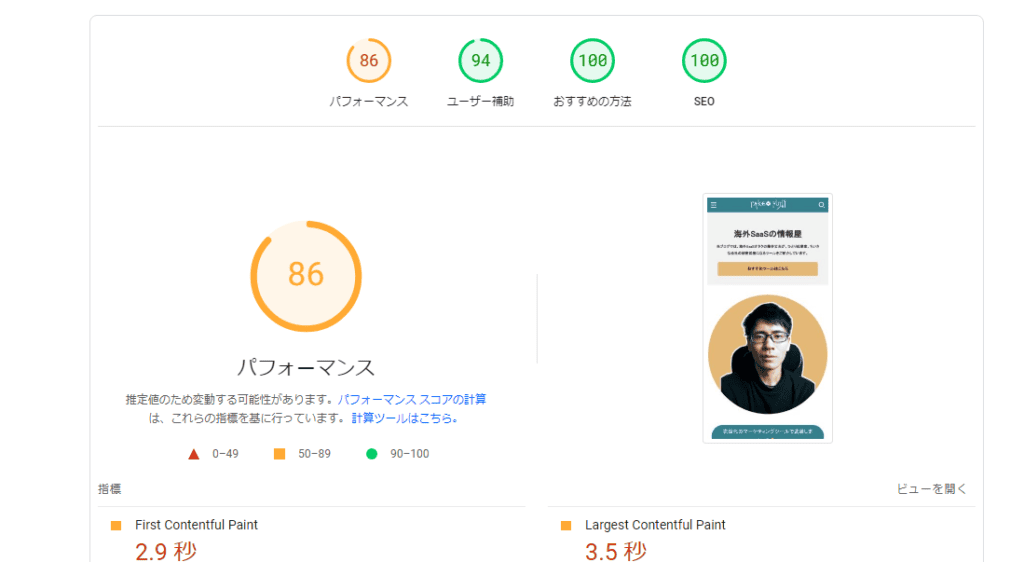

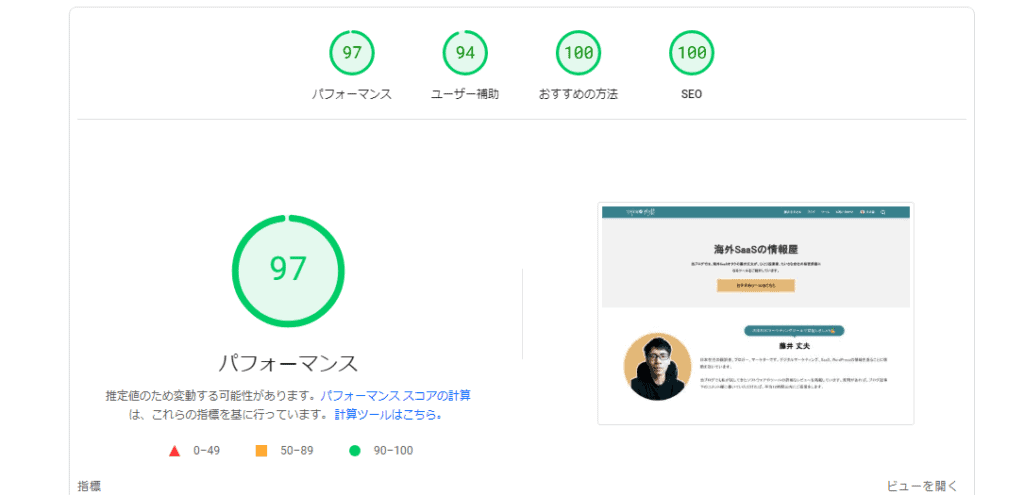
In fact, even before using WP Rocket, I used a rental server (thin rental server) that has a reputation for fast display speed in Japan.
However, I loaded too many things into my WordPress site and the display speed didn't increase.
So, I read reviews from other bloggers and introduced WP Rocket.
As a result, the display speed has improved.

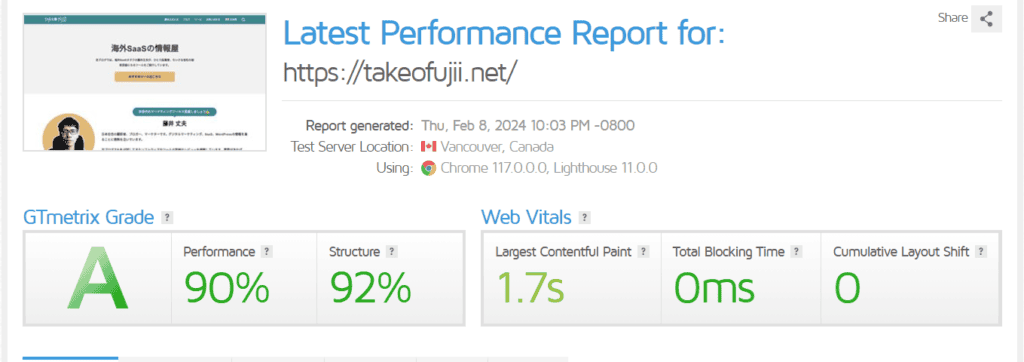
It's a waste of time to keep worrying about site speed. I'm happy to have introduced WP Rocket... On the contrary,I can't let go of it.
No more plugins. I actually uninstalled all page acceleration WordPress plugins other than WP Rocket.
Things to Check Before Buying the Paid Version of WP Rocket
So far, we've explained WP Rocket's pricing plans. However, there are a few things we want to tell you before buying the paid version.
Is there a free trial?
There is no free trial.
However,It offers a 14-day 100% money-back guarantee.
Therefore, even if you regret that you paid WP Rocket and failed after actually implementing it, you can get a full money-back guarantee.
Can I upgrade my license later?
Yes, it is possible. If you want to use WP Rocket on more websites, you can upgrade it.
In that case, you only need to pay the difference.
Does the annual license automatically renew every year?
Yes. If you leave it as is, auto-renewal is enabled for your account. WP Rocket licenses are automatically renewed every year.
If you want to cancel your contractYou can easily cancel from within your account.
The admin screen is in English only. Is it really easy to use?
WP Rocket's dashboard is in English. But don't worry.

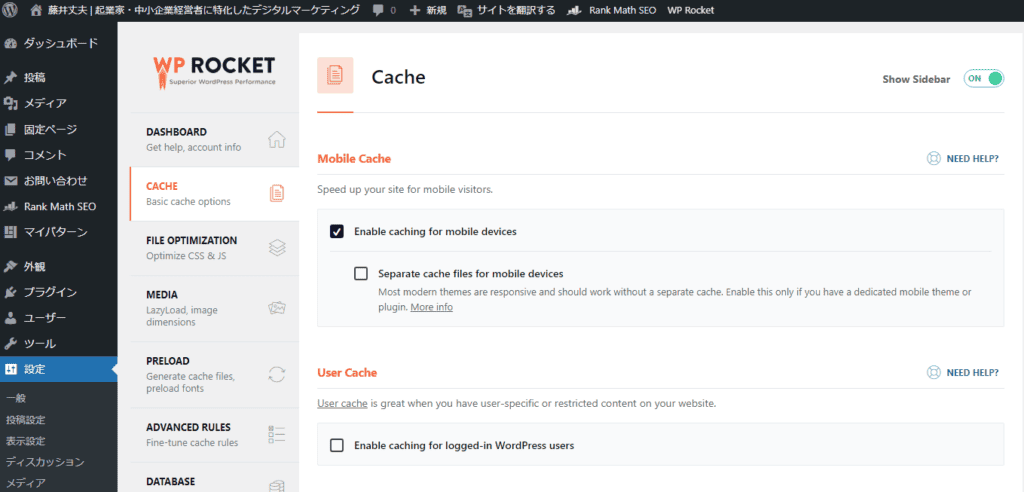
There is also plenty of information on how to use and set it up in Japanese.Even beginners can use it with confidence.
By the way, this blog also introduces WP Rocket.
We will also publish videos and blog posts on how to use it that greatly improves the display speed.
Please look forward to it.
If you encounter a glitch in WP Rocket
If you encounter any issues with WP Rocket, the Rocketeers support staff is always on standby, so you can always send them a support request if you need help.
You can create a ticket from the plugin's Support tab. It is one of the top plugins used by WordPress users all over the world. The support is also top-notch.
Can I use WP Rocket on my client's site?
You can also use WP Rocket on your client's site.
You can't use it if you provide a rental server that maintains a client's WordPress site.
In other cases, there is no problem,You can install WP Rocket on your client's site.
If you have many clients, we recommend the Infinite plan. For $299 per year, you can install WP Rocket on unlimited sites.
Summary: Is WP Rocket Paid Worth It? The truth is...
"But... I don't feel like it..."
If your site is monetizing,I recommend buying it.
With WP Rocket, you can speed up the page display speed of your WordPress site so that your visitors can browse comfortably.
As a result, visitors will love your site and improve the user experience.It also improves your conversion rate (the percentage of visitors who buy products or services from your site).
Turn visitors into your customers. The Single plan is $59 per year (about 8,809 yen). It is less than 30 yen per day. It's worth using.
If you're not satisfied, you can just take advantage of the 14-day money-back guarantee.
I recommend that you think you have been deceived and try it once.













![How to use Pretty Links and discount sale information [2024]](https://sp-ao.shortpixel.ai/client/to_webp,q_lossy,ret_img,w_485,h_273/https://takeofujii.net/wp-content/uploads/2022/11/pretty-links-485x273.png "How to use Pretty Links and discount sale information [2024]")




Of course, I also use it on this blog.