


![How to use Pretty Links and discount sale information [2024]](https://sp-ao.shortpixel.ai/client/to_webp,q_lossy,ret_img,w_1920,h_1080/https://takeofujii.net/wp-content/uploads/2022/11/pretty-links.png "How to use Pretty Links and discount sale information [2024]")
Are you looking for a WordPress plugin to manage affiliate links, social media links, and more within WordPress?
Introduced in this articlePretty Linksis a useful WordPress plugin that shortens long URLs and makes management easier.
With Pretty Links, you can easily shorten a long link and turn it into a shorter link.
Let's take a look at how Pretty Links can help you, its features, and pricing plans.
What is Pretty Links?

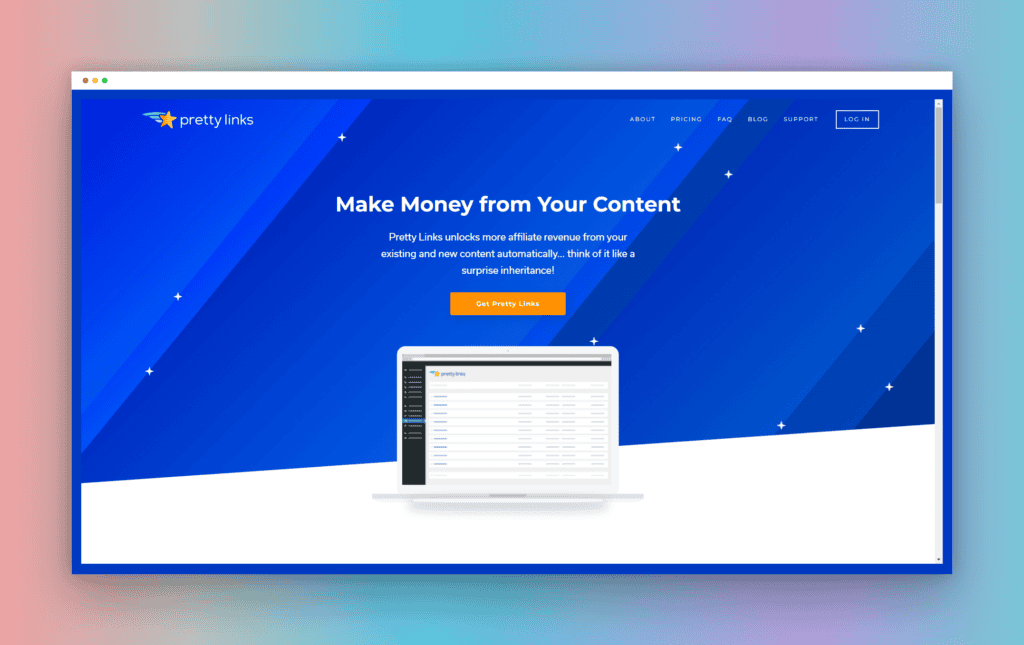
At firstPretty Linksis a WordPress plugin that allows you to manage URLs within WordPress.
You can shorten long page links to create shorter links.
Why should you use shortened URLs?
First, long URLs are hard to see. Simple, short URLs are easy to see.
When sharing on social networking sites such as Twitter and Facebook, it can be reluctant to share long URLs. You can also lose the desire to click.
That's whyIt is important to shorten long URLs.
You can also use shortened URLs to accurately measure how many times a link has been clicked.
I also use shortened URLs on my blog.
How many people clicked on the URL in one month? By knowing exactly,
- "How can I get more clicks?"
- "What should I do to further increase my click-through rate?"
It will be a hint for these improvements.
Measuring things like how many times each shortened link is clicked can help you increase your WordPress site's revenue.
How to use Pretty Links
To get started, install Pretty Links on WordPress for free. If you search for it in the plugin, it will come up.

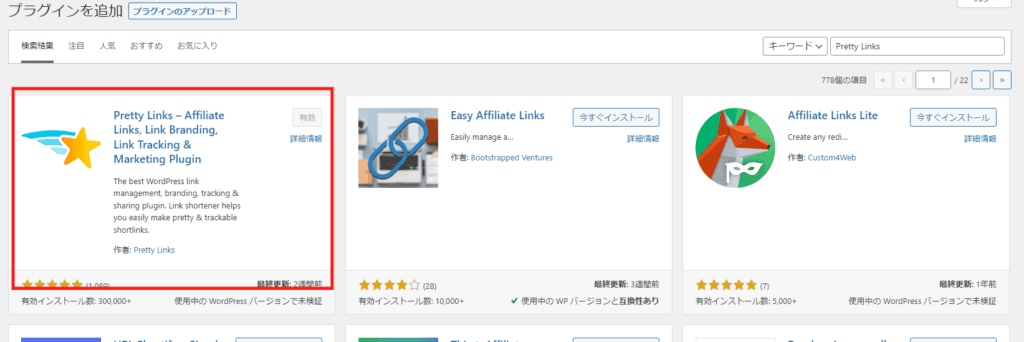
Activate it after installation. Once the plugin is activated, click Add New > Pretty Link.
Pretty Links
This will take you to a page where you can set a shortened URL.

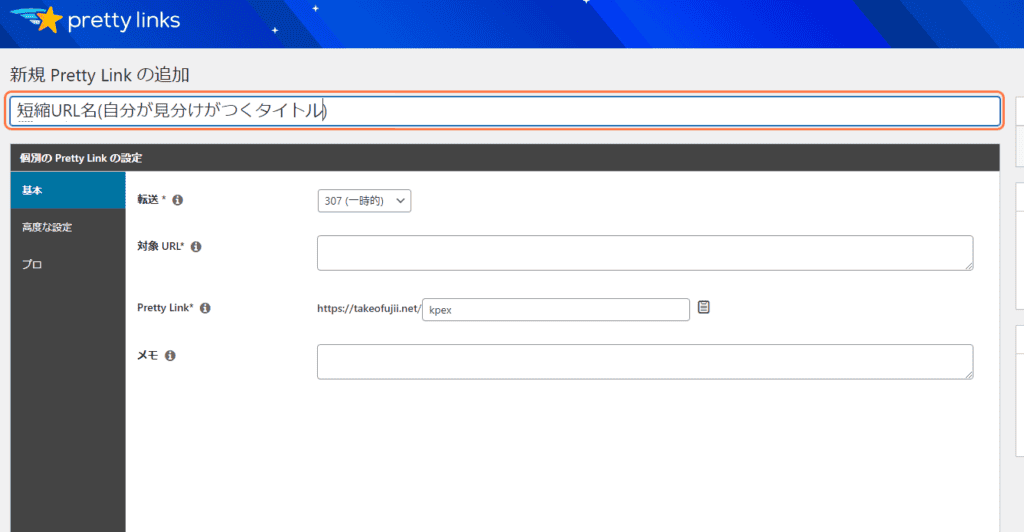
First, set a title. It's okay if you give it a title that you can recognize.

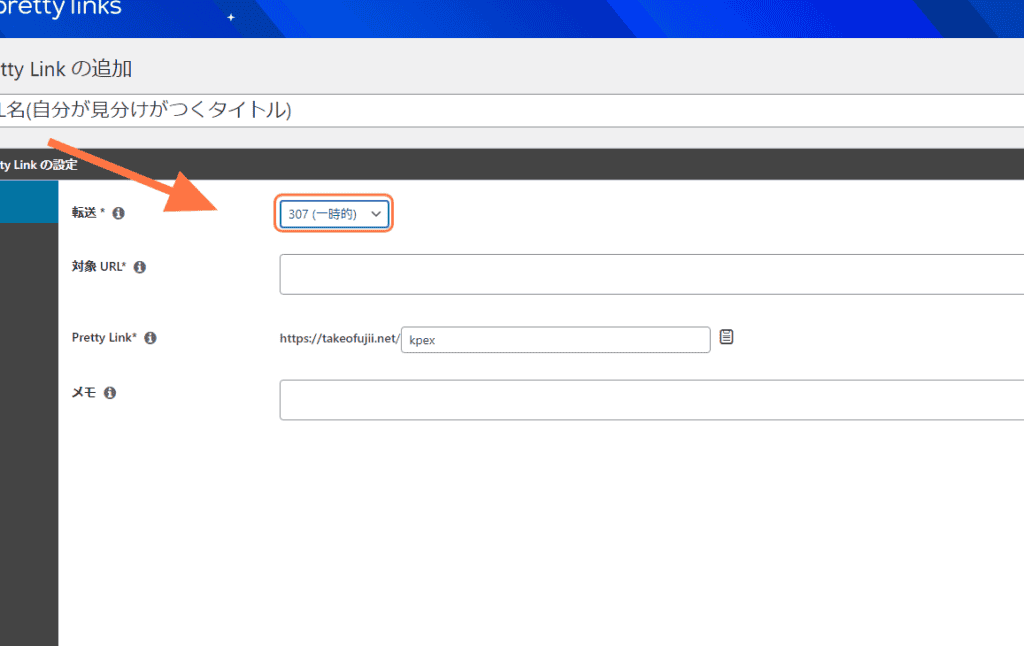
You can select the type of redirect from Forward. This setting is important.
- 307 (temporary)
- 302 (Temporary)
- 301 (Permanent)
If you choose a 301, it means a permanent URL change. However, if you want to shorten long links, we recommend choosing a 307 redirect.
For normal use, 307 redirect is OK.

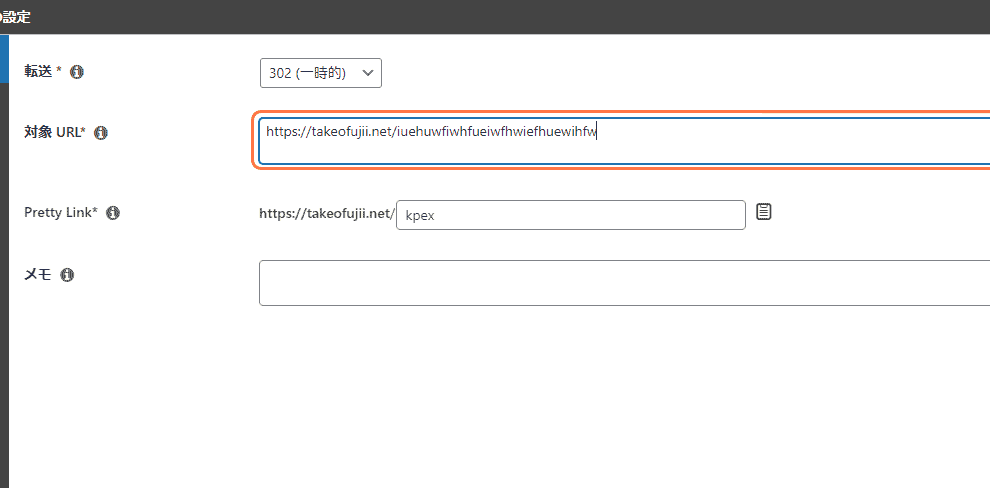
Next, set the URL you want to shorten and what kind of shortened URL you want to use.
Target URL
URL you want to shorten
Pretty Link
Specify a shortened URL name
You don't need to set up advanced settings or pros. It's okay to leave it as the default.
Measure clicks on your shortened URLs
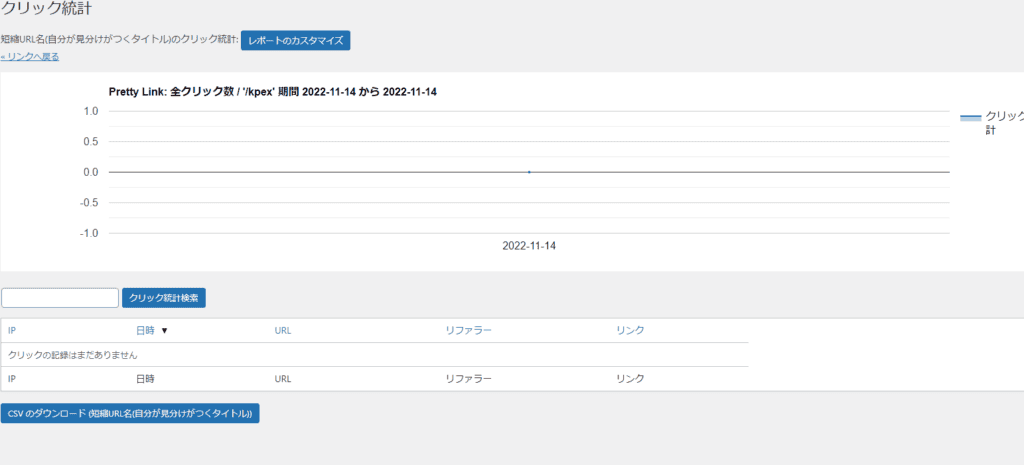
You can check each shortened URL from click statistics.

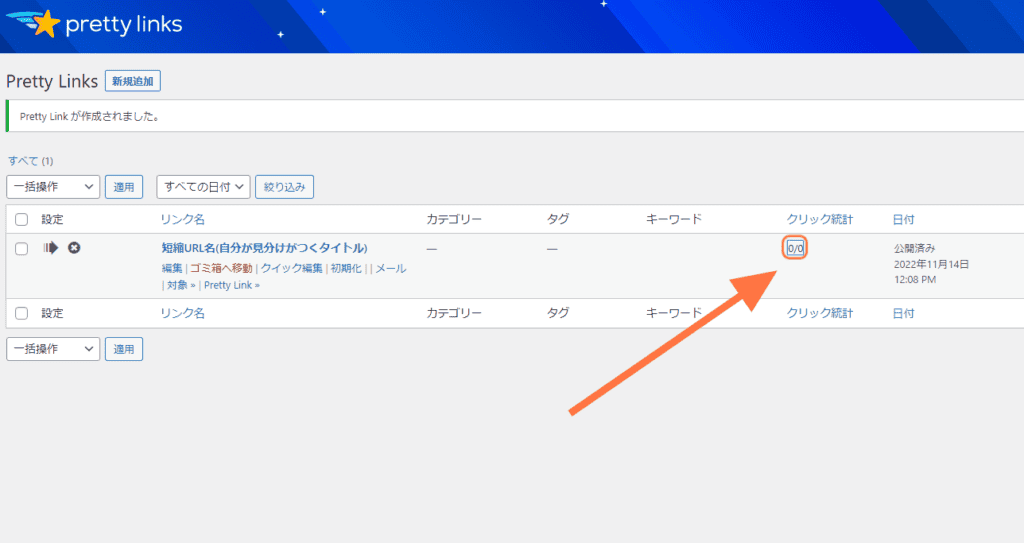
How many times did each URL be clicked when you clicked? You can see the date and time and the number of clicks.

Pros of Pretty Links
Pretty Links is more than just a WordPress plugin that allows you to manage shortened links.
I will explain the benefits of Pretty Links that I have actually used.
Shorten & hide long links
Affiliate links are long, aren't they? It's messy and hard to see.
It's hard to remember and hard to read. You can shorten these unsightly long affiliate links to a shorter, simpler, and more memorable one.
That's Pretty Links.
And you can easily share this shortened link not only with your own WordPress but also with others, such as social media or email.
This makes Pretty Links more than just a WordPress plugin, it's a link shortener that you can manage yourself.
Easy to use & Japanese support
Pretty Links is a WordPress plugin with a clean and easy-to-use design dashboard. As the number of shortened URLs increases, it becomes difficult to manage.
However, Pretty Links is a user-friendly and user-friendly admin. There is no confusion in using it.
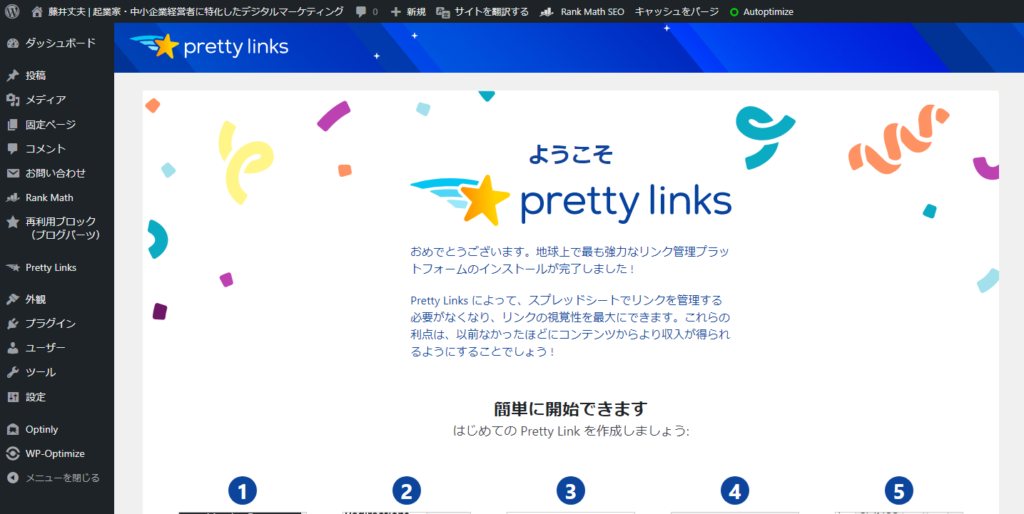
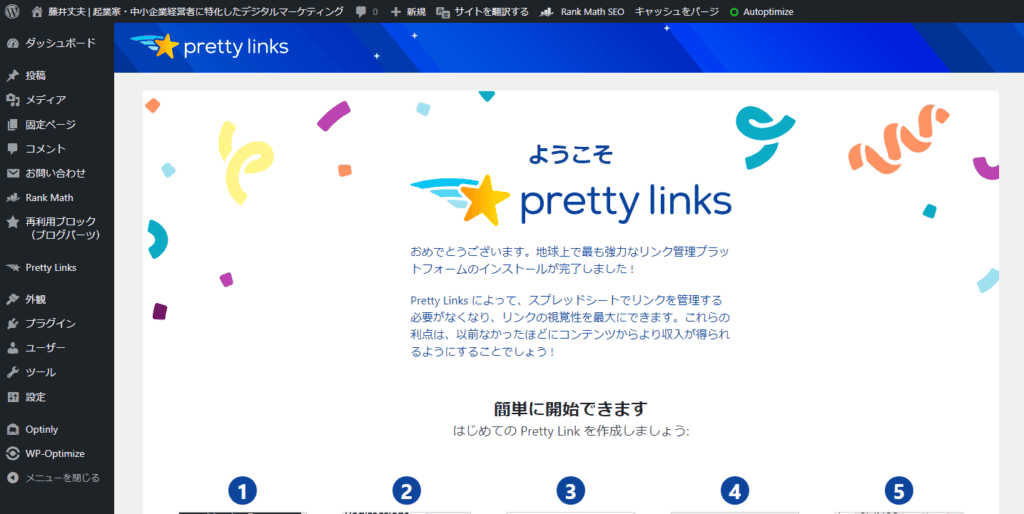
It is also available in Japanese.
Link measurement is possible
If you just want to create a shortened URL, there are tools other than Pretty Links.
The important thing is the "measurement function". It can measure how many times your link is clicked, as well as detailed information such as the user's browser, IP address, and OS.
You can also display the measurement results in an easy-to-read manner. This feature is essential for marketers and affiliates.
You can download the results in CSV format
I want to download the link measurement results from Pretty Links and save them in Excel or Google Sheets. That's okay.
Pretty Links allows you to download results reports in CSV format, including link clicks.
Disadvantages of Pretty Links
The downside (cons) of Pretty Links is that the free version has quite limited features.Even compared to paid plans, there are many limitations.
There are no other disadvantages that come to mind.
In other words, if you don't feel the value of using a shortened URL, you will find Pretty Links a bit expensive.
However, affiliates and marketers who understand the importance of keeping links short and measuring should be able to accurately recognize the value of Pretty Links.

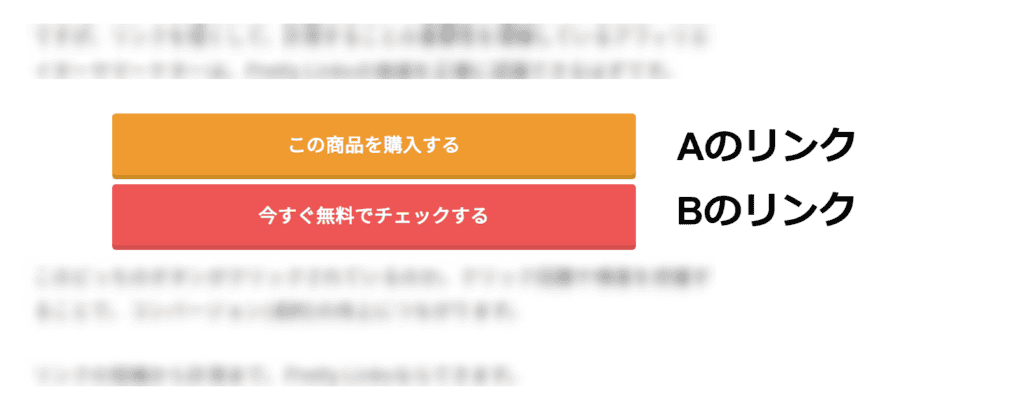
Which of these buttons is clicked? Understanding the number and frequency of clicks can lead to improved conversions.
From shortening links to measuring them, Pretty Links can do it.
Why use Pretty Links?
I will tell you about my difficult experience. I used a free shortened URL management tool in the past. Its name is "Cliqqo". Probably almost all Japan people don't know about it.

![How to use Pretty Links and discount sale information [2024]](https://sp-ao.shortpixel.ai/client/to_webp,q_lossy,ret_img,w_1024,h_584/https://takeofujii.net/wp-content/uploads/2022/11/cliqqo-1024x584.png "How to use Pretty Links and discount sale information [2024]")
I used this Cliqqo in 2021. However, as of 2022, it has been closed. It was also sudden. There is no notice. The service that had been managing a large number of my links was suddenly closed.
Please see the image below. It is completely closed.

![How to use Pretty Links and discount sale information [2024]](https://sp-ao.shortpixel.ai/client/to_webp,q_lossy,ret_img,w_811,h_164/https://takeofujii.net/wp-content/uploads/2022/11/screenshot-cliqqo.io_.png "How to use Pretty Links and discount sale information [2024]")
I was impatient when I realized it. That's why I recommend Pretty Links.
Caseproof, LLC, the developer of this plugin, was founded in 2004 and has been supported ever since. As you can see from the Twitter account, this account has been around since 2009.

![How to use Pretty Links and discount sale information [2024]](https://sp-ao.shortpixel.ai/client/to_webp,q_lossy,ret_img,w_867,h_500/https://takeofujii.net/wp-content/uploads/2022/11/pretty-links-twitter.png "How to use Pretty Links and discount sale information [2024]")
Suddenly,The risk of losing Pretty Links is extremely lowis. I have been using it myself for many years.
By the way, I also use the paid version.

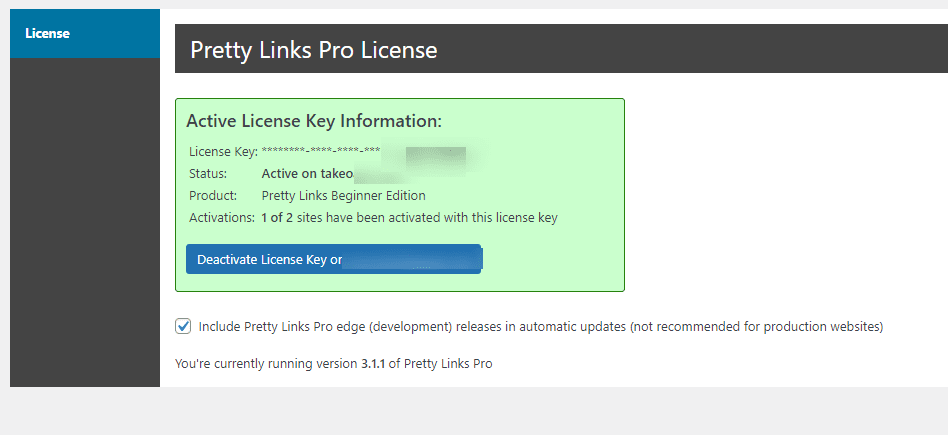
You can convert long affiliate links into your own shortened URLs, and organize and manage their shortened URLs. You can also analyze how many clicks each link has received.
Pretty Links has a function for that.
Pretty Links Pricing & Pricing Plans
Pretty Links is a free WordPress plugin. You can easily install and use it from the plugin.
However,Limited functionality.
So, if you want to use more features, use a paid plan. There are three paid plans available: Beginner, Marketer, and Super Affiliate.
We will explain each plan in Japanese.

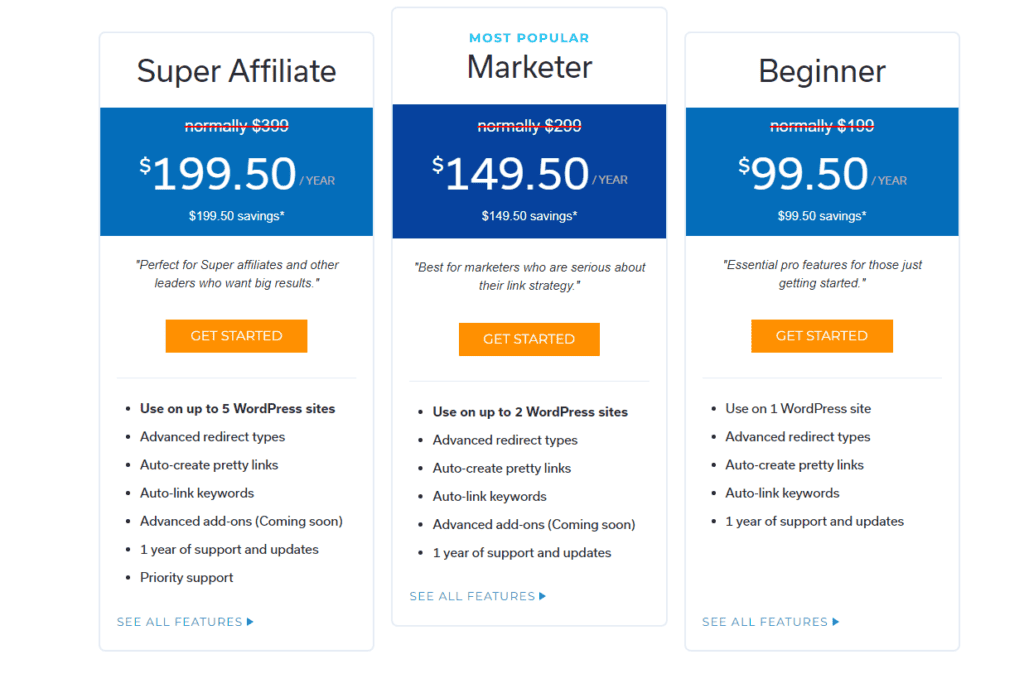
The Beginner plan costs $199. You can install Pretty Links on a single WordPress site. You can use all the features of the paid plans.
Examples of features included in paid plans
- Automatic redirects
- Automatic creation of shortened links
- Autolink Keywords
The Marketer plan costs $299. You can install Pretty Links on two WordPress sites. You can use all the features of the paid plan.
The Super Affiliate plan costs $399. You can install Pretty Links on 5 WordPress sites. In addition to all the features of the paid plans, you also get priority support.
These three plans. Feel free to choose according to your application.
In addition, special exclusive offers are now available. All paid plans areWELCOME" coupon code at checkout to get 50% off.
Check out special exclusive offers
How to buy Pretty Links
Here's how to buy Pretty Links. First, click PRICING.

![How to use Pretty Links and discount sale information [2024]](https://sp-ao.shortpixel.ai/client/to_webp,q_lossy,ret_img,w_1024,h_414/https://takeofujii.net/wp-content/uploads/2022/11/pretty-links-pricing-1024x414.png "How to use Pretty Links and discount sale information [2024]")
Please select a rate plan here.

![How to use Pretty Links and discount sale information [2024]](https://sp-ao.shortpixel.ai/client/to_webp,q_lossy,ret_img,w_1024,h_520/https://takeofujii.net/wp-content/uploads/2022/11/pretty-links-Click-on-GET-STARTED-1024x520.png "How to use Pretty Links and discount sale information [2024]")
Once you've chosen a plan, you'll be taken to the payment page.

![How to use Pretty Links and discount sale information [2024]](https://sp-ao.shortpixel.ai/client/to_webp,q_lossy,ret_img,w_623,h_920/https://takeofujii.net/wp-content/uploads/2022/11/pretty-links-checkout.png "How to use Pretty Links and discount sale information [2024]")
- First Name (Name: Taro)
- Last Name (Last Name: Yamada)
and click the button.

![How to use Pretty Links and discount sale information [2024]](https://sp-ao.shortpixel.ai/client/to_webp,q_lossy,ret_img,w_760,h_883/https://takeofujii.net/wp-content/uploads/2022/11/Get-Pretty-Links-Beginner.png "How to use Pretty Links and discount sale information [2024]")
- Card Namber
- Expiration
- CVC
and click the button.
You can pay with Stripe. Therefore, there is no risk of important information such as credit card numbers being leaked. Stripe is a leading payment service used around the world.Therefore, you can pay safely even from Japan.
About Pretty Links' money-back guarantee

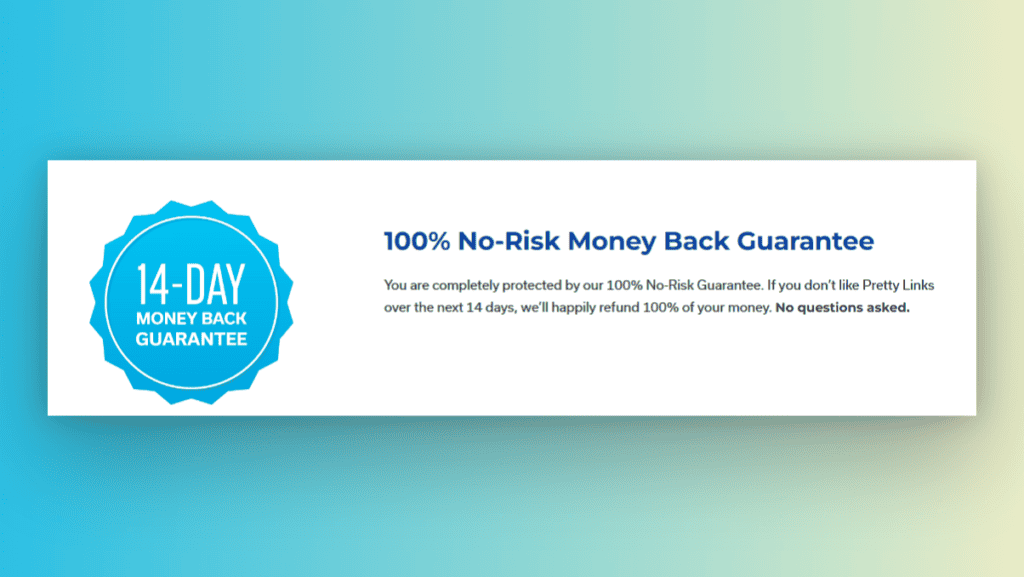
AlsoPretty Links offers a risk-free full money-back guarantee for 14 days.If you don't like it, you can get a money-back guarantee by requesting it within 14 days.
In addition, Pretty Links offers a one-year support period. If you are unsure, you can quickly solve it by using support.
Check out special exclusive offers
Q&A about Pretty Links
Who should I recommend Pretty Links?
Using Pretty Links is easy. No coding knowledge or special skills are required. Therefore,
- Affiliates
- Blogger
- Marketers
This is a recommended shortened URL management WordPress plugin for anyone who wants to shorten long links and keep them simple.
Can I use Pretty Links in Japan?
Yes. There are many Japan people who use Pretty Links, including me. Also, if you do a Google search, you will find quite a lot of articles explained in Japanese.
Pretty Links is a shortened URL management plugin that is also popular among Japan people.
What will happen to Pretty Links in the future?
You can continue to use it safely in the future.
The developer, Caseproof, LLC, was established in 2004. And Pretty Links has been around since I started using WordPress.
Pretty Links has a large number of users, and we are in the process of developing new additional features (more will be added soon).
Check out special exclusive offers
Thank you for reading our Pretty Links review to the end.
If you have any questions you want to know about Pretty Links, feel free to write them in the comments section. See you.




![How to use Genesis Framework and discount sale information [2024]](https://sp-ao.shortpixel.ai/client/to_webp,q_lossy,ret_img,w_250,h_140/https://takeofujii.net/wp-content/uploads/2022/11/genesis-framework-250x140.png "How to use Genesis Framework and discount sale information [2024]")






![[Black Friday] Summary of software and app discount sale information! What's in store for 2024?](https://sp-ao.shortpixel.ai/client/to_webp,q_lossy,ret_img,w_485,h_273/https://takeofujii.net/wp-content/uploads/2022/11/black-friday-485x273.png "[Black Friday] Summary of software and app discount sale information! What's in store for 2024?")








Latest Comments