


![How to Use the AI Voice Memo Tool "AudioPen" [2024 Latest Review]](https://sp-ao.shortpixel.ai/client/to_webp,q_lossy,ret_img,w_1280,h_720/https://takeofujii.net/wp-content/uploads/2024/02/audiopen-review.png "How to Use the AI Voice Memo Tool \"AudioPen\" [2024 Latest Review]")
Fujii: Takashi. This timeAI voice memo tool "AudioPen"I will explain how to use it.
In fact, this AI tool helped me organize and solve complex thoughts.
To briefly explain the functionality of AudioPen, it is a useful AI tool that allows you to record your voice and automatically create organized notes.
When I first started using the AudioPen, I thought, "I really need it...", but after actually using it for a year, I couldn't let it go.
- 1 What is the AI voice memo tool "AudioPen"?
- 2 How to use AudioPen
- 3 Features of Audiopen
- 3.1 No account registration! Free to use!
- 3.2 Japanese is also available! Support for over 40 languages
- 3.3 Audio file upload is also possible [Prime members only]
- 3.4 There is a text rewrite function [Prime members only]
- 3.5 Customize your writing style as much as you want [Prime members only]
- 3.6 Zapier and Webhook support [Prime only]
- 4 AudioPen Pricing Plans
- 5 AudioPen paid plan subscriber-only feature list
- 6 Audiopen FAQs
- 6.1 Q. Clicking the record button does not work.
- 6.2 Q. It takes too long to memorize the audio.
- 6.3 Q. I upgraded to PRIME (paid plan). It still says free account.
- 6.4 Q. Is there a dedicated smartphone app for AudioPen?
- 6.5 Q. Can I upload audio files to the AudioPen?
- 6.6 Q. Can I download audio after recording?
- 6.7 Q. Can I type a note and have the AudioPen summarize it?
- 6.8 Q. Does the app work in multiple languages?
- 6.9 Q. What is the difference between a folder and a tag?
- 6.10 Q. I recorded for a long time, but the AudioPen could only transcribe the first part
- 6.11 Q. Is there a money-back guarantee?
- 6.12 Q. Can I use the purchase price of AudioPen Prime as an expense?
- 6.13 Q. Will my voice notes be used to train AI models?
- 7 Summary: Audiopen helps you organize your thoughts and create blog posts
What is the AI voice memo tool "AudioPen"?

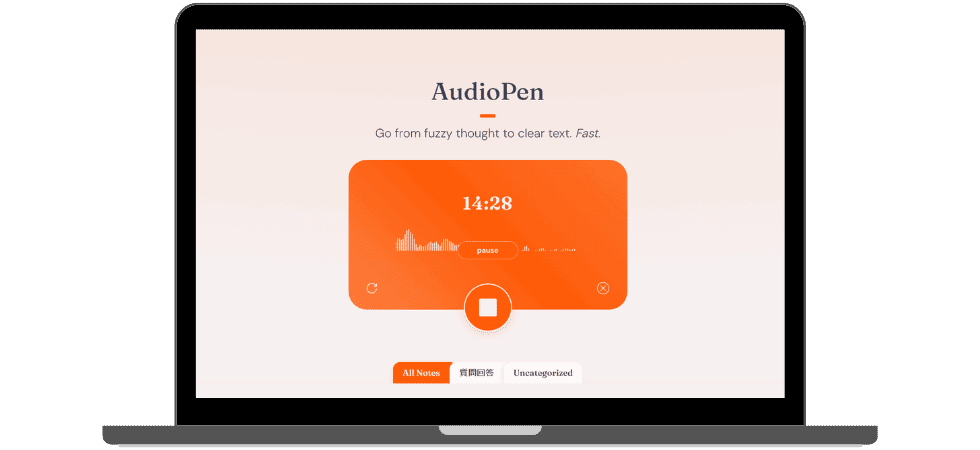
AudioPenis a magical app that turns what you say into organized written notes in no time.
No more tedious note-taking or re-listening later. Just speak and your words will turn into neatly organized notes.
It's okay if you get stuck on words like "eh" or "ah". AudioPen organizes the entire content and creates a memorable note that organizes the main points.
It's super easy to use.Just open the app and say what you want to talk about.
The AudioPen does all the rest. Any way you speak is fine. It will immediately turn what you say into easy-to-understand sentences.
Now you can quickly record your ideas with audio and leave them in writing.
How to use AudioPen
It's easy to use.
- Press the record button
- Speak into the microphone
- Choose the language and writing style you want to output
This is all it takes for AudioPen to listen to you, accurately summarize your audio and rewrite it into notes.

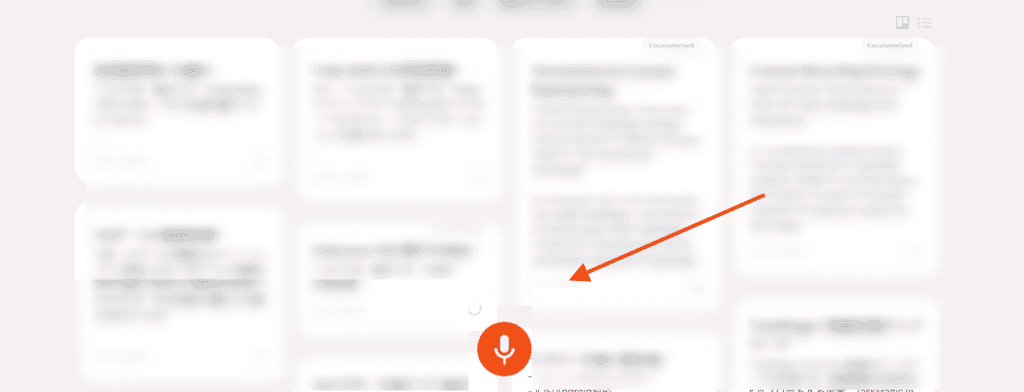
Just speak into the microphone as if you were talking to a friend.

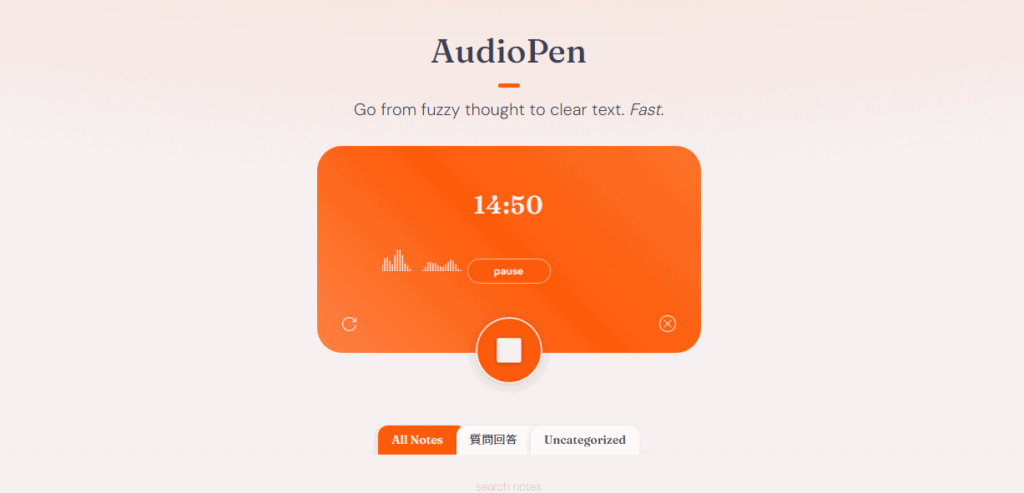
Make a recording and press the stop button.

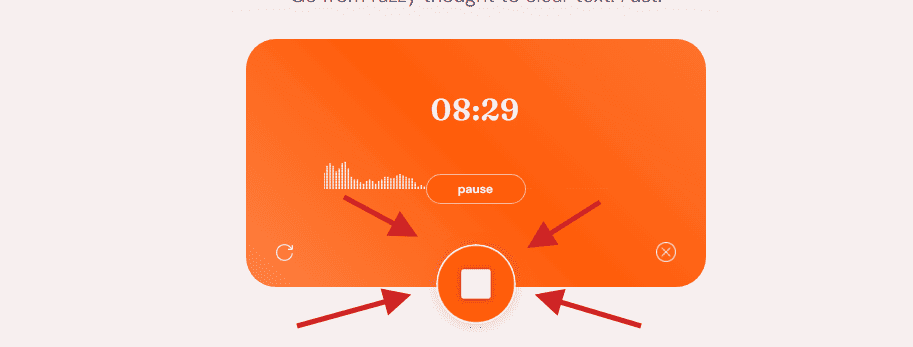
Pressing this stop button will automatically create a note.
Wait 2 or 3 minutes.
You just sit in a chair, drink coffee and wait. (If you don't close the page, you can work in other tabs.)

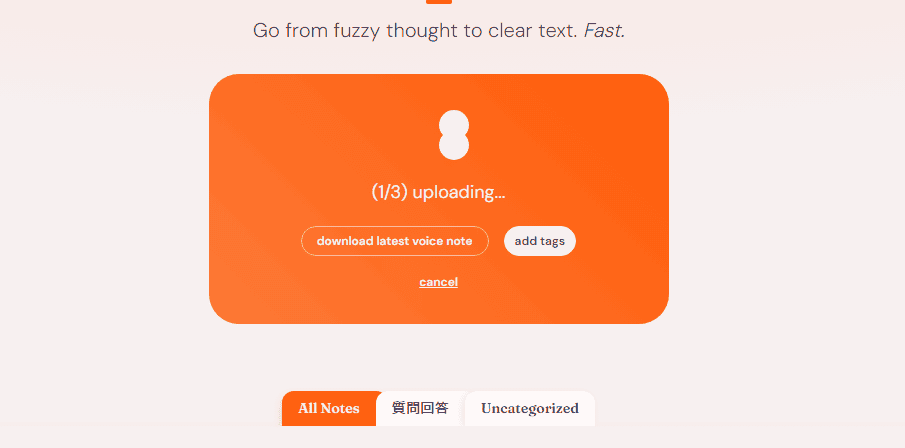
A written note was created in about one and a half minutes.

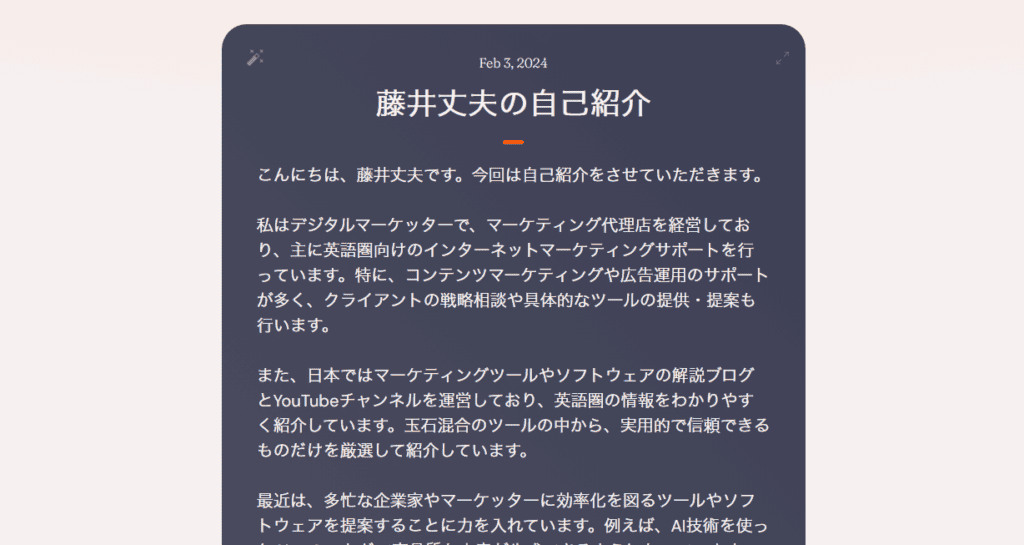
The AudioPen automatically organizes what you say to the microphone and creates summary notes.
Here is the actual generated text.
Hello, I'm Takeshi Fujii. This time, I would like to introduce myself.
I am a digital marketer who runs a marketing agency and provides internet marketing support primarily to English-speaking countries. In particular, we provide a lot of support for content marketing and advertising operations, and also provide strategic consultations and specific tools for clients.
In Japan, we also run a blog and YouTube channel explaining marketing tools and software, which introduces information in English-speaking countries in an easy-to-understand manner. We have carefully selected and introduced only practical and reliable tools from among the cobblestone mixing tools.
Recently, I've been focusing on suggesting tools and software that improve efficiency for busy entrepreneurs and marketers. For example, ChatGPT using AI technology can generate high-quality sentences, but that is not enough.
Therefore, we propose to use RPA and automation tools to streamline daily and repetitive tasks. We believe that this will not only generate text and create images and videos with AI, but also improve the efficiency of the entire operation.
From last year to this year, AI technology and automation tools have become more prevalent, and automation is expected to become increasingly important in the future. That's why small business entrepreneurs and busy marketers need to adopt automation tools early on.
We will continue to provide a variety of support and strive to answer your questions and requests. Thank you very much.
You may be surprised to see the audio note above.
My name (Takeshi Fujii) and specific names such as ChatGPT are also accurately transcribed.
If you are using the paid version
After recording
- Output Languages: Choose from over 40 languages.
- Rewriting Level and Writing Style: Set the length and style of the note's sentences
You can choose these.

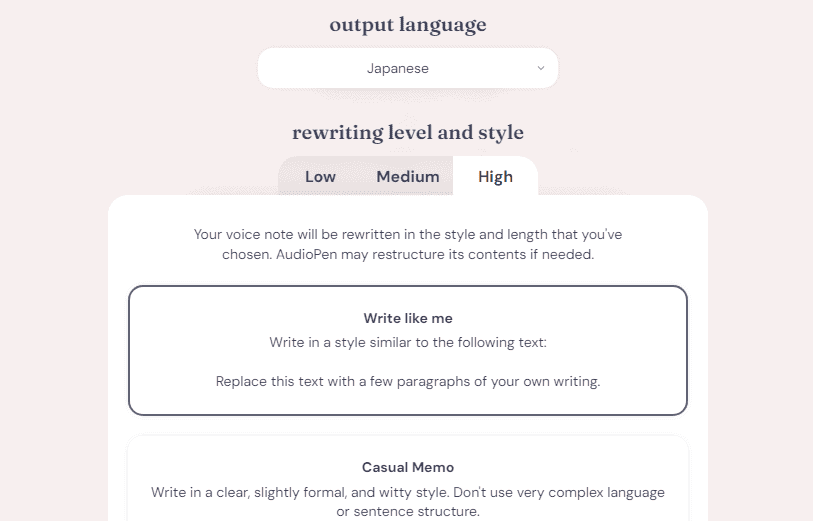
In addition to summarizing audio, Audiopen allows you to convert recorded audio into various formats, such as email body, poetry-like text, X (formerly Twitter) posts, concise bullet points, blog posts, and more.
Features of Audiopen
No account registration! Free to use!
AudioPen is a convenient app that anyone can use for free, without the need to register an account or any hassle. The free version alone allows you to record for 3 minutes.

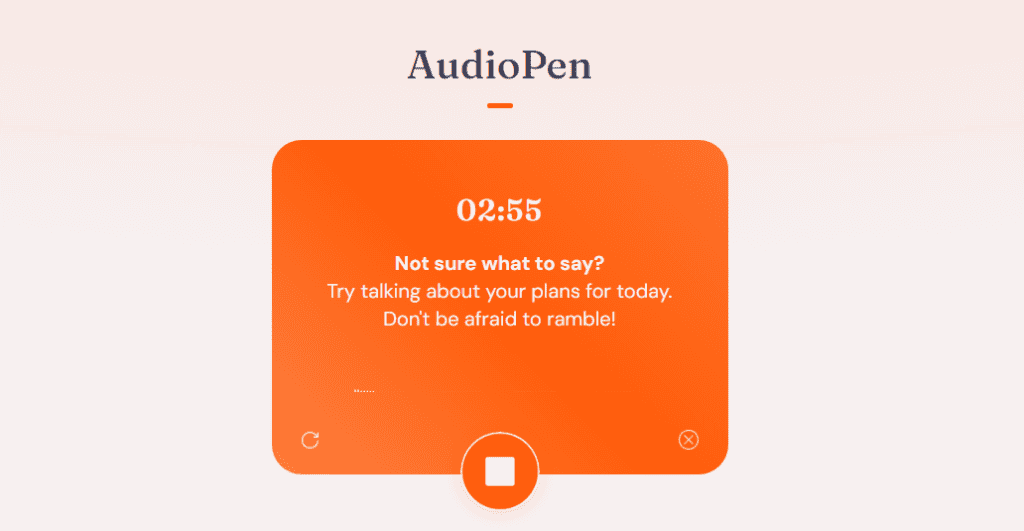
In fact, it is enough to be able to record for 3 minutes.
If you need longer recordings, you can upgrade to the PRIME plan and record up to 15 minutes.
You can use it without registration, so you can experience the magic of voice memos right away.
Japanese is also available! Support for over 40 languages
And the great thing about the AudioPen is that it supports more than 40 languages.

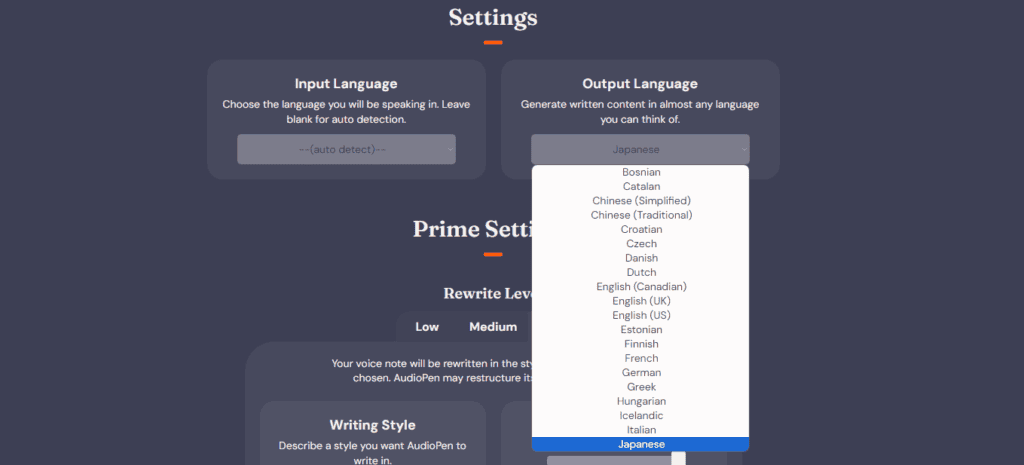
Of course, Japanese is also fully supported. You can freely choose the language you speak and the language you want to convert to text, so you can easily speak in Japanese and get English text.
In any language, you can create natural, understandable text like a native, so you can leave ideas and notes without feeling the language barrier.
Audio file upload is also possible [Prime members only]
Also, this feature is very useful.

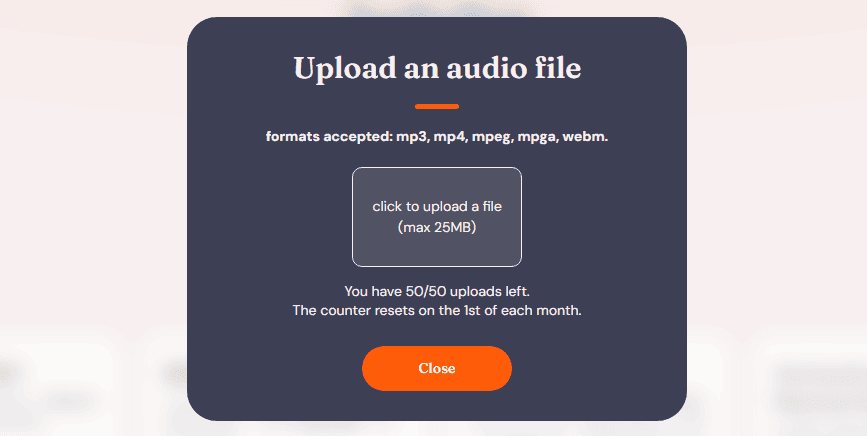
In addition to talking directly to the app to record, AudioPen also allows you to upload existing audio files such as mp3, mp4, and mpeg and convert them into text.
This means that you can save yourself the trouble of recording your voice every time and upload a previously recorded audio file to make notes.
Now you can easily write down important content such as meeting recordings and lecture audio.
There is a text rewrite function [Prime members only]
The special features of AudioPen are only available to Prime members.

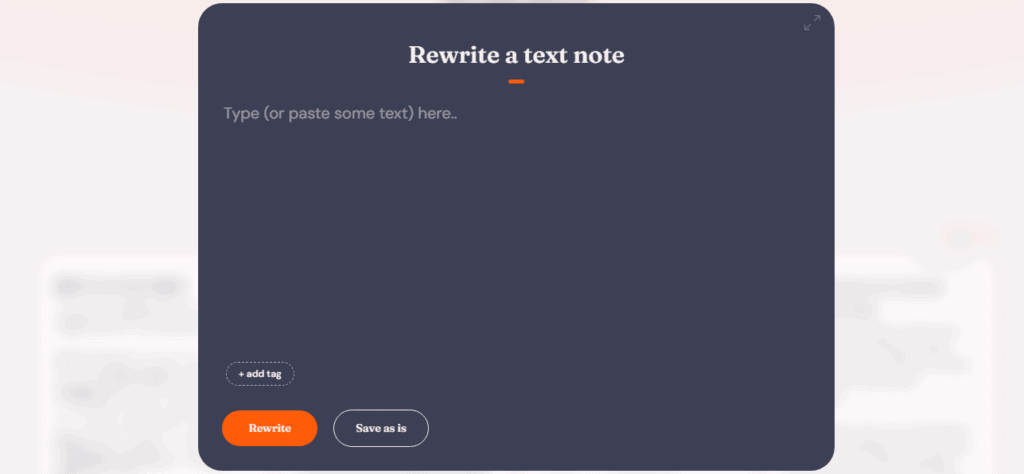
There's also a great feature that allows you to simply paste an existing text into the AudioPen and turn it into an organized note.
If you have a sentence on hand, just send it and the AudioPen will automatically organize the content and create a note that hits the point.
Customize your writing style as much as you want [Prime members only]
And another great benefit of Prime membership is the ability to customize voice memos.
This means that when converting recorded audio into notes, you can set the length, tone, and writing style to your liking.
After creating a note, press the icon in the top left.

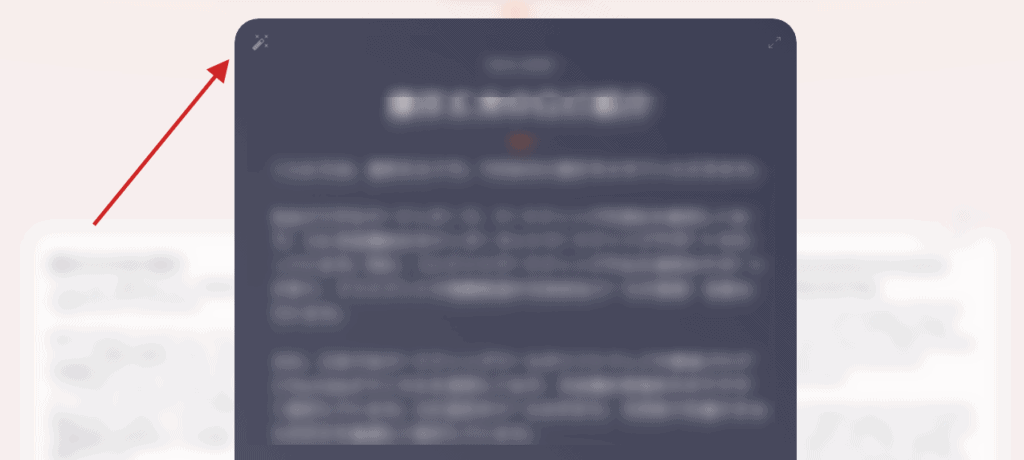
If you press this, you will be able to output the recorded content in the format and length you want.

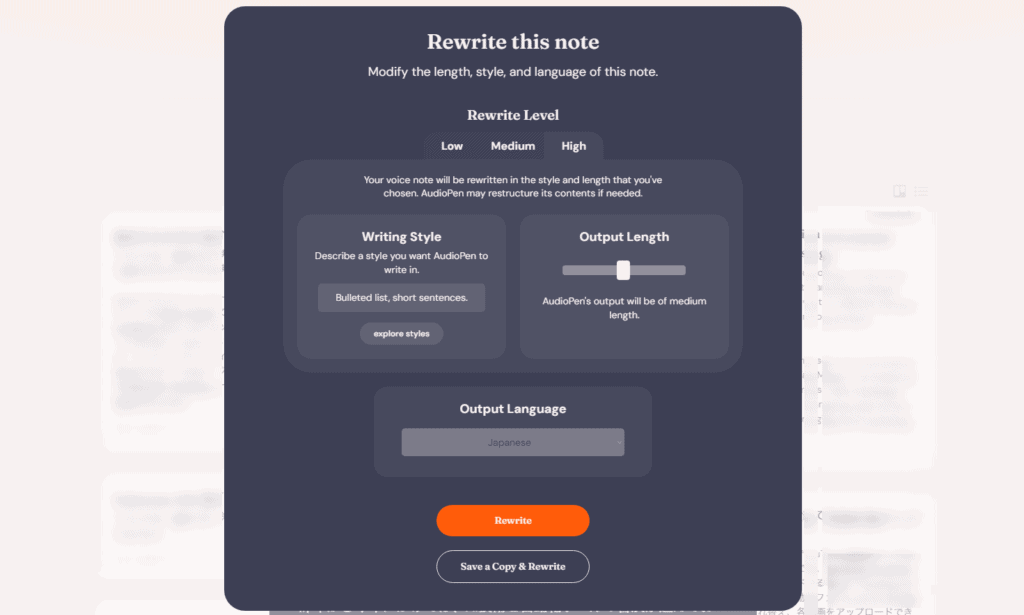
It can be easily converted into content for sharing on blog posts and social media. You can use this feature to create effective content.
Zapier and Webhook support [Prime only]
AudioPen has new features.
What's New「Manually Triggered Webhooks」is. This is useful if you want to easily send the notes you create to other apps.

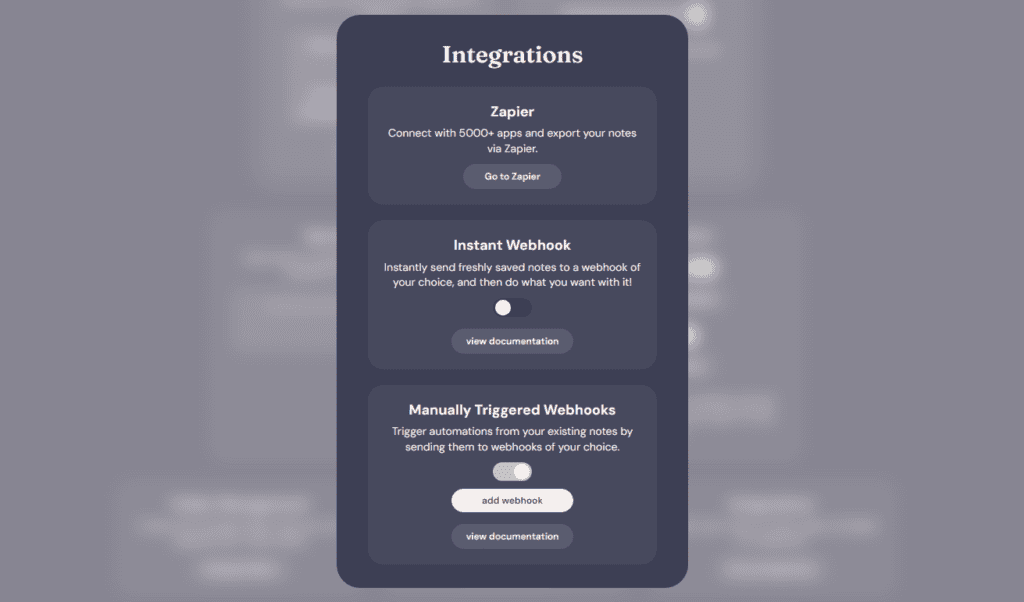
For example, if you want to send a note created with the AudioPen to Airtable, you previously had to do it manually. But now it's much easier.
A webhook is a program on the Internet that receives data sent to you and automatically forwards it to other apps.
With this, you can send notes created with AudioPen to your favorite app whenever you want.
How to set up webhooks
It's easy to set up. First, set up a webhook in an app like Zapier. Next, turn on "Manually Triggered Webhooks" from the AudioPen settings and add the webhook URL.
Now, when you open a note in the AudioPen, you can select the webhook you want to send and send the data.
With this feature, you can
- Make AudioPen notes a draft in Gmail
- Save your diary in Google Sheets
- Share with your team in the Airtable database
It can be used for various purposes.
AudioPen Pricing Plans
It's basically free. No account registration is required.
However, if you want to take advantage of it in earnest, consider subscribing to a paid plan.

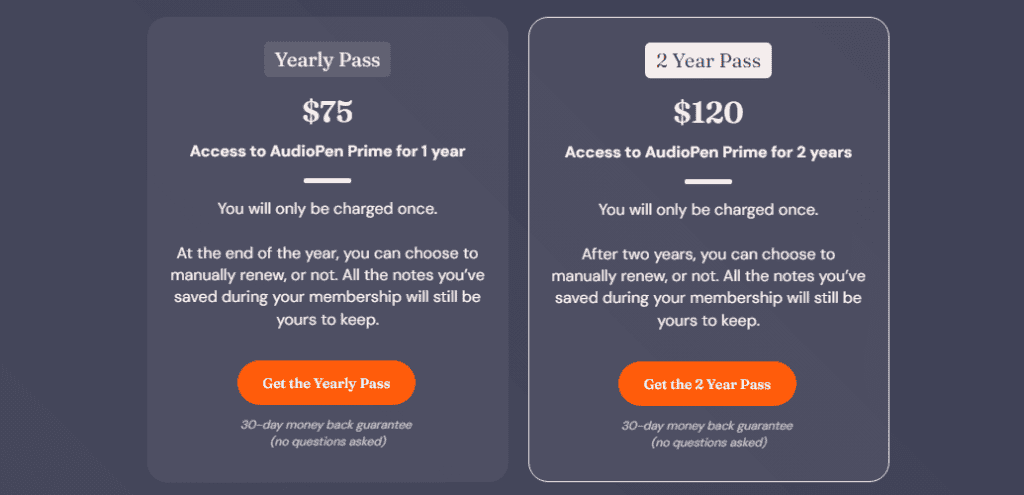
Annual Pass – $75
- Approximately 11,000 yen in Japan yen / 1 year
- 1 year of AudioPen Prime access.
- You can only pay once.
- At the end of the year, you can choose whether to renew it or not.
- 30-day money-back guarantee (no questions asked).
It feels expensive in one year, but it is less than 1,000 yen per month.
2-year pass – $120
- Approximately 17,600 yen in Japan yen / 2 years
- 2 years of AudioPen Prime access.
- You can only pay once.
- After two years, you can choose whether to renew it or not.
Both plans help you freely record and organize your ideas and notes with the AudioPen.
And if you're not satisfied, the annual pass comes with a 30-day money-back guarantee. Rest assured that you can use your AudioPen.
Of course, the notes you save during your membership period will be yours even when your plan ends.
Below is a summary of the differences between the free version and PRIME.
AudioPen paid plan subscriber-only feature list

AudioPen's paid plans offer a wide range of features, including:
Whether you want to turn your voice notes into beautiful poems, like your favorite writer, or academically, AudioPen has you covered.
Free users can record up to 3 minutes, but paid plans allow you to record and summarize up to 15 minutes of voice notes.
You can automatically send notes to other apps (like Notion or airtable) through Zapier or webhooks.
Users can upload audio files up to 50 times a month and convert them into text, up to 25MB.
Free users can save up to 10 notes, while paid plans allow unlimited saving.
You can combine ideas gathered over time to create in-depth essays, blogs, emails, and more.
Prime users can download the audio immediately after creating a note (it will be automatically deleted from the server after about 1 hour).
You can easily share the content of your notes, such as emails, WhatsApp messages, and Tweets.
You can rewrite old notes with AudioPen.
Prime users have the freedom to edit typos and jargon in transcriptions
Create tags to easily categorize and search your notes.
It's okay if someone enters the room where you're recording. You can pause the recording and resume it later.
Shorter or more detailed, you can freely set the length of the note
Words that are often mistaken in speech recognition can be recognized correctly.
Audiopen FAQs
The following questions and answers are available on the official Audiopen website.
Q. Clicking the record button does not work.
When I click on the record button and nothing happens, this problem occurs because the app has not allowed you to access the microphone.
If you're using a phone or tablet, simply turn on the setting that allows access to your browser's microphone. (If you're using iOS, useHereDownload the web app from Safari. Then go to Settings> Safari> Microphone> Allow Access. Doing this will prevent you from being asked for permission every time you open the app).
If you're using it on a desktop, make the same settings in your browser to allow the AudioPen to access the microphone.
If you are using Google Chrome, a permission prompt will appear as shown below.

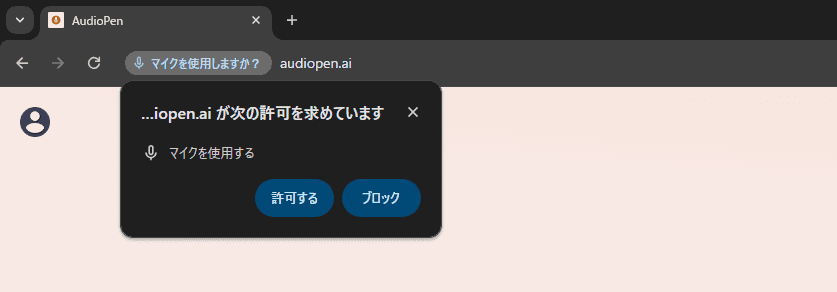
Select Allow.
Q. It takes too long to memorize the audio.
If you've been waiting for a while and your app transcription and summarization seem to be taking a long time, consider refreshing the page.
After this, click on the account icon (top left corner) and click Retry Transcription.
Q. I upgraded to PRIME (paid plan). It still says free account.
It may take about 1 minute for your account to be automatically upgraded.
If the issue persists after 1 minute, the common cause is that you are not logged in during the upgrade.
If so, please send an email to hello@audiopen.ai or contact us via Troubleshooting. We will resolve the issue manually.
Q. Is there a dedicated smartphone app for AudioPen?
Currently, there is none.
However, web apps that can be used from smartphonesClick hereYou can download it from By using this web app, you can use AudioPen from your smartphone without any problems.
If you are using an iPhone, here is a tutorial that shows you how to get an AudioPen on your device.
Q. Can I upload audio files to the AudioPen?
If you are a Prime user, you can.

You can upload up to 50 files per month. Each file has a maximum size of 25 MB.
Q. Can I download audio after recording?
If you are a Prime user, you can. However, you can download the audio only immediately after creating the note. And you can download the audio only before saving the note to your library.

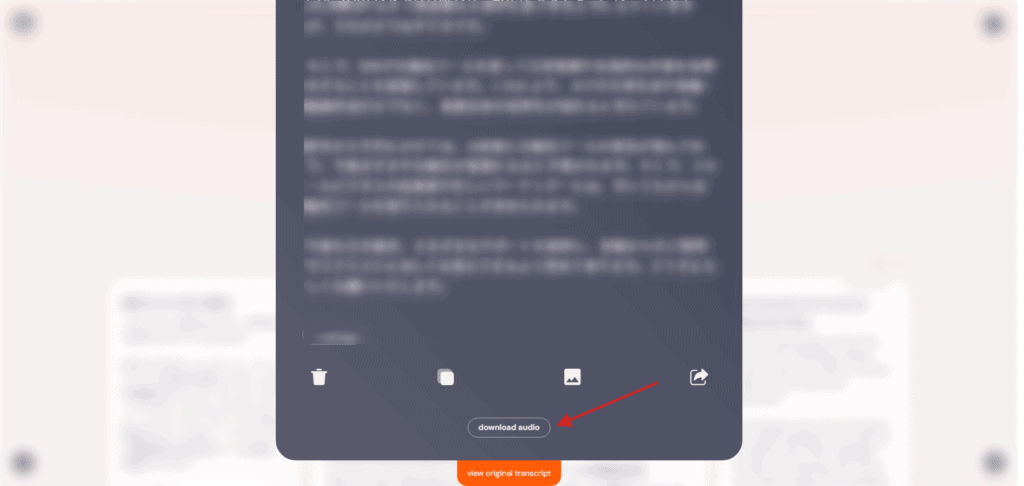
The audio of your notes is automatically deleted immediately after you create them, so you won't be able to download them after saving them to your library.
Q. Can I type a note and have the AudioPen summarize it?
If you are a Prime user, you can.
Press the pen icon in the bottom right corner of the page (on desktop).

A window will open where you can enter the text, so enter the text you want to rewrite.
Press the "Rewrite" button to organize and rewrite the text nicely.
Q. Does the app work in multiple languages?
Yes, it is possible
The AudioPen can work with most languages around the world. Also, click on the settings button in the upper right corner to choose from a list of languages you want to use.
Q. What is the difference between a folder and a tag?
You can attach multiple tags to a single note. However, you can only put a single note in one folder.

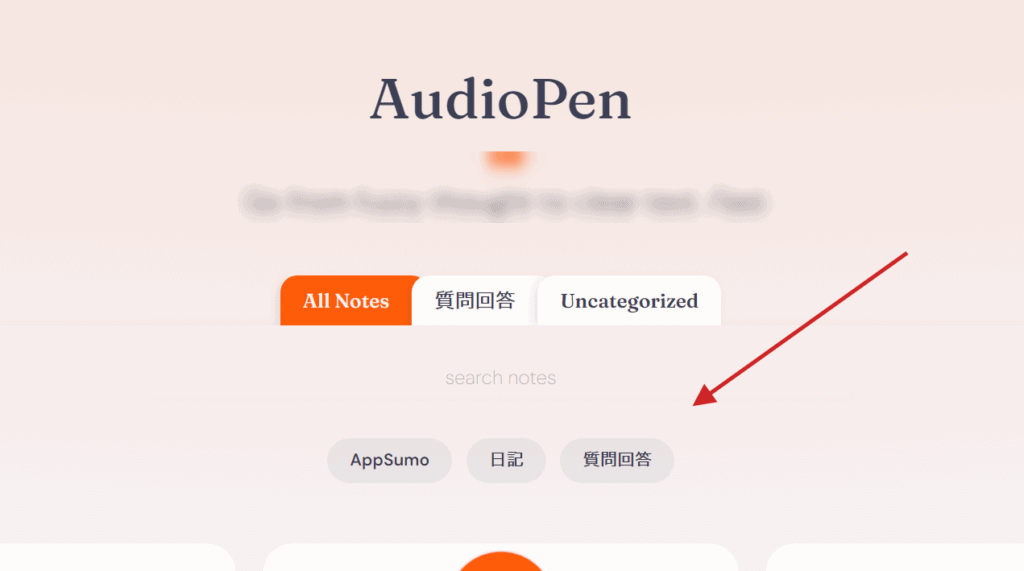
Think of folders as a higher-level organization than tags.
Also, think of tags as a way to filter related notes in your library, especially if you share multiple common topics.
Q. I recorded for a long time, but the AudioPen could only transcribe the first part
This problem occurs due to a problem that occurs on your phone when the screen is off.
AudioPen runs in the browser, and when most phones turn off their screens (even when the screen goes dark), they block access to the microphone.
Q. Is there a money-back guarantee?
If you try the free version of AudioPen, you'll know what you can do before purchasing the Prime version. Therefore, few people will refund (in fact, few people use the money-back guarantee so far).
However, if you would like a refund because the AudioPen is not working, please contact hello@audiopen.ai via email or send us a message via the feedback form on the website within 30 days of purchase.
Q. Can I use the purchase price of AudioPen Prime as an expense?
You should be able to do it (answer by AudioPen).
Of course, it is up to your business to decide whether you can make it an expense. But in most cases, you can spend money on a productivity tool like AudioPen.
Whether it can be used as an expense,Please consult a tax accountant for your judgment and details.
Q. Will my voice notes be used to train AI models?
No, the data in AudioPen is not used to train AI models.
Summary: Audiopen helps you organize your thoughts and create blog posts
In this article, we explained how to use the AudioPen. You don't necessarily need to subscribe to the paid version or sign up for an account. It is free to use.
There are limitations when compared to the paid version, but the basic functions of the free version are sufficient.
Of course, you can also use Japanese.
Click the button below to try it for free now.
By the way, I personally subscribe to the paid version. If you are a blogger or creator who creates content, we definitely recommend the paid version.
I tried the free version and thought, "This tool is useful... Amazing!" If you think so, you will never regret it.
At the time of 2023, there were still few AudioPen explanatory articles, and I myself was hesitant to subscribe to a paid plan at first. I'm glad I joined as a result.
First of all, please try it once as if you have been deceived. Because it doesn't hurt.






![How to use Genesis Framework and discount sale information [2024]](https://sp-ao.shortpixel.ai/client/to_webp,q_lossy,ret_img,w_485,h_273/https://takeofujii.net/wp-content/uploads/2022/11/genesis-framework-485x273.png "How to use Genesis Framework and discount sale information [2024]")















Latest Comments