



Fujii: Takashi. In this article, we'll explain how to create content with Jasper AI, an AI writing tool.
First, let's talk about this Jasper AI briefly. This isA tool that can automatically generate written content with AI (artificial intelligence)is.
Whether it's blog posts, sales letters, email copy, or social media posts, Jasper AI can automatically create all the content you need for marketing.
This means that busy marketers, writers, and bloggers can use Jasper AI to create content with less effort and time.
Before we explain how to use Jasper AI, let's take a look at the screenshot below.

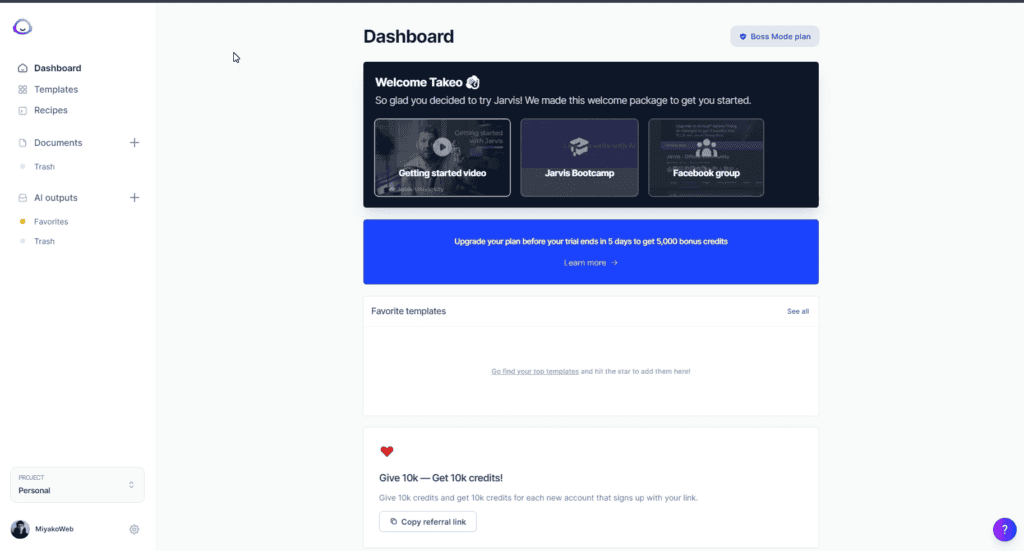
As you can see, the dashboard is in English. Therefore, you may be worried that this tool can create content in English, but not in other languages.
All right. No need to worry. In factJasper AI is available in 26 languages.Therefore, I can also write content in my native Japanese language with Jasper AI. Of course, other languages are also available.
Supported languages: Bulgarian, Chinese, Czech, Danish, Dutch, English, English (UK), Estonian, Finnish, French, German, Greek, Hungarian, Italian, Japanese, Latvian, Lithuanian, Polish, Portuguese, Portuguese (Brazil), Romanian, Russian, Slovak, Slovenian, Spanish, Swedish, English
Therefore, this time, we will actually explain the steps to automatically generate blog posts in Japanese using this tool.
We'll tell you how much quality content you can create using this tool and how easy it is to create content.
First, let's walk you through the steps to get a free trial of Jasper AI.
[Commentary] How to get started with Jasper AI and how to register for free

The AI writing tool Jasper AI review article isClick hereClick to take a look. The features, price, and usability are summarized in detail in our review article.
Now, let's start by creating a Jasper AI account. This tool is paid. But there is a 5-day free trial. There is no charge during this free trial.
Moreover, by creating an account with my introduction, you will receive a "special credit" that allows you to write 10,000 words for free.
By following this article, you can use Jasper AI from creating an account to a free trial without any problems.
1) Receive an additional credit for 10,000 words
To get started, click on the button below to create a free account.
Once you click on this button, a pop-up should appear. If you are on a computer screen, a pop-up will appear as shown in the image below.

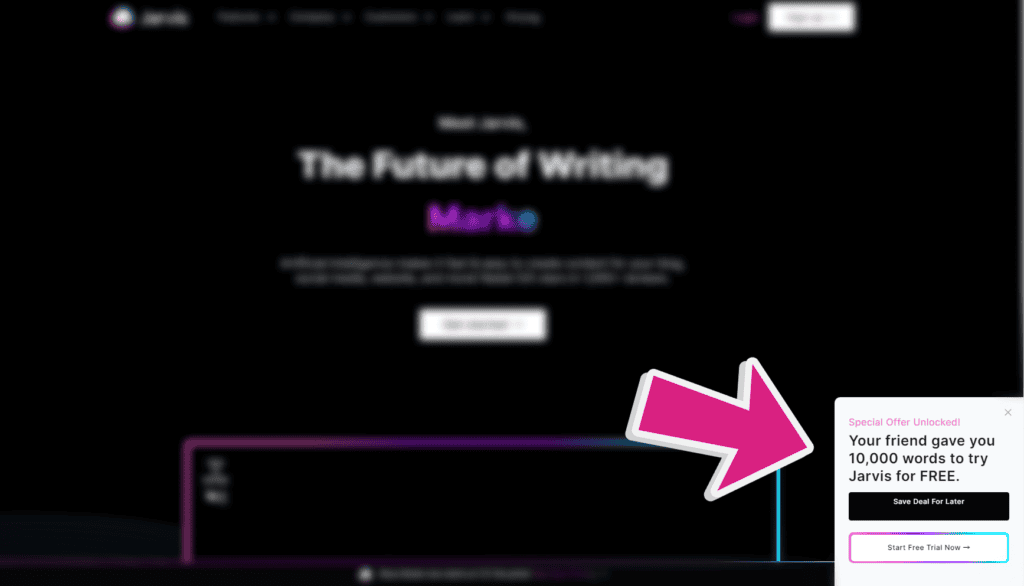
If you use the free trial through my referral, you will receive an additional 10,000 words of free credit.
There are two buttons in the pop-up. Click the button below.

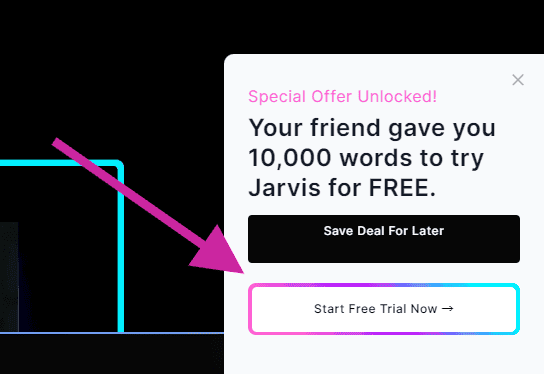
Click here to get a free 5-day trial plus 10,000 additional credits for free.
Click the button and you will be redirected to the registration page.
2) Create an account
So, let's get started with creating an account right here.

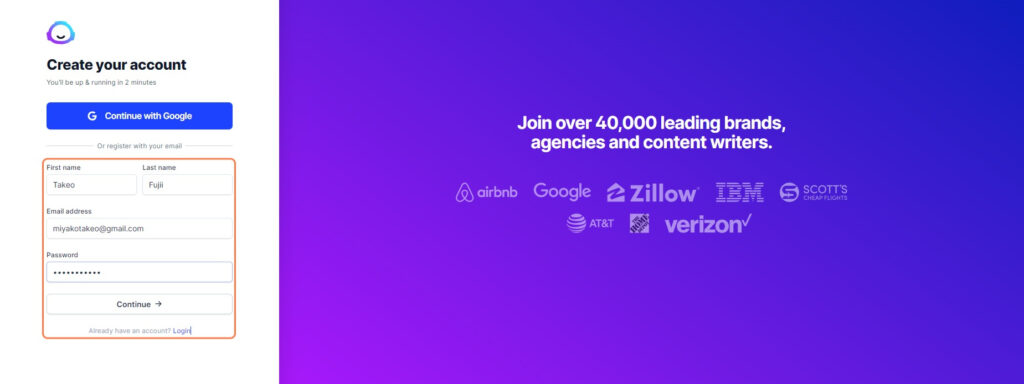
- First Name (e.g., Takeo)
- Last Name (e.g., Fujii)
- Email address (e.g. sample@mail.com)
- Password
For your email address, enter the email address you usually use.
Please choose your password freely. Once you have completed all the inputs, click the Continue button.
Next, enter information about your business.


- Company name (e.g. MiyakoWeb)
- Domain (e.g., takeofujii.net)
For Company name, enter your company name, or your business name and brand name.
For Domain, enter the URL of your website or blog. In my case, I entered the URL (takeofujii.net) of this site.
Once you have entered it, click the "Continue" button.

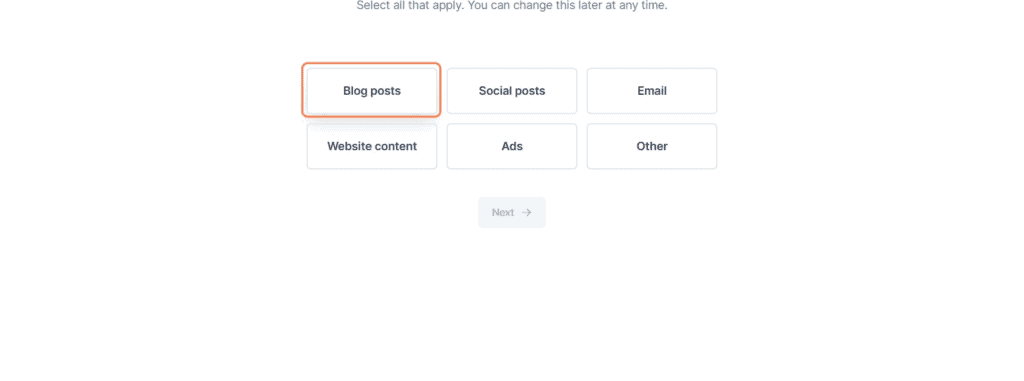
Next, you will be asked why you use Jasper AI and how you use it.
If you want to create a blog post, click on this "Blog Post". Once selected, next.
This is the last step.

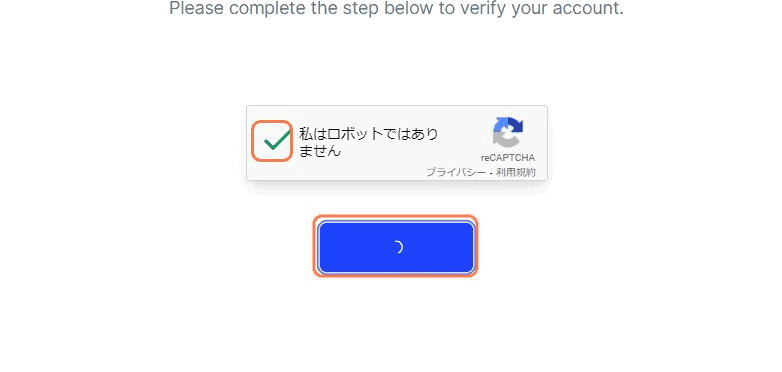
Check the box to make sure it's not a robot. Your account is now set up.
Pressing the button will take you to the plan selection page.
3) Choose a plan

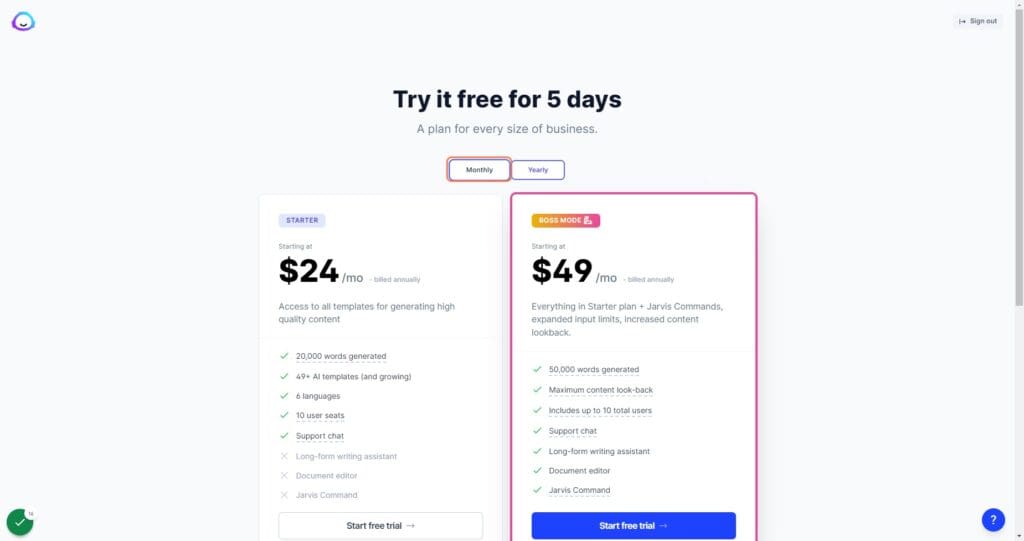
You can choose a plan here. There are two plans available: the Starter plan and the BossMode plan.
RecommendedBossMode Plansis.
The Starter plan allows you to create short content, while the BossMode plan allows you to create longer content in addition to short content.
In other words, the BossMode plan allows you to create long-form content such as sales pages and blog posts.
Learn more about Jasper AI's plan differences:This articlePlease see.
And now that you have chosen this plan, you can choose the payment method with a monthly and annual fee.
The annual rate is $10 less than the monthly rate. Select a plan and click the button.
4) Enter your card information

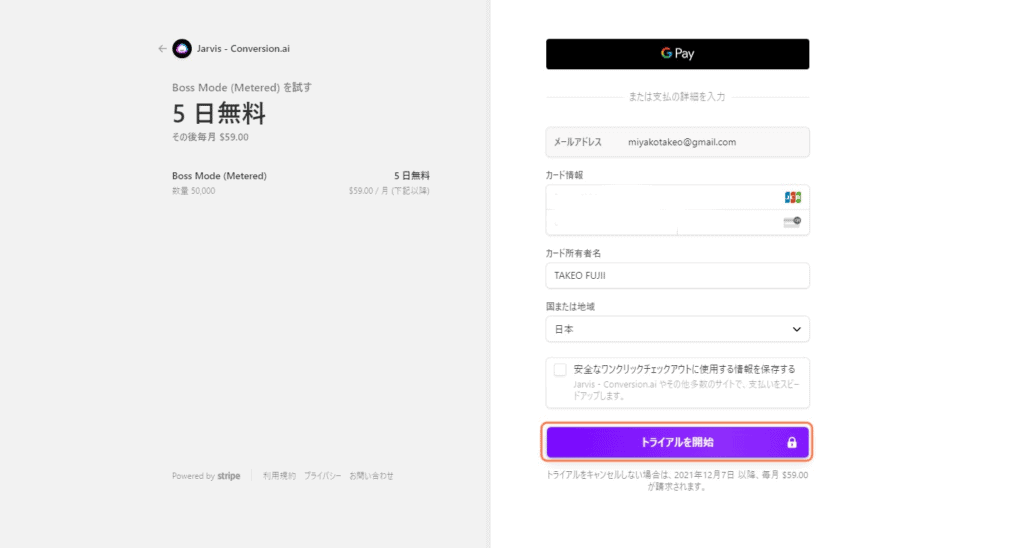
Next, go to the credit card information entry page.
Don't worry. You will not be charged out of the blue. You can continue to use it for free for 5 days. You will not be charged any costs during this time.
For those who are worried about entering credit card information
Explain Jasper AI payments. All payments with Jasper AI are handled by Stripe.
This means that the payment is processed by Stripe on an encrypted and secure connection, so no card information is stored on Jasper AI's servers.
With Stripe, your customers' payments are secure, no need to worry.
Once you have entered your credit card information, click on the button. Now you can try it for free for 5 days.
Next, let's explain how to use Jasper AI.
How to Use Jasper AI
In the video above, we explained how to use Jasper AI. If you want to check it out in the video, please take a look.
If you want to know how to use it with text and images, please read here.
Choose a template


First, select Template from the left sidebar.
Then, various items came up like this.
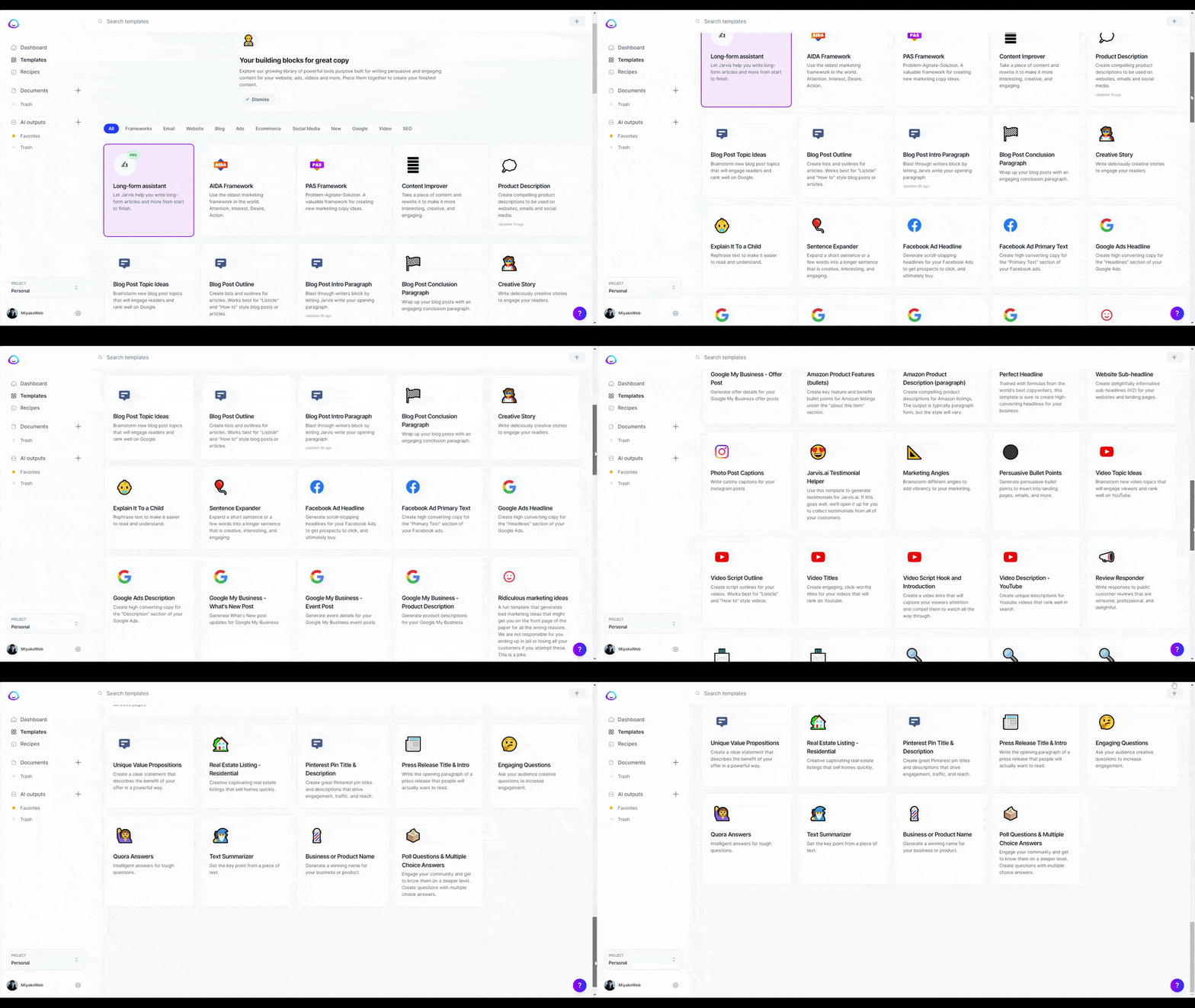
This is a template that you can choose depending on the sentence you want to create.
For example, if you want to create a self-introduction, choose "Personal Bio".
Or, if you are running a company, if you want to create a company description, there are various templates such as "Company Bio" and others.
You can create a variety of content with Jasper AI, such as email subject lines, SEO meta descriptions and titles for blog posts, as well as YYouTube video descriptions, Google Ads, Facebook ad copy, and more.
You can also use the Long-form assistant to write blog posts more easily.
You can easily create blog posts automatically with just one click.
This makes it easy to create a path for any marketing content to use Jasper AI.
This time, I would like you to see what kind of content will actually be created.
Enter your information
Then I would like to actually create content using templates.

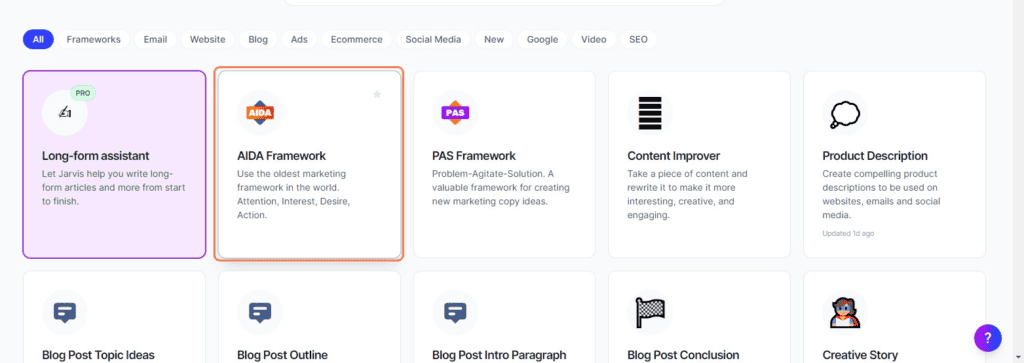
This time, we will use the AIDA Framework. This framework is used in Japan under the name "AIDA Law".
"AIDA's Law" If you are studying copywriting, you may know this.
It's a basic writing framework, isn't it? AIDA's law is the process from a consumer to knowing something and then buying it. Attention, Intarest, Desire, and Action."
In short, from a writer's point of view, the process of people wanting things is the action of first getting them to pay attention to the product, get them interested in the product, get them to want the product, and get them to buy the product.
This means that this kind of flow exists.
By creating sentences according to this framework, you will complete sentences that sell.
This time, you will see what kind of content can actually be created with this AIDA Framework.
First, open the AIDA Framework template.


The input item has appeared. Let's enter them one by one.
「Company/Product name」
Enter your product name here. I entered my name this time. Then it's about selling yourself (laughs).
「Product description」
I also enter the product name for this, but this time I wrote a self-introduction
「Tone of voice」
This can specify the tone of the sentence that is generated. This time I'll leave it blank.
「Output」
You can choose the number of sentences you want to automatically generate.
Once all the inputs are complete, finally click on the 'Generate AI Content' button.
Sentences are generated based on the information you enter. Let's see what kind of sentences are generated.


One output failed. It was output in English.
Let's take a look at one more output.


It doesn't seem to be a problem. The output text is as follows.
Attention"Are you learning about marketing?"
Interest"What I teach is the information that sole proprietors and business owners need to succeed in marketing, and you can start growing your business today."
Desire"If you can learn the truth about marketing and develop your skills as a marketer, your income will increase dramatically.
Action"Click on the information collection page of Takeshi Fujii!"
It turned out to be a pretty natural sentence. It was a sentence that I made to sell myself, but I got a sentence that worked well.
Like thisJasper AI can create high-quality content in various languages, not just English.It's really wonderful, isn't it?
In this article, we created Japanese content with Jasper AI, but you can also create content in the following languages:
Supported languages: Bulgarian, Chinese, Czech, Danish, Dutch, English, English (UK), Estonian, Finnish, French, German, Greek, Hungarian, Italian, Japanese, Latvian, Lithuanian, Polish, Portuguese, Portuguese (Brazil), Romanian, Russian, Slovak, Slovenian, Spanish, Swedish, English
There are many other templates besides those introduced in this article. It's a powerful AI writing tool that can create blog posts, sales letters, eCommerce product descriptions, and more.
Try it once for free for 5 days.
In this article, we explained how to use Jasper AI. I would like to recommend it to busy marketers, bloggers and writers who are suffering from writer's block.
Please give it a try.
If you want to learn more about Jasper AI,My reviewPlease see.



![AI writing tool "Rytr" review and explanation of how to use it [2024]](https://sp-ao.shortpixel.ai/client/to_webp,q_lossy,ret_img,w_250,h_140/https://takeofujii.net/wp-content/uploads/2021/12/wefewfewf-250x140.png "AI writing tool \"Rytr\" review and explanation of how to use it [2024]")











Nice to meet you.
I am thinking about using the "Jasper AI" written on Mr. Fujii's blog.
I heard that this AI writing tool can also create descriptions and specifications for Amazon product pages, so I wanted to use "Jasper AI".
Is it possible to create a product description of the product you want to make with a certain degree of perfection just by entering keywords to actually create Amazon product descriptions and specifications?
If you enter keywords, you should check whether you can create a specific product description with reliable information...
I would be happy if you could answer. Best regards.
shiro
This is Fujii. Thank you for your comment.
We will answer your questions.
Amazon product descriptions in English are of considerable quality. I have actually tried and confirmed it myself. There are two types of Amazon product descriptions that can be created with Jasper AI.
(1) Generate a compelling product description in the form of regular explanatory text - paragraph
(2) Bullet points - Automatically generate the main features and benefits of the product in bullet points
If you know, I would appreciate it if you could pass it through.
In the AI writing tool "Rytr", which I introduce on my blog,
You can auto-generate product descriptions.
https://takeofujii.net/rytr/
Rytr is free forever. (Although you need to charge if you write a lot).
You can generate product descriptions for free, so please try it once.
The product descriptions that can be generated with Rytr are also of high quality. The feeling is similar to that of Jasper AI.