


![AI writing tool "Rytr" review and explanation of how to use it [2024]](https://sp-ao.shortpixel.ai/client/to_webp,q_lossy,ret_img,w_1280,h_720/https://takeofujii.net/wp-content/uploads/2021/12/wefewfewf.png "AI writing tool \"Rytr\" review and explanation of how to use it [2024]")
This article is aboutJanuary 2024I rewrote it to. The latest version of Rytr is explained in Japanese.
Blogging is an effective way not only for bloggers who want to earn advertising revenue, but also for companies that want to attract customers and increase sales.
If you want to use AI (artificial intelligence) to create blog posts fully automatically, then Rytr is sure to help.
Rytr is an AI writing tool that allows you to create original marketing content, such as blog posts, e-books, sales pages, ad copy, social media posts, and more, in seconds.
- 1 What is Rytr?
- 2 Feature 1: Templates
- 3 Feature 2: Rytr Chat
- 4 Feature 3: Google extension for Rytr
- 5 Feature 4: Ghost Rytr
- 6 Feature 5: AI Image Generation
- 7 How Rytr Works
- 8 Pros of Rytr
- 9 Who is Rytr recommended for?
- 10 Is it worth the price?
- 11 Rytr Pricing Plans
- 12 [Completely free] 10,000 characters per month! How to use Rytr for free
- 13 [2024] Conclusion of the Rytr review. Is it worth paying for?
What is Rytr?

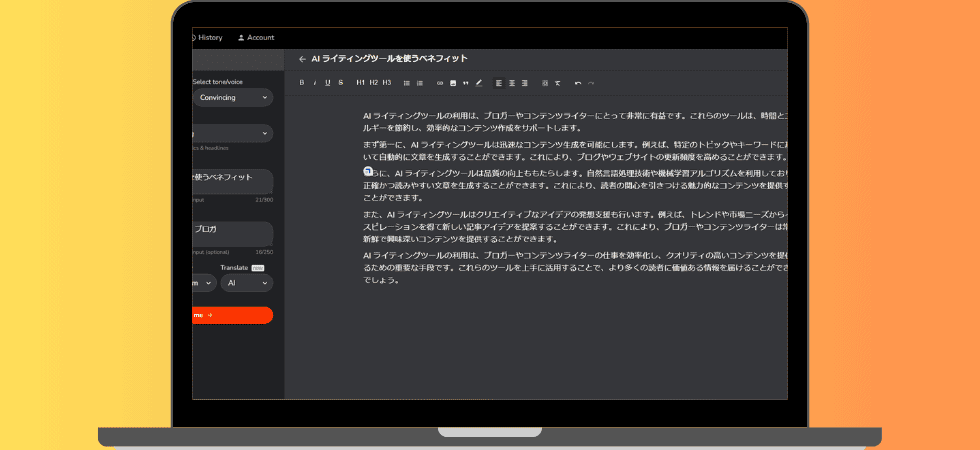
Rytris a modern AI writing tool that uses AI to automatically generate sentences. The service was launched in 2021 and the number of users exceeded 700,000.As of 2024, more than 7 million usersIt is increasing.
To briefly explain what you can do with Rytr:It automatically writes high-quality marketing content.
Simply enter simple information and it will automatically generate 3,000-character blog posts, ad copy, sales copy, and more.
With Rytr, anyone can easily generate high-quality marketing content and blog posts in seconds.
Rytr is supported by marketers and writers around the world
As of January 2024, more than 7 million copywriters, marketers, and entrepreneurs worldwide are using Rytr to write. I am one of them.
It also has an average rating of 4.9/5 on major review sites like TrustPilot and G2.
I also do a review of Rytr, so some of you may have seen it.

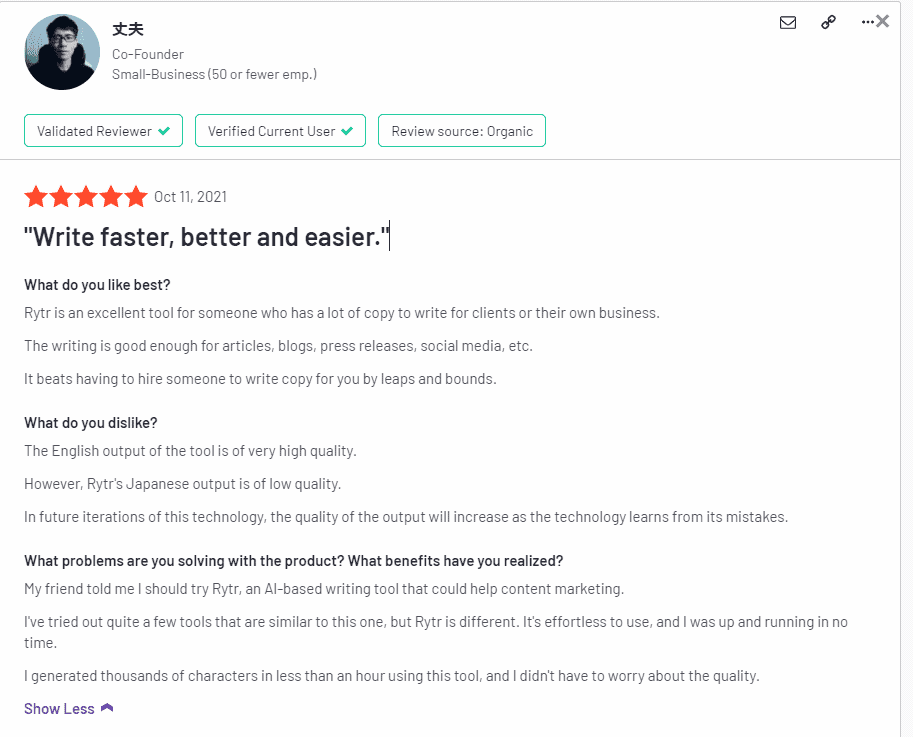
You must have wondered here. "Why RTR is so popular" The secret lies in its features. First, let's introduce the main features.
Feature 1: Templates

There are many use cases for Rytr. Examples of Rytr use cases include:
- Generate blog ideas
- Create a blog headline
- Create a catchphrase that sells
- Create an email that you can't take your eyes off
- Create a Facebook ad
- Create Twitter Ads
- Create a Linkedin ad
- Make Google Ads
- Make landing page copy
- Create an EC product description
- Make a bullet point about EC products
- Write a self-introduction
- Create SEO meta descriptions
- Create SEO meta titles
- Create original lyrics
- Create creative narratives
- Write a product review
- Improve existing writing
- Generate YouTube Video Ideas
- Create a YouTube video description
- Create a YouTube channel description
With Rytr, you can automatically generate any marketing content.
Feature 2: Rytr Chat
The newly installed "Rytr Chat" function.
You can now automatically create written content in a whole new way.
Log in to your account and click on the "Chat" tab.
Then, you can enter your prompt and send it, and it will automatically generate the written content you want.

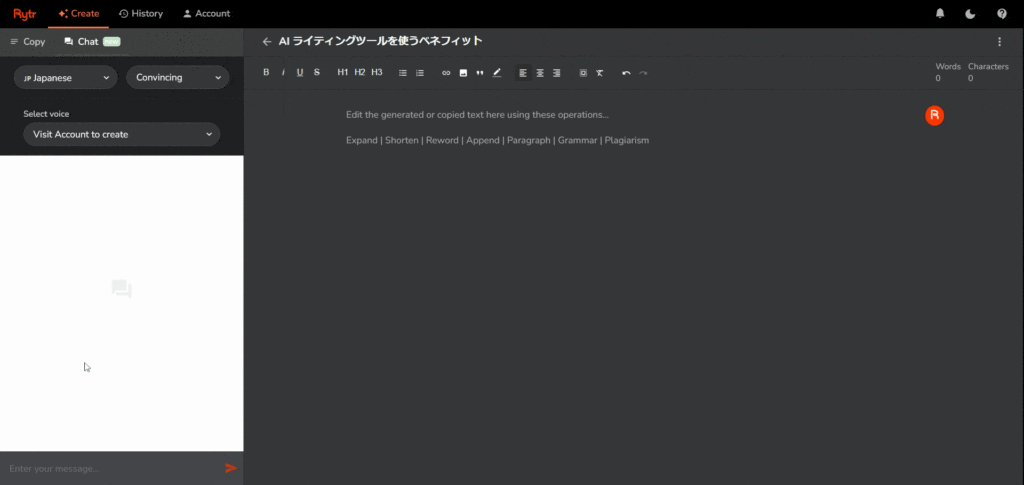
It's very convenient because you can freely create sentences in a conversational format.
Click the button labeled "+ Copy to document" to instantly copy the generated text to the editing screen.
In the past, Rytr required you to select the type of text you wanted to send from the "template". However, with the introduction of this Rytr Chat feature, you now have the flexibility to customize and generate the sentences you want to create.
Feature 3: Google extension for Rytr
Rytr's Google extension is also available.

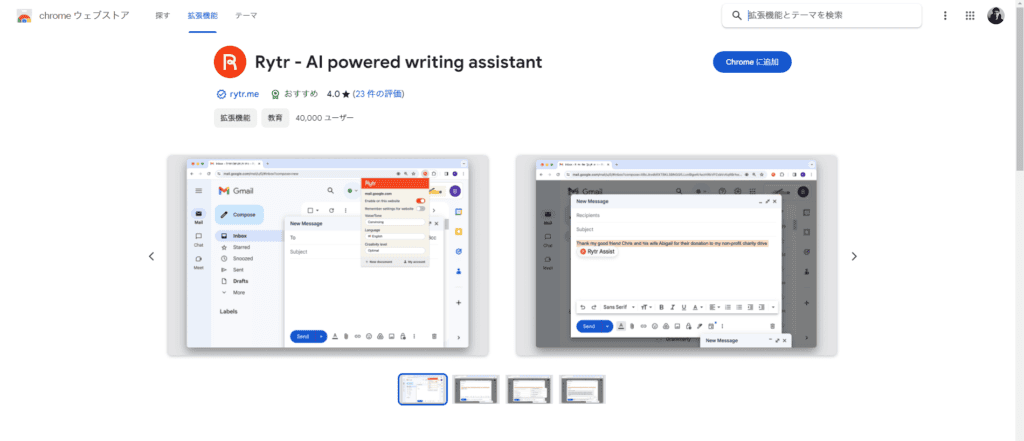
>>Download Rytr's Google extension here
Anyone with a Rytr account can use it.
With this Google extension, you can call Rytr on various web pages to generate the sentences you need.
Please see the image below.
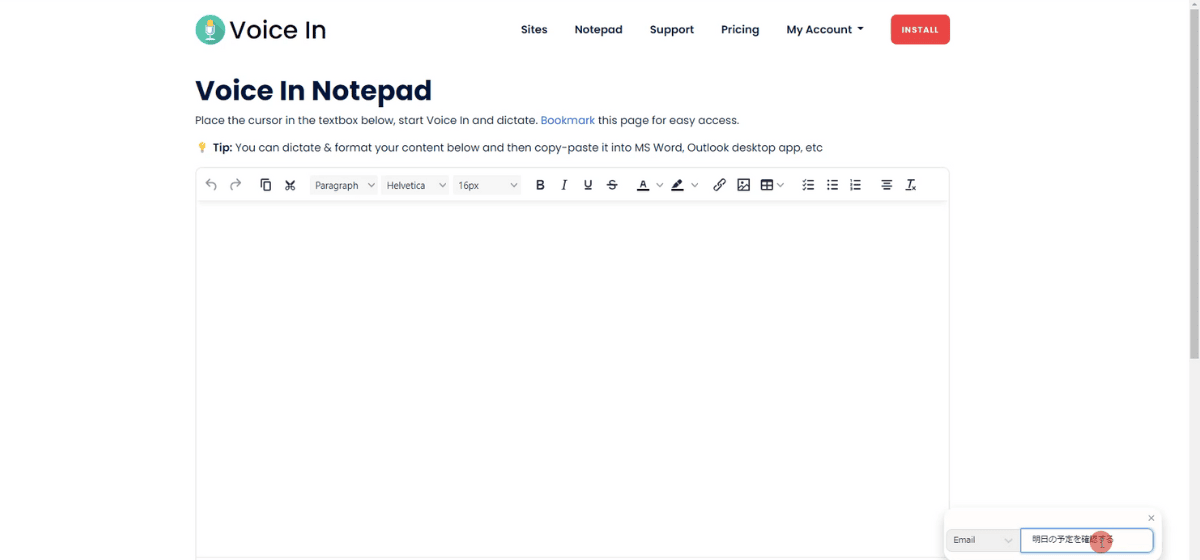
You can call Rytr from the page like this. And you can generate the sentence you want to make.

![AI writing tool "Rytr" review and explanation of how to use it [2024]](https://sp-ao.shortpixel.ai/client/to_webp,q_lossy,ret_img,w_1024,h_478/https://takeofujii.net/wp-content/uploads/2024/01/rytr-create-email-in-web-page2-1024x478.png "AI writing tool \"Rytr\" review and explanation of how to use it [2024]")
I also called Rytr on X (formerly Twitter) and made a post.

![AI writing tool "Rytr" review and explanation of how to use it [2024]](https://sp-ao.shortpixel.ai/client/to_webp,q_lossy,ret_img,w_1024,h_478/https://takeofujii.net/wp-content/uploads/2024/01/rytr-create-tweet-in-X1-1024x478.png "AI writing tool \"Rytr\" review and explanation of how to use it [2024]")
You will see the Rytr icon inside the editing window of your X post.
You can use this feature to generate the sentences you want to create on X as well.

![AI writing tool "Rytr" review and explanation of how to use it [2024]](https://sp-ao.shortpixel.ai/client/to_webp,q_lossy,ret_img,w_1024,h_478/https://takeofujii.net/wp-content/uploads/2024/01/rytr-create-tweet-in-X2-1024x478.png "AI writing tool \"Rytr\" review and explanation of how to use it [2024]")
Feature 4: Ghost Rytr
A new feature with outstanding practicality is "Ghost Rytr".
This is a new feature that can help you when editing your writing. When working within the Rytr edit screen, this feature will follow your cursor movement.
The orange icon will follow you as shown below.

It doesn't get in the way. And when you press this Ghost Rytr icon,
- Changing the tone of the sentence
- Adjusting sentence length
- Improving the quality of writing
And so on.

This made it possible to improve the written content efficiently.
Feature 5: AI Image Generation
Rytr now includes AI image generation capabilities to diversify AI capabilities. With this new feature, you can generate copyright-free AI images in the following simple steps:
- Click the Create tab and select image.
- Enter your prompt (write in detail what you want to create about the image).
- Click Draw for me.
For example, I typed the text "Homer Simpson in the style of Vincent Van Gogh."

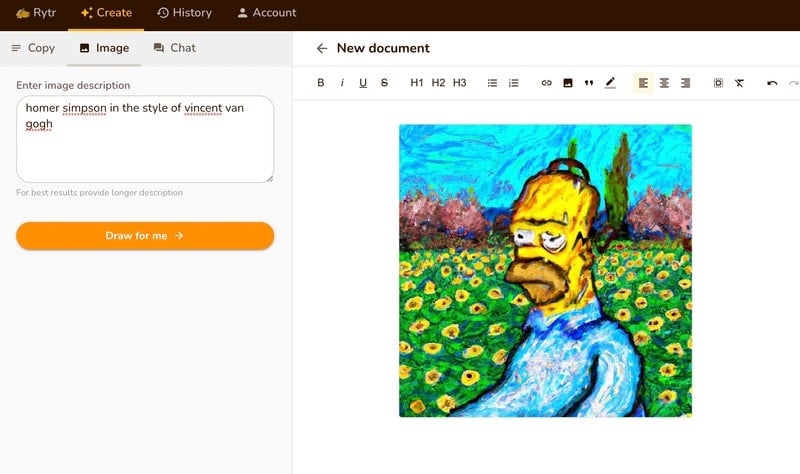
You can also use the toolbar to create images within Rytr documentation:

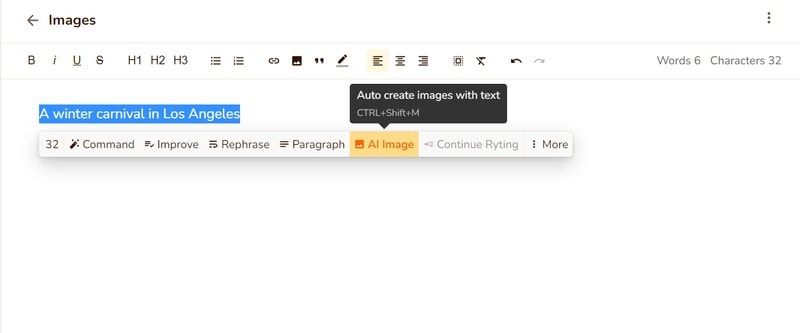
- Enter the context (background and information) of the image directly in the editing screen.
- Simply click on "AI Image" in the toolbar.
This makes it easy to create images using AI assistants.
How Rytr Works
We explained how to use Rytr in this video. Please watch the video below.
This video is from 2021. Now it has been greatly improved. Updates will be made to the Rytr video update soon.
The video is explained in Japanese, but subtitles (English, Russian, Chinese, Portuguese, German, Spanish, and French) are supported.
Below we will explain how to use Rytr. To get started, select Language from the left sidebar in Rytr.
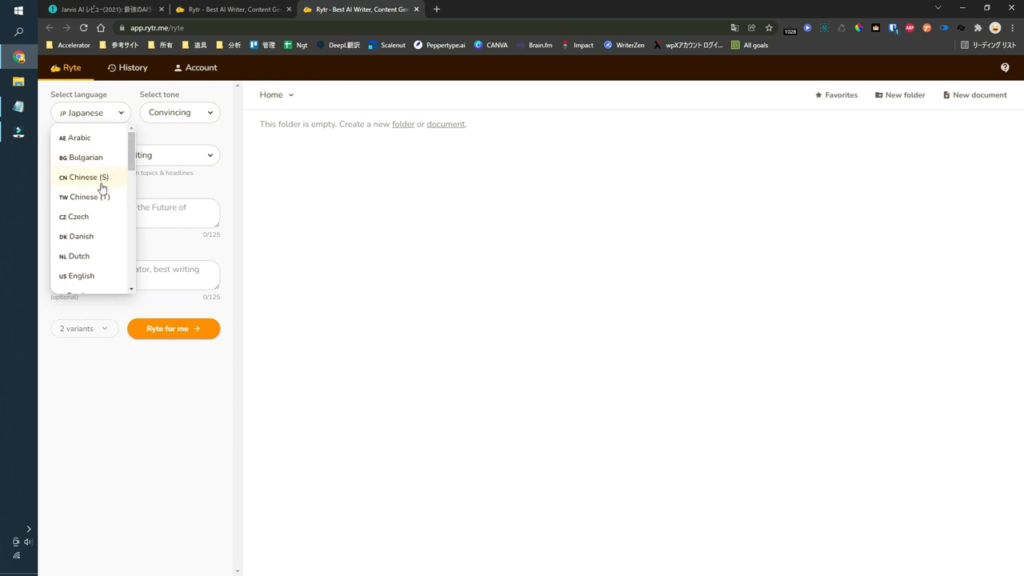
As of 2024, Rytr supports 33 languages.
Arabic, Bulgarian, Chinese(S), Chinese(T), Czech, Danish, Dutch, English(US), Farsi, Filipino, Finnish, French, German, Greek, Hebrew, Hindi, Hungarian, Indonesian, Italian, Japanese, Korean, Malay, Norwegian, Polish, Portuguese, Romanian, Russian, Slovak, Spanish, Swedish, Thai, Turkish, Vietnamese
This time, I will choose Japanese. Then choose the tone of your sentences.
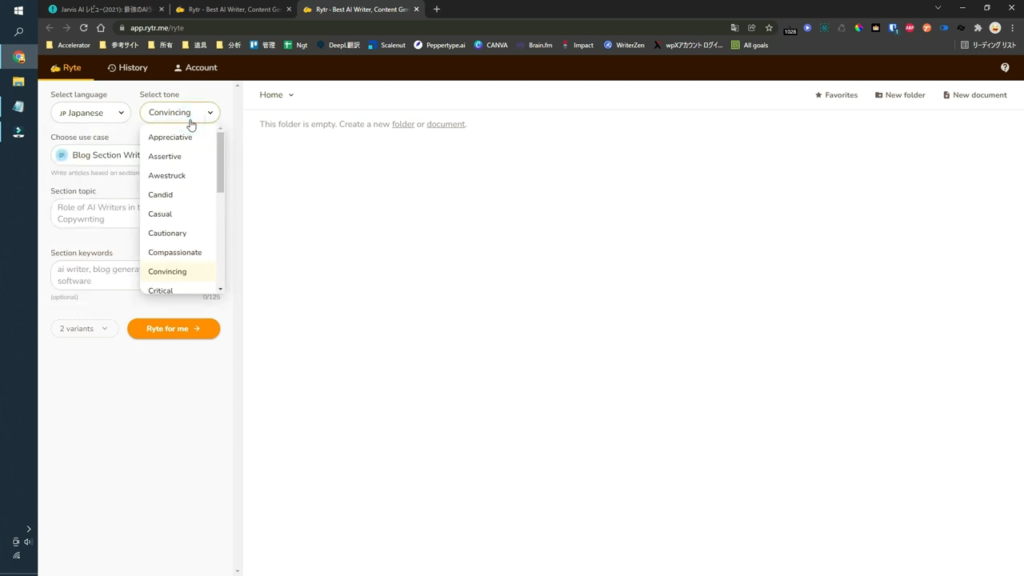
Rytr lets you choose the tone of the content you want to generate.
You can create sentences in a variety of tones, including casual, serious, professional, and fun.
This time, choose a Convincing tone. Then, select Use Case.
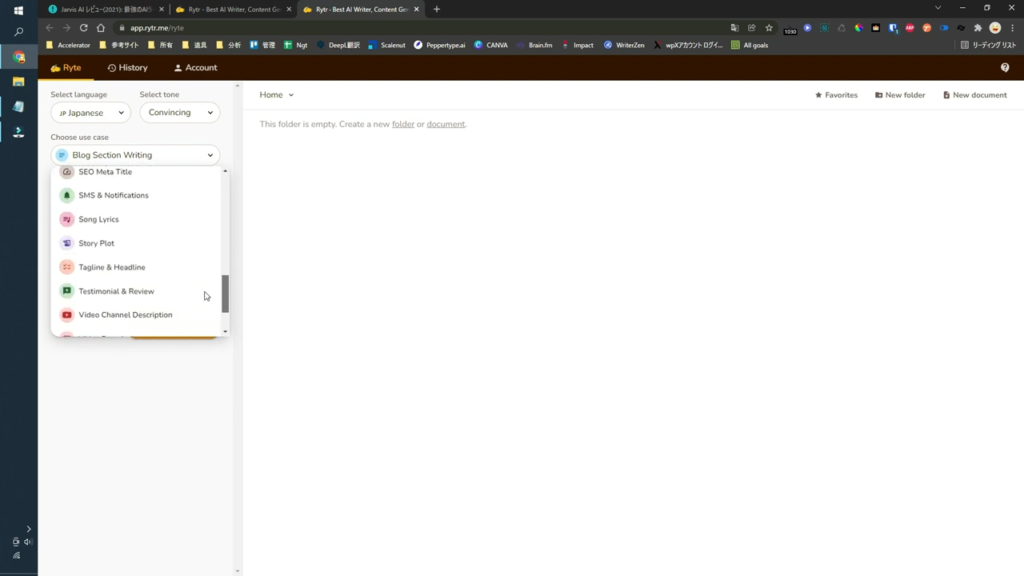
Rytr allows you to choose a Use Case based on the content you want to create.
Blog headlines and outlines, ad copy, e-commerce product descriptions, SEO meta descriptions, bios, YouTube video descriptions, landing page copy, lyrics, etc. The ability to create any kind of content is a feature of Rytr.
This time, I will choose "Video description". Next, enter a brief description of the content you want to generate.
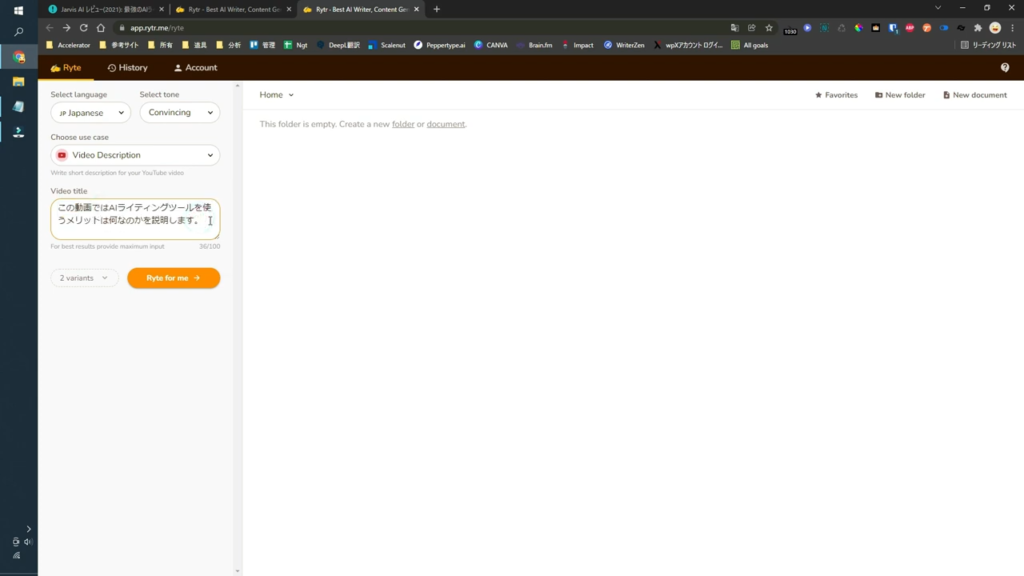
This time, we will create a video description on the theme of "Benefits of Using AI Writing Tools".
Finally, click the button and wait a few seconds...
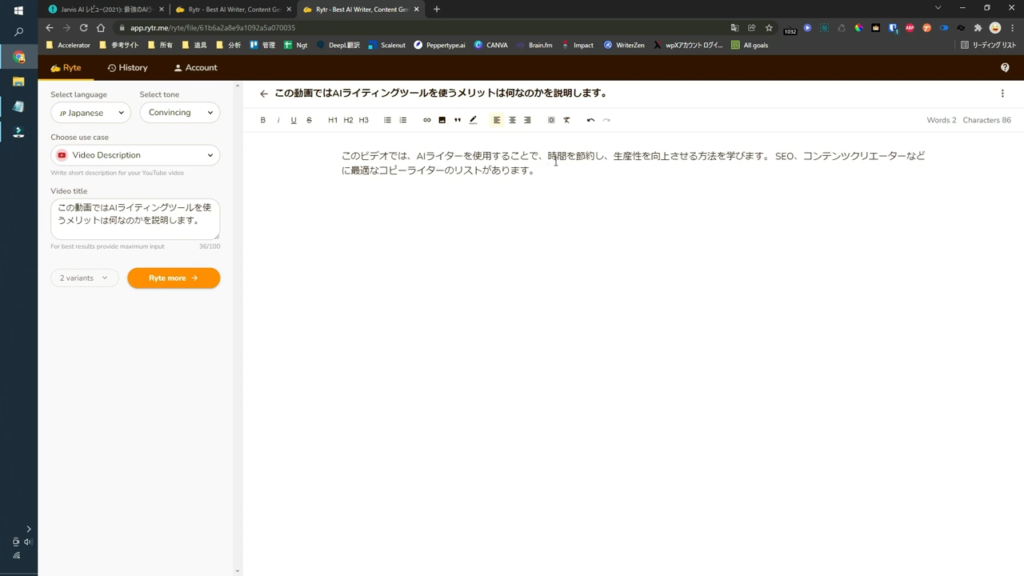
Rytr generated a video description.
This time, I generated content in Japanese, and I was able to create a video description that I was satisfied with.
We've explained how to use it easily, but as you can see, you can easily auto-generate content with Rytr.
Pros of Rytr
- Original content (no plagiarism)
- Affordable
- There is a free trial
- Easy to use
- High-Quality Content Generation
- Available in 33 languages
- Extensive templates
- User-friendly
Rytr lets you write content that engages your prospects in just a few seconds. Therefore, it can be said that it is a writing tool that busy entrepreneurs, copywriters and writers cannot live without.
65% of the article you're reading right now was written on Rytr. I just corrected and added to the output sentence.
I'm actually using Rytr, I assure you. There are numerous AI writing tools available in the market.
ChatGPT has become a hot topic in 2023.
Among them, Rytr is easy to use and affordable. ChatGPT Plus (paid version) costs $20 per month. It's certainly worth the charge.
However, it is expensive for those who want to use it easily. Rytr's paid plan costs $9 per month. Also, the free plan does not incur a single yen cost.
Who is Rytr recommended for?


Rytr is recommended for marketers, entrepreneurs, writers, and bloggersis.
With this tool, you can automatically generate high-quality content in seconds. Get rid of writer's block and create tons of marketing content with this AI-powered tool.
Rytr also supports 33 languages. You can create content not only in English but also in your native language. If you are a blogger, you can generate blog posts in your native language.
This is why Rytr is loved by marketers, bloggers, entrepreneurs, and writers around the world.
Is it worth the price?
Rytr is an AI writing tool worth investing in. The price is also reasonable.
- I don't have time to write content
- No money to hire a writer
- I want to create a lot of high-quality content every month
Rytr is recommended for freelancers, bloggers, marketers, and entrepreneurs.
The $9 per month plan allows you to generate 100,000 characters/month. The $29 plan allows you to generate unlimited characters. It's very affordable, isn't it? It's cheaper than hiring a human lighter.
Not only that, but you can also use Rytr to generate content from devices other than your usual computer, so you can create content on the go without any problems.
In short, by using Rytr, bloggers, marketers, and entrepreneurs canAutomatically generate high-quality content in large quantitiesIt is.
If you want to save a lot of content in a short time without sacrificing quality, Rytr is worth it.
Rytr Pricing Plans


As of January 2024, Rytr offers three pricing plans:
| Plan | Free Plan | Saver Plan | Unlimited Plan |
|---|---|---|---|
| Number of characters that can be generated | 10,000 words | 100,000 words | Unlimited* |
| Number of templates | 40 or more | 40 or more | 40 or more |
| Number of languages supported | 30 or more | 30 or more | 30 or more |
| Number of tones | 20 or more | 20 or more | 20 or more |
| Plagiarism Check for Sentences | Yes | Yes | Yes |
| Number of AI Image Generations | Up to 5 sheets per month | Up to 20 sheets per month | Up to 100 sheets per month |
| Premium Community | Yes | Yes | Yes |
| Create a custom template | None | Yes | Yes |
| Dedicated Account Manager | None | None | Yes |
| Email and chat support | None | None | Yes |
| Price | Free | $9/month, $90/year (2 months free) | $29/month, $290/year (2 months free) |
As you can see, a free plan is also available. Please try the free "Free Plan" before suddenly making a purchase.
The cheapest paid plan is the "Saver Plan". Only $9 per month. Converted to Japan yen, it is less than 1,500 yen per month. It can generate 100,000 characters of sentence in one month.
For many, this is enough. If that's not enough, you can subscribe to the Unlimited plan to generate unlimited sentences.
Rytr Payment Methods! Can I pay safely from Japan?
We will explain the safety of Rytr. Since it looks in English, you may be worried about "Eh, is this tool safe?
No need to worry.
Rytr payments are protected by Stripe, which can be used securely even from Japan.

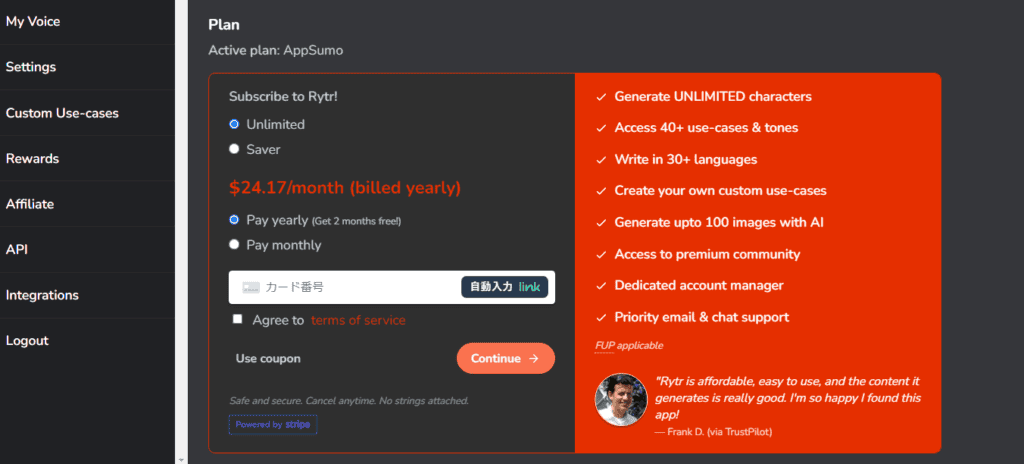
Also, as I write this blog post, I have been using Rytr since 2021. I have never been a victim of leakage of personal information.
Rytr is also an AI writing tool trusted and used by over 7 million businesses and individuals.

Some of the biggest names are also using Rytr. Although it is an English-speaking AI writing tool, it can be said to be an extremely reliable tool.
Moreover, it is not the only one.
[Completely free] 10,000 characters per month! How to use Rytr for free
Rytr offers a free plan.
You don't even need a credit card to sign up for the free plan. Therefore, if you are unsure, you can feel free to test the performance of the tool first.
This is great for those who want to try out AI writing tools.
By the wayThe free plan allows you to generate 10,000 characters per month for free.

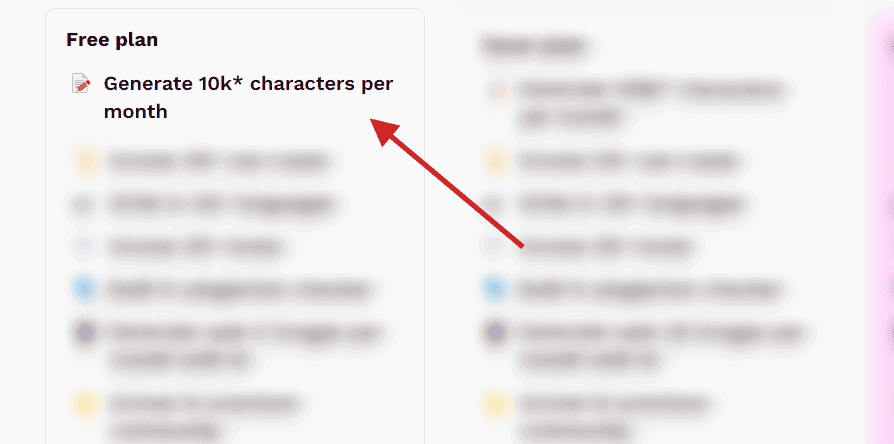
Also, if you use up all 10,000 characters of free credit, you can rest assured that Rytr's price itself is low.
The pricing is very affordable. You can start at $9 per month, so it's not a burden for small businesses.
It is an AI writing tool that is much easier to use than other AI writing tools.
We recommend that you try it for free first. Let's see if it's worth using.
Generate 10,000 words per month for free!
Try it first to see if it suits your needs.
[2024] Conclusion of the Rytr review. Is it worth paying for?
In this article, we explained the features and usage of the AI writing tool Rytr.
Through this blog, I have introduced several AI writing tools so far. Among themRytr is affordable and easy to useis.
The content generated is also of high quality. It automatically generates content that makes sense in languages other than English.
With this tool, you can automatically generate infinite characters for $29 per month and write in over 30 languages, including Japanese. Try it for free first.
The fastest way to actually try AI writing tools and check their performance is to try them out. Please give it a try.
Generate 10,000 words per month for free!
By the way, I also wrote 60% of this blog post on Rytr. It took 15 minutes to write.


















Nice to meet you, I saw a video of an AI writing tool on youyube.
When it comes to writing articles through blog affiliates, which is better, Rytr or Jasper AI?
Can you generate high-quality sentences?
Mr. Fujikawa
Thank you for your comment. And nice to meet you.
My impressions of using both are:
If you are writing articles with blog affiliates in Japanese, Rytr has a higher quality output.
However, if you want to create an English article, Jasper AI can help you create longer articles faster.
Rytr is free to use. You don't need a paid contract or credit card, so
We recommend that you register for free and try it.
Please note that writing articles on complex topics, with unique Japan words, will result in lower Rytr quality.
Nice to meet you, I saw a video of an AI writing tool on youyube.
I'm currently trying the free version of Rytr and considering an Unlimited plan, but is it possible to pay with au pay prepaid?
I looked at the official website, but I didn't understand.
Thank you for your comment.
Credit card payment only. Card payments are available through Stripe, a major international payment agency.
Nice to meet you, I don't really know how to cancel Rytr, do you understand?
Thank you!
I was in a lot of trouble, so it helps 🙇 ♂️
Thank you for your question.
How to cancel a Rytr subscription
(1) Log in to your Rytr account
(2) Click [Account].
(3) Click the [Manage Billing] button.
(4) Complete the Rytr cancellation procedure
If you don't know where to cancel, please check the image below.
https://takeofujii.net/wp-content/uploads/2022/10/1634546005718.jpgIf you can confirm the cancellation of Rytr's pricing plan, you're done.
If you have any questions, please feel free to ask.
Thank you for your continued support.
By the way, if you want to delete the account itself after cancellation,
Send an email to Rytr Support (support@rytr.me) requesting account deletion.
Email sentence example
————————–
Subject: Request to delete account
Dear Rytr support,
I would like to request that my account be deleted. I appreciate all that you have done for me, but I am no longer using Rytr and want it removed from my account.
Registered email address: (your email address)
Thank you for your help in the past.
Sincerely,
(Your name)
——————————-
If you replace the () part in this email sentence and send it, you should be able to delete your account.
For your information.
Thank you for your valuable information.
By the way, can you write adult texts as well?
Naoyuki
Nope. I don't recommend it.
We do not allow the generation of unlawful, offensive, upsetting, hateful, threatening, defamatory, defamatory, obscene, or otherwise objectionable content.
Many AI writing services are equally adult-oriented, and it seems that they are not allowed to generate R18-rated pornographic content.
Thank you very much for your careful understanding.
After all, adult is no good.