


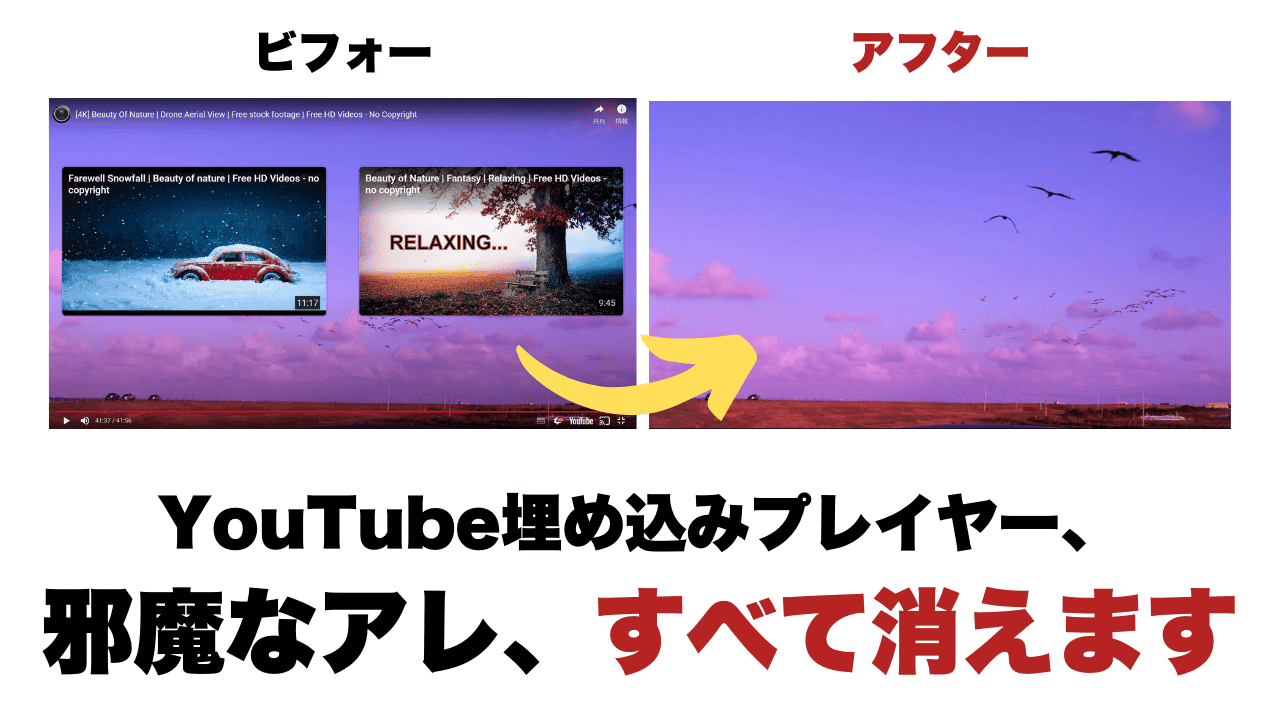
"I want to embed a YouTube video inside a web page, but I want to hide the YouTube logo, ads, titles, and recommended videos.
To you,KillerPlayerI would like to introduce you.
KillerPlayer is a tool that allows you to fully customize the look of your YouTube embed player and dress it up in an easy-to-read design.
With this tool, your Youtube embedded video looks great in an instant, allowing you to deliver your videos to your audience without stress.
Now, let's get into the contents. This KillerPlayer explains exactly what it can do.
February 2024: We conducted a survey on product quality and support. Although it works as an app, we have discovered a fatal issue with KillerPlayer's support support. Therefore,This product is deprecated.I do not recommend purchasing.
What is KillerPlayer? YouTube embedded players have changed so much!
Are you frustrated with embedding YouTube videos?
YouTube logos, ads, titles, recommended videos... It's a hindrance, isn't it?
With KillerPlayer, you can fully customize the look and feel of your YouTube embed player.You can hide intrusive ads, titles, logos, and more.
It is more evidence than theory. Please see below.
First of all, it is a regular YouTube embedding.
If you embed the same YouTube video with Killer Player...
By using KillerPlayer, you can
- Advertisement
- YouTube logo
- Video Title
- Channel icon
- Related videos
- Other disturbing elements
All of this can be wiped out of embedded players.
5 custom themes

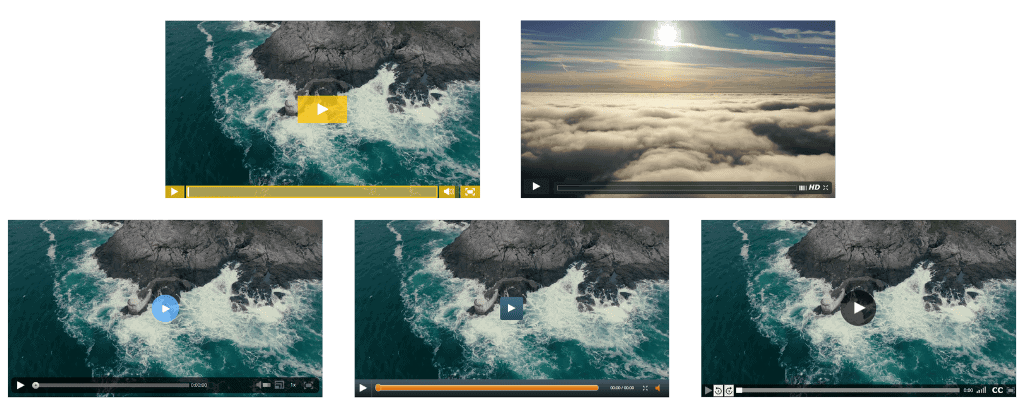
KillerPlayer hasIt offers 5 beautiful video player templates.Each video player also allows you to customize the color and appearance freely.
Below is a sample. Since it is an image, it does not play when clicked.
Wistia


Vimeo


Viddler

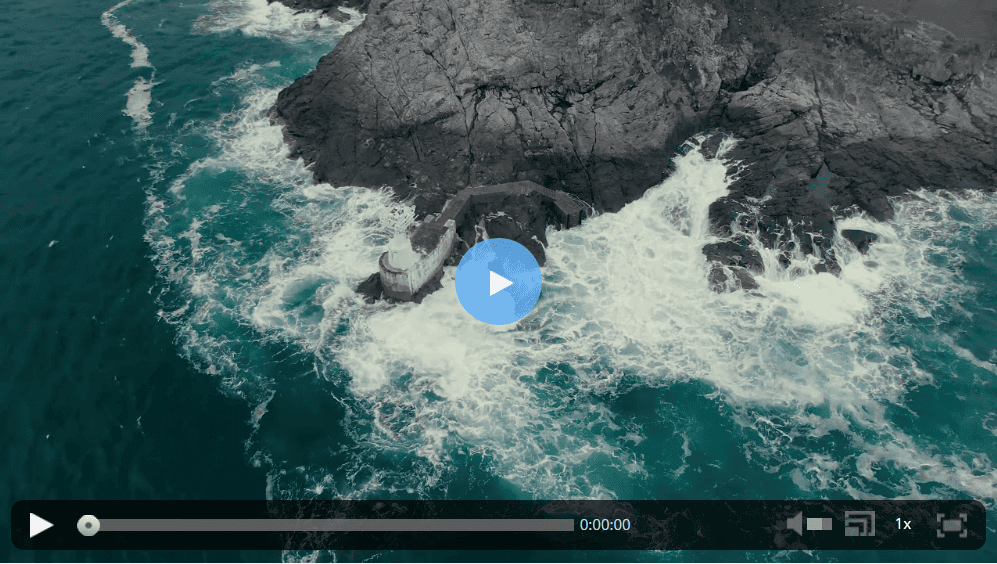
Vzaar

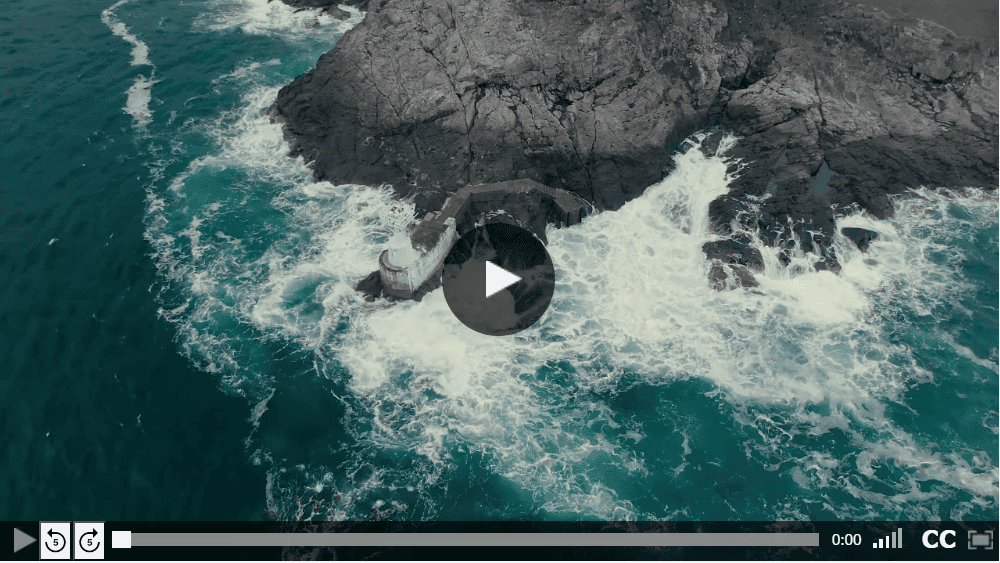
NowVideo

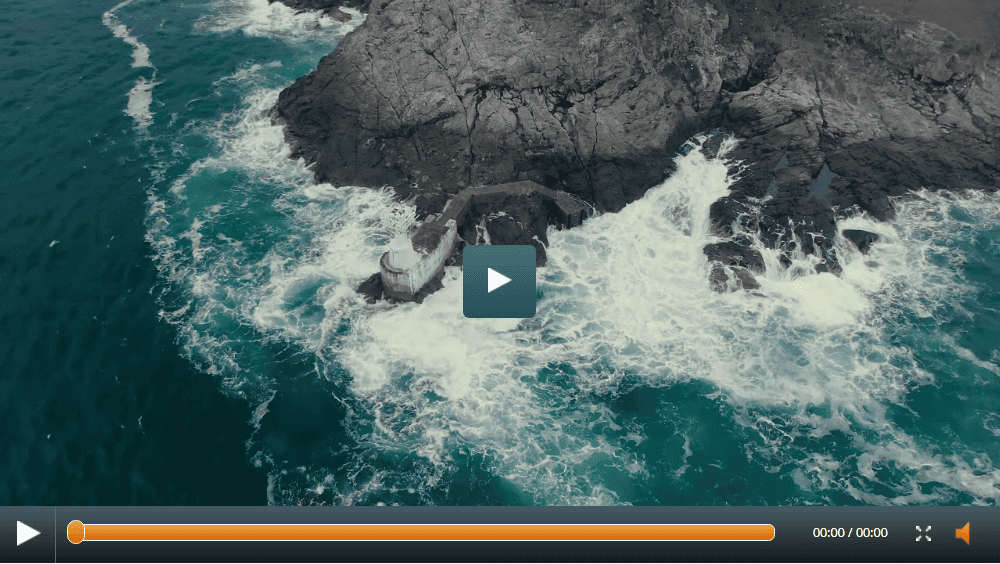
Hide YouTube logo
With KillerPlayer,You can completely remove the YouTube logo from your video.

Your videos will look natural as if they were part of your website or blog. The absence of the logo only enhances the viewing experience.
Remove video titles and ads
Also, YouTube'sYou can also delete video titles and ads.
This allows viewers to focus on the content of the video and is not distracted by unnecessary information.
Hide related videos

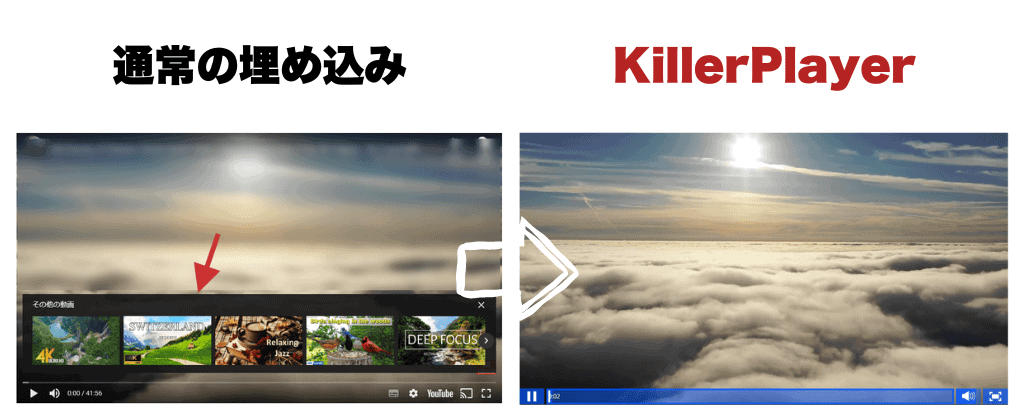
KillerPlayer is displayed in the videoHide related and recommended videos as well.Viewers can focus only on what you are talking about.
How to use KillerPlayer [How to embed a video on a page]
Here's how to use KillerPlayer.
(1) Get a link to a YouTube video

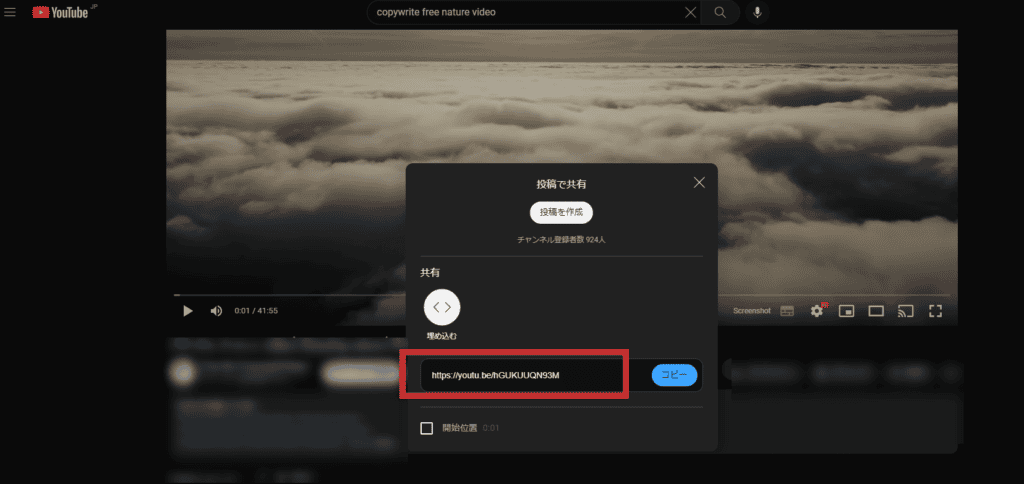
First, get the link of the YouTube video you want to embed.
(2) Enter the link in KillerPlayer

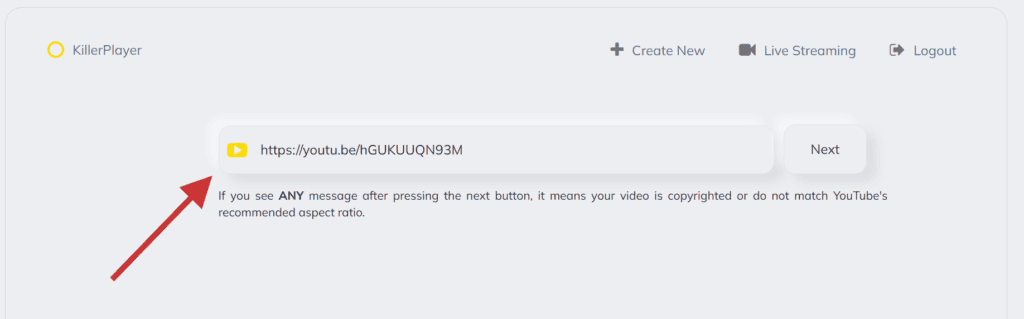
Paste the YouTube video link you got into KillerPlayer and press "Next".
(3) Change the design of the embedded player

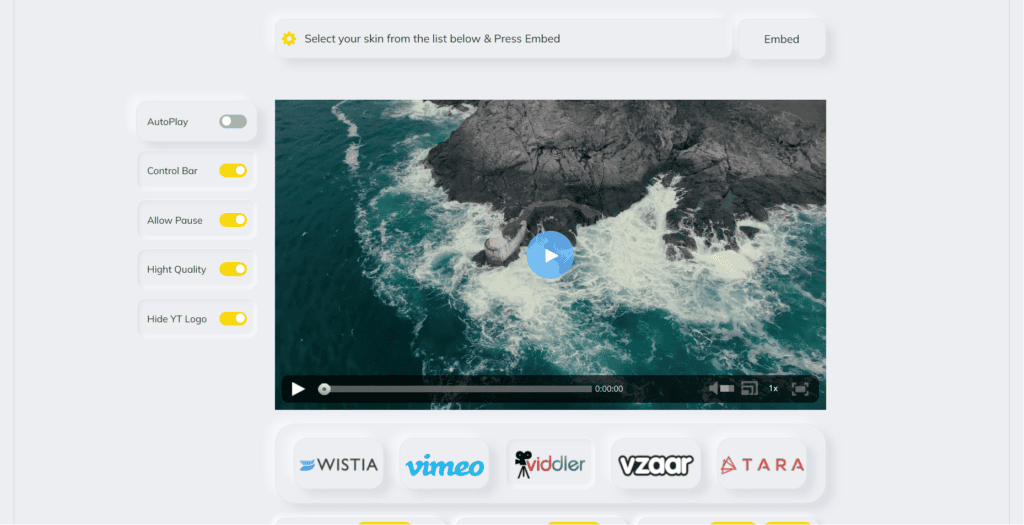
The YouTube video will load automatically. You can freely customize the appearance and settings of your video player on this page.
(4) Save and copy the code

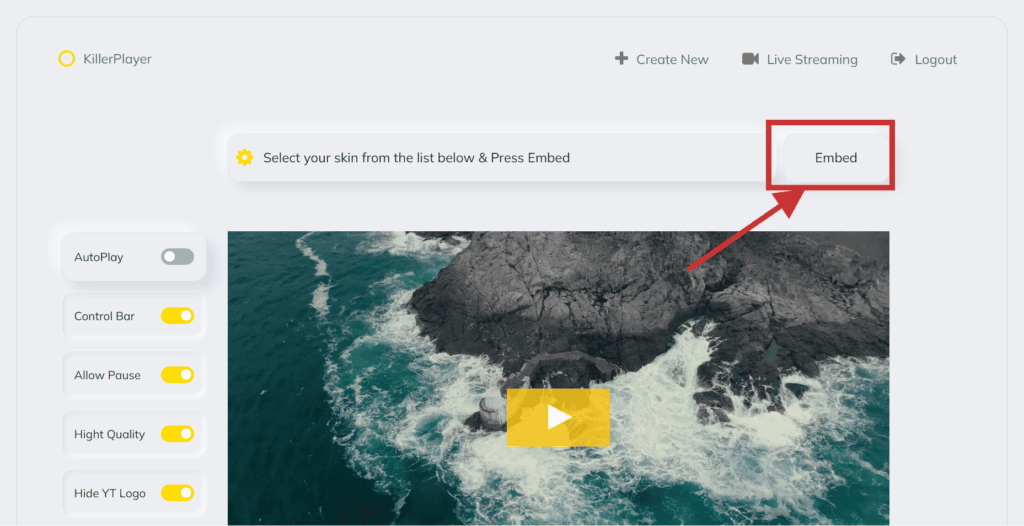
When you're done customizing, press "Embed" in the top right corner. The code will be automatically generated.

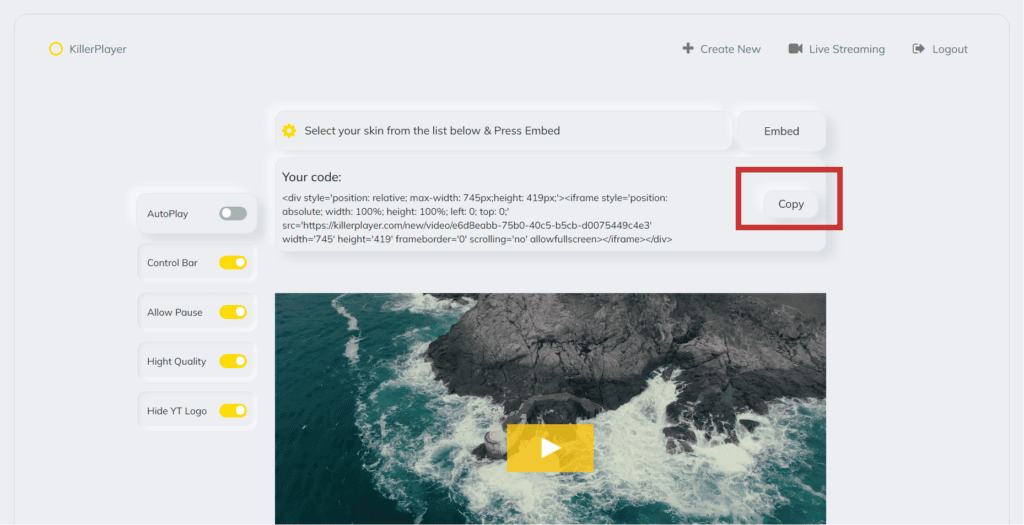
Copy the generated code.
(5) Embed in the page

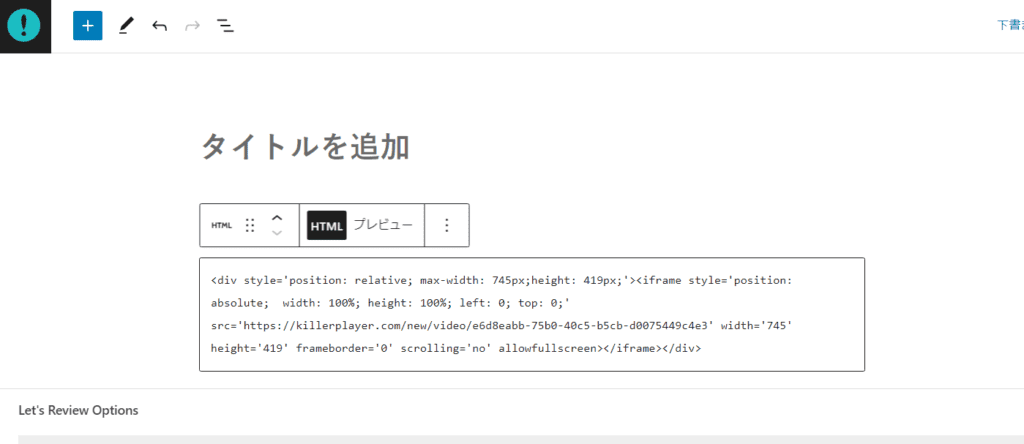
Embed the copied code in html format. If you're using WordPress, then simply paste it as it is with 'custom html'.

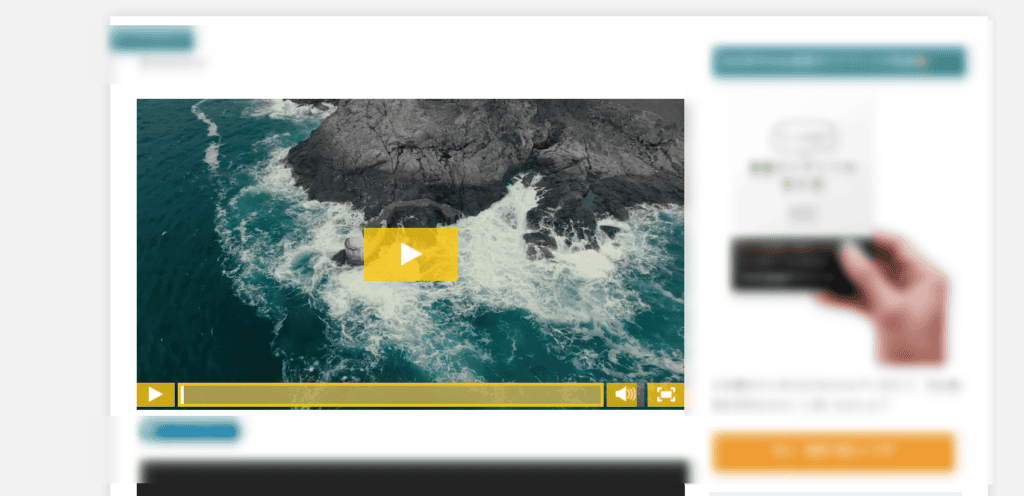
It was pasted without any problems. There is no difficult task in terms of how to use it.
Simply grab the YouTube video you want to embed, create the code in Killer Player, and paste it on your page. There is not a single complicated setting.
If you have any questions about using it, please ask.
How to buy KillerPlayer
KillerPlayer offers four plans.
Starter Plan: Can be used on a single website, with up to 1,000 videos and 10,000 visitors per month. Similar features are available to the ULTIMATE plan and are priced at $59 for a one-time payment.
Pro Plan: Can be used on one website, unlimited videos and visitors. Similar features are available as the ULTIMATE plan, priced at $99 for a one-time payment.
Growth Plan: Can be used on 3 websites, unlimited videos and visitors. Similar features are available to the ULTIMATE plan, priced at $199 for a one-time payment.
ULTIMATE Plan: This plan supports unlimited websites, videos, and visitors. You can choose from 5 beautiful themes, remove the YouTube logo and title, and hide the recommended videos. In addition, it includes lifetime updates and support. The price is $499 for a one-time payment.
You can purchase these plans from the official KillerPlayer website.
The Ultimate plan is also available for purchase on AppSumo. You can buy it for $99 on AppSumo instead of $499 on the official website, so if you want to use it on a large scale, you can buy the Ultimate plan on AppSumo.
On the other hand, the Pro and Starter plans are more affordable when purchased on the official website. Because,Because you can get up to 30% off with a discount couponis.

The discount coupon is automatically applied at the time of purchase.We recommend using a discount coupon to make a purchase.
*This service is not recommended.
All plans come with a 30-day money-back guarantee. There is a 30-day money-back guarantee if you buy from the official website.
KillerPlayer FAQs
Below are answers to frequently asked questions asked by KillerPlayer. This is what KillerPlayer officially answered.
Is KillerPlayer a service like Vimeo or Wistia?
At first glance, KillerPlayer may seem like a video service similar to Vimeo or Wistia. In fact, the function is different from those services.
First of all, Vimeo and Wistia are video hosting services. In short, these platforms provide a place to store and share videos.
On the other hand, KillerPlayer is not a video hosting service. It doesn't offer the ability to save videos.
The main features of KillerPlayer are:It is to change the appearance of the video player when embedding a YouTube video.
This means that when you embed a YouTube video on your website or blog, you can customize how it appears.

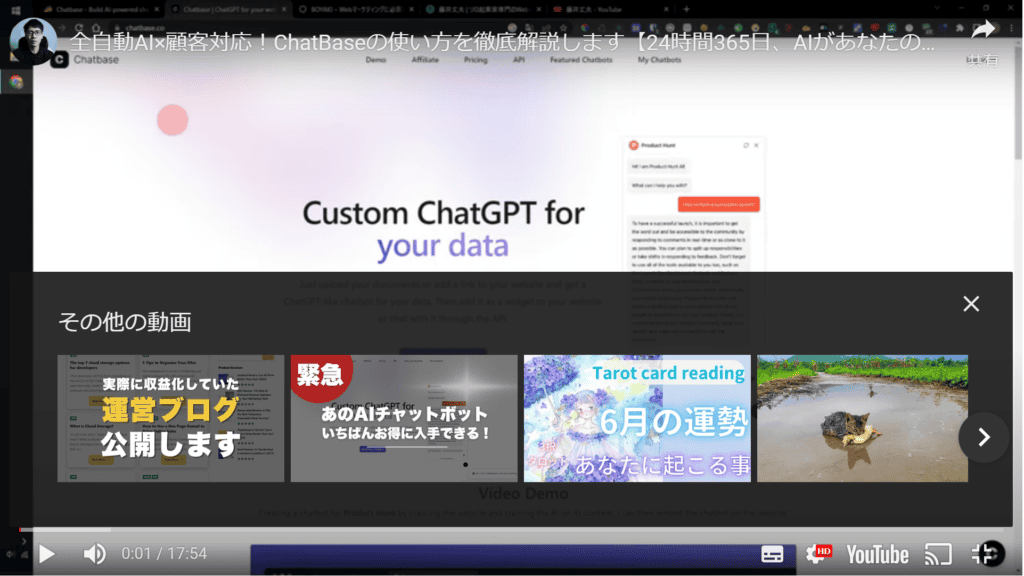

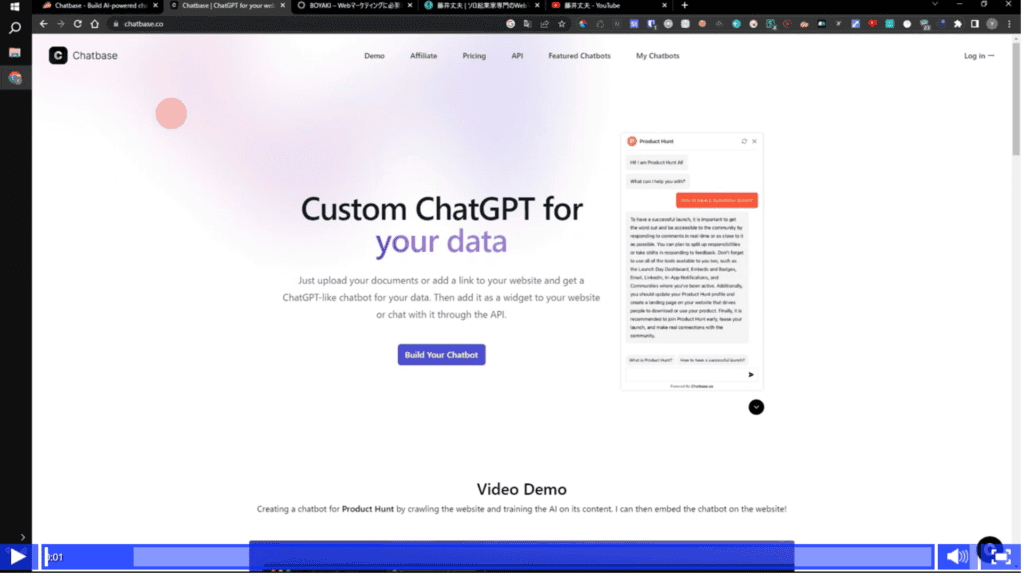
You can remove YouTube logos, ads, and recommended videos, and set the player's theme and colors freely.
This is a big difference from Vimeo and Wistia. Vimeo and Wistia mainly feature videos by uploading and sharing them within the platform.
In KillerPlayer, videos are stored on YouTube, and the main feature is to customize and embed the YouTube videos on your website or blog.
Does this service violate YouTube's terms?
According to the official, "We have been providing it since 2015, but there have been no reports of problems with use from users."
Interestingly, Killer Player is not the only one in this area that customizes YouTube embeddings.
Sites like HuffingtonPost and Amazon have been using similar solutions for years. Check out the Amazon page below.

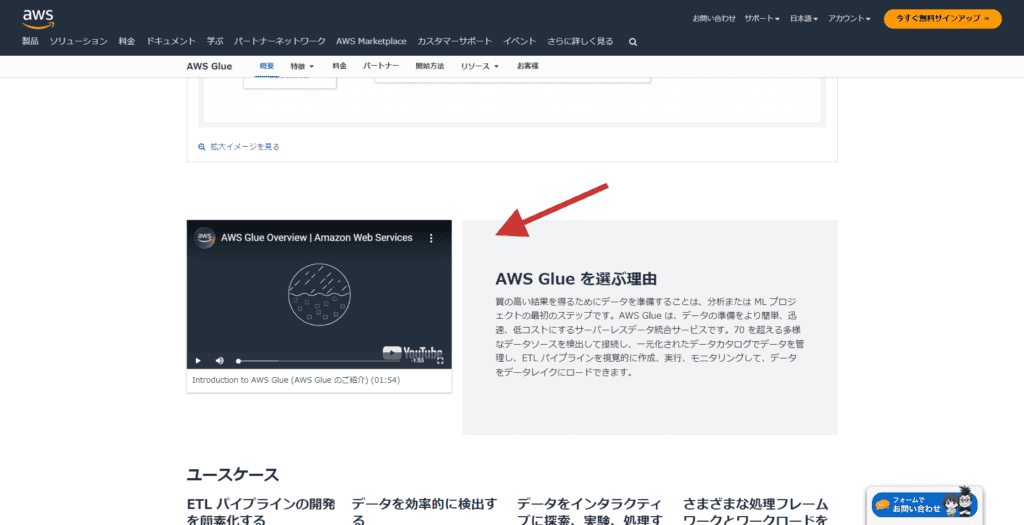
In this way, when Amazon embeds YouTube videos, they customize the appearance and embed it on the page, removing any related videos or ads. The YouTube logo will only appear when you hover.
In other words, customizing YouTube embeds isIt's not just KillerPlayer.We also have a major website.
And if you're still unsure, we also have an option in the KillerPlayer settings that allows users to choose whether to display the YouTube logo or not. So, it's up to the user to display the YouTube logo or not.
What happens if KillerPlayer stops working?
KillerPlayer has been in operation since 2015.
I myself learned about Killer Player in 2021. We have provided stable services from that time to now. Looking at the Facebook group, it seems that it is also regularly maintained.
Consider the worst case.
If KillerPlayer is no longer available...
All right.The video remains stored in Youtube.KillerPlayer is not a tool for saving videos. You just need to customize the appearance of your players.
Therefore, the risk of video removal in the unlikely event is extremely low. Your video will remain moderated on your YouTube.
Can I only embed my own videos?
Nope. You can embed not only videos from your own channel, but also all videos published on YouTube with KillerPlayer.
AlsoYou can embed videos that are set to "unlisted" without any problems.
I'm not sure which plan to buy.
First, if you're going to use it on a smaller scale, the Pro plan will suffice. It caters to unlimited videos, unlimited visitors. It can only be used for one website, but it is enough for small use. Currently, you can get a discount when you buy from the official website. Sole proprietors and freelancers are recommended the Pro plan.
If you want unlimited videos, unlimited visitors, and embedding on unlimited sites, buy the ULTIMATE plan. There are no restrictions at all. However, if you buy from the official website, it is expensive at $499 (buy it out). Even if you use a discount coupon, it is expensive.

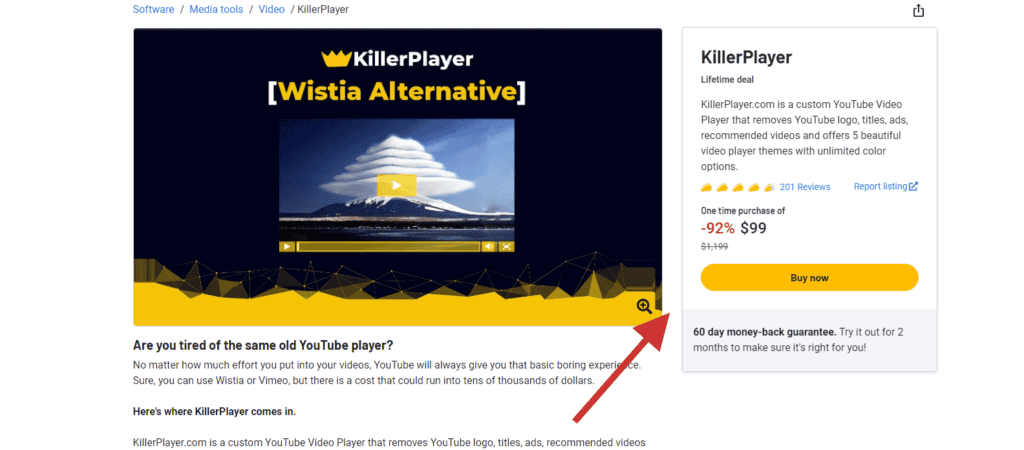
For the ULTIMATE plan, we recommend purchasing it on AppSumo. You can buy it for as little as $99.
>>Get KillerPlayer's ULTIMATE plan for cheap on AppSumo
*The Starter plan is the cheapest. There are many restrictions. Not only can it only be used for one site, but it also has a limit of 1000 video embeds and 10,000 visitors per month. I think it's good for those who want to try it.
If you are wondering, "Which plan is better for my use case?", please feel free to ask me. Let's find the best plan together. Please feel free to ask from the comment section below this blog.
Can I get a refund?
I'm worried that I won't regret buying it. Don't worry。 KillerPlayer has a 30-day money-back guarantee.You can get a refund in case of any eventuality.
I also buy KillerPlayer myself.
If you are unsure about purchasing, you can use a debit card. I also often use my debit card to shop on overseas sites.
So, folks, that's all for my introduction to KillerPlayer.
Is KillerPlayer dangerous? Is it worth using?

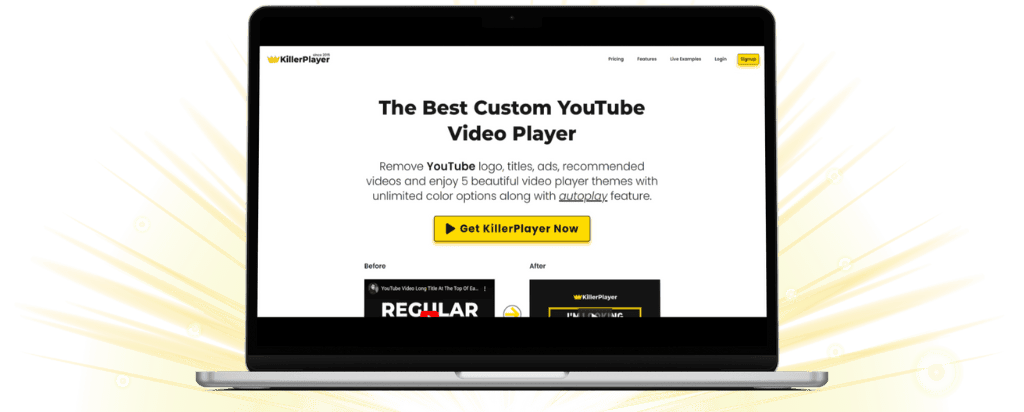
I think some people have skipped it this far. I will conclude.
- KillerPlayerYou should buy the cheapest plan.
- Works perfectly fine (for now)
The tools I have introduced on this blog are also quite curveball tools. "This... Is it okay to use it?" I understand that anxiety well.
In fact, I also refunded KillerPlayer once when I bought it two years ago.

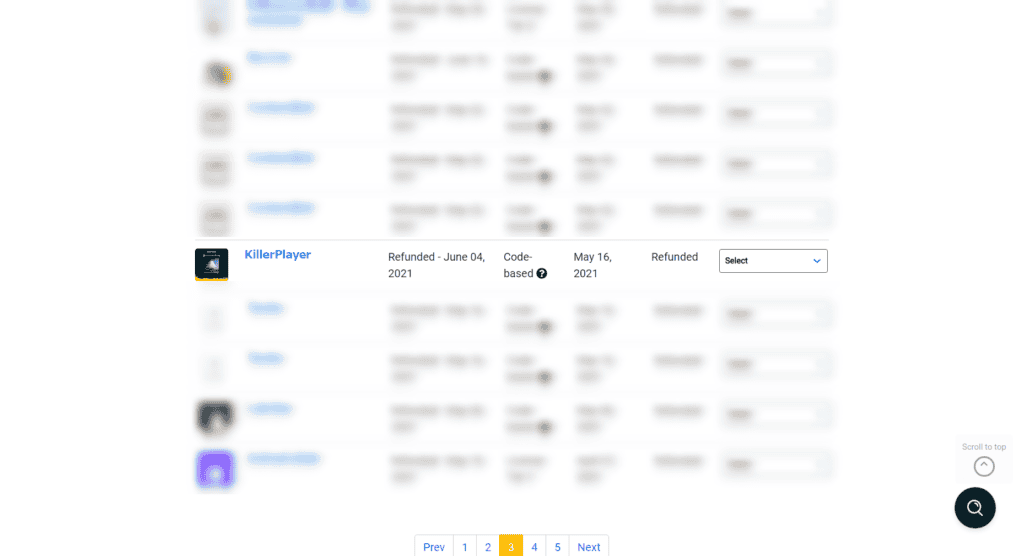
At the time, I was worried about whether this tool would last until 2023. … However, two years later, KillerPlayer still exists without any problems. Rather, the number of users is increasing.
By the way, it is now on the official KillerPlayer Facebook group.6,593 people participated.

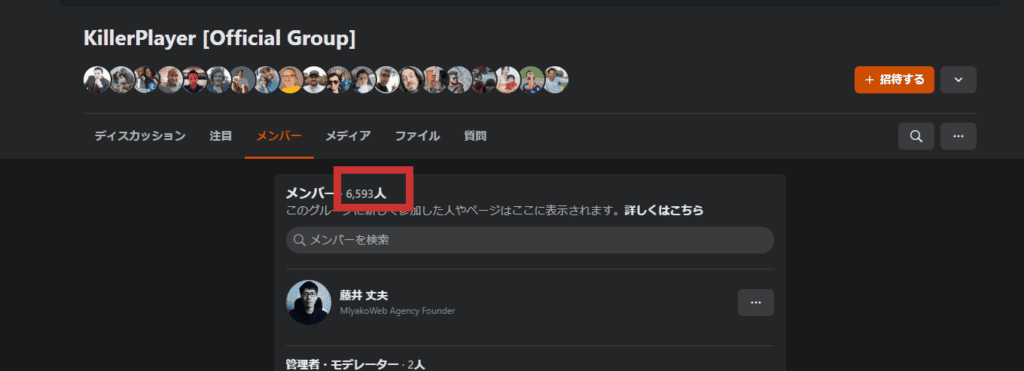
As you can see, KillerPlayer actually has quite a few users. It currently has a high rating of 4.6/5.
There is no voice that the user's YouTube channel has been banned from the game.
One of the attractions of KillerPlayer is that you can freely embed not only your own YouTube videos but also other people's videos. If the tool only embeds your own videos, you may get a warning from YouTube. However, KillerPlayer can also embed other people's videos, soYouTube cannot identify KillerPlayer users and ban channels.
KillerPlayer30-day money-back guaranteeis also offered. "Suspicious... Are you really okay?" If you are unsure, please try it once. If you don't like it, you can use a refund.
*This service is not recommended.
If you want to know more about how to use KillerPlayer and have any questions, please feel free to ask questions in the comments section below this article.
















I'm considering purchasing.
Does PayPal work?
Personally, I don't shop on overseas sites, so I'm worried about credit cards.
Thank you for your comment. This is Fujii.
We currently do not support PayPal.
I can understand the anxiety of using a credit card on an overseas site.
I myself try to use a debit card instead of a credit card when purchasing on overseas sites.
I also purchased KillerPlayer with a debit card.
Debit cards can only be used for pre-deposited amounts.
In the unlikely event that your card information is stolen or misused, you don't have to worry about unexpectedly expensive charges.
*With a glimmer of hope, I request PayPal support from KillerPlayer. We will let you know again if there is any progress.
Thank you for posting useful information.
I have a question.
If you use KillerPlayer to embed,
Will I lose the ability to set the playback speed?
You will not lose the playback speed settings. Don't worry.
Please see the image below. The video player displays speed adjustments.
https://takeofujii.net/wp-content/uploads/2024/02/killerplayer-speed-settings.png
Mr. Fujii
Thank you very much for your polite answer.
It was very helpful.
I am honored to be of help.
We have a request form available from 2024▼
https://mi.takeofujii.net/request
If you have any further questions, please feel free to send us your requests and questions.