


Which is better, TaskMagic or ZeroWork?
It's hard to find the right automation tool for you, but we'll use our experience with both TaskMagic and ZeroWork.
Conclusion: I personally like ZeroWork
First of all, TaskMagic is easy to use for beginners and intuitively allows you to design automations. In addition, official communities have also been born recently. On the other hand, it has a lot of bugs.
ZeroWork, on the other hand, has no more fatal bugs than TaskMagic.


However, TaskMagic will be easier to use for beginners.
ZeroWork requires ingenuity. This trick is really simple, so I'll explain it later.
To sum up
- TaskMagic; for beginners. Easy to use. There are many bugs.
- ZeroWork: For beginners ~ intermediates. It is easy to use if you devise it. There are no bugs.
I explained the details in the video. If you can see the actual usability in the video▼
If you don't have time to watch the video, keep reading below. The content of the video has been summarized in text.
TaskMagic: Create Automations Intuitively

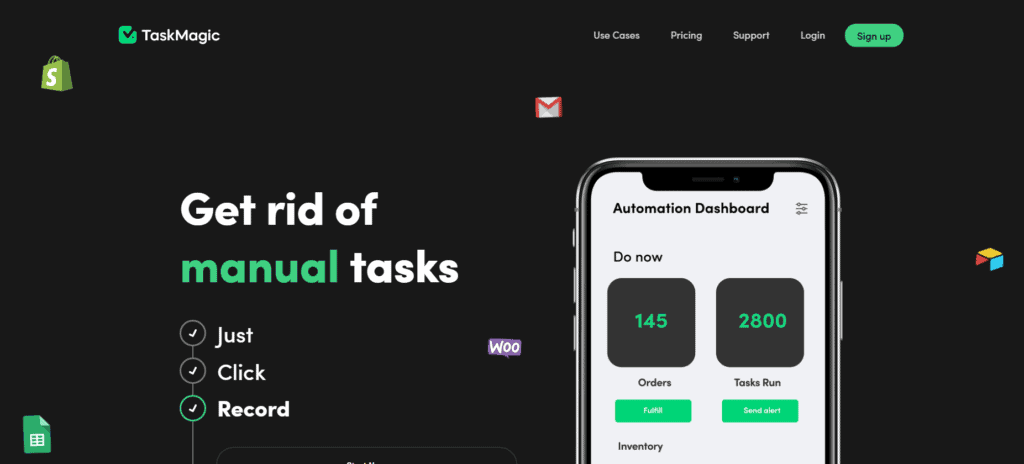
TaskMagicis a tool that allows even beginners to create automation intuitively. I want to automate this kind of work, and I can create that automation idea in minutes without any technical knowledge
The biggest benefits of TaskMagic
The best part of TaskMagic is thatCreate automations intuitivelyThat's what it is. Let's actually operate it.
First, open TaskMagic and click "Web" to launch a browser window.


Open the page you want to automate. This time I will open the google.com.
To do this, enter the URL you want to open in the "Go to page" in the small window on the right side.


Then, you just need to actually click on the location or link you want to click on the page. This will add an action called "Click web element" in the right window.


If you want to scrape an element on the page, select "Scrape Single" and click on the element in question.


The text of that element is then extracted.
Create and save automation.
To execute the automation saved here, simply press the "Play Steps" button.


You can launch the automation you created with just that.
Create automation flows just by actually operating on the browserThat's the charm of TaskMagic.
As you can see, TaskMagicIntuitive operationIt makes it easy for beginners to design automation.
Create automations with ZeroWork
To create automation with ZeroWork,We're going to add automation to the canvas.
"I want to automate page opening" → added a block to open pages from the right sidebar.
Added a block for clicking from the right sidebar → "I want to automate clicks on the page".
This means that you can add blocks by dragging and dropping from the sidebar on the right sidebar.
For example, in the image below, three blocks have already been added.


Please see the image below. There is a sidebar on the right.
From this sidebar, tapDrag and drop the automation block into the canvas.


For example, if you want to open a page, add an "Open Link" action.
If you want to click on an element in the page, you need to add a "Click Web Element" block and specify where you want to click on it.
To create automation, use "CSS selector/Xpath"
This is where the important thing isCSS Selector/Xpathis. … What is it? This is the first time I've heard of it. It's okay if you're a beginner.
There is nothing difficult.
Think briefly.
- Open a specific page
- I want to create an automation that clicks on the button in that page
… If you want to create such an automation, you can use theYou need to specify where the button is located.
You have to tell the automation tool where to click. To do this, we use a CSS selector or Xpath.
CSS selectors are difficult for beginners, aren't they?
With free auxiliary tools, you can create automations with zero knowledge
That's where it comes in handy.Free extension "Copy CSS Selector"is.


>> Click here for the free Google extension "Copy CSS Selecter"
Once you install this extension, you can simply hover over an element on the page and right-click to copy the CSS selector for that element.


Now all you have to do is paste the copied CSS selector into the block in ZeroWork.
In other words, copy and paste is OK.
For example, to create an automation for clicking a button on a page, you can use the
- Add a "Click Web Element" block from the right sidebar
- Copy the CSS selector of that element with the free tool "Copy CSS Selector"
- Paste into the Click Web Element block
That's it.


Using the free extension like this, you can use the "CSS selector? What is that?" Even beginners can easily create automation.
The same is true if you want to scrape elements in a page. Simply copy the CSS selector for the element in question and paste it into the "Save Web Elements" block.
This explanation may be a little difficult to understand in writing. If you don't know, feel free to ask in the comments section of this article.
In this way, ZeroWork allows even beginners to create automation by using free tools.
TaskMagic or ZeroWork, which one is recommended for beginners?
For beginners, we recommend TaskMagic.Intuitive operationis attractive, and it is easy to create automations that have bugs.
ZeroWork, on the other hand,Free auxiliary tools(Copy CSS Selector) makes it easy to create automations without any knowledge.
Personally, I use ZeroWork more frequently. In fact, you can create automations more flexibly than TaskMagic.
However, looking at the opinions of other users, TaskMagic seems to be more popular with beginners. I prefer ZeroWork.
Both products are continuously updated,Improved functionalityIt has been. We hope you can choose one according to your needs.
Conclusion: Both Automation Tools Have Their Pros and Cons
Which one is better depends on your technical knowledge and level.
TaskMagic and ZeroWork have their own advantages and disadvantages.
- TaskMagicIntuitive operationis attractive,Bugs existI will.
- ZeroWorkFewer bugsHowever,Requires the use of free toolsis.
TaskMagicIntuitive operationis attractive, and even beginners can easily create automations. On the other hand, the presence of bugs is a disadvantage. However, it is quite popular with beginners.
Personally, I like ZeroWork. I actually use ZeroWork in my business. That's why I personally recommend ZeroWork to my friends.

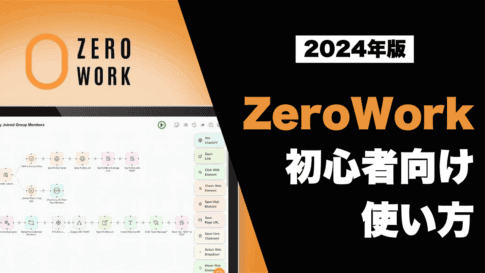
Both tools receive regular improvements and updates.
We hope this article was helpful to you. TaskMagic and ZeroWork are still not well known in Japan, so if anyone around you is wondering which one to use, please introduce this article.
I hope this article will be useful to you.





![How to Use the AI Voice Memo Tool "AudioPen" [2024 Latest Review]](https://sp-ao.shortpixel.ai/client/to_webp,q_lossy,ret_img,w_485,h_273/https://takeofujii.net/wp-content/uploads/2024/02/audiopen-review-485x273.png "How to Use the AI Voice Memo Tool \"AudioPen\" [2024 Latest Review]")


![How to use Pretty Links and discount sale information [2024]](https://sp-ao.shortpixel.ai/client/to_webp,q_lossy,ret_img,w_485,h_273/https://takeofujii.net/wp-content/uploads/2022/11/pretty-links-485x273.png "How to use Pretty Links and discount sale information [2024]")










I am indebted to you.
I have been reading the blog for a long time and have used it as a reference.
I've been interested in task automation lately, and now I'm even more tempted to get Zerowork and TaskMagic.
So about Zerowork, is there a possibility that it will return on Black Friday this year?
Taskmagic seems to be still available for purchase on the official website, but Zerowork doesn't seem to have a one-time purchase plan.
When I searched on the web, it was sold on a different site, but does it look like a scam?
I won't list everything because it seems to be deleted if it contains the URL, but it is a site called shiny.lifetimedeal.tech.
I'm sorry that I'm not asking a question here, but I would appreciate it if you could respond to it as far as I can understand.
Best regards.
Thank you for your question.
First, about ZeroWork, there is a possibility that it will return with the Black Friday event in November.
In fact, it seems that ZeroWork has achieved good results when it was launched on AppSumo.
The quality of the product is good, so it has a high reputation on AppSumo, so there is a possibility that it will be resold again.
However, please note that it is not certain.
ZeroWork is currently not available for purchase.
The URL you introduced seems to be a resale (AppSumo buyers are reselling it at a high price).
There are many people who resell on Facebook groups.
There are many scammers, and in some cases, it becomes unusable a few months after paying the fee.
The safety is unknown, but I cannot recommend it.
It is only your own responsibility.
Thank you for your support!
Sure.
I hope to be back on Black Friday.
I've been reading the blog for a long time and using it as a reference!
Input spreadsheet prompts into ChatGPT to automatically input answers into the spreadsheet
Also, I am interested in TaskMagic for automatic work such as scraping the contents of site pages, but I am worried about whether it can be used properly, so I would like to ask a question.
When using TaskMagic, I am a beginner in RPA, so there is little information on the Internet.
Is it easy to use even beginners if I load it with Afforai and use it like a manual?
If the direction is not wrong, it would be helpful if you could tell me which pages to load in Afforai like an instruction manual.
Thank you for your question.
The automation you are talking about is possible.
In fact, I myself have automated the ChatGPT app version.
Currently, you can use the limited version of TaskMagic for $0 (free) on the official TaskMagic.
You can't do scraping work with this free version, but you can actually do things like typing.
We recommend that you check the actual usage experience.
As a way to use TaskMagic, I think it is possible to load information into Afforai or NotebookLM and use it like an instruction manual.
TaskMagic has an official community (https://www.skool.com/lazyempire/about).
This community is free for all TaskMagic users.
Therefore, if you have any questions, we recommend that you search for information in the community while using Google Chrome's page translation.
In fact, there were some people in Japan who asked questions.
Thank you for the easy-to-understand content!
Download the free version and try it!
I also read the NotebookLM article, so I'll give it a try.
I also read ZERO WORK while reading various articles by Mr. Fujii, and I tried other RPA tools, but I couldn't help but stumble at the turning point of the spreadsheet, copy and paste, and the CSS selector was difficult to understand (COPY CSS selector).
Also, as explained in the video, I was also attracted to the fact that it is easy to automate with AI instructions in TASK MAGIC.
For now, I will refer to Mr. Fujii's other video!
I am grateful that I was able to encounter the possibilities of overseas tools through Mr. Fujii's website and videos.
Thank you for your question.
I'm paying attention to the recent news,
In 2025, rather than using AI to create blog posts and videos,
It seems that the automation of specific web tasks by AI will attract attention.
We hope you will use automation tools from now on.
I also use automation tools behind the scenes.
If you have any good ideas, I will share them.