


![PUP. Steps to remove Optional.Legacy completely [r.srvtrck.com]](https://sp-ao.shortpixel.ai/client/to_webp,q_lossy,ret_img,w_1280,h_670/https://takeofujii.net/wp-content/uploads/2022/04/adware-remove-bye.png "PUP. Steps to remove Optional.Legacy completely [r.srvtrck.com]")
Maybe some of you are having trouble with PUP.Optional.Legacy or "r.srvtrck.com", so I'll write down how to solve it quickly. It can be easily deleted in about 3 minutes.
There are not many sites that write solutions in Japanese, so I hope this article will be helpful.
First, I will explain the root cause.
PUP. What is Optional.Legacy or "r.srvtrck.com"? ← adware.
In my case, when I was surfing the Internet on my Windows 10 computer, one day I was jumped to a URL called "r.srvtrck.com...".


… Could this be infected with a virus? Since I only visit overseas sites, malware was the first thing I thought about.
In conclusion, this identity is adware.
What is adware?
AdwareIt is software that hides in the browser to display ads (ad = ads) without permission and obtain advertising revenue from users.
When you surf the Internet, ads appear on your own or you are taken to pages that are not intended for you.
Although it is not considered very dangerous, there is some adware that collects users' personal information without permission. Therefore, it is dangerous to take it lightly.
Causes of adware
In many cases, including my experience, software and apps are often infected when downloaded, or in the case of Google Chrome, they are often infected by installing extensions.
Nowadays, there are many cases where it is really installed in Google extensions, so please be the first to suspect it.Try to remove the suspicious extension immediately.
And the tricky part is that even software that detects adware and spyware may not resolve PUP.Optional.Legacy or "r.srvtrck.com".
So, I will show you how I removed it (free).
How to Safely Delete "r.srvtrck.com" [Easy]
First, install AdwCleaner (free) to remove adware.
AdwCleaner is a god-like cleanup tool that automatically detects and even removes malicious programs such as adware, PUPs/LPIs, and browser hijackers.
To get started, install AdwCleaner.
>> AdwCleaner official is here
Above is the official distribution page. Make sure to install from official sources, not from third-party sites.

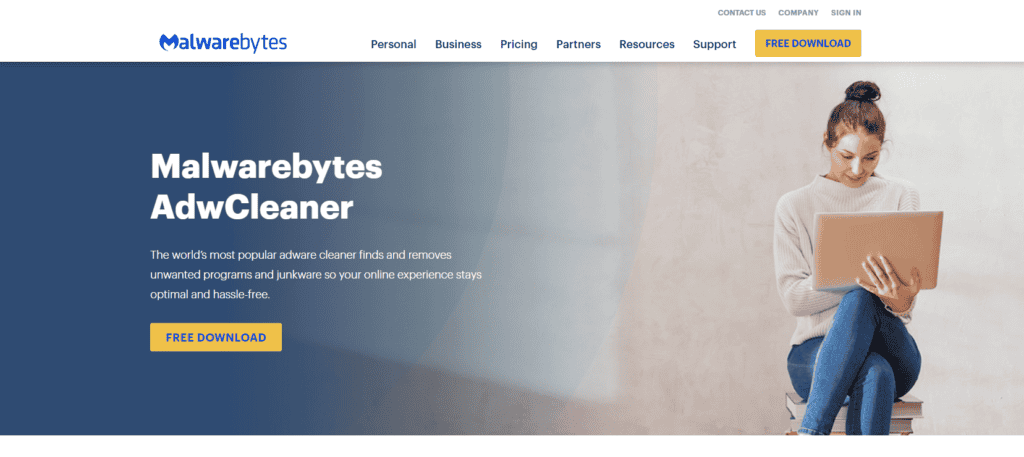
Malwarebytes, which offers this tool, is a company that has been developing many security tools since it was founded in the United States in 2008. It supports not only adware and malware removal, but also cyber protection and device protection, and is trusted not only by companies but also by schools, hospitals, and government agencies.
Also, the site is in English,The software is guided in JapaneseSo please use it with confidence.
Install AdwCleaner to do the detection work
Once installed, launch it. There is no particularly difficult task. Just read the instructions that come out and press the button. After that, the detection will start automatically.

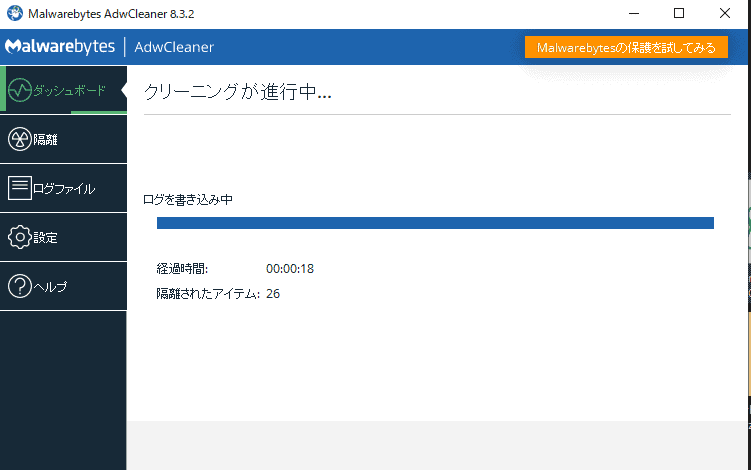
It will take about 5 minutes to complete the scan in your computer.
Isolate anything that needs to be quarantined.
Also, don't forget to remove any suspicious items or software in Quarantine after detection. Please see below.

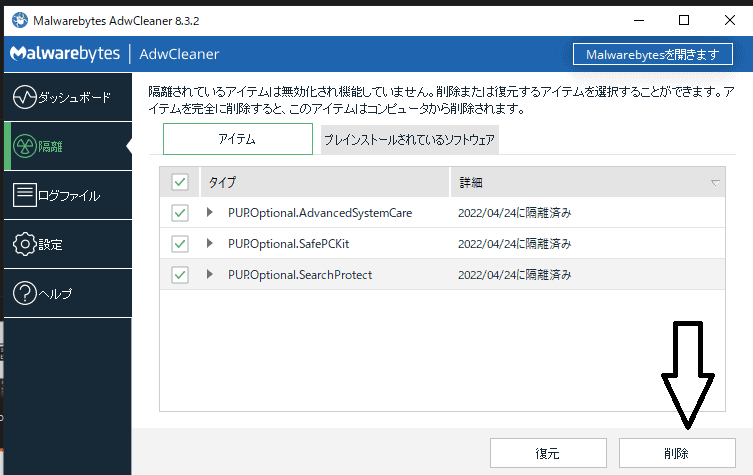
In my case, the item was displayed like this. Select the items you need to delete and click the delete button.
Also, in the tab next to it is "Pre-installed software".

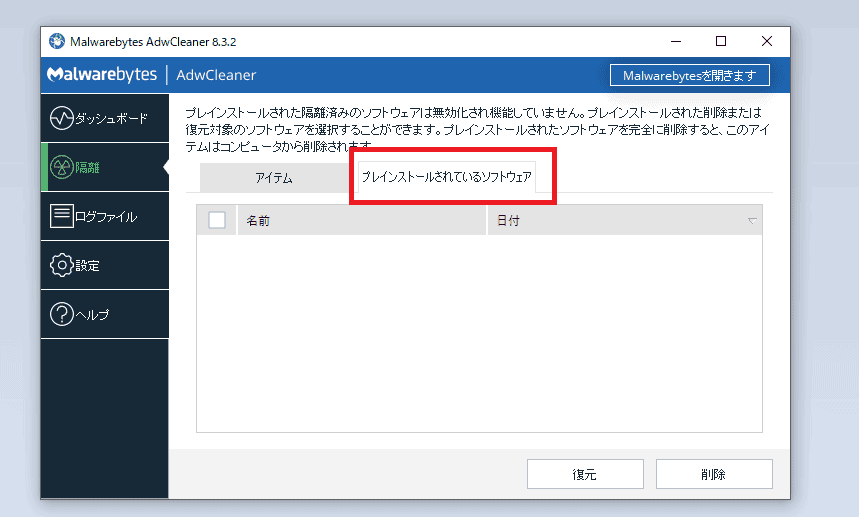
Select the software here and click the delete button. You have now completed the adware removal.
PUP. Check if Optional.Legacy is permanently removed
Thank you for your hard work. But let's check one last thing. Please restart your computer once.
Then, launch AdwCleaner and scan it one more time.
Now you need to check if PUP.Optional.Legacy is removed safely or not. In my case, this completes the complete removal.

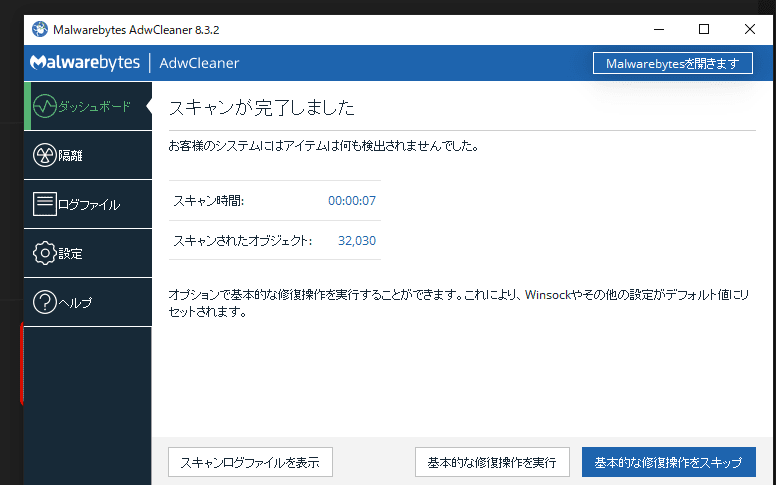
If you are still affected by adware, you need to take one more step.
(I won't explain it because it's a mess, but if the adware is still visible, please let me know in the comment section.) I'll add the solution to this article).
How to prevent adware from being infiltrated in the future
Adware is malware that is installed without the user's consent. Once installed, adware hijacks your browser, tracks your browsing history, and injects ads into the pages you visit.
They may lead you to malicious sites, install additional malware, or even extract information.
This means that you need to take measures to avoid being re-infiltrated by adware in the future.
(1) Install carefully
Be wary of apps and software that you download (install) on your computer. At first glance, it is not safe to say that a site that seems trustworthy or an app with many reviews is not safe.
Be especially careful with Google Chrome extensions, which tend to be easily installed.

… I myself was beaten by the extension. We recommend that you do not install it as much as possible and review it regularly.
(2) Keep security up to date
Keep your computer up to date with security patches and don't forget to update your software.
We recommend that you keep it up to date.
(3) Don't step on suspicious links
The restDon't click on suspicious ads or unreliable links.It's easy to click on it out of curiosity, but by being careful, you can prevent adware from entering.
A common way for adware to enter is through pages embedded with malicious ads.
As a result, you will be infected with adware, track page views, and automatically display ads.
I hope you found this article helpful. If following what is written in this article does not help, let us know how you are doing it in the comments.
And now.















In my case, it was via extensions.