


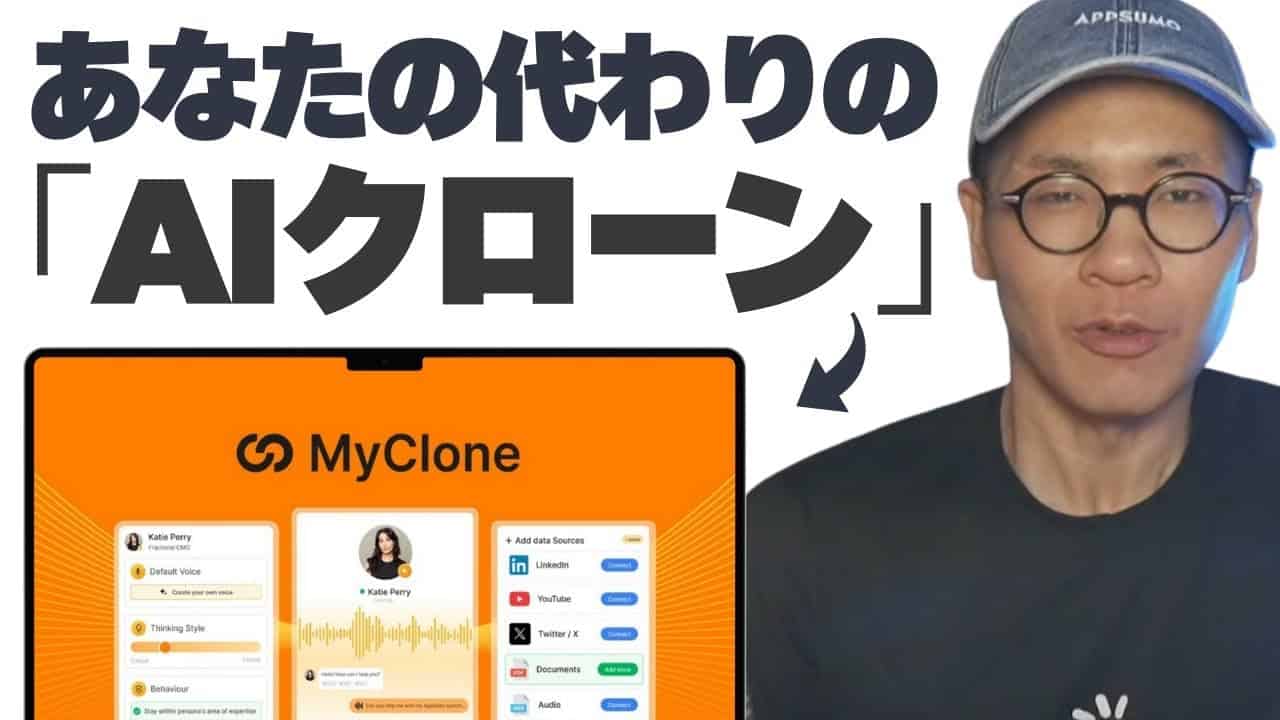
A tool that brings the feeling of "I wish there was another me" closer to reality has appeared.
MyCloneis an app that allows you to create an AI clone/alter ego that works 24/7 based on your knowledge and voice.
Here, we will practically summarize what MyClone can do, setup procedures, precautions, how to embed it into WordPress, and pricing plans.
This is a how-to and review for those considering a purchase or needing a quick setup.
What is MyClone?

60-day money-back guarantee
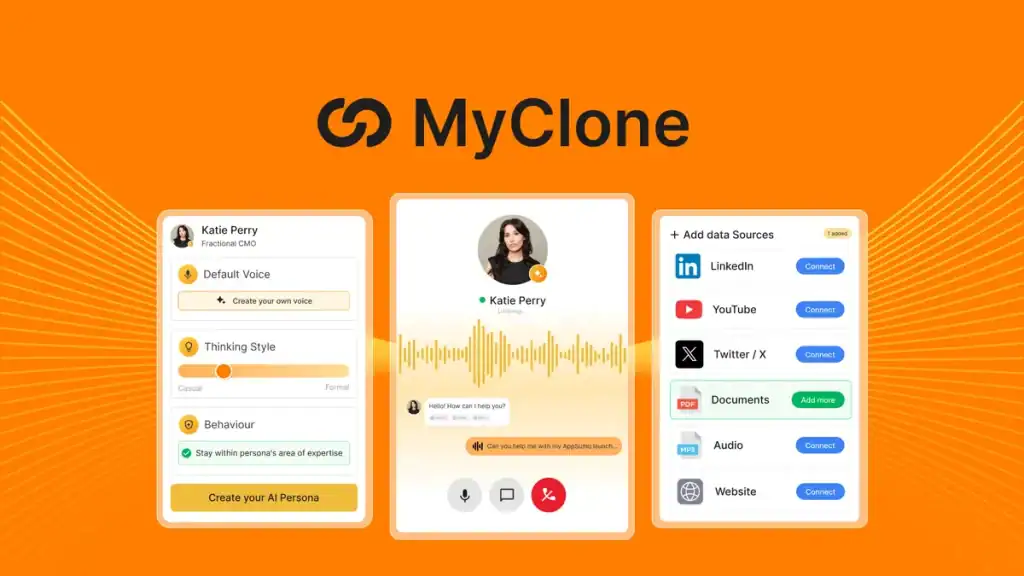
MyClone is a service that allows you to create an "AI clone/alter ego that responds on your behalf".
Not only text chat, but you can also replicate your voice and have conversations with audio.
In this way, it automatically responds to visitor questions via audio or text.
You can significantly reduce man-hours for support and inquiry responses.
Another feature is the ability to add knowledge sources. In other words, you can give your AI alter ego the knowledge in your brain, resulting in responses that are much more like you.
Key Features (Briefly)


- Text Chat: Two-way text responses in Japanese work without any issues.
- Voice Chat: Record your voice to create a voice clone. Smooth on English-based models, but pay attention to Japanese speech recognition.
- Knowledge Import: Add knowledge sources from Twitter/X, the web, documents, YouTube, etc.
- Widget Embedding: Freely design and install chat bubbles, embedded pages, full pages, and more.
- Conversation History Management: Check and download history from the dashboard.
What I especially want you to know is the "voice chat" function.
Learn your voice -> Learn your knowledge ->Create your AI clone
It's an incredibly powerful feature.
It's an AI app that answers your questions with your voice, using your brain and voice.
MyClone Setup Flow (Basics)
Here are the main steps for actual use, in order.
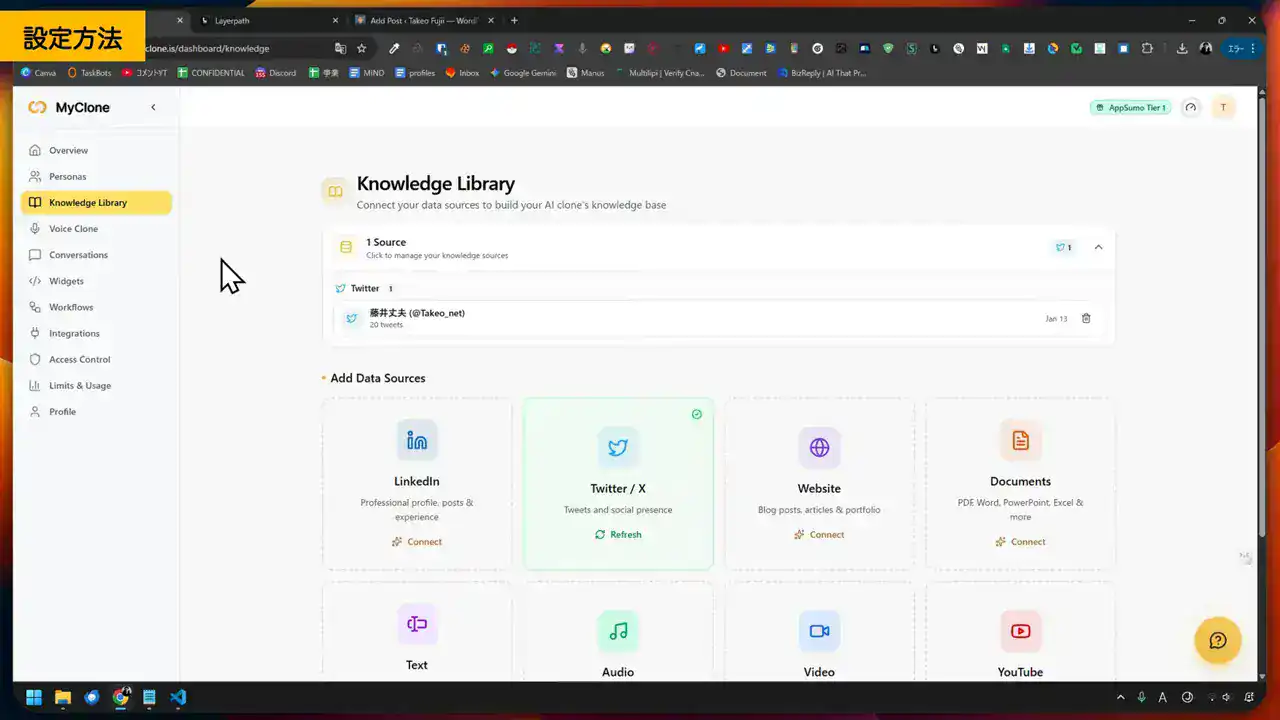
1. Add data sources to the knowledge library
First, to create your clone, you give the AI knowledge.
- Twitter/X account
- Web page
- Documentation
Import these and train it on how to respond.
For example, if I import the URL of this site into MyClone, another Fujii Takeo with the knowledge of the entire website will be born on the internet.
By the way, you can add knowledge at any time.
It's okay if you don't have any knowledge to add right now.
By providing a large amount of knowledge, you can create a more specialized and "you-like" AI clone.

2. Create a voice clone
Next, you train the AI clone with your voice.
- Recording
- Upload audio files
Duplicate your voice.
As shown in the image below, simply read the sample scriptVoice clonewill be generated.


Let's create your AI clone with your voice here. You will be able to interact via voice.
3. Adjust persona and make it live
In Persona, you set the name, role, expertise, initial greeting, etc. This allows you to create response styles tailored to different situations.
For example, you can give your MyClone AI clone the role of "expert on Tool A." You can create a clone of yourself that can answer anything about Tool A.
Set the persona here. Depending on the customization, you can freely create the AI clone you want.
After creating it, let's check its behavior in live mode. The persona settings here can be freely customized later. Let's repeat fine-tuning.
4. Create a widget and embed it on your site
Once you decide on the appearance (color, size, layout), copy the code and embed it on your website. Displaying the bubble type in the lower right corner is common, but you can also choose inline embedding or full page.


It supports various types of sites. Of course, WordPress and Wix are also fully supported.
You can embed MyClone's chat function on your site in just a few seconds.
Key Points for WordPress Implementation
The installation method for WordPress is simple. Just paste the provided embed code into your theme's footer (child theme recommended), and the bottom-right bubble will appear, allowing you to start chatting immediately.
Current Status of Voice Responses in Japanese
Both text and voice chats have no issues with two-way communication in Japanese.
Previously, voice chat did not recognize Japanese.
However,Now supports Japanese with the latest update.
It is now possible to converse completely in Japanese.
It accurately recognizes and responds to spoken Japanese on our end. The accuracy is also high.
Please watch the video to see it in action.
Pricing and Plan Summary
Overseas marketplace "AppSumo". On this site, you can acquire tools and apps from all over the world at a low cost.
A special MyClone campaign is currently running for a limited time on AppSumo.
You can get it for a one-time payment of about 12,000 yen ($79). Pay just once. It's not a monthly subscription, right? Pay just once and continue using it semi-permanently with no additional costs in the future.
The main Tier 1 plan specifications are as follows.


- Voice Chat: 60 minutes available per month
- Voice Clones Count: 1
- Personas Count: 5
- Text Messages: Up to 10,000 per month
- Data Source: Up to 5GB
60-day money-back guarantee
Advanced features such as APIs and Zapierintegrations are available on Tier 2 and above.
If you require multi-user operations or high-load handling, please consider a higher-tier plan.
Additionally, AppSumo offers a 60-day money-back guarantee. If it doesn't suit you after purchase, you can get a refund right away. Please feel free to try it.

Practical Implementation Ideas
- Incorporate frequently asked questions as knowledge to reduce support man-hours.
- Utilize English-supported voice chat to automate overseas customer support.
- Consultants and coaches use calendar integration to automate appointment scheduling and pre-interviews.
- Automatically collect leads with the email capture feature and increase sales entry points.
Precautions and Operational Tips
- Since voice recognition accuracy depends on language and environment, use text verification in combination for important responses.
- Regularly update knowledge to reduce incorrect answers.
- Do not leave responses related to personal information or payments entirely to AI; separate the flows.
- It is realistic to start with Tier 1 and upgrade according to usage conditions.
Conclusion
MyClone is a tool that realizes the concept of 'working in your place' at a quite practical level. Text responses work stably in Japanese, and voice interaction using voice clones is also attractive.
If you are eyeing overseas expansion, utilizing the voice feature will be highly valuable.
By the way, the AppSumo special campaign is for a limited time. You can get it for a lifetime deal of about 12,000 yen right now▼
60-day money-back guarantee
Frequently Asked Questions
Can MyClone be used in Japanese?
Text chat allows two-way responses in Japanese. Voice chat allows Japanese input and output. It recognizes the Japanese we speak with high accuracy. Moreover, it responds in Japanese.
It is stable.
How should I create a voice clone?
It can be generated by reading aloud and recording a sample script or by uploading an existing audio file. Once you send it after recording, a voice clone is created and can be used linked to a persona.
Is it difficult to install on WordPress?
You can display it simply by pasting the embed code into the theme's footer or similar. Using a child theme is recommended. Display styles such as the chat bubble in the bottom right or page embedding can also be freely changed.
How much does it cost?
Campaigns with lifetime deals sometimes appear, for example, a $79 one-time plan. Even Tier 1 has monthly voice minutes and text limits set, and higher tiers are required if you want more advanced features. Please check the plan details before purchasing.
What is the recommended installation order?
The recommended flow is: 1) Enrich knowledge and start operation with text responses, 2) Adjust personas and greeting messages, 3) Embed in WordPress, etc., 4) Create a voice clone and verify voice support.













![AI writing tool "Rytr" review and explanation of how to use it [2024]](https://sp-ao.shortpixel.ai/client/to_webp,q_lossy,ret_img,w_485,h_273/https://takeofujii.net/wp-content/uploads/2021/12/wefewfewf-485x273.png "AI writing tool \"Rytr\" review and explanation of how to use it [2024]")







Leave a Reply