


Hello, this is Fujii. In this article, you can use theWordPress plugins that allow you to create diagnostic content, quizzes, fortune-telling, and moreI would like to introduce you.
There are actually many WordPress plugins that allow you to create diagnostic content. In this article, we will introduce some of the most popular WordPress plugins.
Yes/No Chart (Free)
Yes/No Chart is a WordPress plugin that allows you to create diagnostic contentis. The most distinctive feature is "Japanese support". Therefore, it may be the easiest to use.
If it is a simple diagnostic content, you can respond with Yes/No Chart.
By the way, you can add the following elements to your WordPress pages.


There is one caveat before explaining how to use it. The free version isBasic features onlyis.
There is a fee for the scoring function (3,850 yen) and the function to send to the answering user (5,500 yen). Both are one-time purchases.


For detailsThis pagePlease see.
How to install Yes/No Chart
First, click on 'Plugins' → 'Add New' from within your WordPress dashboard.
From the plugin search, clickYes/No Chart".

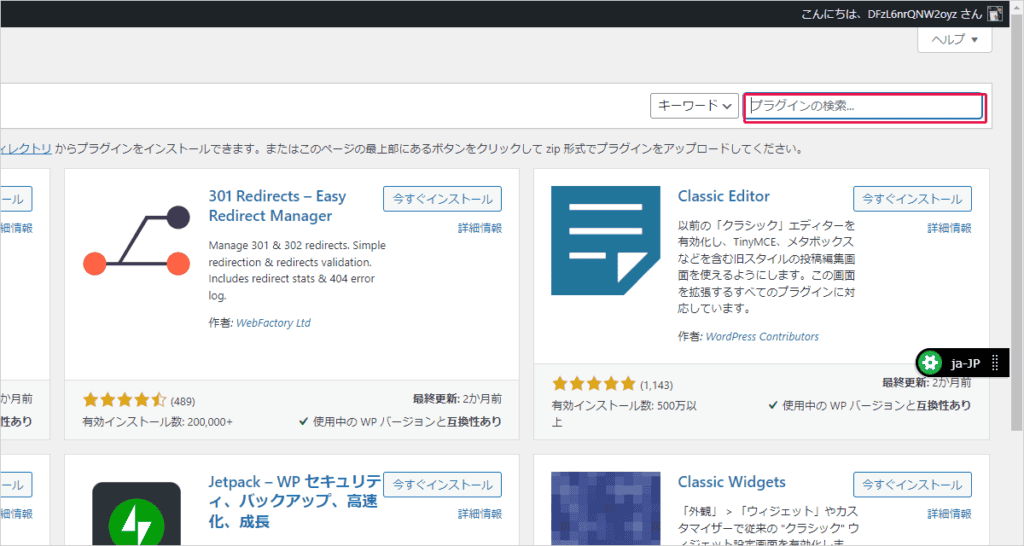
Scroll down a bit and you will see the plugin. Make sure the plugin name says "Yes/No Chart".

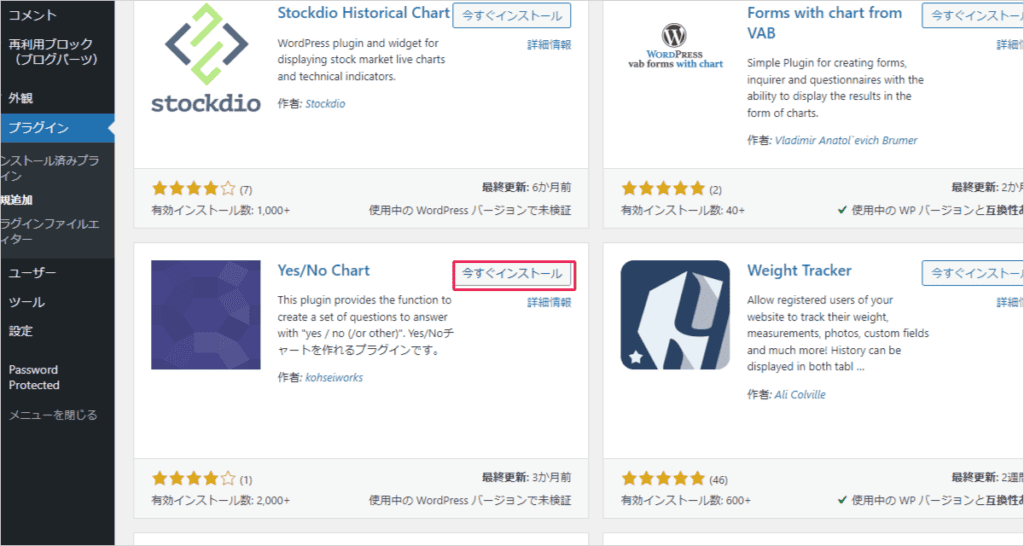
When it appears, install and activate. That's it!
How to set up a Yes/No Chart
This section explains how to set up a Yes/No Chart. You should have a "Yes/No" field added to your WordPress dashboard.
Please see the image below for detailed locations.
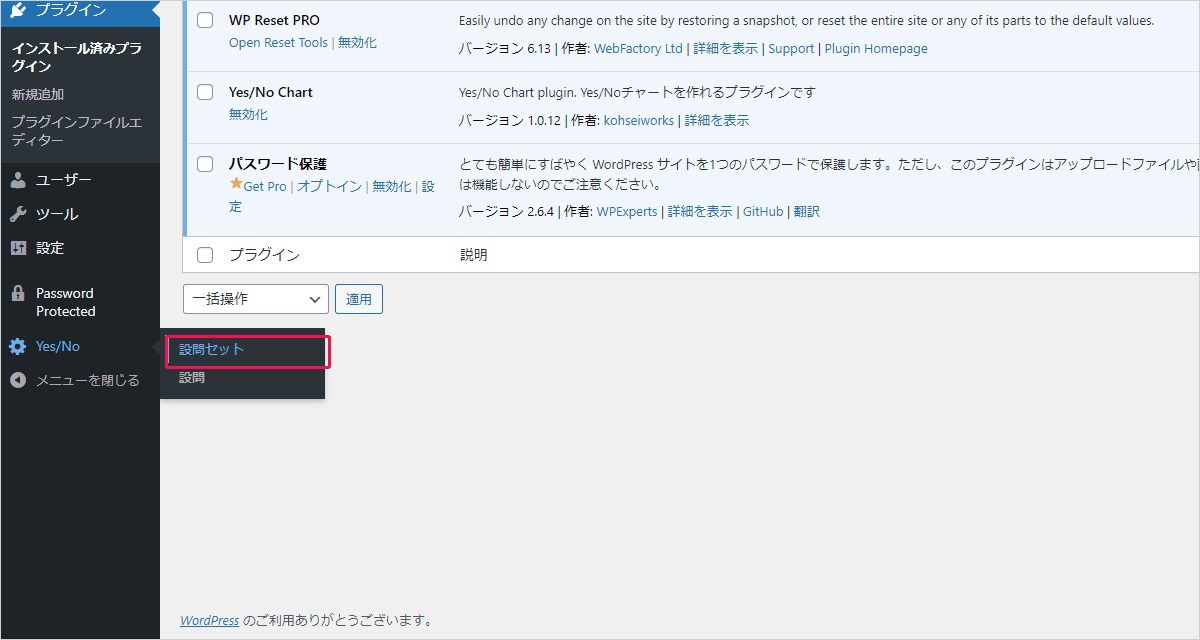
Click on the "Question Set" in this to open the settings screen.
First, enter a set name. Give it a name of your choice.

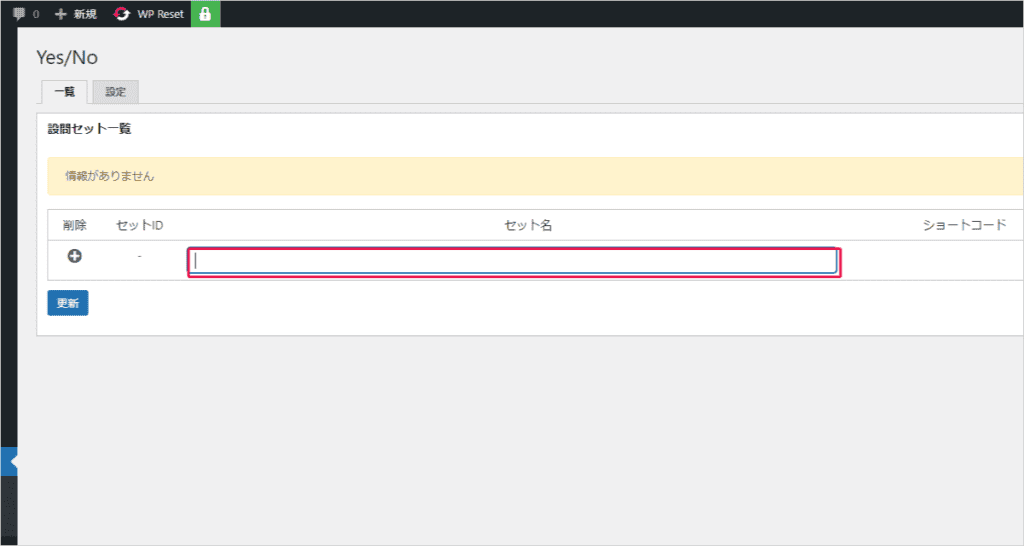
And make an update. Then it will be saved.
Then click Questions.

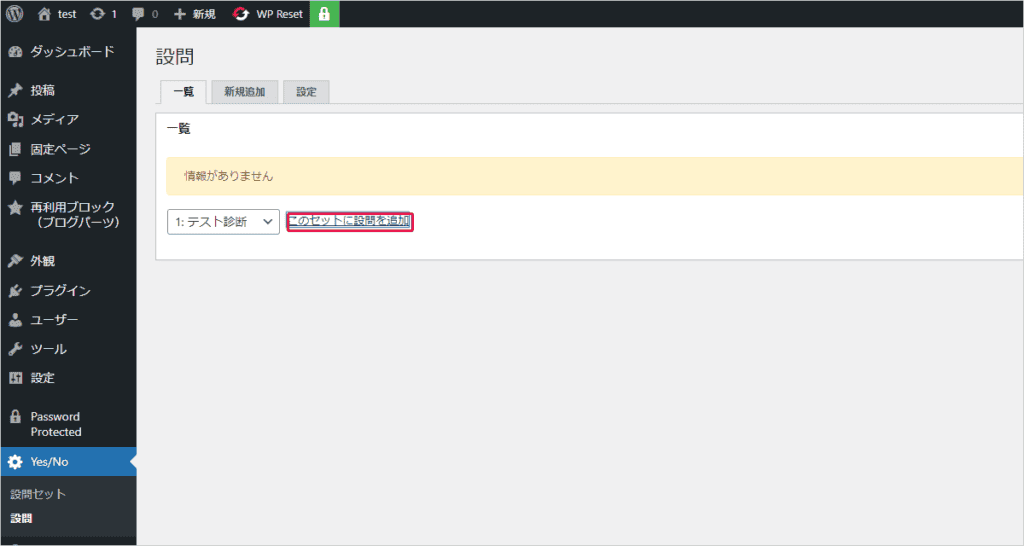
Here we select the question set we made earlier.
You can set the questions freely.

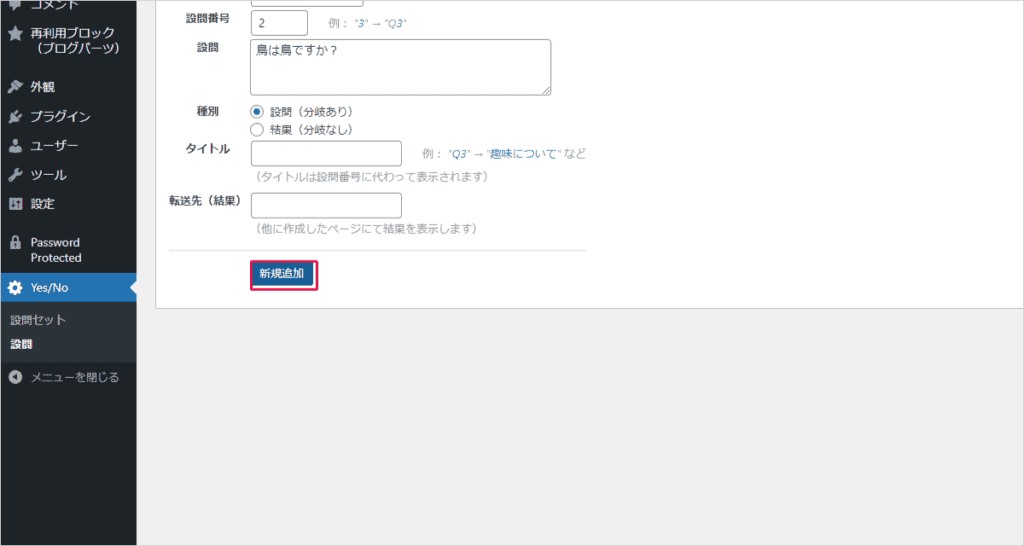
I have briefly explained it so far, but everything is displayed in Japanese. Therefore, you should be able to set it intuitively without any hesitation.
You can also freely set the answers to the questions.

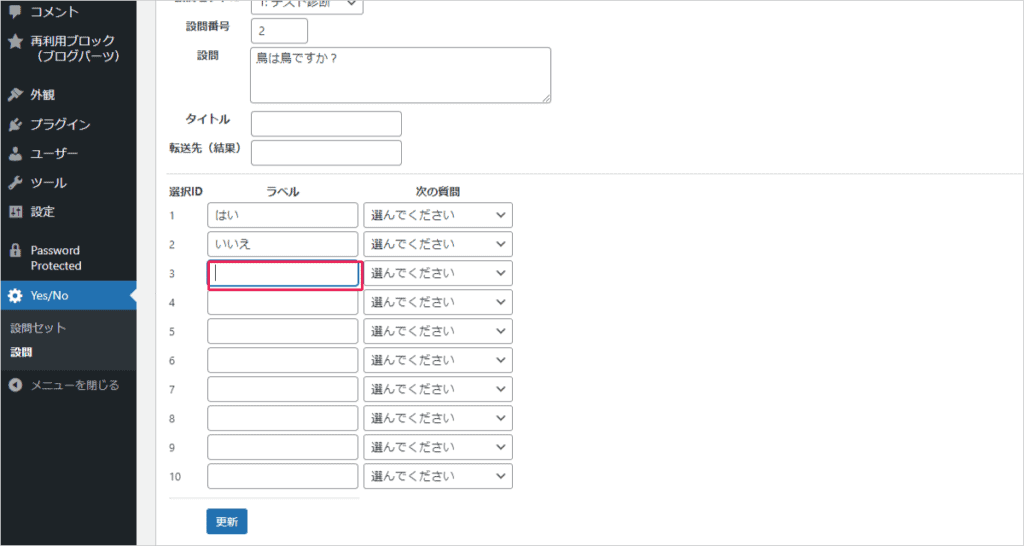
Once you've created everything, copy the shortcode.
The shortcode location exists in the Question Set. Check out the image below.

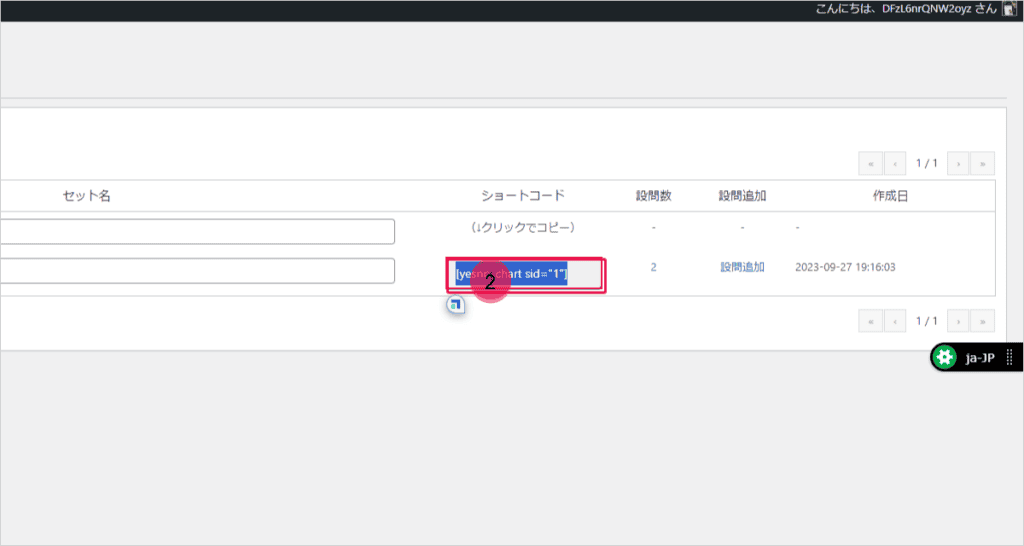
You can use this shortcode on your posts and pages to display diagnostic content.
Again, only basic functions. As for the actual operation feel, I think that in order to create so-called diagnostic content, you will need the "Yes/No Chart Branching Function by Score (Paid)".
Quiz Maker (Free)

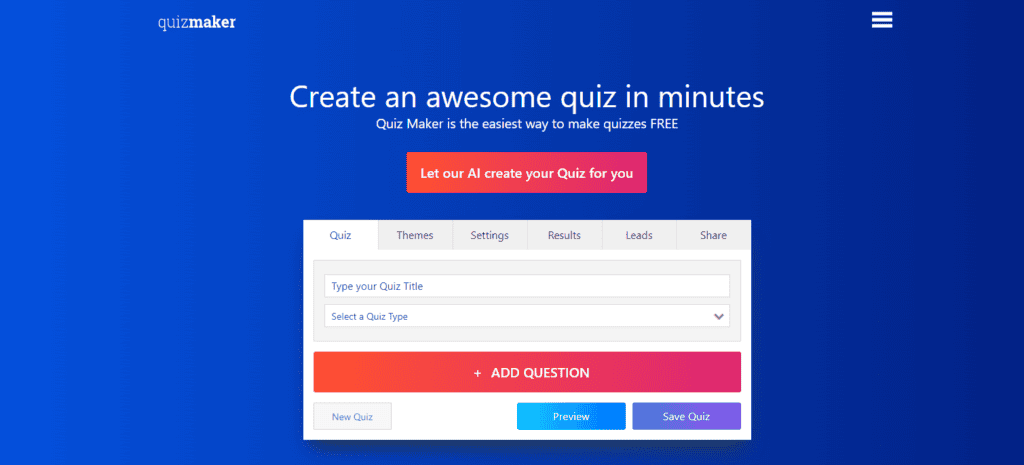
Quiz Makeris a WordPress plugin that allows you to ask quizzes within WordPress and have visitors answer them.
Even in the free version, you can set it quite freely.
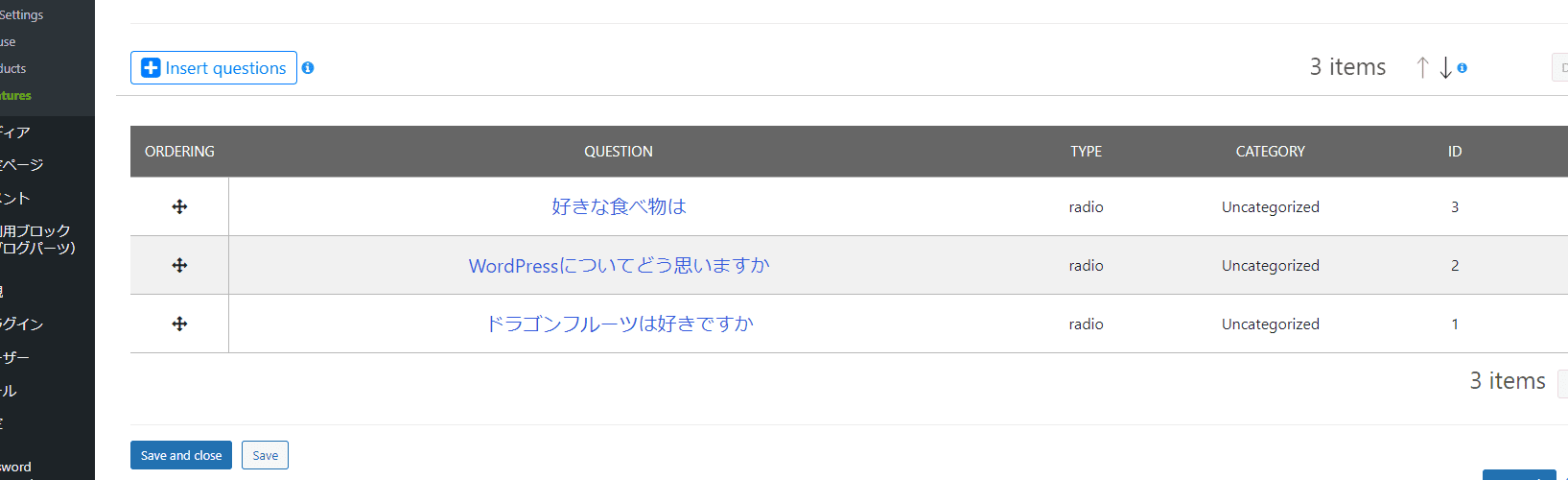
By the way, the plugin name is Quiz Maker, so you may think, "I can only make quizzes."
Don't worry.You can also create diagnostic content such as personality tests.
Please see the image below. You are free to create diagnostic content.
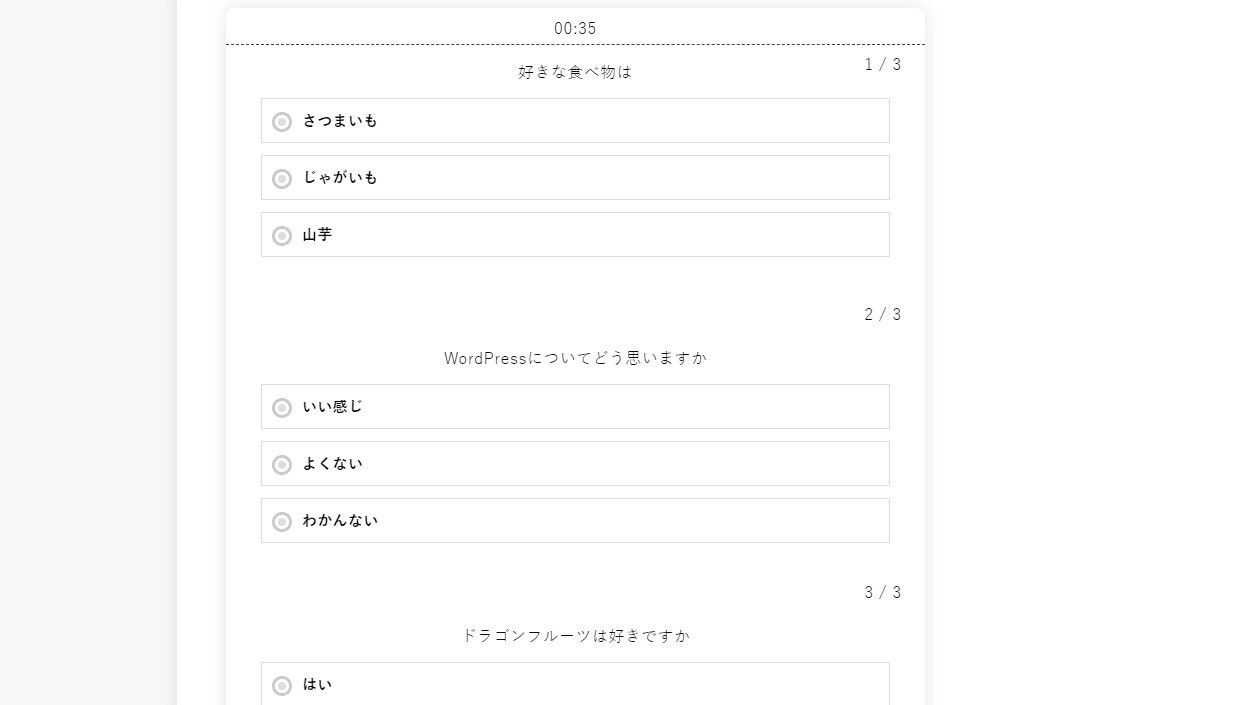
It may be a little hard to see. Click on the image to enlarge it.
The Quiz Maker official explained how to create diagnostic content. Click on the accordion below for details.
What was posted here wasHow to create personality test contentis.
Here's how to create personality test content. This step connects each question to a specific result or type to show the respondents the perfect result.
For example, in response to the question, "What is your favorite activity?", you can provide answers such as "swimming", "climbing", "hiking", "driving", "eating out", etc. Each answer matches a different travel destination. By doing this, you can create an engaging quiz.
Once each answer is tied to a result/type, the quiz maker will automatically assign the best diagnostic result. How much is the detailed setup procedure.
Note: You can only use the Multiple Choice or Checkbox questions.
- Set a title for the quiz and select "Assign Types" from the quiz type dropdown.
- Click "Add Question" and select "Multiple Choice".
- Repeat the above process until all questions are added.
- Click the "Results" tab and add a type.
- Enter a title and description for the type.
- Click "Assign answers". Click on each related diagnostic result. Click OK.
- Repeat the above steps for each category.
You can also automatically redirect to any URL. This means that respondents can be automatically directed to specific pages on your website. You can direct you to product sales pages or specific pages
HD Quiz (Free)
HD Quiz is a WordPress plugin that allows you to create quizzesis. But it is also possible to create diagnostic content.
The rating is very high. All 4~5 stars.

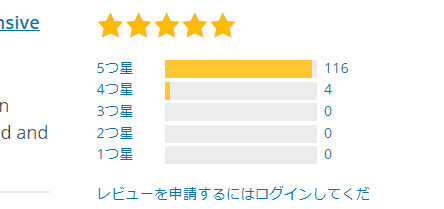
Why is it so highly rated? That's because it's quite easy to use even in the free version. You can use the free version without complaints.
From your WordPress dashboard, search for "HD Quiz" under "Add Plugin."
When the search results appear, click "Install Now".

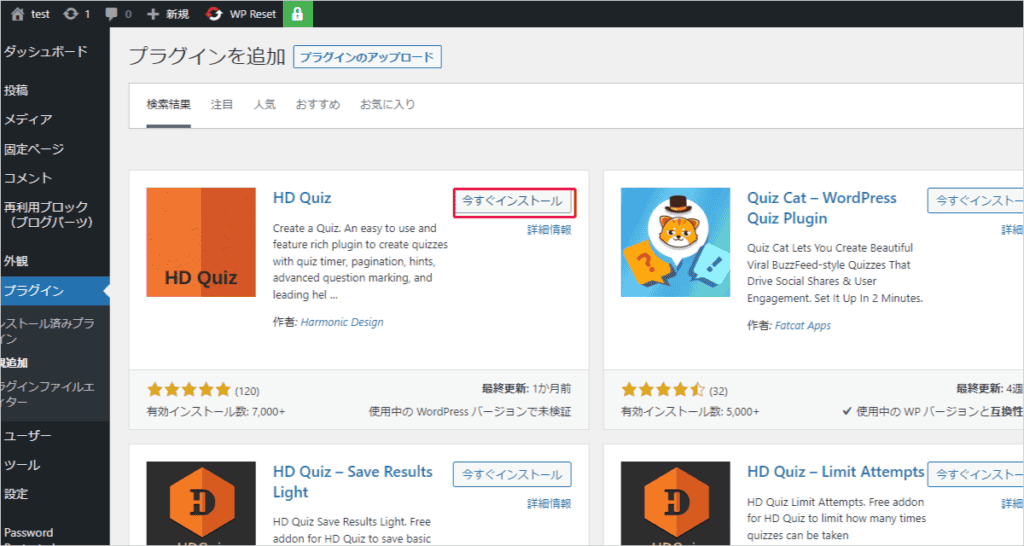
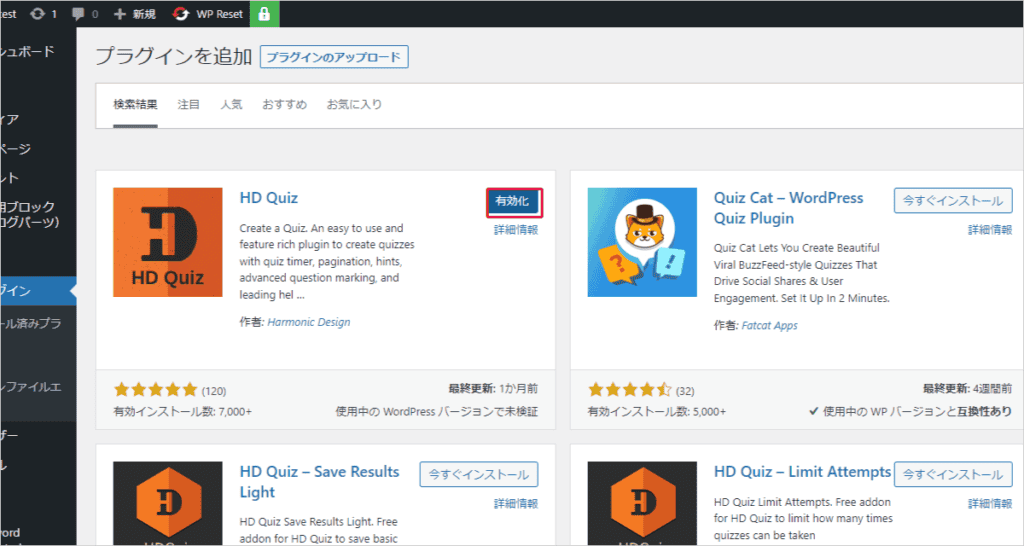
Then click "Enable".

How to use HD Quiz
The HD Quiz settings screen is in English. But it's easy to use.
Once the installation and activation are complete, you will see the HD Quiz field added within your WordPress dashboard.

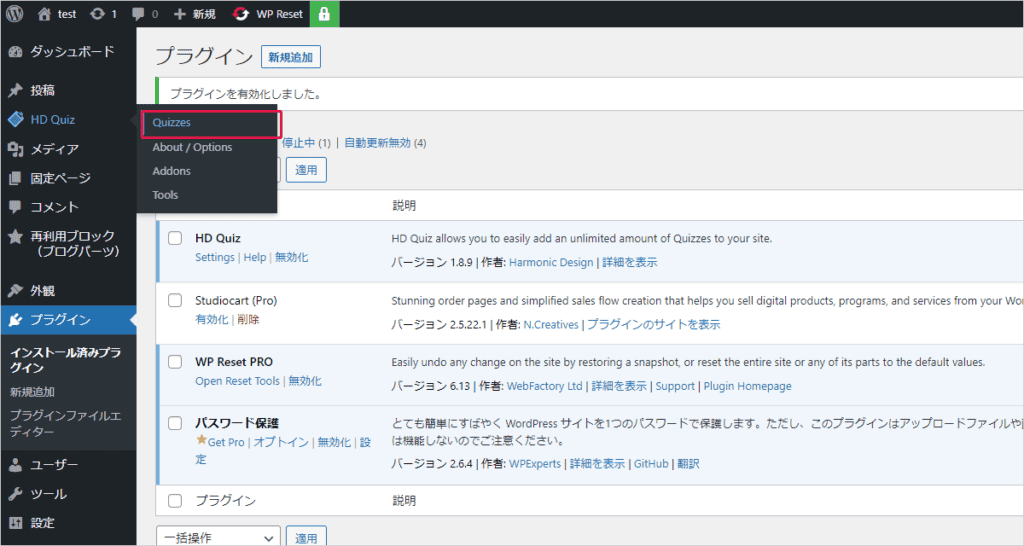
Click on "Quizzes". From here, you can add new quizzes and diagnostics.
First, set a name. Click on the item that says "Add ne quiz".

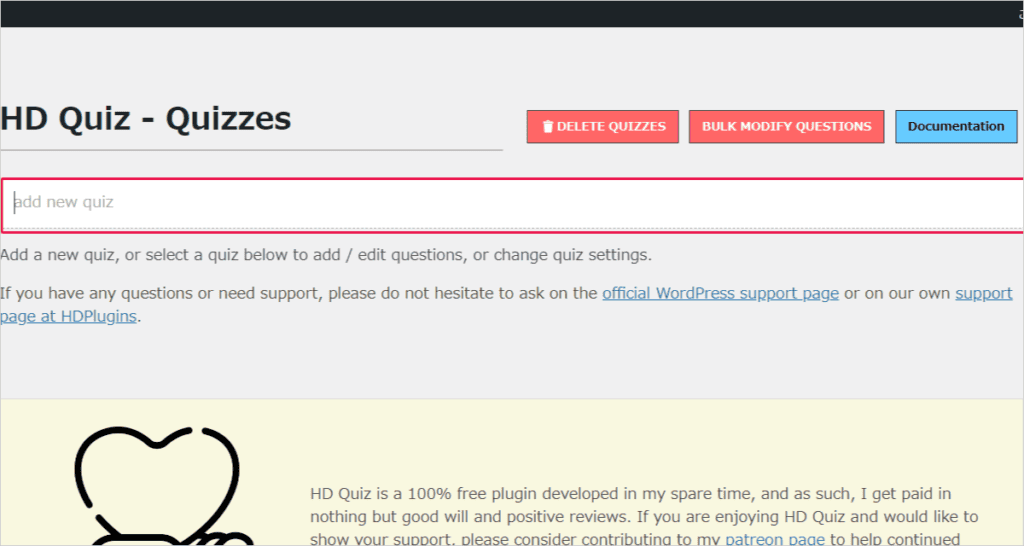
A new diagnostic content item is added.
Click on it.
You are free to add new questions from within this page.

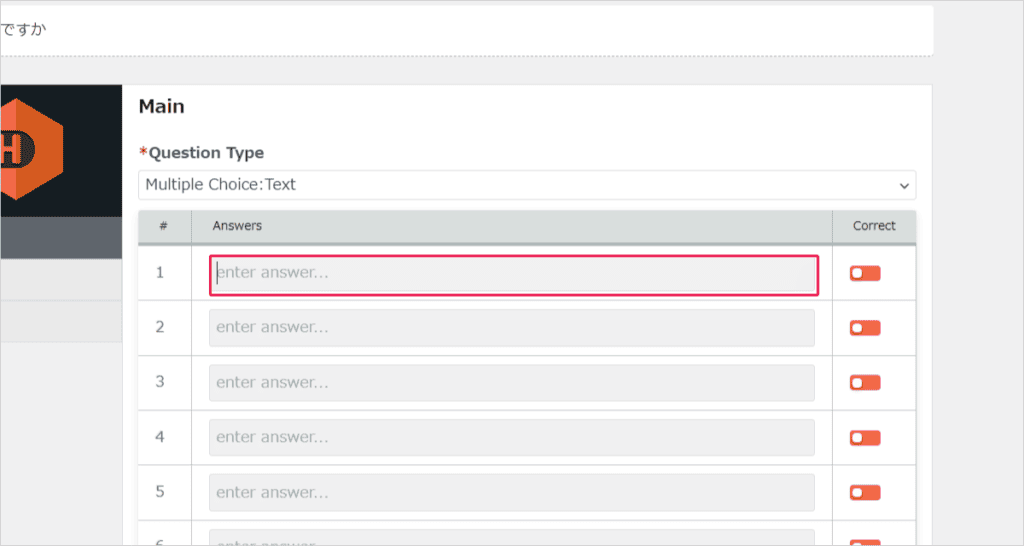
Create and save quizzes. You can add the diagnostic content you create here to your posts and pages.
Copy the shortcode to add it. See the image below.

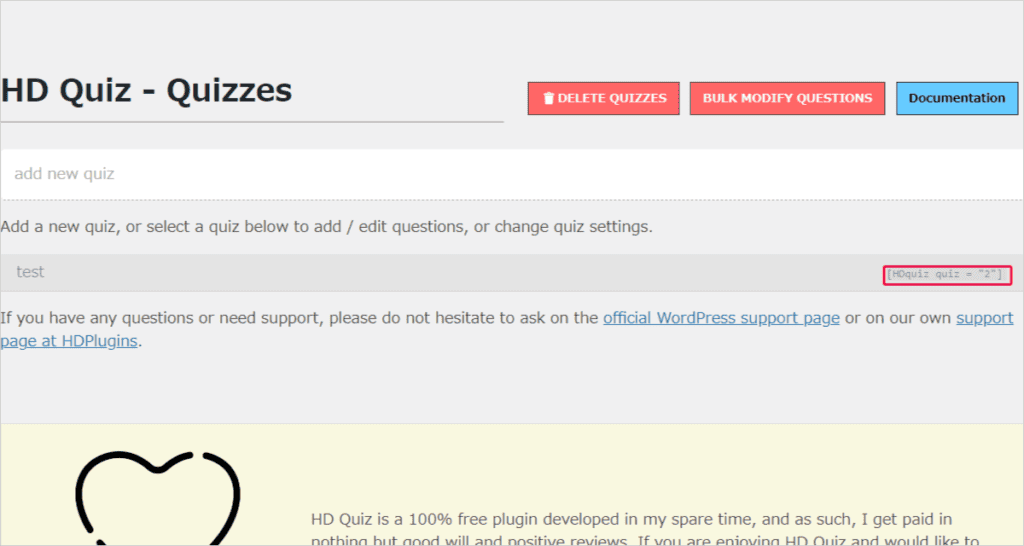
Insert and save it to your actual WordPress post or page.
It can be displayed as follows:


As you can see, HD Quiz is an English WordPress plugin, but it can be displayed in Japanese without any problems at all.
Rather than diagnostic content,If you want to make quizzes as your main focus, we recommend HD Quiz.It is extremely rated higher than other similar WordPress plugins.
YOP Poll (Free)


YOP Poll is a WordPress plugin that allows you to publish surveys within your own WordPress page. It is not suitable for creating diagnostic content. It is suitable if you want to create a survey.
This is a WordPress plugin for creating surveys that has been around for nearly 10 years, so we introduced it here.
However, it doesn't seem to have a very good reputation in the past few years.
Overall, 60 out of 444 results have 1 to 2 stars.


The content of the review is as follows

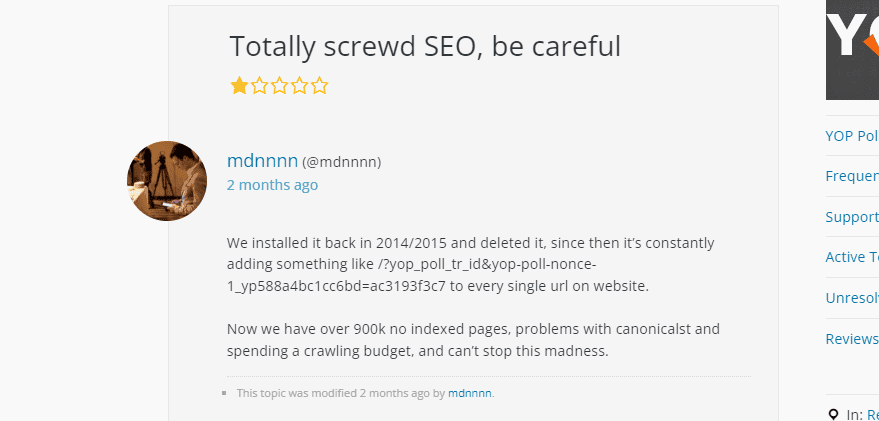
After installing it in 2014~2015 and then deleting it, I keep adding things that I don't understand, such as /?yop_poll_tr_id&yop-poll-nonce-1_yp588a4bc1cc6bd=ac3193f3c7, to all URLs of the website. The number of unindexed pages has ballooned to over 900,000 pages, and it has even affected canonical tags (HTML elements to avoid duplicate content issues and maximize SEO effectiveness). And the crawling budget of the site has been wasted a lot.

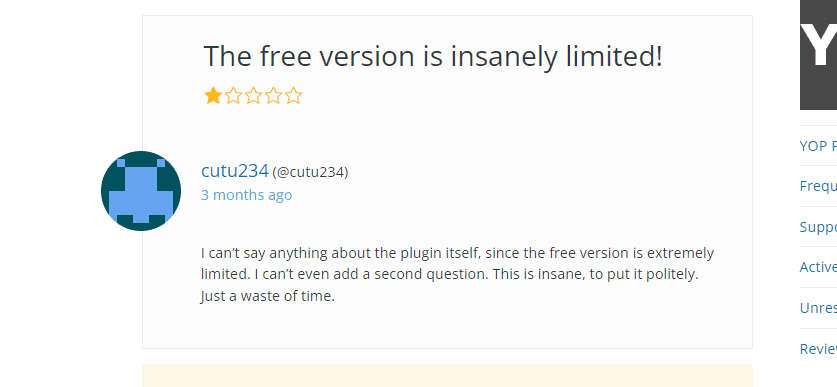
It's hard to rate the free version of the plugin. Because the functionality is too limited, and I can't even add a second question. To put it bluntly, it is a situation where you "struggle to understand". As a result, time is wasted.
However, if it is a really simple survey, you can create it with YOP Poll without any problems.
It's very convenient to be able to create surveys from within the dashboard.

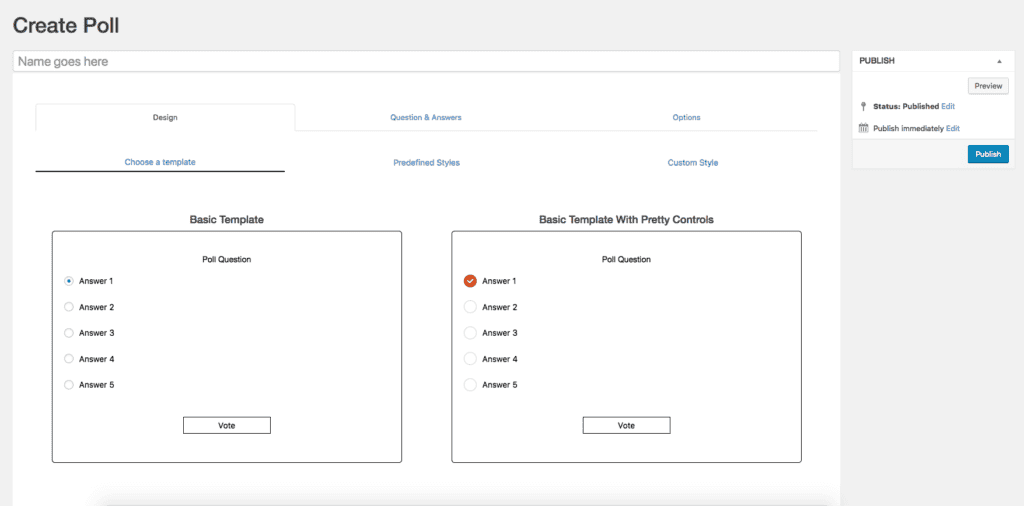
Although the reviews are somewhat low, the survey is simple and easy to read, making it easy for visitors to vote.

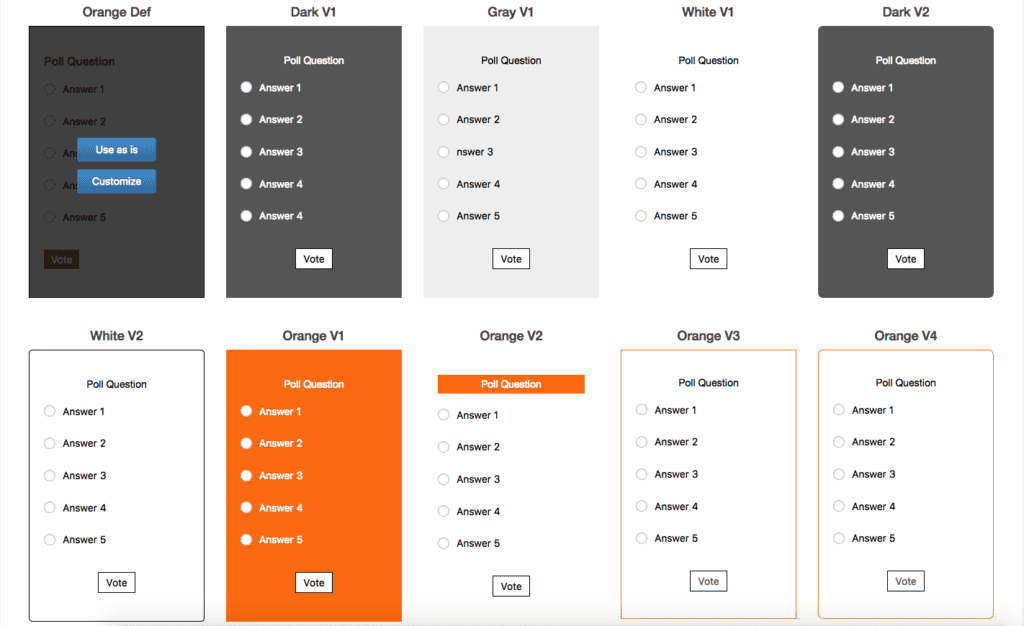
By the way, you can also freely set the timing of the display of survey results.
For instance
- Publish results immediately after completing the survey
- Regret on the end date of voting
- Publish at a specific date and time
- Don't make your answers public at all
You can freely specify the display of voting results.
Summary: How to Create Diagnostic Content on WordPress?
For free5 WordPress Plugins for Creating Diagnostic Content, Fortune Telling, and SurveysI introduced you. All of them are highly rated plugins that are very easy to use.
In particular, Yes/No Chart can be used in Japanese. It's free. (However, extensions are paid). If you want to create simple diagnostic content, Yes/No Chart is sufficient.
However, if you want to create diagnostic content that you often see,Try HD Quiz or Quiz Maker once.I think the free version is enough to create diagnostic content.
By incorporating diagnostic content, you can provide new experiences that keep visitors engaged.
All of the WordPress plugins we've listed here come with a free plan. Be sure to choose a plugin that matches the diagnostic content you want to create.
If you have any other questions, please feel free to ask.


















![How to use Genesis Framework and discount sale information [2024]](https://sp-ao.shortpixel.ai/client/to_webp,q_lossy,ret_img,w_485,h_273/https://takeofujii.net/wp-content/uploads/2022/11/genesis-framework-485x273.png "How to use Genesis Framework and discount sale information [2024]")


It seems that many people use YOP Poll in Japan, but there are some caveats, so please take a look.