


StackSocial is an international marketplace that sells digital services, including apps and software, at surprising prices.
In particular, Microsoft Office is attracting attention for offering a very low price of $59 (about 9,200 yen) for a one-time purchase.
On this site, you can get a wide range of products, including apps and software, online courses, gadgets, and more, at super bargains.
ThisStackSocialWe will thoroughly explain the safety of the store, how to actually buy it, and how to get it with a coupon at a better price.
I myself have purchased from this site many times.

We will deliver an illustration of how to use it in practice!
What is StackSocial? Explaining features and charm

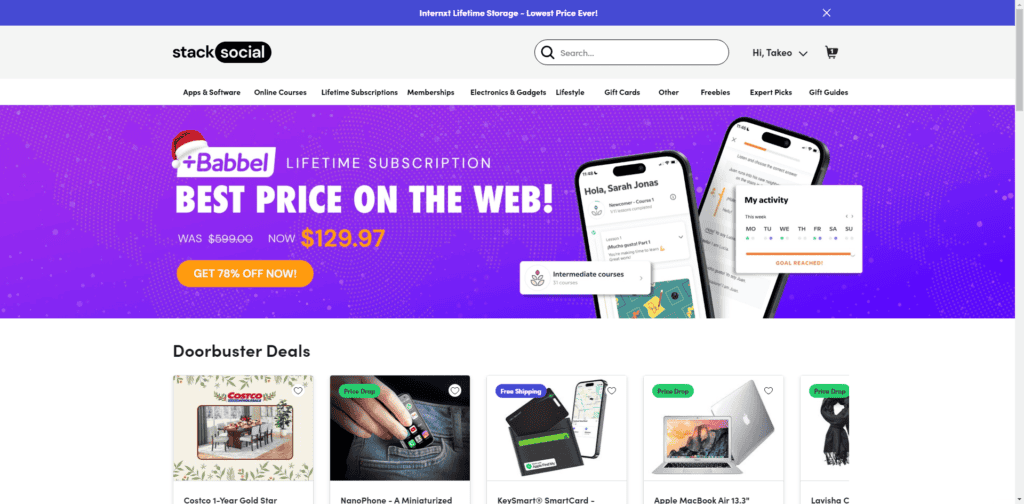
StackSocialFrom apps and software to online courses and gadgets, it is an overseas marketplace where you can get it at a significant discount.
What kind of products are sold and how cheap?
Please see here.

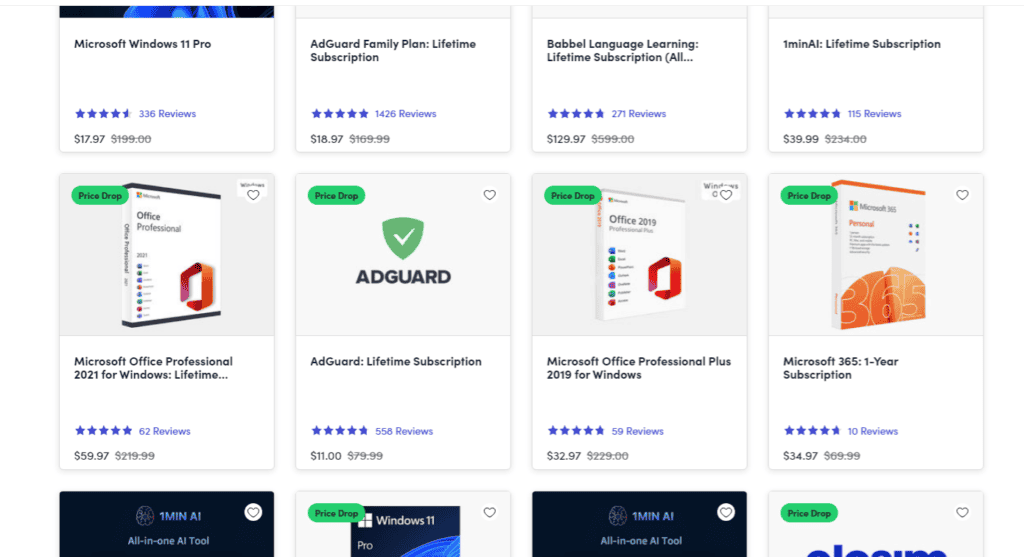
If you use it, you can get more than 50% off services such as Microsoft Windows 11 Pro and Office, which usually cost tens of thousands of yen. Moreover, you can purchase it as a one-time purchase.
And that's not all.
Wide range
It's not just standard software such as Microsoft Office that is cheap.

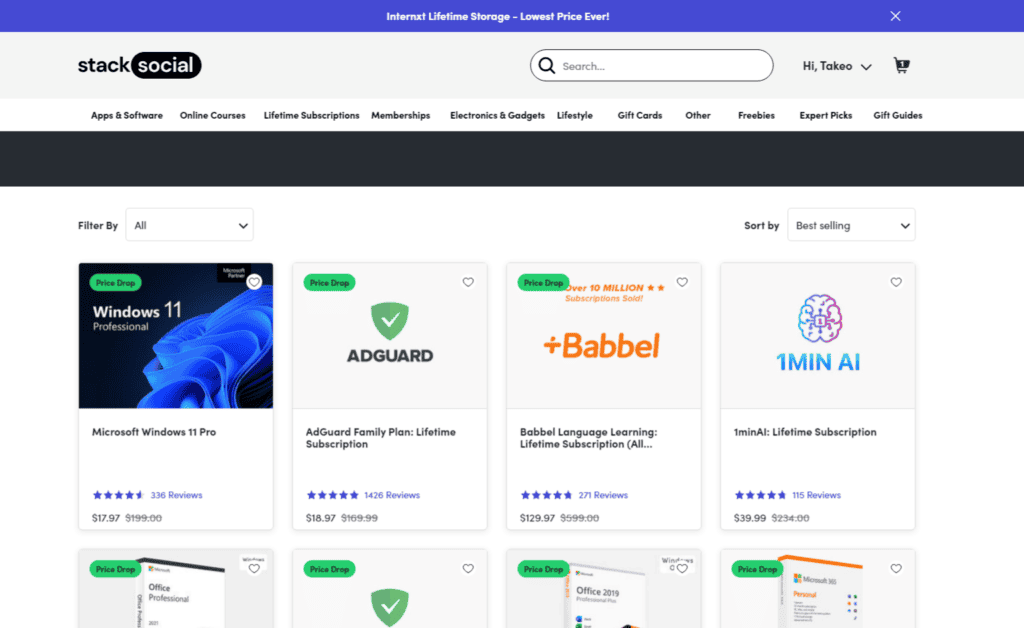
It includes Adgurd, Babbel, and more, as well as well-known VPNs, AI tools, apps, and the latest gadgets.
You can get a wide variety of products from PC software to iOS/Android apps at low prices.
Exclusive Deals and Coupons
Exclusive offers are often held. By using these campaigns, you can purchase at a much lower price than on the official website.
In addition, you can get an even discount by using the coupon together.
>> Click here for discount coupons
For these reasons, Stacksocial is a popular platform for people around the world who value value money.
Is Microsoft Office license super cheap & one-time purchase on StackSocial?
First of all, many people are curious about whether this is true that you can get Microsoft Office at an ultra-low price.
The conclusion is true.
The actual sales page is here.
![StackSocial で Microsoft Office Professional 2021 for Windows を見つけてください。洗練されたボックス イメージが特徴のこの無敵のオファーでは、元の定価 219.99 ドルからわずか 59.97 ドルで入手できます。ワークフローを合理化し、今すぐ [カートに追加] をクリックしてください。.](https://spcdn.shortpixel.ai/spio/ret_img,q_cdnize,to_auto,s_webp:avif/sp-ao.shortpixel.ai/client/to_webp,q_lossy,ret_img,w_1024,h_504/takeofujii.net/wp-content/uploads/2024/12/Microsoft-Office-Professional-2021-1024x504.png "StackSocialとは?激安でMicrosoft Officeを買い切り購入できる?")
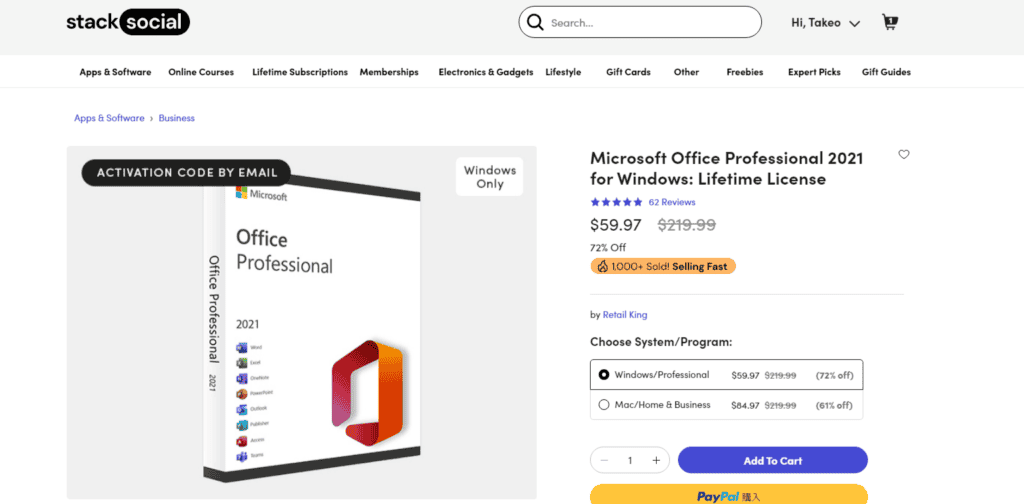
Click here to buy >> Microsoft Office Professional.
The page is in English. $59 = about 9,200 yen.
At first glance, it is an unbelievably cheap price.And it's a one-time purchase.
In other words, you can get it by paying once. There are no additional costs. No annual subscription renewal required.
But there's a reason for this pricing.
Below, we will examine the details of how this license is offered at a great price.
Are Microsoft licenses genuine (real)?
Is the Microsoft Office license provided by Stacksocial genuine?
First, the sales page says "Offer made possible by authorized Microsoft partners."
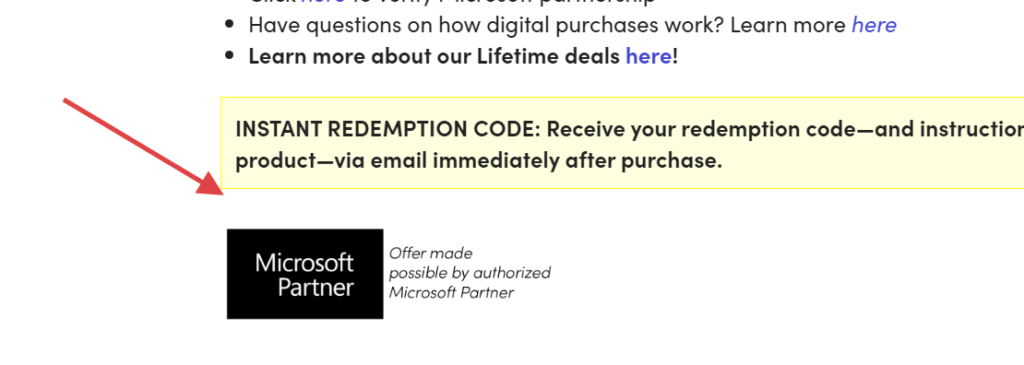

Therefore, if you believe this statement,It is a genuine license.
In fact, it has received high praise from many users.


Office Pro was a great deal. The installation and activation were also completed without any problems. We highly recommend this upgrade method. (English→ Japanese)
Lifetime licenses include tools and apps that can be installed on your desktop for offline use. Once you purchase the product, you will have access to the license, and you can easily download and install the software in minutes. (English→ Japanese)
I have verified it myself, and it has been successfully certified and has been working without problems for one year (I am still verifying it on a separate PC due to safety concerns).
In fact, as a result of contacting Microsoft directly, some voices confirmed that it was genuine.
But why is it cheap? Some point out that the reason is "extremely gray". Here's how it works:
Possibility of licensing via the gray market
StackSocial lists it as an "official partner of Microsoft", but considering the actual price, it is an unusually large discount.
Why is it cheap?
That isBecause most of the license keys actually come from the gray market (gray market)It is thought that
You can obtain your gray market license key in the following ways:
- Unauthorized resale of enterprise volume licensing
- Educational license abuse
- Resale of cheap products in foreign markets
For example, there are countries where you can get it at a significantly lower price than buying in Japan. It is a license key obtained through such a country.
It may not be a formal distribution channel. Although it is not completely illegal legally, there are many cases that are ethically problematic.
However, it works.
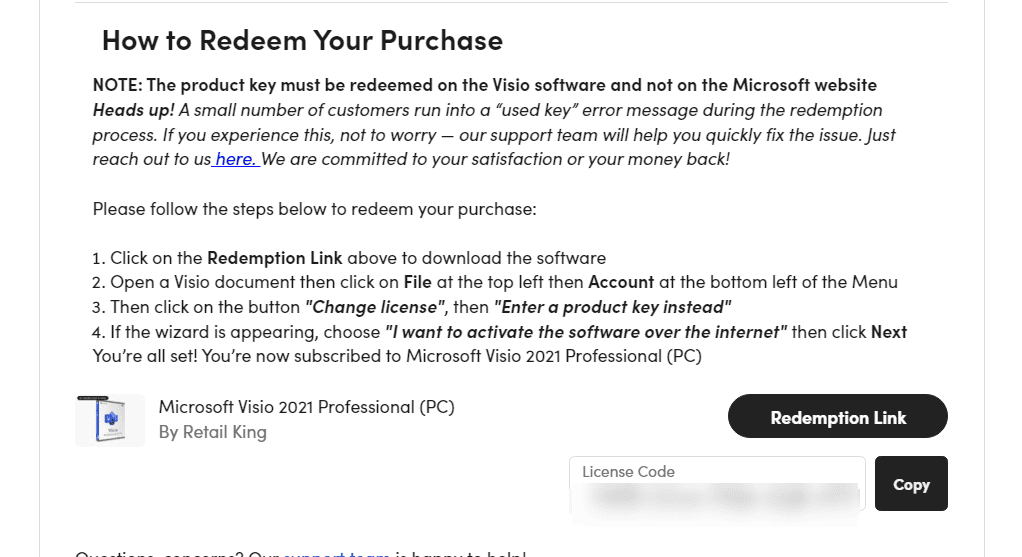

Microsoft Office and Windows 11 Pro, which are actually available on StackSocial, are working.
This means that most users have been using it for several years without any problems, which is true.
Is StackSocial safe?
StackSocial is a US site that has been operating since 2011.
It is operated by StackCommerce. Founded in Venice, California in 2011. Currently, the company has 51 to 200 employees.

It is a reliable platform that partners with over 1,000 publishers and 5,000 brands.
Since it is an overseas site, "Is this site safe?" or "Isn't it dangerous?" It may feel so, but it is a popular site with over 1 million monthly users.
Although it is not well-known in Japan, it has approximately 1.5 million monthly visitors in October 2024.
It has been rated over 10,000 times on the major review site "Trustpilot".


Next, let's explain how to buy on StackSocial.
How to buy StackSocial
We have prepared illustrated slides. It's very easy to use.
First, open StackSocial. When you enter from the top page, you will be confused until you are on the desired page, so press the button below.
Press this to open the app and software sales list page.

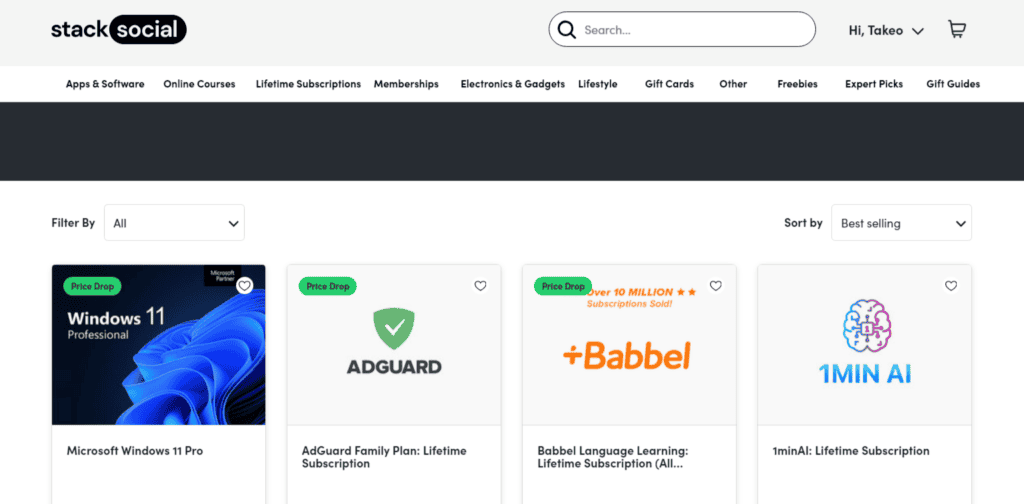
And choose the next product to buy.
If you're looking for Microsoft Office or Windows 11 Pro, go to "Best Selling" under "Sort by" on the right side.

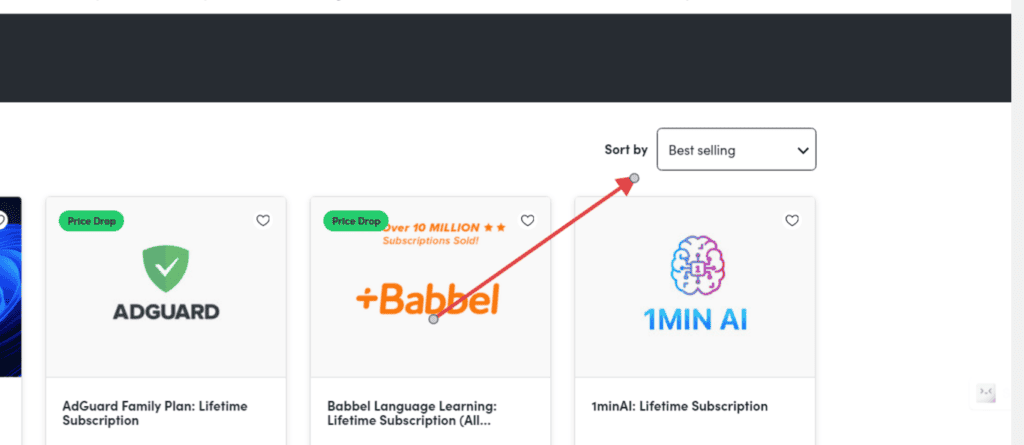
Then, when you find the product you want, press it.
The product sales page appears. After confirming the pricing plan, press the "Add To Cart" button.

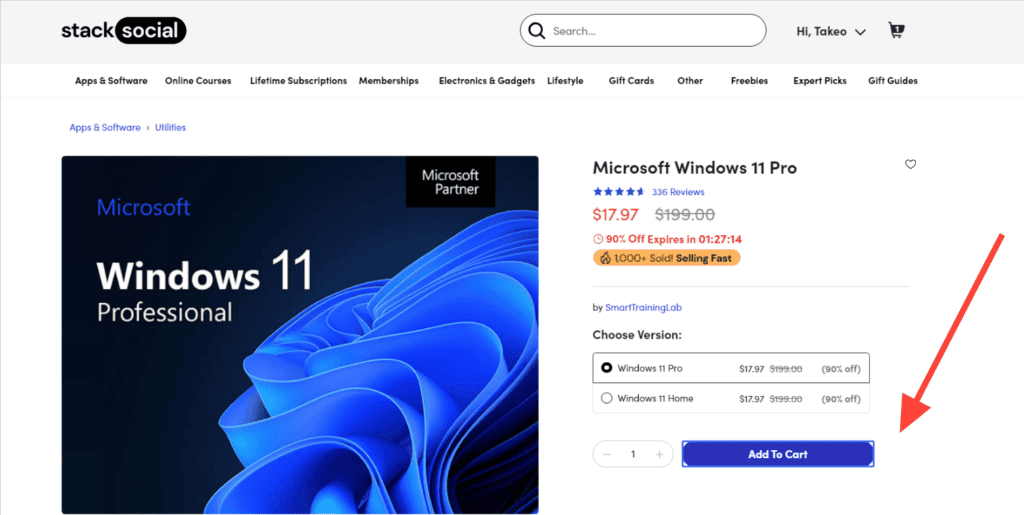
If you see Checkout, press this pop-up.

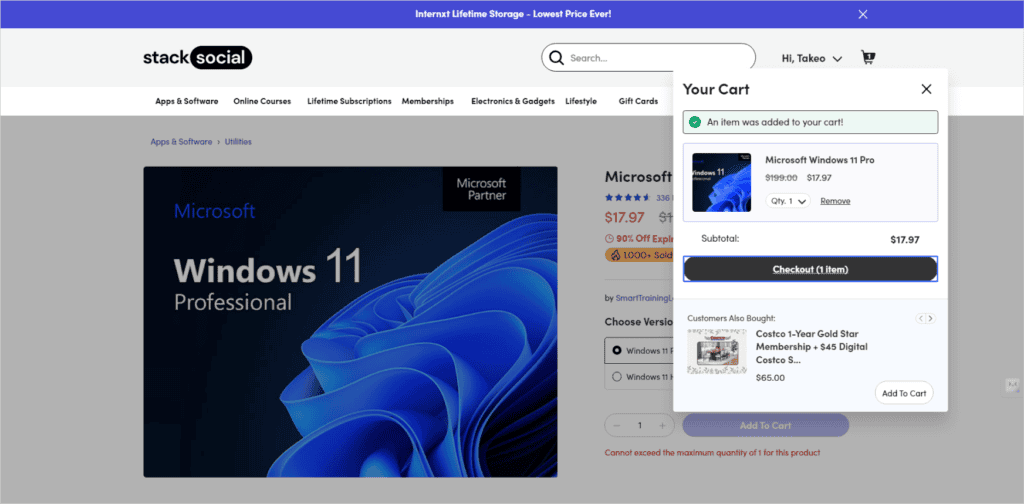
This will take you to the order page.
If you don't have an account here, you'll see a screen like the one below.
When you create an account and make a purchase


Press Create account. And then
- Email address
- Password
You can freely set these two options.


You can create an account in simple steps. If you want to use it in the future, please create an account.
When purchasing as a guest


If you make a purchase as a guest, you can purchase without registering an account.
Now, let's move on to the actual purchase procedure.
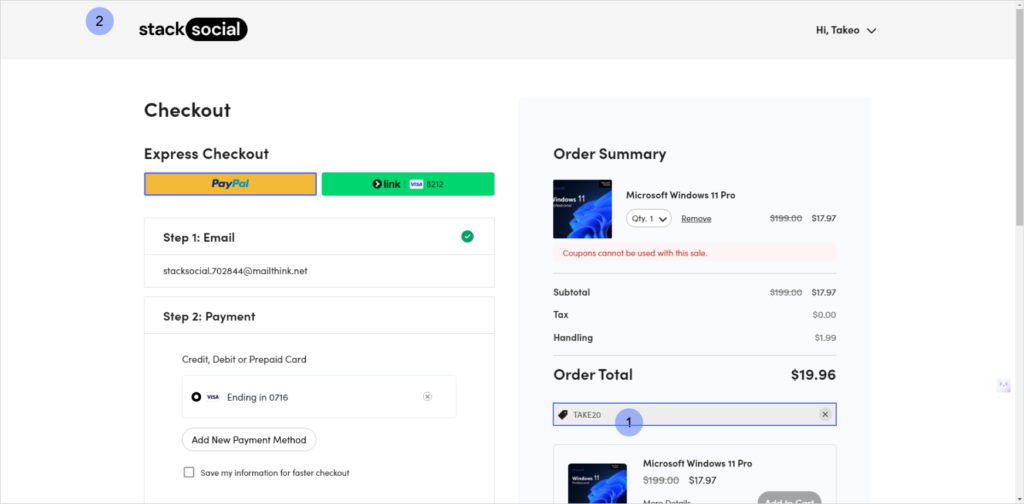

You can use the discount coupon here. First, press the coupon code entry area. Enter the coupon code here.
Currently, you can get a 20% discount on "TAKE20".
Some products cannot use coupon codes.
Enter the coupon code and press the "Apply" button.
Make sure you have a discounted price.
Next, select a payment method and proceed to payment.


You can use a credit card, but if you are worried about overseas sites, we recommend paying with PayPal.

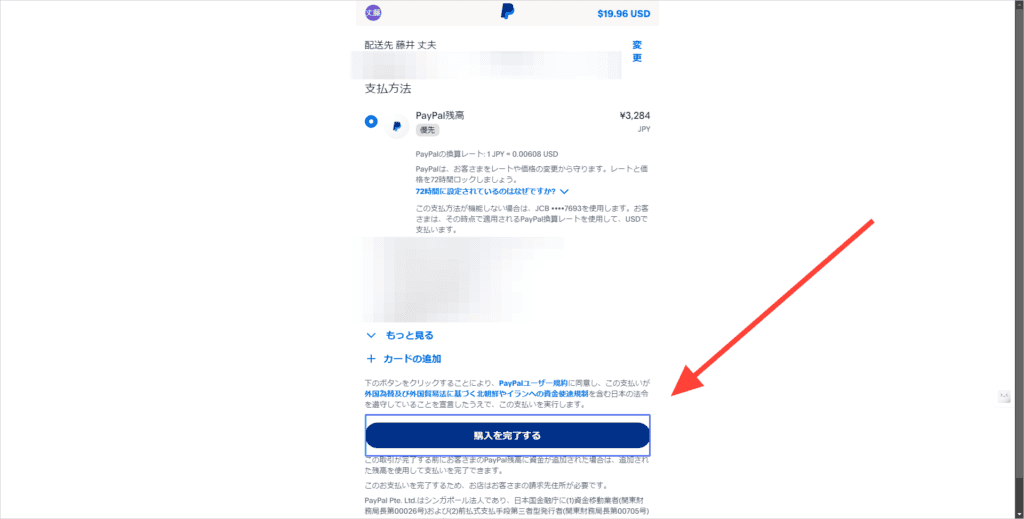
It is written in US dollars, but please rest assured that it will be converted to Japan yen when you pay.
After completing your purchase, you will be automatically taken to the redemption page, but if not, press Purchases from the menu.
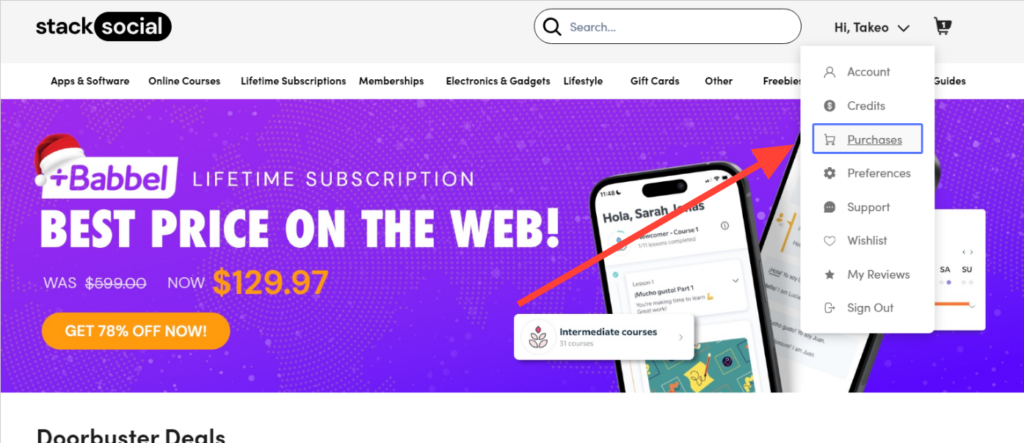

This will take you to the list page of the purchased products.
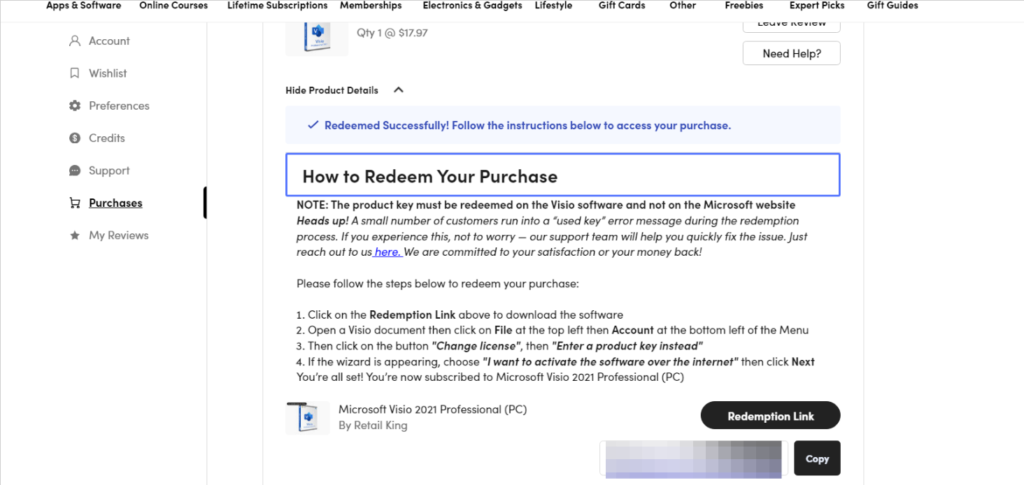
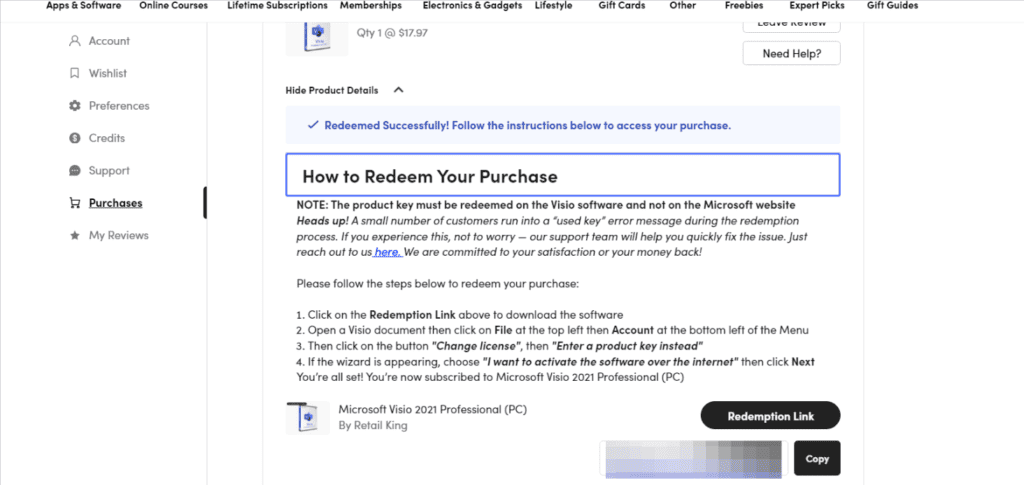
When you press Product Details, you will find instructions on how to redeem the product.
It is written in English, but you can read it in Japanese if you use a page translation function such as Google Chrome.


Press the copy license code button.
You can then copy the license code to redeem the item. Next, press the button if you have "Redemption Link".
You will be automatically redirected to the product redemption page.
After that, follow the redemption instructions to redeem the product.
This procedure is the same for most products, but some steps can be complicated.
If this doesn't work, please let us know in the comments section of this article. I will answer you.
Tips for getting the most out of StackSocial
On StackSocial, you can buy software and apps at discounted prices that you wouldn't get at full price.
However, in order to use it at a better price,You need to use deals and coupons wisely.
I've been using it for 7 years, and I'll explain how to use StackSocial.
20% Off Your Purchase at StackSocial With Coupon Code
The cheapest way to buy on StackSocial is to use a coupon code. However, there are many fake codes on the Internet, so even if you enter them, they will not work.
As of 2024, "TAKE20You can get a 20% off discount at ".
This coupon code is valid at the time of writing this article.Verifiedis.
Also, if you sign up for the StackSocial newsletter, you will sometimes receive a coupon code, but to be honest, you don't need to register because it's troublesome & English.
Take advantage of the big sale! Black Friday is the target!
Stacksocial often has special deals for a limited time. My recommendations are especially Black Friday and Cyber Monday. It takes place in late November.

In addition, during the big sale period, there will be more products with significant discounts.
There are also limited-time sales and coupons, so be sure to check them out.
Buy bundles
When purchasing individual tools and software, you may be able to get an even lower price if you choose a bundle product.
For example, Microsoft Visual Studio Professional 2022 is on sale for about 4,300 yen. But you can also buy it with a costume.


If you use the "Microsoft Visual Studio Professional 2022 + The 2024 Premium Learn to Code Certification Bundle", you can get it for a one-time purchase of about 8,700 yen.

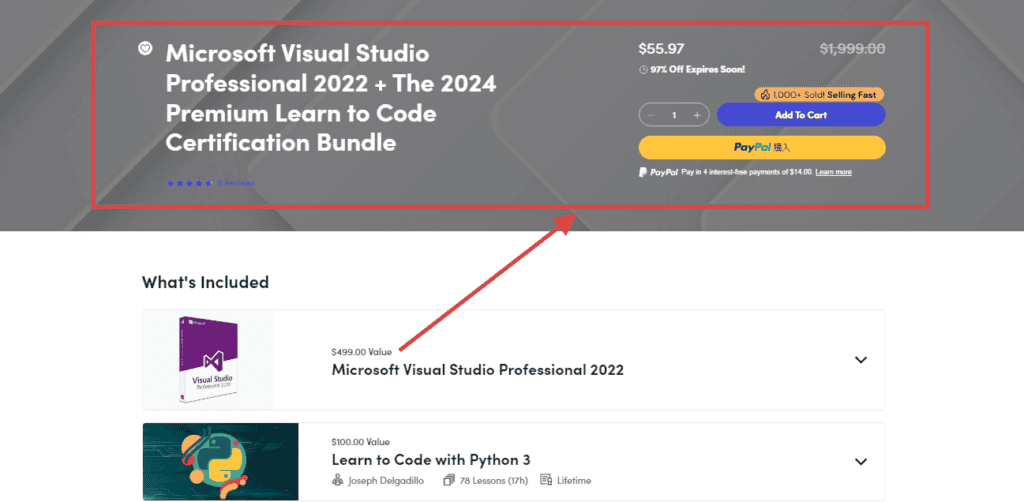
The price will go up a little, but with a course. English is a good deal for those who can do it. This is just an example. There are also set products on sale. Please check it out.
Choose a rate plan with a higher discount rate
There may also be multiple pricing plans. For example, you can check two price plans for this product.
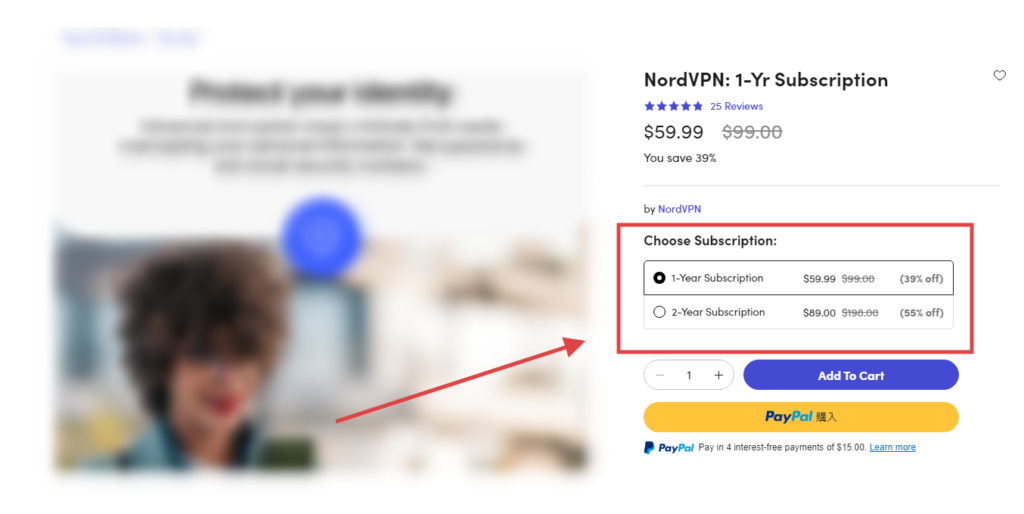
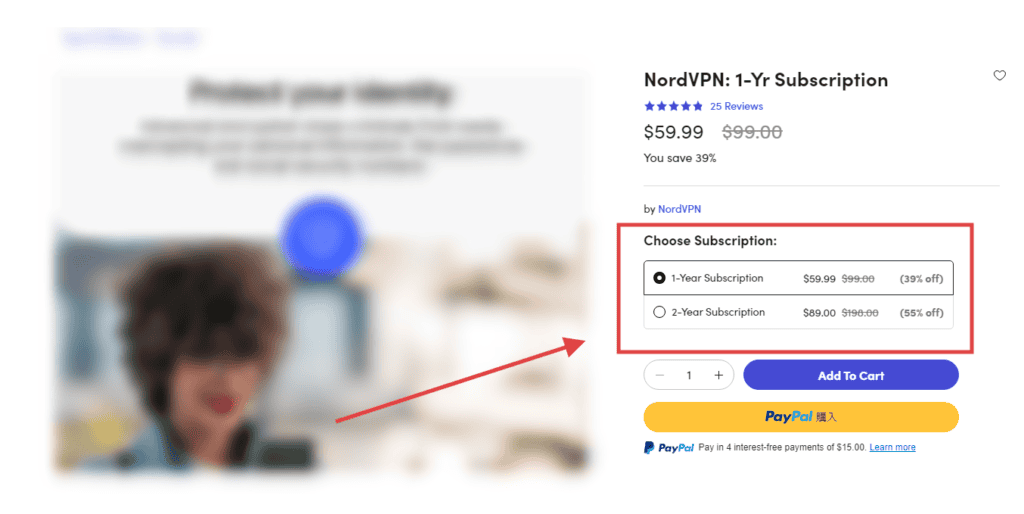
1-year plan is 39% off. And the 2-year plan is 55% off.
Like thisDiscount rates vary depending on the rate planThere may be.
Be sure to check the details of the rate plan.
I sometimes choose a plan with a higher discount rate, even if the price is a little higher, because it will be an expense anyway.
By doing this, you can buy software and apps on Stacksocial at a lower price. Please give it a try.
Conclusion: StackSocial Benefits and Recommended Usage
StackSocial is a platform that I personally love. Get software, apps, online courses, and more at amazing discounts.
There are also overseas marketing tools and AI apps that AppSumo does not have, so be sure to check them out.
Through this platform, I bought a VPN and a rental server on a "one-time purchase". Microsoft Office has also continued to work without any problems at all to this day.
- You can get it at a super special price
- Wide range
- Authorized License
- Cheaper if you use a coupon
On the other hand, since it is an overseas site, I think you may be worried. I will answer as much as I can understand. Feel free to contact us in the comments section below this article.
*Please check with each vendor for support for tools and software purchased on StackSocial
I am trying all the sites like StackSocial where you can buy overseas tool apps at a great price.
We will continue to introduce safe and secure sites.
Rating:StackSocial is one of the most secure sites I've verified.
Get 20% off with code TAKE20
Very useful. There are also limited-time offers, so check them out now.














![[2024] Thorough explanation of the features, reputation, and usability of thin rental servers](https://sp-ao.shortpixel.ai/client/to_webp,q_lossy,ret_img,w_485,h_273/https://takeofujii.net/wp-content/uploads/2021/10/wpxshin-review.png "[2024] Thorough explanation of the features, reputation, and usability of thin rental servers")





20% OFF discount code, in April 2025, you can use it when you buy Win11 Pro.
I was able to activate the license normally. Thank you very much.
Your reply has been delayed!
Thank you for your report. It is very helpful.